Home Page › Forums › General Chat › 4.20.0.2 and up (4.21.1.13)
- This topic has 147 replies, 27 voices, and was last updated 3 years, 10 months ago by
 slender331man.
-
AuthorPosts
-
April 3, 2022 at 8:33 AM #1791545
For me the version 4.20.0.11 is the most smooth version. Fast render, fast Dforce, fast loading sets.
The only thing is that the new Volumetric stuff is not working.
I have update all the recent updates from DZ.
I Load a smoke prop or whatever VDB prop. (I see a cube)
Viewport in Iray. (cube disappear)
Change many parameters in the surface tab.
But I see no smoke..April 3, 2022 at 10:10 AM #1791566Yes, I like the current beta release too, but hadn't come across that issue.
I haven't used that function as yet.They will probably sort that one with the next Beta release.
Did you report the bug?
🙂
April 3, 2022 at 10:38 AM #1791575Anonymous
InactiveRank:
Good advice here, thanks to all.
I'm not a native DAZ user but learning as I go. I know the file structure and that's as far as I got for now. Mistakes and more mistakes to come.
April 3, 2022 at 10:42 AM #1791578They sell these props, so why wouldn't it work? In my case, it doesn't work in general version 4.20 either. According to the dz forum, many people use it. And they don't have any problems with it.
I really wonder why it doesn't work on my Rig.April 3, 2022 at 10:52 AM #1791580Is your nvidia control panel installed correctly?
Mine isn't & I now do not get some graphic functions in DS as a result of that.
It always was OK then a blue screen took it out.
I just can't get a re-installation to take.
:0/
April 3, 2022 at 12:58 PM #1791593I just gave it a test, VDB volume shader is working in 4.20.0.11 exactly as before.
Caveat: I'm using CPU render, since I have AMD Radeon Vega graphics, and not Nvidia.Try rendering on CPU only, see if that makes a difference, it's possible something changed with Nvidia leverage. The only other thing I can think of is make sure that the Volume Channel parameter in the surface properties is BLANK, from everything I've tried, attempting to reference an embedded channel (even if it exists) will cause the volume effect to go invisible.
April 3, 2022 at 6:34 PM #1791649April 4, 2022 at 11:01 AM #1791838Today I have tried all possibilities, which is offered to me on ideas. Unfortunately without success.
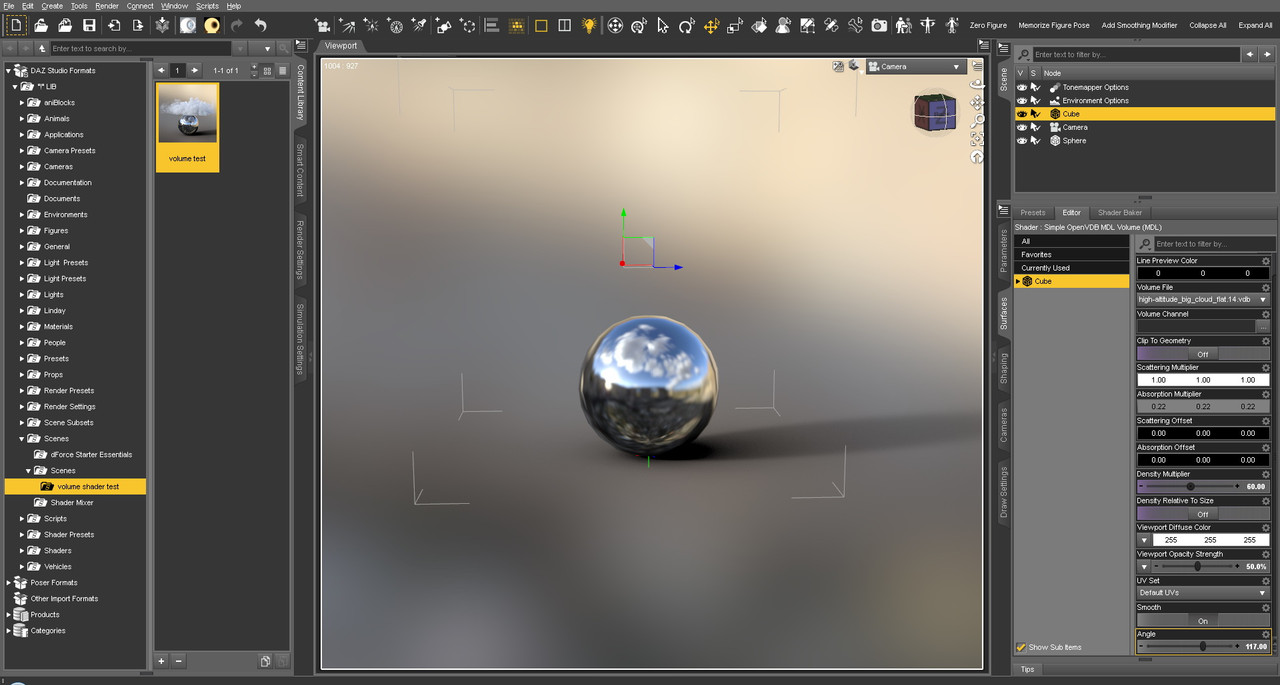
I don´t see smoke.April 4, 2022 at 8:53 PM #1792063@lucafeelgood: I went ahead and made a ready-to-render test scene for you. It's pure geometry (mirror sphere, volume cube and a locked camera) and includes the cloud VDB file used in the volume, so there is nothing else needed. Simply merge the contents of the zip with your My Library folder.
You can find the scene volume test.duf in the Content browser, My Library > Scenes > volume shader test.
Just load it and hit Render, you should see this:

note: rendered in DS 4.20.0.11Test file:
https://www.mediafire.com/file/basvxbdurrhnaz5/volume+test.zip/fileGive it a try and see if it works, then we can get closer to figuring out your bug 🙂
April 5, 2022 at 1:49 PM #1792300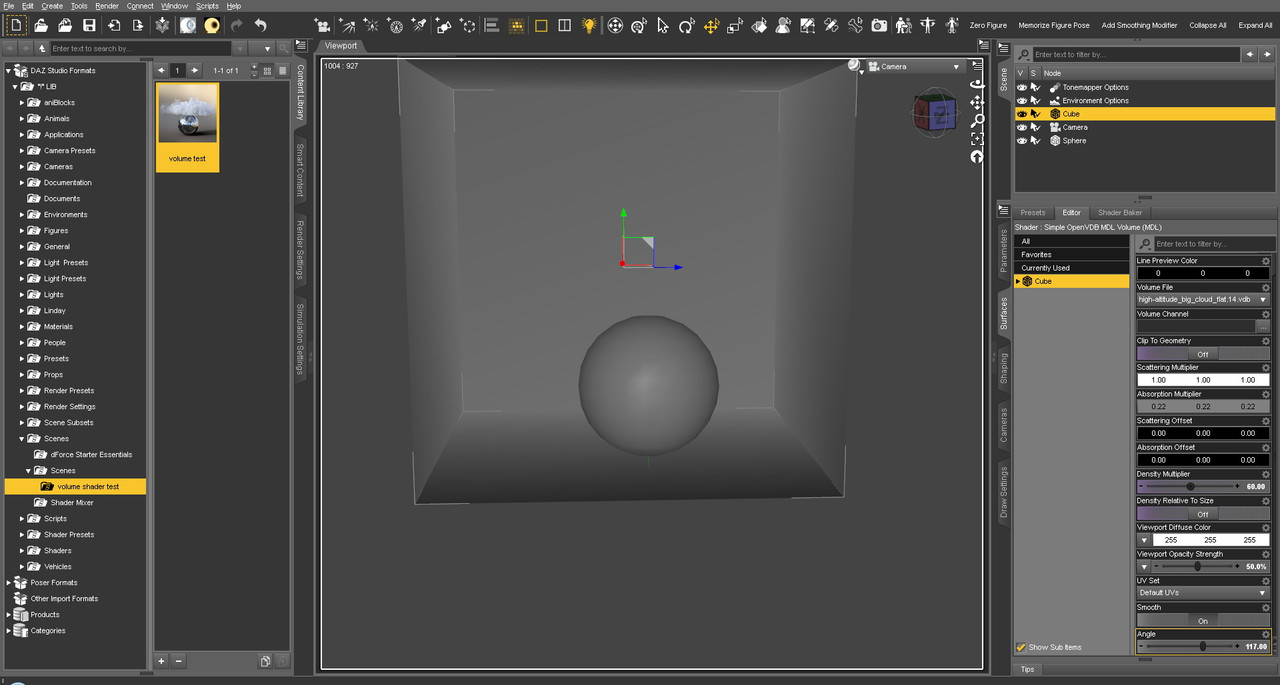
Unfortunately, it did not work out. Neither with cpu render. In any way, thanks for your efforts . @amberkat
April 5, 2022 at 5:02 PM #1792416I'm really glad that I've been more of a natural lights / emissive lighting person. I feel like going forward, DazStudio is looking to achieve that more natural lighting effect.
The way I've read it from daz forum and others on this site, this is more of a Nvidia problem and daz3d is looking to conform to the iray/vray standard. Though God knows that daz3d likes to do anything they can to break features/scripts in order to market new products. 😀
Just glad there are people out there that took the time to make scripts that help those that use ghost lights while being able to benefit from VDB and future updates. I'm really looking forward to animated VDB buuuut that may be a long time coming.
Anyway, this post was a good read and informative.
April 5, 2022 at 8:08 PM #1792475Well I did try the newest decimator on this site and can confirm it does not work in 4.20. So I will keep 4.15 installed alongside until such time as I can snag an updated copy.
April 5, 2022 at 8:10 PM #1792476@lucafeelgood: I see what you mean...
I also see that everything is set correctly, so that leaves it to be some external issue, though I can't imagine what.April 5, 2022 at 11:19 PM #1792522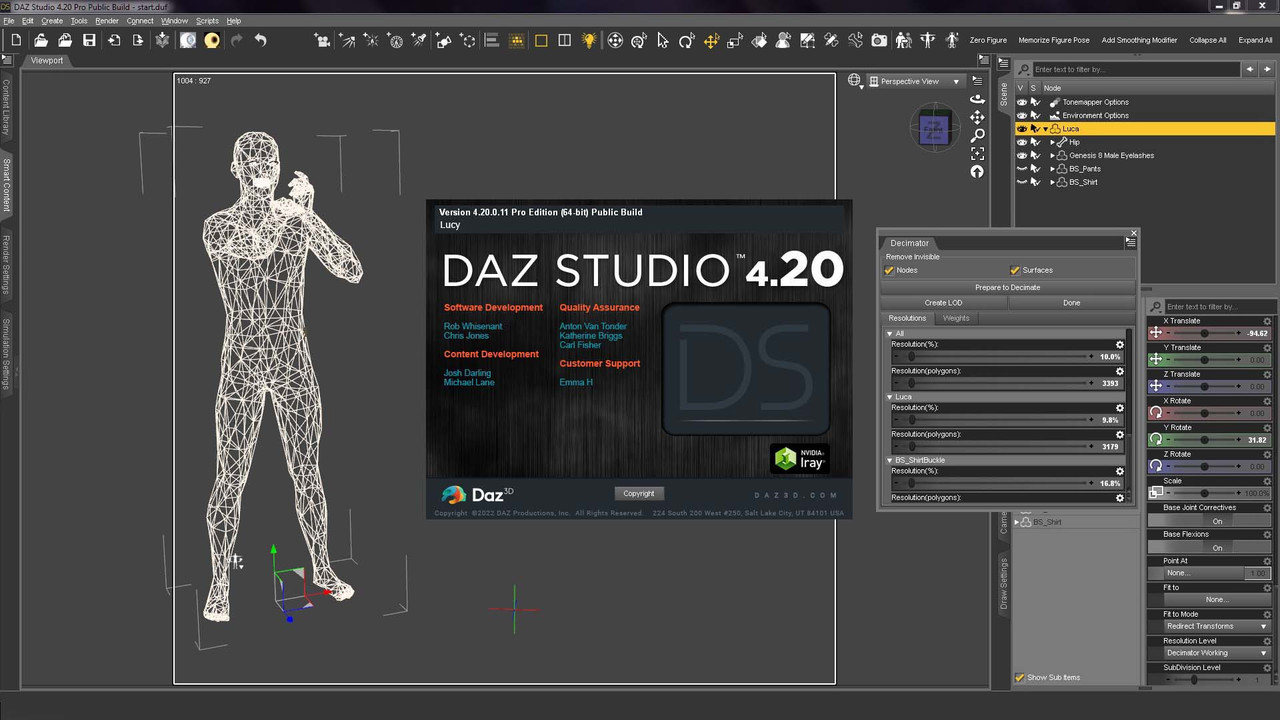
Works fine for me. Version: DS 4.20.0.11 and Decimator v1.7.2.70I installed only this: IM00016594-02_DecimatorforDAZStudio49Win64bitPublicBuild and enter the serial.
@oldwolfApril 5, 2022 at 11:43 PM #1792526@amberkat An external issue? I actually do not think so...But I will keep searching for the little devil that has jumped out of the box..:)
-
AuthorPosts







- You must be logged in to reply to this topic.
