
Hello there, this FAQ page is covering our new Contest System's usage and any questions/scenarios that may arise.
Please read this guide before you create, back, or participate in a contest 🙂 and as always, not reading the guides/rules does not exempt you from complying with them 😉
If you have any questions or found any error or bug, please contact the Moderators: @warrant63 @eelgoo @bann0r @PeepShow45 @Maddy @mxyzptlk
Welcome to the new Contest System 🎉🥳
This new system’s main goal is to bring the community together through fun, rewarding art challenges! Whether you want to host your own contest, submit your best renders, or just support other artists by boosting the prize pool and voting, this system makes it entirely automated and easy to use.
🔸 The system will automatically calculate the stars, handle the voting phase, and transfer the points to the winners.
🔸 You can create your own themed contests for the community.
🔸 Artwork submissions and newly created contests go through a Moderator approval process to keep everything clean and fair.
CONTENT:
🔍 WHERE CAN I FIND THE CONTESTS & LEADERBOARD?
🏆 WHAT ARE THE CONTEST TYPES?
💰 HOW CAN I BACK OR CONTRIBUTE TO A CONTEST?
🎨 HOW CAN I SUBMIT MY ARTWORK?
⭐ HOW DOES VOTING AND WINNING WORK?
📝 HOW CAN I CREATE A NEW CONTEST?
📈 HOW CAN I TRACK MY CONTEST ACTIVITY?
⁉ WHAT IF!? SCENARIOS AND QUESTIONS YOU MAY ASK.
🔍 WHERE CAN I FIND THE CONTESTS & LEADERBOARD?
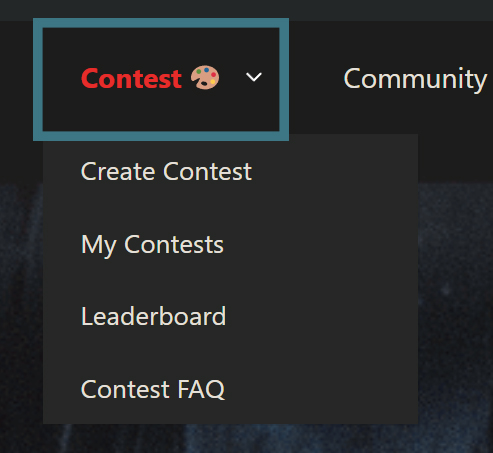
To access the Contest Hub, just click on the "Contest" button at the top bar of the website:
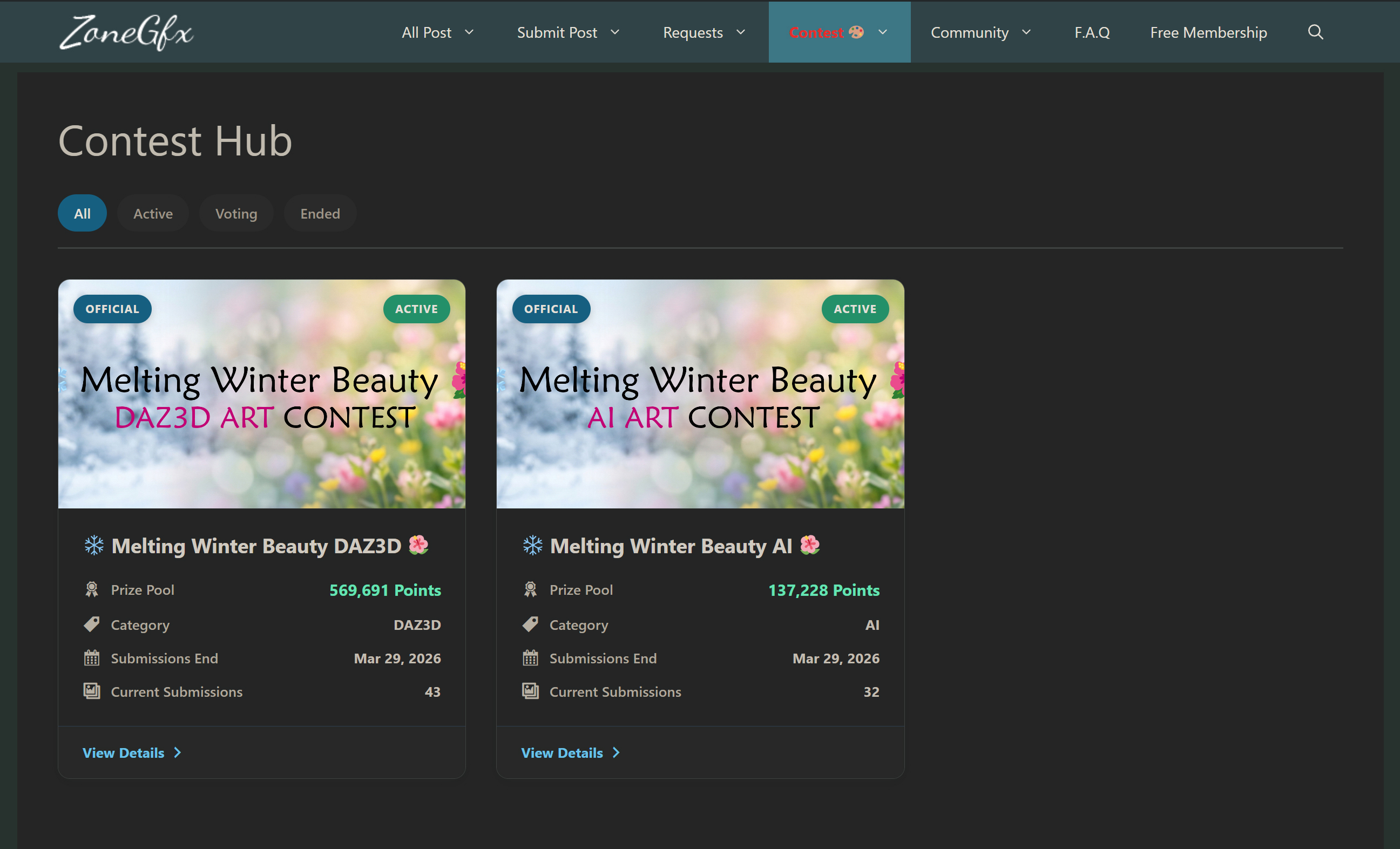
Here you will find the main Contest Hub:
🔸 You can filter the contests by their current status: All, Active, Voting, or Ended.
🔸 Each contest card shows the total Prize Pool, the Category, the exact date when Submissions or Voting ends and how many artworks in these contests.
🔸 One contest can only have one category (currently DAZ3D or AI), but you can contact the moderators to request a new one if you have ideas.
We also have a global Leaderboard!
🔸 By clicking "Leaderboard" in the top menu, you can track the top artists in the community.
🔸 It shows your Rank, Official Contest Wins, User Contest Wins, Total Wins, and Total Points Earned from contests!
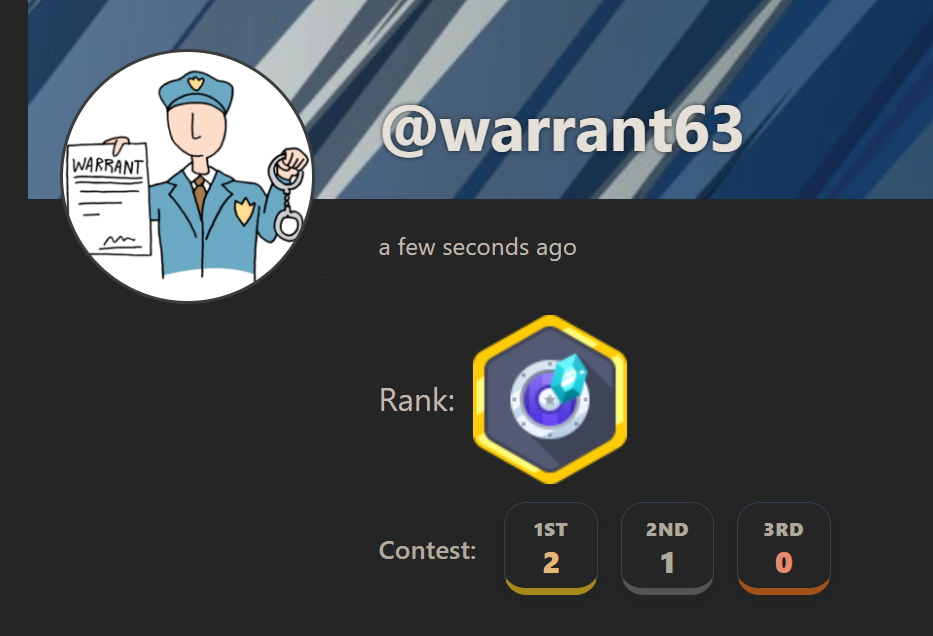
🔸 Your contest victories are also proudly displayed on your User Profile and under your forum avatar!
🏆 WHAT ARE THE CONTEST TYPES?
There are two main types of contests you will see on the Hub:
🟧 User Created Contests:
🔸 Started by fellow community members and hosted by the site.
🔸 All newly created user contests require Moderator approval before going live.
🔸 The starting prize pool is funded entirely by the creator (the minimum amount to start a contest is 10,000 Points), plus any additional points contributed later by backers.
🟧 Official Site Contests:
🔸 Hosted by the ZoneGfx Staff.
🔸 Bonus Points: The site automatically adds a specified +% bonus amount to the prize pool based on the users' offers!
🔸 Guaranteed Reward: In an Official Contest, there is a guaranteed X amount of points rewarded to every valid participant, just for submitting an approved artwork!
💰 HOW CAN I BACK OR CONTRIBUTE TO A CONTEST?
Want to support an awesome contest theme but don't want to render anything? You can Back the contest!
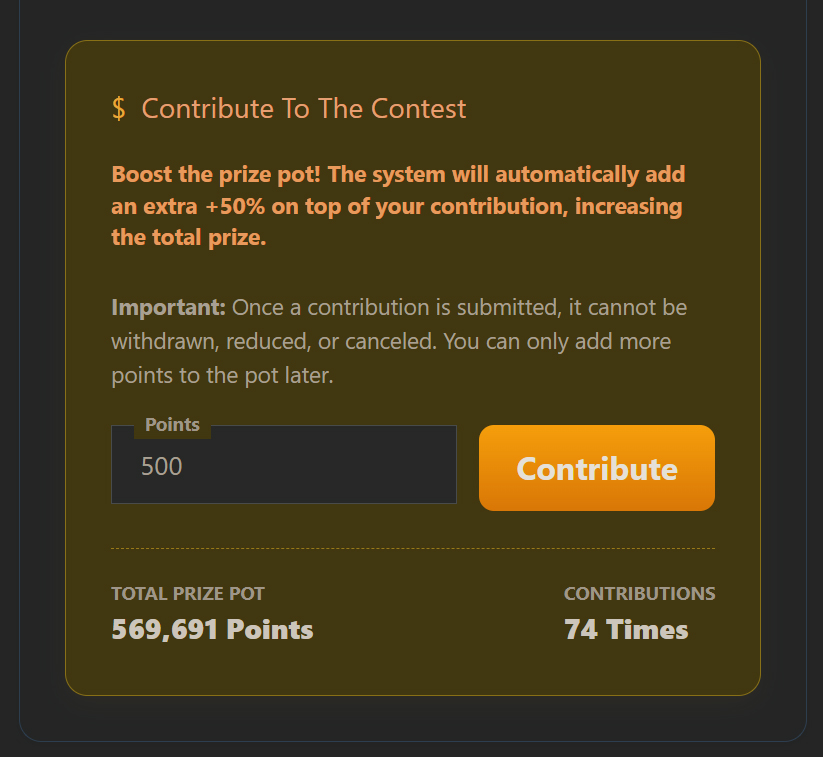
⚠ Inside any Active contest, scroll down to the "Contribute To The Contest" panel.
🔸 You can add your own points to boost the Total Prize Pot and make the contest even more exciting for the artists.
🔸 Your avatar and contributed points will be proudly displayed in the "Contest Backers" section!
⚠ Important: Once a contribution is submitted, it cannot be withdrawn, reduced, or canceled. You can only add more points later.
🎨 HOW CAN I SUBMIT MY ARTWORK?
If a contest is in the ACTIVE phase, you can submit your masterpiece!
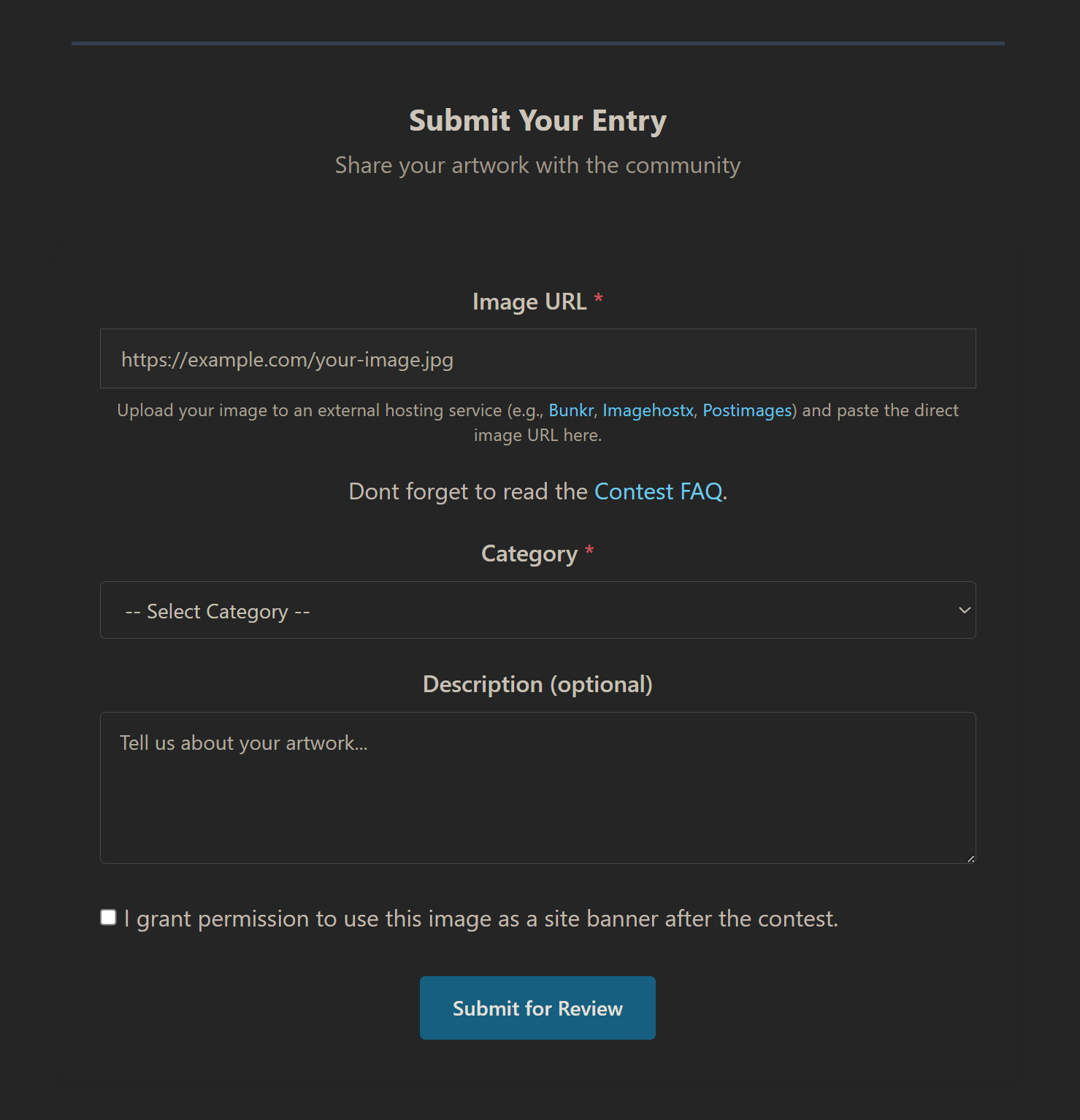
🔸 Scroll down to the "Submit Your Entry" form inside the contest. The form is on the bottom of the page!
🔸 Paste the direct URL to your hosted image (e.g., Postimages, Bunkr, ImgBB).
🔸 Add a short description (optional) to tell us about your artwork.
🔸 Check the permission box if you want to allow us to use your amazing art as a site banner later. (For site banners, please stick to the 16:9 image ratio with these resolutions: FHD 1920x1080 / HD+ 1600x900 / WXGA 1366x768 / HD 1280x720)
⚠ STRICT RULES FOR SUBMISSIONS:
🔸 NO NSFW! Absolutely no NSFW artworks are allowed in the contests. Keep it clean!
🔸 Always read and follow the specific rules created by the contest host.
🔸 Moderator Approval: After you click Submit, your artwork will go into a pending queue. A Moderator will review it to ensure it follows the rules and contains no NSFW elements. Once approved, it will appear in the Submissions Gallery. If declined, you will not be participating.
⭐ HOW DOES VOTING AND WINNING WORK?
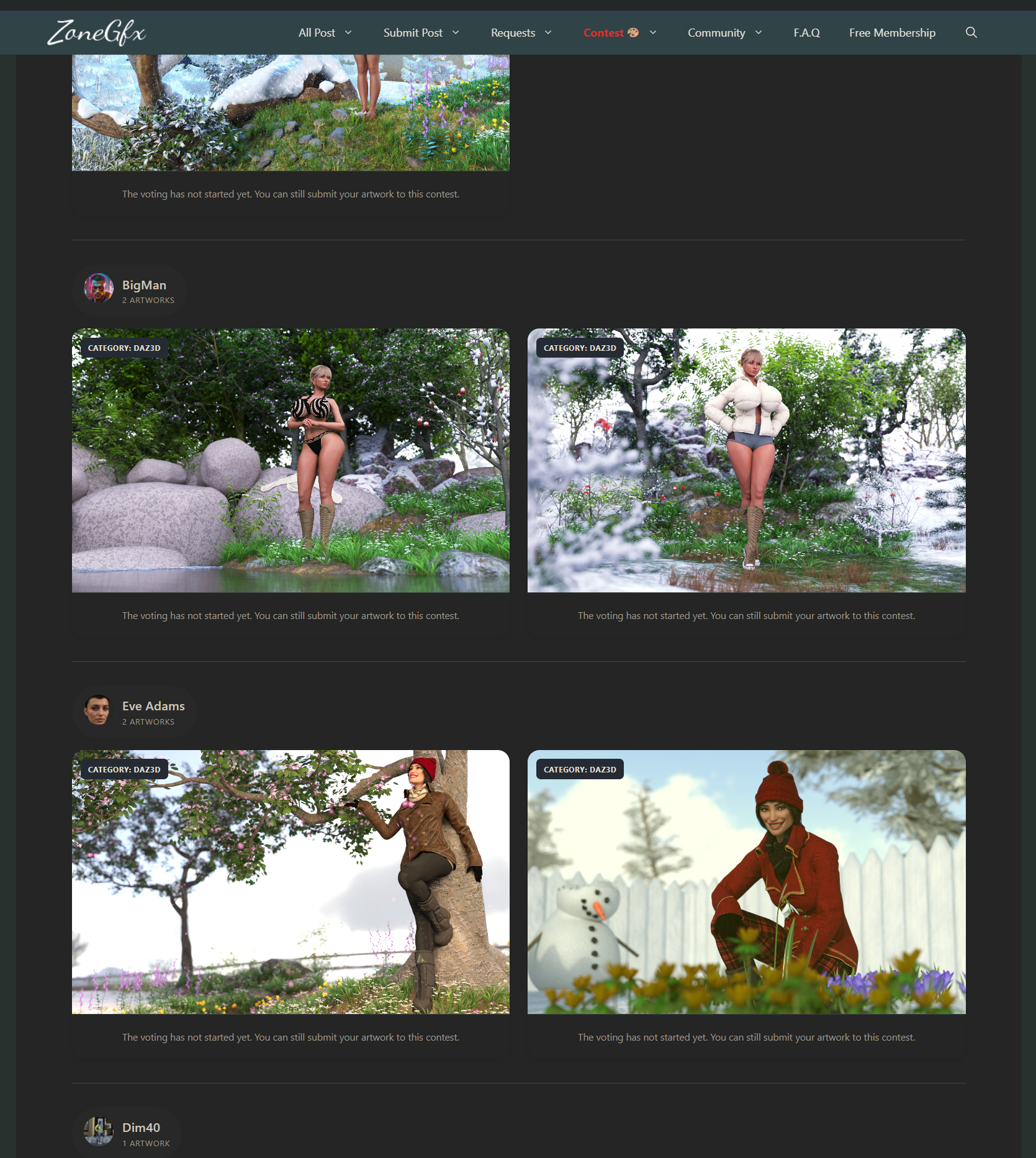
Once the Submission deadline hits, the contest moves into the VOTING phase!
🔸 Everyone in the community can vote on the approved artworks in the Submissions Gallery.
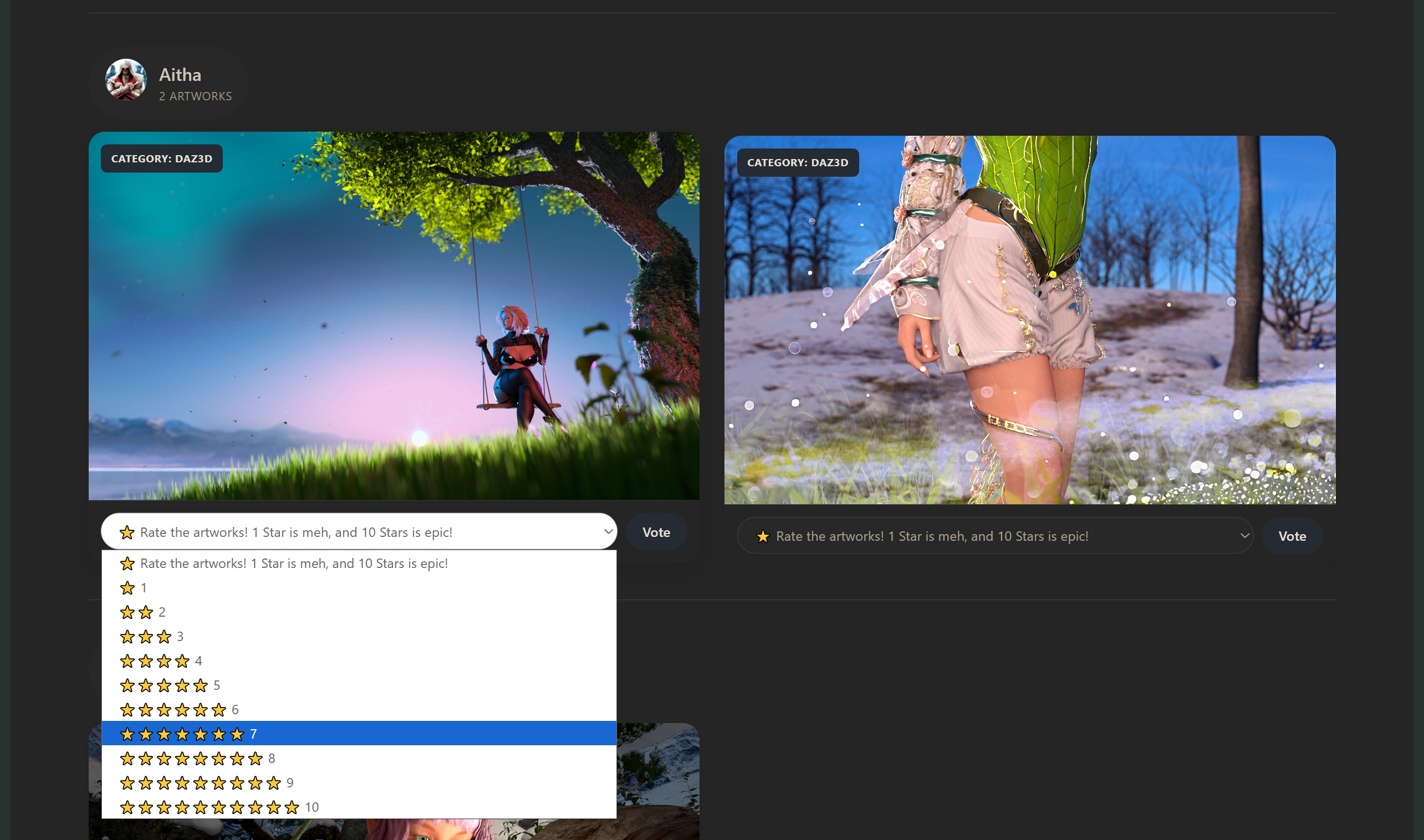
🔸 You vote by rating the artworks from 1 to 10 Stars (1 Star is meh, 10 Stars is epic!).
🔸 Fair Play: You CANNOT vote on your own artwork!
The Grand Finale & Payouts:
🔸 When the Voting Deadline is reached, the system automatically locks the contest and calculates the results.
🔸 The artwork with the most Total Stars wins!
🔸 The system will instantly and automatically distribute the Prize Pot to the winners based on our payout percentages (50% for 1st, 35% for 2nd, 15% for 3rd).
🔸 You can check the "Ended" tab on the Hub to see the beautiful Final Results showcase.
📝 HOW CAN I CREATE A NEW CONTEST?
Have a great idea for a theme? You can host your own contest!
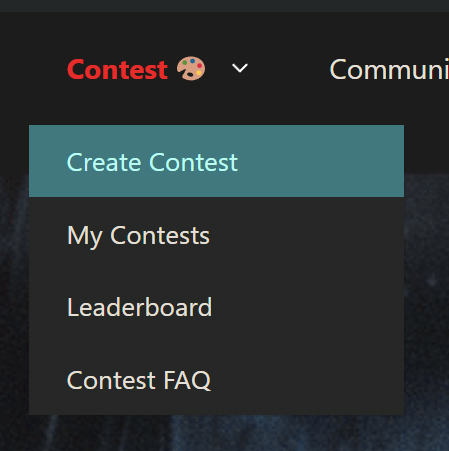
🔸 Go to the Contest drop-down menu and click "Create Contest".
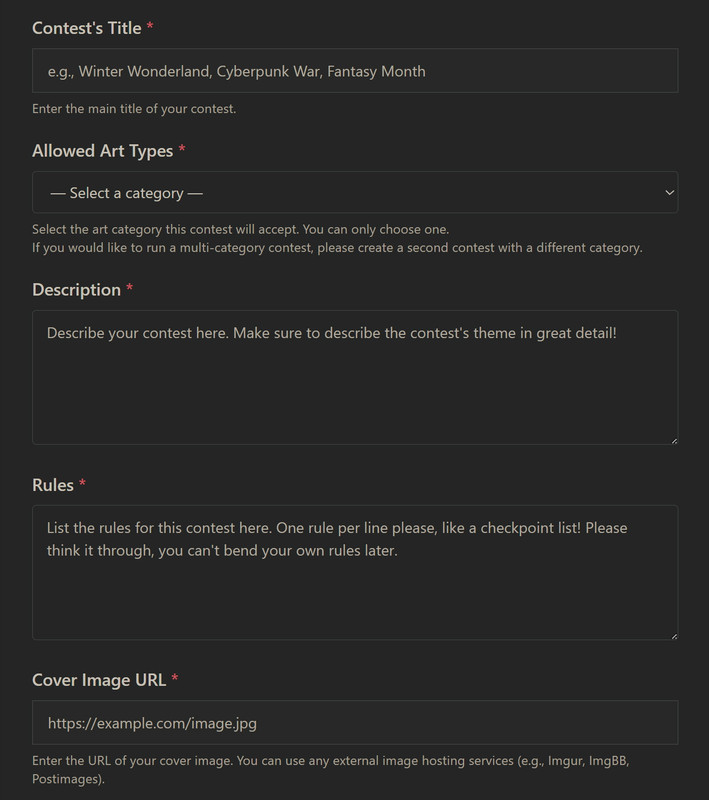
🔸 Fill out the Title and select the Allowed Art Type from our predefined list (you can only choose one category, currently DAZ3D or AI).
🔸 Write a highly detailed Description of your theme. This is very important and needs to be clear so everyone understands what is expected (for example, if the theme is "Winter Wonders", specify that it needs snow, ice, winter clothes, etc.).
📎 Example Description for a Contest
The seasons are changing, and it's time to capture that magic! For this contest, we want to see gorgeous female characters transitioning from the freezing cold to the blooming warmth. Show us the beautiful crossover of winter melting away into spring! Your artwork should mix the cold elements of winter (like snow, ice, and winter clothes) with the beautiful warmth of spring (like sunlight, blooming flowers, and green nature). Let your creativity shine! ✨
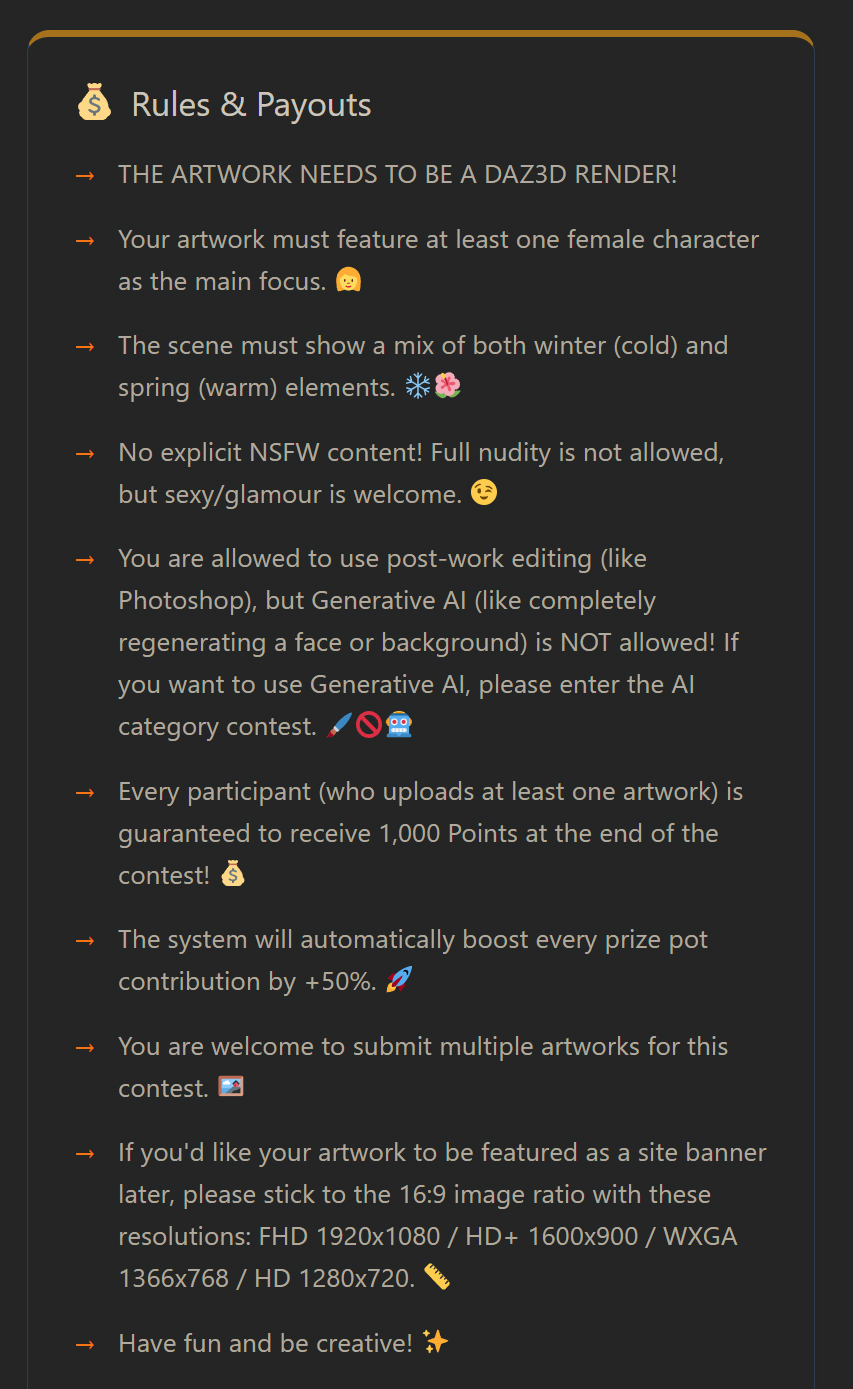
🔸 Rules: List your rules clearly and make sure to put one rule per line, because our system will automatically format them into a nice list! Think it through, as you cannot bend your own rules later.
📎 Example Rules for a DAZ3D Contest (one rule per line because our system will automatically format them into a nice list!)
THE ARTWORK NEEDS TO BE A DAZ3D RENDER!

Your artwork must feature at least one female character as the main focus. 👩

The scene must show a mix of both winter (cold) and spring (warm) elements. ❄️🌺

No explicit NSFW content! Full nudity is not allowed, but sexy/glamour is welcome. 😉

You are allowed to use post-work editing (like Photoshop), but Generative AI (like completely regenerating a face or background) is NOT allowed! If you want to use Generative AI, please enter the AI category contest. 🖌️🚫🤖

You can submit multiple artworks for this contest. 🖼️

If you'd like your artwork to be featured as a site banner later, please stick to the 16:9 image ratio with these resolutions: FHD 1920x1080 / HD+ 1600x900 / WXGA 1366x768 / HD 1280x720. 📏

Have fun and be creative! ✨
📎 Example Rules for an AI Contest (one rule per line because our system will automatically format them into a nice list!)
THE ARTWORK NEEDS TO BE AI GENERATED! IMG2IMG generation is allowed!

Your artwork must feature at least one female character as the main focus. 👩

The scene must show a mix of both winter (cold) and spring (warm) elements. ❄️🌺

No explicit NSFW content! Full nudity is not allowed, but sexy/glamour is welcome. 😉

You can submit multiple artworks for this contest. 🖼️

If you'd like your artwork to be featured as a site banner later, please stick to the 16:9 image ratio with these resolutions: FHD 1920x1080 / HD+ 1600x900 / WXGA 1366x768 / HD 1280x720. 📏

Have fun and be creative! ✨
🔸 Provide a nice Cover Image URL to make your contest look appealing. Recommended image ratio/size: 2300x950 or 1150x475.
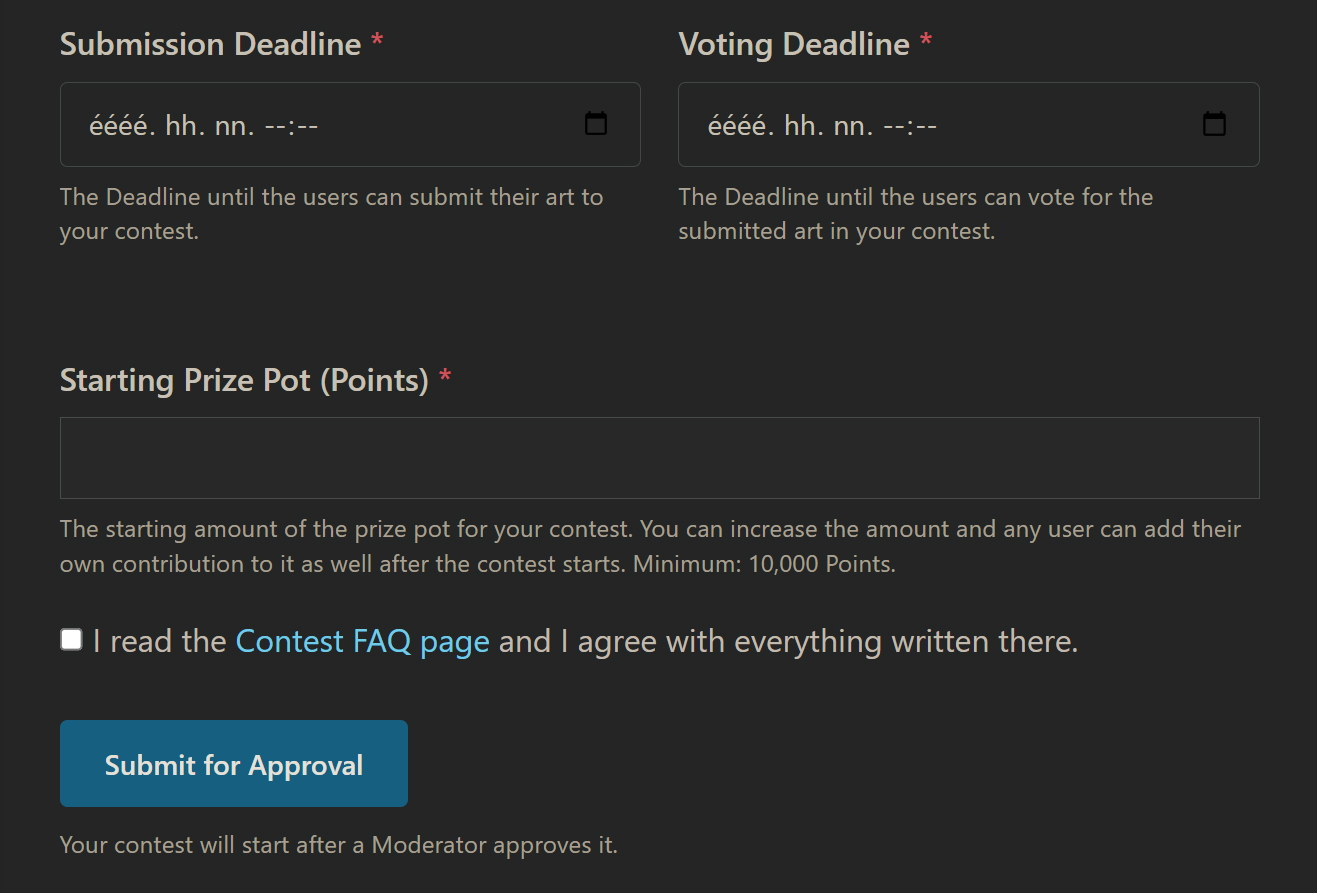
Deadlines & Prize Pot:
🔸 Set a Submission Deadline (when users must submit by, maximum 30 days from contest's creation date).
🔸 Set a Voting Deadline (when the community must finish voting, maximum 10 days after submission ends).
🔸 Starting Prize Pot: You must fund your own contest! Enter the starting amount you wish to offer (Minimum: 10,000 Points). This amount will be deducted from your balance upon creation.
⚠ Moderator Approval Required:
🔸 After you hit "Submit for Approval", your contest will be sent to the Staff.
🔸 A Moderator will review your contest to ensure everything is set up correctly. Once approved, it will go live on the Hub!
📈 HOW CAN I TRACK MY CONTEST ACTIVITY?
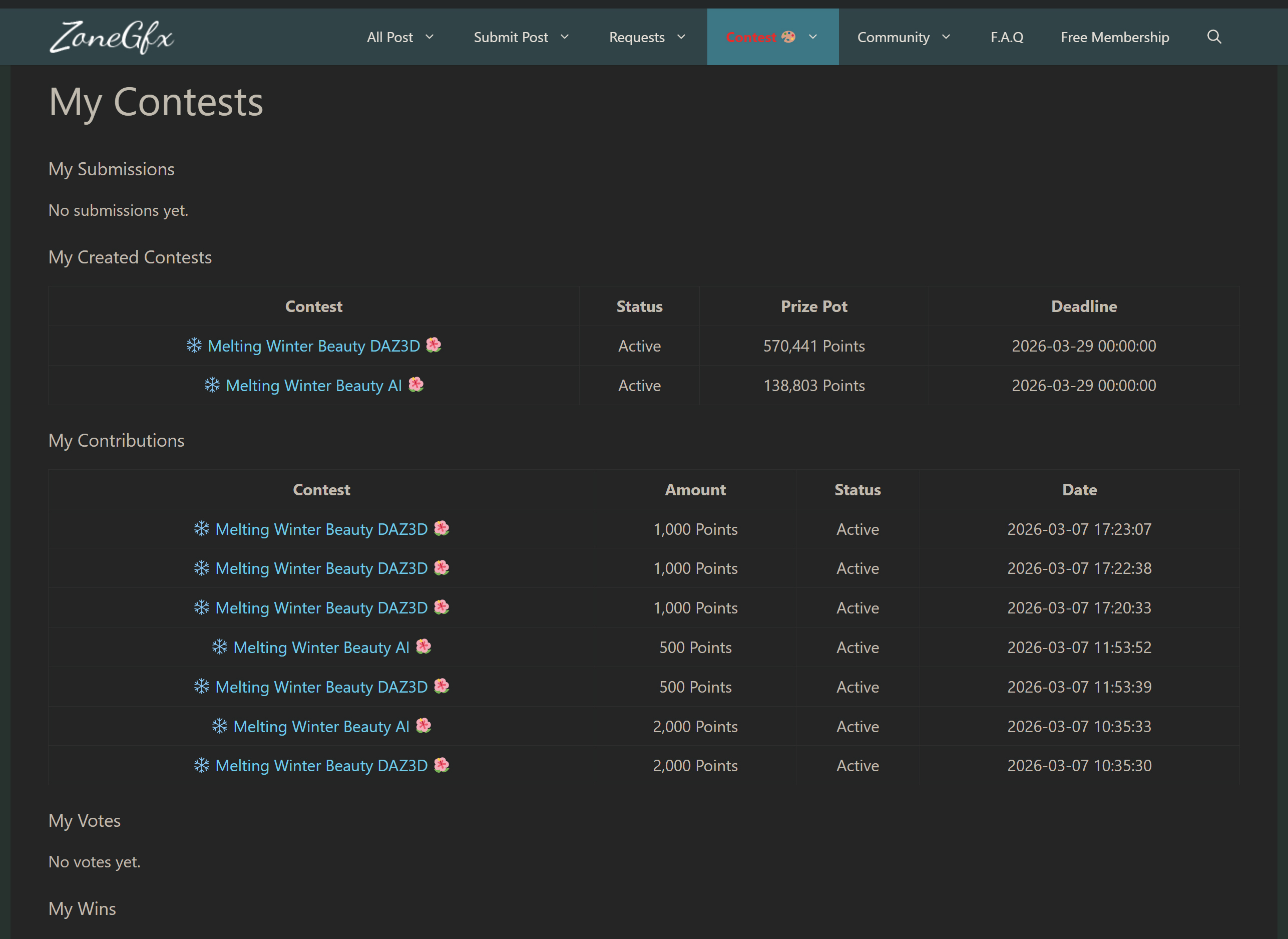
Want to keep track of your progress? Use the My Contests page!
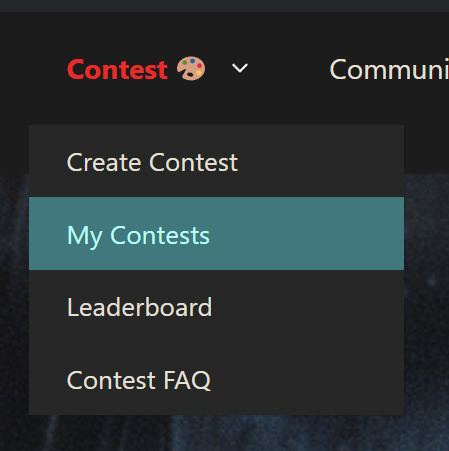
🔸 Go to the Contest drop-down menu and click "My Contests".
🔸 This is your personal dashboard! Every user can use this to track their activity.
🔸 Here you can see a detailed list of your Wins, Votes, Contributions (offers), Created Contests, and your Submissions.
⁉ WHAT IF!? SCENARIOS AND QUESTIONS YOU MAY ASK.
❓ I submitted an artwork, but it's not showing up in the gallery yet?
❕ All submissions require Moderator approval first to ensure they meet the contest rules and are completely SFW. Please be patient, it will appear once a Mod checks it!
❓ Can I submit an artwork containing NSFW/Adult elements?
❕ No explicit NSFW content! Full nudity is not allowed and will be declined by the Moderators, but sexy/glamour is welcome. 😉
❓ What image size or resolution should I use for my submissions?
❕ It's completely up to you! We always recommend going for high resolution to show off your details. However, if you'd like your artwork to be showcased as a site banner later, pplease stick to the 16:9 image ratio with these resolutions: FHD 1920x1080 / HD+ 1600x900 / WXGA 1366x768 / HD 1280x720.
❓ What happens if a contest ends in a tie?
❕ The system handles ties automatically using a time-based approach. If two or more artworks receive the exact same number of stars, the first submitter wins the higher placement!
❓ Can I cancel my contribution to the Prize Pot if I change my mind?
❕ No. Once you contribute points to a prize pot, it is locked into the system to guarantee the reward for the artists. If this mistake breaks your life, you can contact a Moderator to request a refund, but please note that you may not get it!
❓ I am hosting a contest, do I have to manually pay the winners?
❕ Nope! The system will automatically calculate the stars when the deadline hits and transfer the points directly from the locked prize pot to the winners. You just sit back and enjoy the art!
❓ This guide is way tooooo long...
❕ 
❓ ...I'm not going to read it.
❕ 
❓ I still have questions!
❕ If you still have any questions or need help, feel free to contact the Moderators: @warrant63 @eelgoo @bann0r @PeepShow45 @Maddy @mxyzptlk
