Home Page › Forums › General Chat › Problem importing FBX with textures AND position intact
- This topic has 48 replies, 5 voices, and was last updated 4 years, 8 months ago by
 John Lund.
-
AuthorPosts
-
January 20, 2022 at 2:27 PM #1768763
the max file, to c4d works fine (just change the glass material...), but no in Daz. Exloded again! Perhaps, MaxToBlender, from 3DforAll...no tested.
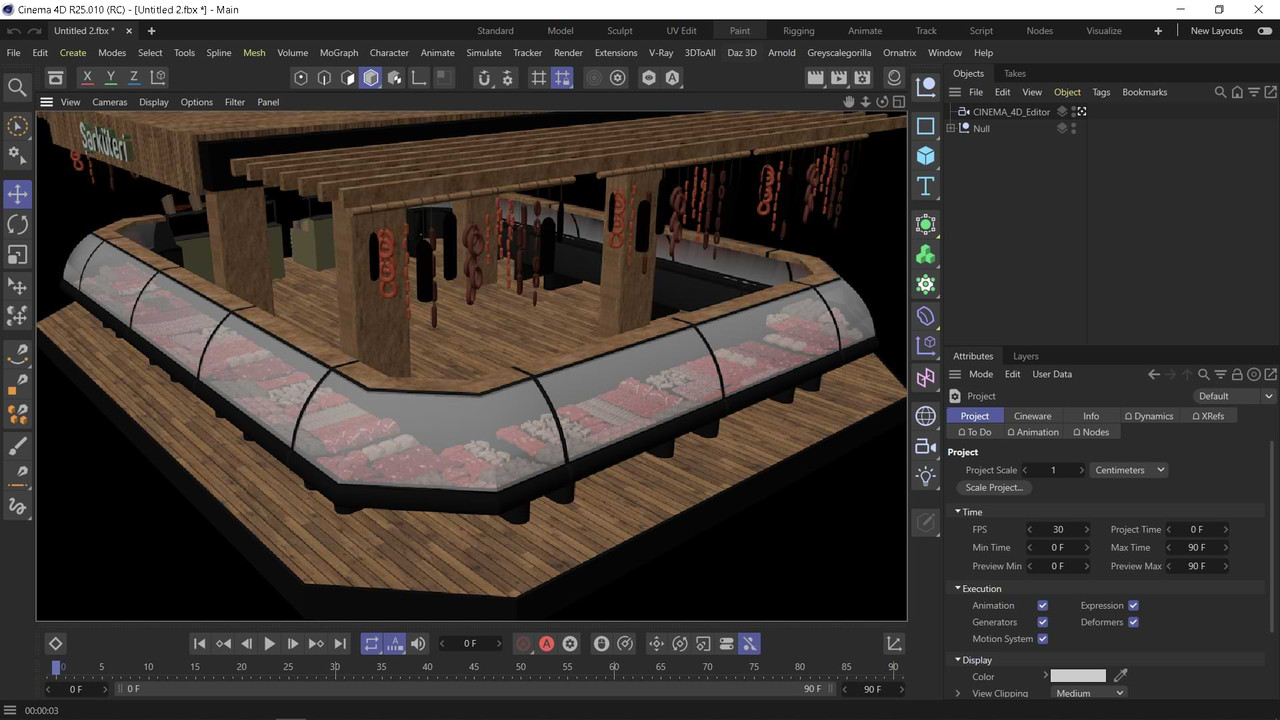 January 20, 2022 at 3:24 PM #1768781January 21, 2022 at 12:10 AM #1768908
Sorry for the radio silence. I should have been doing something else today, instead I got obsessed with this model. 🙂 Every time I thought I had the answer, there was some problem or other in the way.
I got a scene working in Poser, anyway.
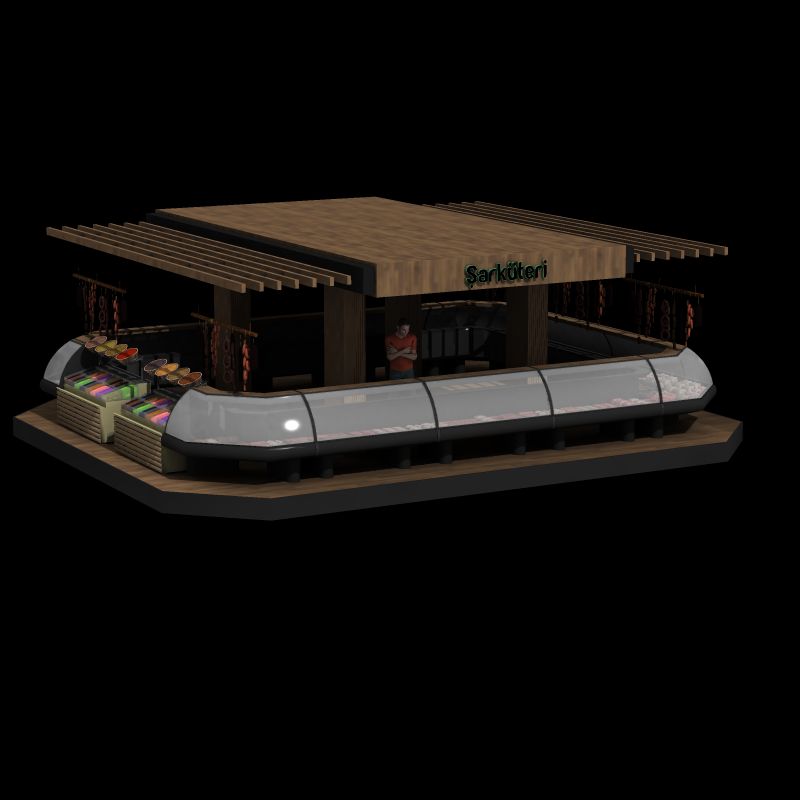
Not all the objects are separated, there are more than 2000 of them! You can see that the hanging sausages at the sides aren't at the right height, though I think I can fix that. Once it works in Poser it should work in DAZ too, right?
On the plus side "the sky is filled with sausages" is my new go to phrase when a model import doesn't work 🙂
January 21, 2022 at 12:58 AM #1768914Ecky Thump! well done Kusalkin. Nothing wrong with sausages.
 January 21, 2022 at 6:31 AM #1768958
Sounds wonderful! Can´t wait to see wait you have accomplished!
January 21, 2022 at 9:22 AM #1768992The truth is that I have exported the max converted from 3ds Max, and Cinema 4d, Fbx 2013 version, even with Alembic, abc format, retarget texures...There is no success. The construction is wrong. The only possible solution would be for the author to remodel it, since it is a botch generated in 3ds Max from years ago...(And, of course, Daz's Fbx importer, which is rubbish...)
In Solidworks or NX, software where I always work, there are some constraints, faces to faces, matching angles, etc... That's CAD. 3ds Max sucks at doing anything in real 3D. I barely touch it. It doesn't have those "physical" object/geometries relationships. What I said: In the trash now! Demand the author to do things right and give you your money back.
Besides, there are textures that are not found, and others, such as chips or tobacco packages that are not used. A fucking DIY to walk around the house.
Not DXF, not a Iges, or Step... Sucks! 😀
and, besides, the stage is ugly!!! Ouch!January 21, 2022 at 1:23 PM #1769031January 21, 2022 at 9:51 PM #1769171Thanks for the encouragement people. I agree with @abad, the thing looks like it was thrown together in a hurry to make a fast buck. Although I'd be pissed off if I'd paid for this, I'm hopeful that something useful can be made out of it.
I was reading this thread last night and this linked tutorial looked as if it might apply to 'our' problem here too. In brief:
- import the FBX into Blender (this preserves the maps and materials)
- use a script as described in the Unreal tutorial to export the objects as separate files
- another script takes care of importing the object files - there are scripts for DAZ and Poser
That should take care of the problem I'm having which is that both DAZ and Poser have rubbish import functions. Poser can spawn props from a multi-object import, but there seems to be a limit to the number of objects it can handle, and it's not enough in this case. If Blender can do the job I promise to learn more about it 🙂
I'll keep y'all posted next time I get a chance to work on this.
@frank22 Nothing wrong with sausages at all but in my view they belong on a plate with mash and gravy, not up in the flippin sky 😀January 22, 2022 at 3:05 AM #1769230I've never had such a problem with converting or exporting/importing an FBX model so I have to agree with @Abad that the model itself is the problem. You can't make a silk purse from a sow's ear.
January 22, 2022 at 3:19 PM #1769382@kusalkin Sounds really, really good! Thanks so much for the hard effort you put in!
January 22, 2022 at 11:04 PM #1769554@chonakz I can't make any promises - the end result was never going to be perfect, and there is no single, simple method to do the conversion - but I can see light at the end of the tunnel. We all know the punchline to that one 😀
I've got all the objects separated, but lost some of the material settings, so I'm trying to combine 2 approaches at the moment.
As for the work involved, I hope the things I learn here will be useful when I want to convert other stuff in the future. I have no real use for a delicatessen counter, but I might end up with an another option to get the models I do need. Options are good to have!
January 23, 2022 at 2:16 PM #1769711@kusalkin Yes, I understand that it may not work in the end or being less than perfect. But thanks a lot for the effort!
January 24, 2022 at 12:47 PM #1769979@kusalkin has done it! Here is the beautiful Saküteri in all its glory - in DAZ I may add:
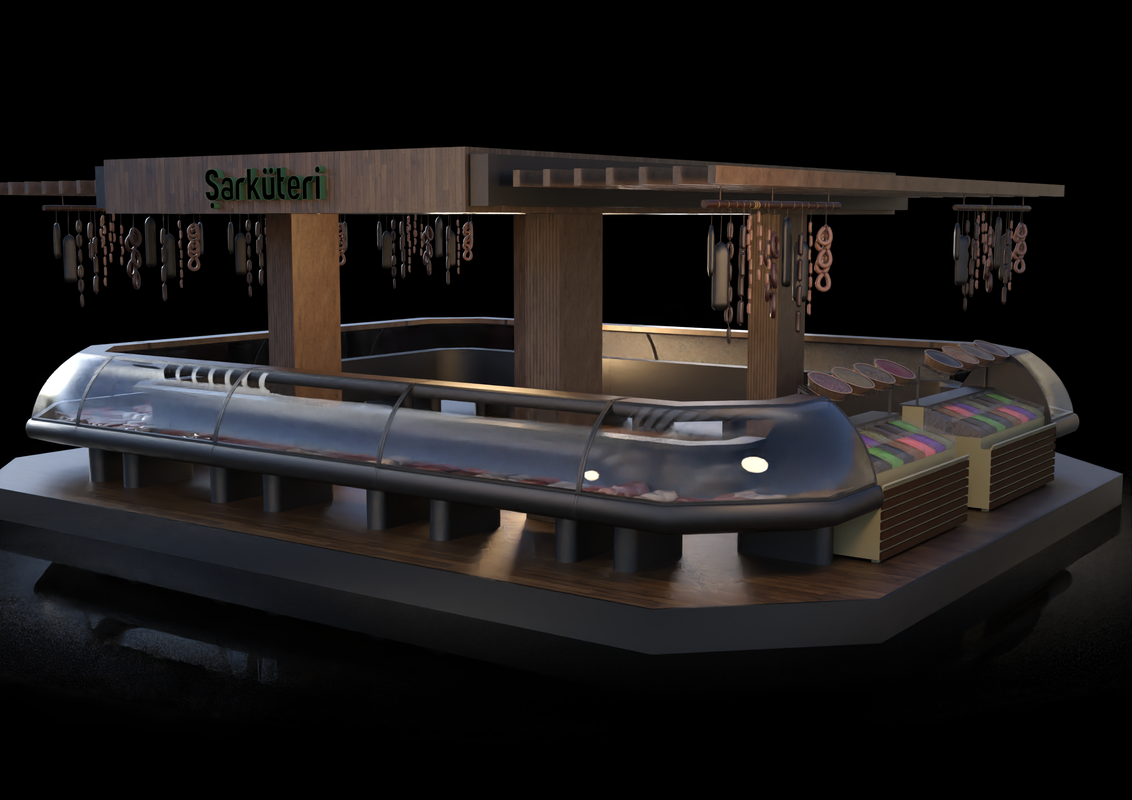
He will fix a link in case someone else is interested!
Thanks a lot Kusalkin! Great job!
January 24, 2022 at 1:00 PM #1769980You can’t make a silk purse from a sow’s ear.
Agreed. But you can make sausages if you use the right mix of spices and herbs. Or at least a sausage shop. 😀
Delicatessen for Poser [Mega link]
With @chonakz permission here's the delicatessen in Poser format. It works in DAZ too. All the parts of the original are separate props, which is overkill but it's the easiest way to do it.
I've deliberately left the materials as they were imported from the FBX so it will sort-of work anywhere. You'd want to tart them up a bit to suit your chosen renderer, starting with the glass probably. I included only the maps that were actually used so you don't need to download the original to be able to use this.
I'll post this on the blog in due course, maybe after some tarting up has taken place. But I don't want to make it too Poser specific cos I think most members here are using DAZ, and I don't have a lot of skill with that.
Share and enjoy 😀
January 24, 2022 at 1:04 PM #1769981 -
AuthorPosts






- You must be logged in to reply to this topic.
