Home Page › Forums › General Chat › Problem importing FBX with textures AND position intact
- This topic has 48 replies, 5 voices, and was last updated 4 years, 8 months ago by
 John Lund.
-
AuthorPosts
-
January 19, 2022 at 2:30 PM #1768472
I have never bought an OBJ or FBX item before but thought I would give it a try for this one: https://www.renderhub.com/nvere/delicatessen it is basically a charcuterie with textures included.
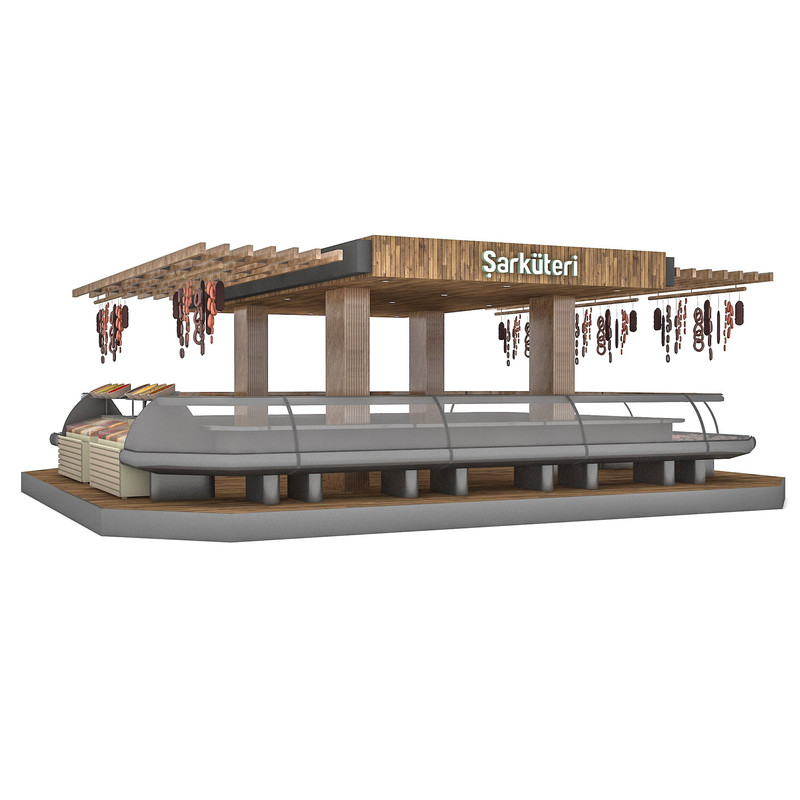
Importing OBJ straight into DAZ means no textures for me. Importing FBX means no textures plus everything is scattered in total chaos.
I consulted Google and was told to import the OBJ first to Blender and then just export it with certain settings to an OBJ. But I still have no textures when importing to DAZ. I should say that I have never used Blender before and can't really know if the textures was included when importing to Blender.
Diving deeper I started to understand an OBJ file means that everything is just one object, whereas an FBX file means that you have individual movable objects. Obviously I want to have individual objects. So I tried to open the FBX in Blender and re-export as an FBX. This time, in DAZ, I have textures and individual items, but the sky and everything is filled with sausages in total chaos.
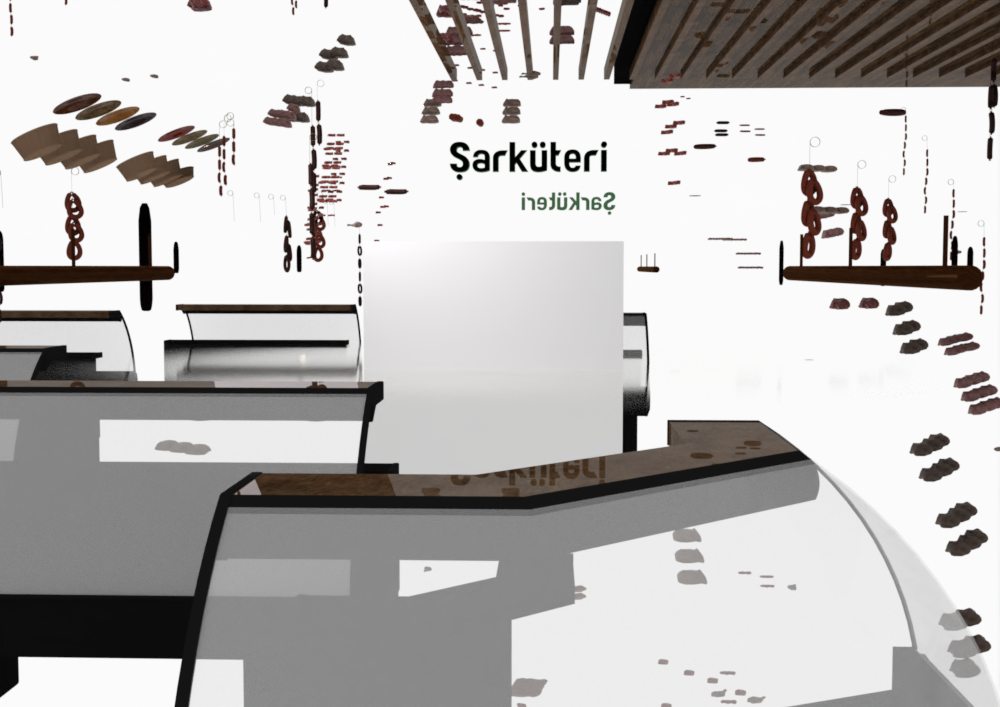
Would be happy if someone could check if the product is possible to import to DAZ with textures intact, individual items but without chaos. The item is here if anyone would like to try: https://mega.nz/folder/khtiQTbC#WOOvngWZ3G4l5CYtGiI6cw
January 19, 2022 at 5:06 PM #1768494Just from a quick look, there doesn't appear to be a .mtl file which is what the obj format uses to store materials, including pointers to the map files.
I've downloaded free objs in the past that don't have the mtl, and you have to apply them all manually, tedious if there's lots of them. It sucks big time to pay for something and not have it work properly. Some vendors seem to include obj format as an afterthought and don't test it properly, or at all.
I'm still downloading (curse you slow internet) but I'll let you know if I find anything out.
January 19, 2022 at 6:12 PM #1768515As I thought: the obj file is looking for obj.mtl which you should have been given. Is it a separate download? I can't get to renderhub at the moment to check.
None of the materials have useful names so assigning them by hand would be a pain in the proverbial. And there's only 11 material zones which doesn't seem like enough for a complex model. The model was made in Max, obj exports from there often seem to be unhelpful.
If you can get the fbx imported with textures on, even though the sky is filled with sausages (the situation isn't funny, but that phrase just makes me LOL), can you save the material settings and apply them to the obj import? Not a DAZ expert, sorry.
January 19, 2022 at 6:14 PM #1768516Thanks for help! I guess the priority for me is to get the FBX working as I want to have individual objects. OBJ is simply of less interest...
Maybe it is a way to export FBX from Blender in a DAZ-format so it doesn´t fall apart...? The FBX is as far as I can see OK in Blender (although I haven´t figured out how to see the texture).
January 19, 2022 at 6:23 PM #1768517You posted your second one when I was answering the first post.
As I said in the previous post, when I realized that OBJ is one single object, my focus went for FBX. Maybe there is a Blender expert that knows why the FBX blows up in DAZ but not Blender and what to do about it?
Thanks again Kusalkin!
January 19, 2022 at 7:58 PM #1768538Maybe you are right, BUT, it looks like the FBX is working in Blender (note that I´m a total newbie when it comes to Blender) so it is working for at least one software. If it is working in Blender it SHOULD (hopefully...) be possible to export it in a format that DAZ can understand. The information about where stuff should be positioned is obviously there, it´s just that DAZ talks a different language...
Maybe Blender is not the answer but it "should" be a software that can export it in a way that DAZ can read.
That´s at least how I understand it....
January 19, 2022 at 8:45 PM #1768543I used to import to Blender and export another .fbx if the original .fbx wouldn't import to Daz Studio. But recently I've had much better success exporting from Blender as Collada (.dae).
The .dae will come into DS with some things you don't need like a camera and a light, just delete them.
With this method I don't get either the exploding .fbx or the .obj single object problems.

 January 20, 2022 at 5:03 AM #1768629
@Frank22 Okidok...! I will test that as soon as I can..! Sounds like a break through!
January 20, 2022 at 6:10 AM #1768650Note you will still have to convert to ubershader and adjust the brightness of textures, specularity etc, and group the parts if they're not grouped. I usually apply any spec maps to the glossy layer weight or glossiness nodes. The normals and/or bump maps can be left as is. The .dae should come into DS with the diffuse image maps already applied.
January 20, 2022 at 9:11 AM #1768704I imported the FBX in Blender and exported it as Collada .DAE and then imported it to DAZ, it comes without explosion but it looks like only the logo has materials:
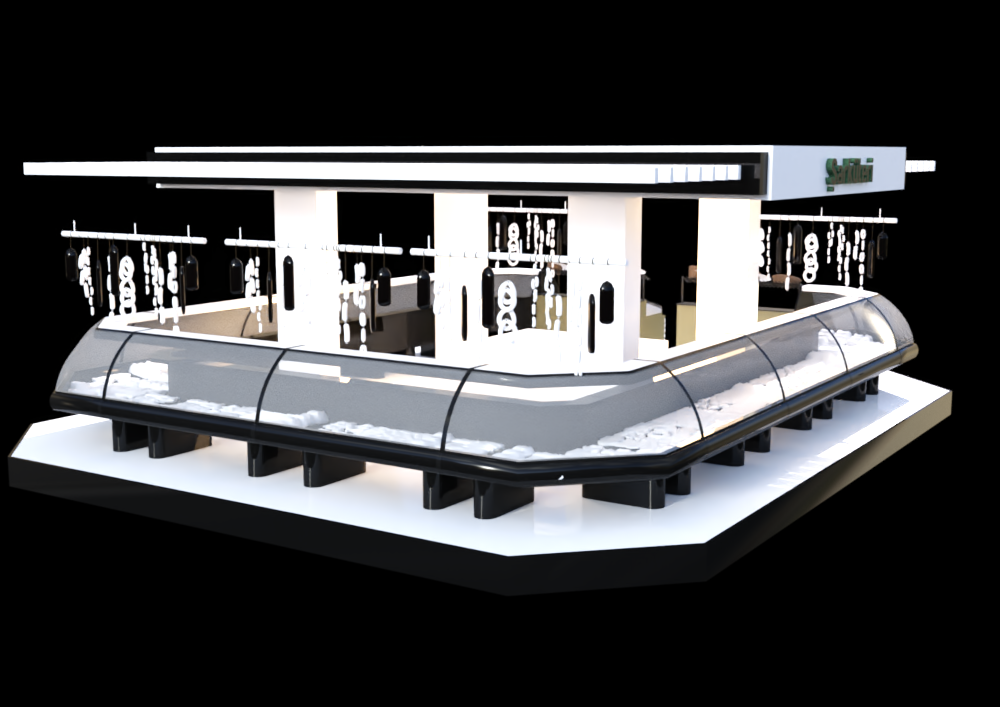
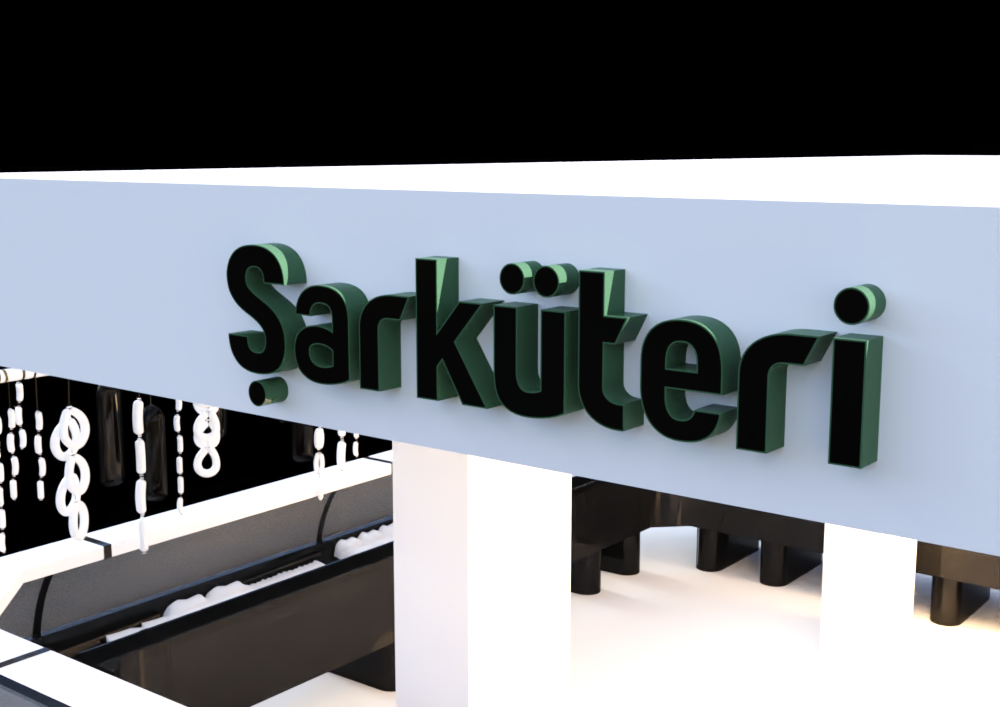
....what is wrong?
I also tried with checking the box "UV" but with the same result.
January 20, 2022 at 10:01 AM #1768711The wrong is "the silly" importers from Daz. Opened in 3ds Max , the max file, is rigth.Some "corruption" in the file. It looks like an author's build/modeling issue, since he's creating arrays, and that's dangerous when exporting if you're not on the original software. I have tried to export to C4D with Riptide Pro, and it works fine, with its textures. There is no success in Daz. Also with Rhino, and nothing: The same. It all boils down to a bad approach when modeling the object. My solution: Throw it in the trash.
January 20, 2022 at 10:12 AM #1768716January 20, 2022 at 10:35 AM #1768721@Chonakz Are there UV textures that come with the model? If so you should be able to apply them yourself in DS.
January 20, 2022 at 11:01 AM #1768725I am not at my computer but at the product page it says
Textures:Yes
Materials:Yes
UV Mapped:YesSo I guess it is included...
January 20, 2022 at 11:21 AM #1768731It is a link in the first post but here it is:
https://www.renderhub.com/nvere/delicatessen
And here is the item
-
AuthorPosts






- You must be logged in to reply to this topic.
