Home Page › Forums › General Chat › Not trying to start an argument
- This topic has 117 replies, 14 voices, and was last updated 8 years, 9 months ago by
Anonymous.
-
AuthorPosts
-
January 22, 2018 at 9:45 PM #469411
Anonymous
InactiveRank:
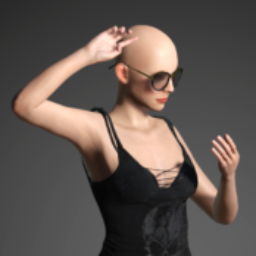
I've tried every adjustment and it just won't work for the pose I want.
See the image I posted for the look I want 🙂I'll try again when I have time :/
January 22, 2018 at 10:01 PM #469423@dragon
I've used this with very good results in the past, it's a mesh lighting kit...I think there is also a second one out now also, more updated, more control.January 22, 2018 at 10:50 PM #469452@dragon
Using nothing but the Ghost light Kit, no other lighting.
 January 22, 2018 at 10:52 PM #469457
Yup for softer light you can use a plane with an emissive shader on it rather than a light, it pretty much emulates a real world light diffuser.
That said, I feel you can get pretty Good results with a 3 point spotlight setup, softening the shadows is why you have the key light on one side,and a fill light on the other.
January 23, 2018 at 2:56 AM #469659@norbertz, I think you probably could get this look but it will be difficult because of the odd hinging properties Daz uses in the neck. But that model is not resting her chin on her shoulder, it's over her clavicle/collarbone. She's not facing past her shoulder but giving a 3/4 view and looking to the extreme right with her eyes. I think it's doable in Daz.
January 23, 2018 at 3:18 AM #469668If you examine the photo, you’ll also see that the model’s shoulders are twisted about 30 to 40 degrees from the waist. That’s where the pose process shoul start. Gradual twists starting with the torso and working your way up to the neck.
January 23, 2018 at 4:45 AM #469706@norbertz - What they said, she doesn't have her chin on her shoulder, the sample render I did she's twisted further than your sample photo.
In your picture her head is angled away from the camera, and her shoulder is up which is giving the illusion from the low camera angle that her head is further down than it really is.
January 23, 2018 at 9:12 PM #470471InactiveRank:Thanks guys.
I'll either have to shorten dolly's neck or hide the obvious bend with hair.
Believe me I've tried every movement of G8's torso and it just won't get there.
Yes I even tried different camera angles but it just doesn't look right.Back to the drawing board with that pose :/
January 24, 2018 at 12:43 AM #470649The only real issue I can see is that you can't compress the neck, like in an extreme twist. Also the neck on Daz models bends around the bone, rather than the muscle pulling it and the spine/neck bending to suit. So that might be the issue.
January 24, 2018 at 2:08 AM #470726InactiveRank:Your right, and it's a barrier unlike V4 in Poser where you could twist, bend and contort dolly and it would still look good. I miss Poser's IK 🙁
January 24, 2018 at 2:14 AM #470730InactiveRank:*You're* right, and it’s a barrier unlike V4 in Poser where you could twist, bend and contort dolly and it would still look good. I miss Poser’s IK 🙁
January 24, 2018 at 2:31 AM #470751You can scale the bones if you really want to.
January 24, 2018 at 3:25 PM #471364InactiveRank:Thanks silverboaX I'll give that a try 🙂
-
AuthorPosts






- You must be logged in to reply to this topic.
