Home Page › Forums › General Chat › Duplicate morphs and morph recovery
- This topic has 42 replies, 6 voices, and was last updated 1 year, 3 months ago by
 trader2h.
-
AuthorPosts
-
July 4, 2025 at 9:54 PM #2134941
I did as you instructed, do I need just to save the changes, even though it effects all of the morphs on the list, besides the ones that I want
July 4, 2025 at 10:16 PM #2134942No, you should be able to choose only the ones you want. Which version of DS are you using? In mine you can uncheck the ones you don't want to save.
July 5, 2025 at 3:51 AM #2134964@Trader2h, that's simple, huh? Thanks for showing us this illustration. Totocandy himself told me he couldn't fix it, so I guess other vendors out there are just as dazed? Nonetheless, thank you again.
July 5, 2025 at 6:32 AM #2134974No problem, I actually must have read it somewhere in the past because I'm not really tech savvy 🙂
July 7, 2025 at 8:37 AM #2135325I use an older version daz ver 4.22 I think
July 7, 2025 at 11:30 AM #2135355@d1m1trius99 I tried with 4.22 and the morphs get highlighted when I press them. Perhaps that means that only them are selected to be saved. I don't know, I don't want to cause you a problems with your installation.
Wasn't your problem two morphs with the same name by different authors? This isn't going to fix that problem, only by doing the search and replace method. Which characters have the problem? Perhaps I have them and I can check to show you exactly how to fix it.July 7, 2025 at 12:28 PM #2135359Being able to select which morphs to save has been around for years in DS.
July 7, 2025 at 3:29 PM #2135374I have 2 cammy models, one if Romfx cammy and the second is sf6 guhzcoituz cammy.
July 7, 2025 at 4:44 PM #2135383I just installed both of them and I got no error when I loaded G8F. applied both of them and all seem normal. Are you sure they are the problem? Can you clear your log, load G8 and post it here?
To clear it, open it to notepad, delete all andsave Then load G8July 7, 2025 at 6:54 PM #2135392Their morphs interect, since they share the same ROMFX icon and sometimes one loads in the expense of the other.
July 7, 2025 at 8:27 PM #2135400OK, here you go. Make sure to delete the original files in the data folder. Not the clothes ones but the ones in
\data\DAZ 3D\Genesis 8\Female\Morphs\guhzcoituz\SF6 Cammy
and
data\DAZ 3D\Genesis 8\Female Eyelashes\Morphs\guhzcoituz\SF6 Cammy
The rest you can overwrite with no problem.
I think part of the problem was that he had another one names Cammy Head in the eyelashes and so there were 3 clashing versions. They load fine now.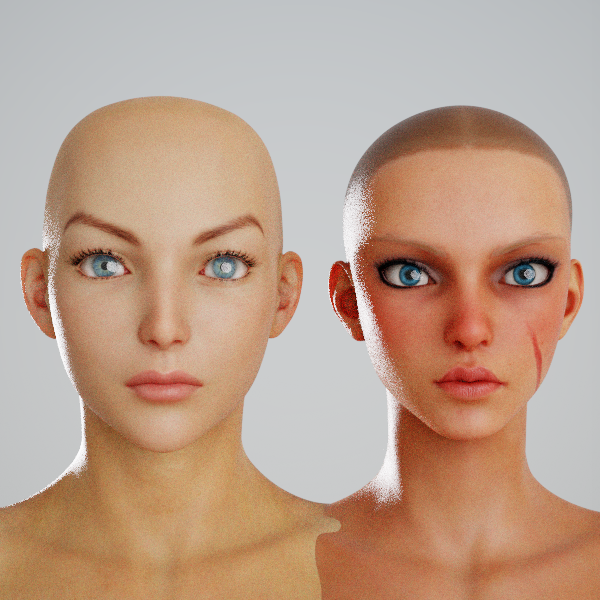 July 8, 2025 at 9:00 AM #2135475
Thank you very much my man for the help and patiance with explaining some stuff to a newbie like me.
If I had the points I would have sent you some. I'll send you the moment I gain more points.
July 8, 2025 at 9:44 AM #2135482@d1m1trius99 No need, happy to help. If you have problems with anything else just give me a shout, I actually find it fun, like a puzzle 🙂
-
AuthorPosts





- You must be logged in to reply to this topic.
