Home Page › Forums › Art Showcase › Portraits
- This topic has 10 replies, 7 voices, and was last updated 4 years, 2 months ago by
 Pablito.
-
AuthorPosts
-
June 30, 2022 at 11:30 AM #1825862
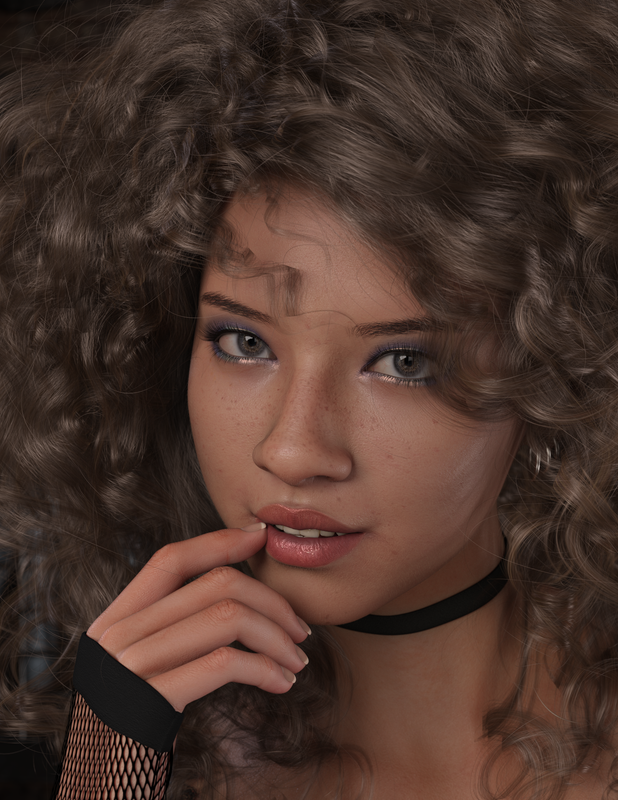
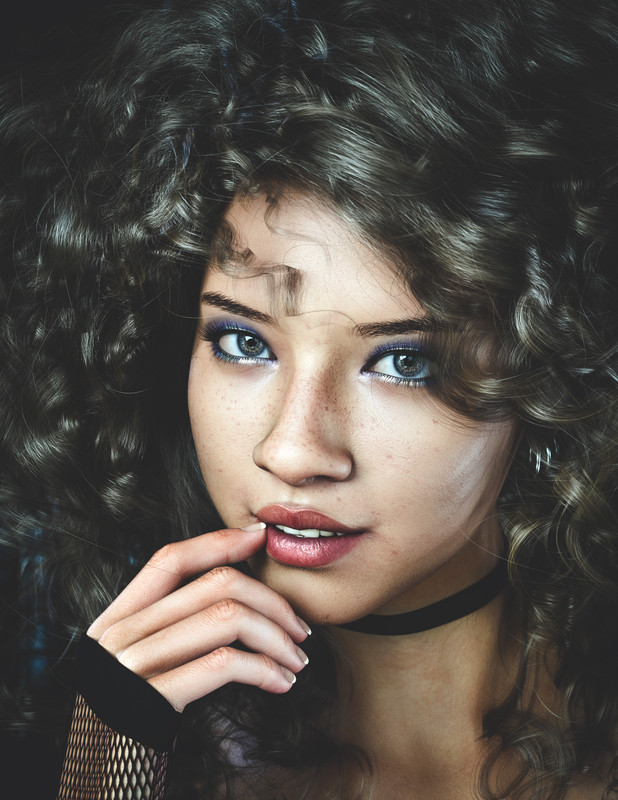
Full image here No postwork.
I was inspired by Jinx @Ehrez posting about Moody Renders.
I made a few attempts at PS postwork but none of it was better than the base render (because I suck at postwork). Any criticism or advice welcome. Or post your own portraits below.
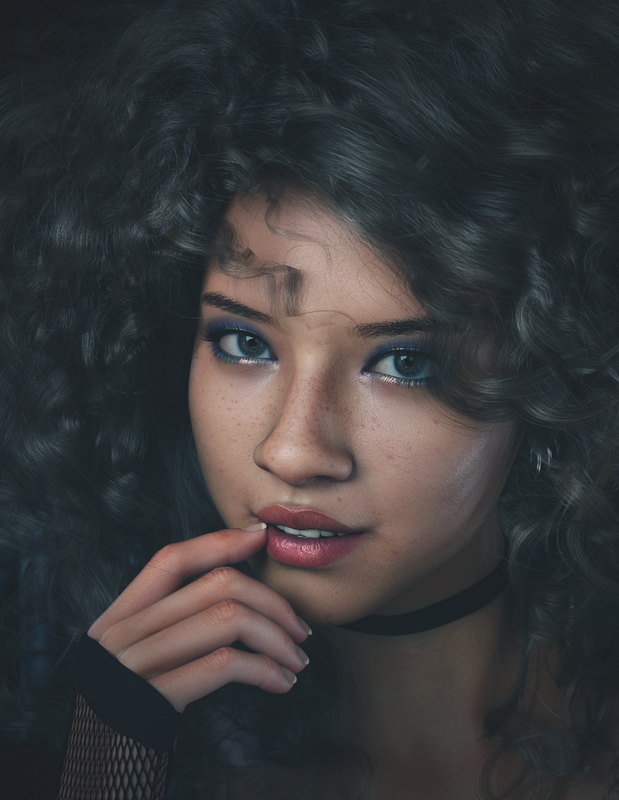
June 30, 2022 at 4:55 PM #1826033A little tweak with Nik collection.
IDK, Maybe Photoshop is really the key to achieving the desired result 🙄
 June 30, 2022 at 5:23 PM #1826048
A little tweak with Nik collection.
IDK, Maybe Photoshop is really the key to achieving the desired result
@ehrez You've done a really good job.
NIK is really my favorite plugin.June 30, 2022 at 7:13 PM #1826076June 30, 2022 at 7:16 PM #1826077@Gelstat I definitely need the practice! I don't have an art background, so youtube and forums are keeping me educated lol.
July 1, 2022 at 4:52 AM #1826334So many renders are let down by hair on all these images. Transmapped hair, particularly with curls, has so may obvious unrealistic dissonances with reality that they become disconnected with it. Which is why I mostly use fibermesh or strand-based hairs. Unless of course if one's aim is to represent stylisation rather than realism. In which case I'll let that pass as comic-style or anime style art, which is fine in itself so no problem.
I don't know, I've become so obsessed with realism in my own renders that I've been losing perspective beyond that goal. I really need to learn to appreciate 3D artworks beyond that single goal.July 4, 2022 at 10:38 AM #1827836Very nice!
@frank22, I've noticed that, sometimes swapping out the opacity map for one from a different style or shader can help.The finer opacity map could require setting the cutout opacity limits off and cranking it up past 1.00. This can give the hair finer strand appearance as well as covering the scalp like it should.
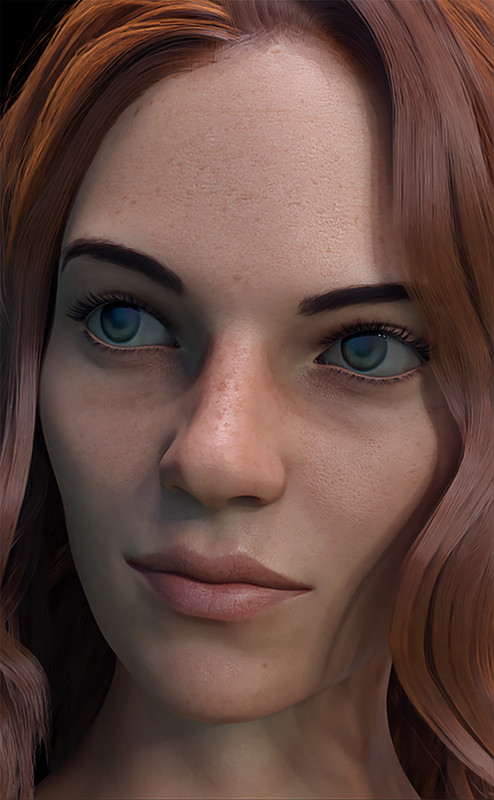
July 20, 2022 at 9:40 PM #1833538My contribution
 July 22, 2022 at 8:45 PM #1834161
I dislike the Nik collection. It "overdoes" things on the default templates by a lot. Not recommended if you are a noob.
Hopefully, I consider myself "good-ish" with photoshop, so here is my version of your render @enjoyify, let me know if you like the style and need tips!
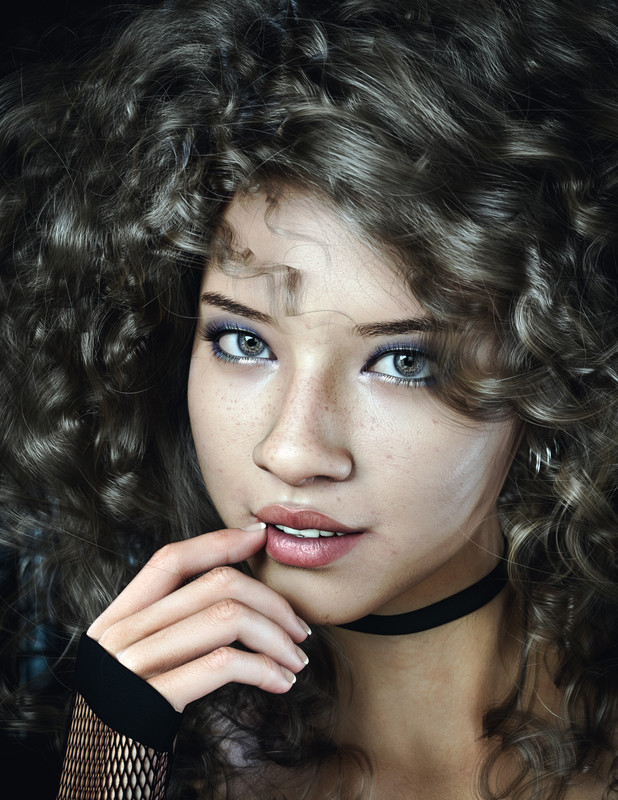
and, if you want a more "moody" look, just add an exposure layer?
 July 22, 2022 at 10:26 PM #1834182
Nice work @Legolas18!
I'm working my way through a couple Photoshop tutorials this week. I'm still a big noob. I'll definitely ping you and others here if I need help! Thanks!
Edit: I do prefer the "moody" look. But that might be my untrained eye. I'll try playing with an exposure layer.
July 23, 2022 at 6:04 AM #1834262Yes its a nice proposition @Legolas18, the more the contrast the better.
Photoshop is a essential part in my workflow, if you need advices, maybe i can help too :-).My 2 cents :
I've just found the way to play with LUT under the soft, to achieve this you have to add :
Layer adjustment -> Color Lookup, from there you can select your LUT
i found an interesting one here : https://zonegfx.com/triune-digital-superhero-luts/
But you already have a bunch of pre-installed LUTs which are good already -
AuthorPosts









- You must be logged in to reply to this topic.
