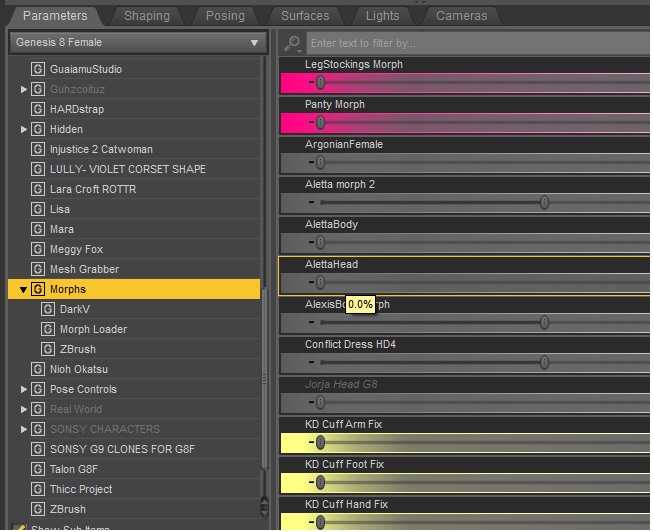
How do you use the following Moprhs?

Home Page › Forums › General Chat › How do you use the following Moprhs?

Viewing 4 posts - 1 through 4 (of 4 total)
  • Author
    Posts
  • #2088906
    Lars9
    Participant
    Rank: Rank-1

    https://zonegfx.com/set-of-15-insertion-morphs-for-genesis-9/

    The File just contains a "Data" Libary, but i cant see the Morphs in my Libary?

    Could some pls help me?:)
    Thx

    #2088908
    gaver
    Participant
    Rank: Rank 5

    Hi Lars,

    Morphs do not always end up in the library . But

    Under parameters, select the figure ( G8F) and look voor Morphs.
    I do not use this asset myself, so no clue what it is called.
    But you can look in the zipfile> data>etc, until you seen Duf files, copy the name and past in the search bar in parameters tab. Might be able to find them that way. If not you can always go to explorer, and open the data from there. Good luck

    #2088911
    80's memories
    Participant
    Rank: Rank-1

    load a G9 figure, select it in the 'scene' panel, and either navigate untill you find any of the morph, or use the search box. Look into the zip file the name of the files in the 'data' folder... that is the name of the morph you are looking for.
    good luck

    #2089005
    Lars9
    Participant
    Rank: Rank-1

    Tyvm!

Viewing 4 posts - 1 through 4 (of 4 total)
  • You must be logged in to reply to this topic.


Post You Might Like