Home Page › Forums › General Chat › Hair colors not loading
- This topic has 7 replies, 4 voices, and was last updated 3 years, 9 months ago by
Mark.

-
AuthorPosts
-
January 16, 2023 at 12:21 AM #1914309
Some of my hair models won't load the hair colors. Some work and some don't but I'm getting the message, "An error occurred while reading the file, see the log for more details". The log file tells me nothing other than it failed.
2023-01-15 19:22:19.961 [INFO] :: Error loading asset: E:/Programs/G8/All G8 Hair/People/Genesis 8 Female/Hair/Linday/dForce Soft Classic Hair/Iray Materials/Brown/SH Brown 11.duf
I have the hair figure selected and I've also tried selecting the character it's, and then selecting the color but I keep getting the message.
Thank you.
January 16, 2023 at 2:27 AM #1914331Hi Mark, I don't have that hair but it says it has geometry shell layers so I'm wondering if they need to be selected to apply the textures rather than the hair itself, or perhaps vice versa. Good luck.
January 16, 2023 at 3:37 AM #1914341Hey Frank, this hairstyle doesn't have any geometry shell layers that can be loaded. Another hair model from the same designer (Linday), "Classic Long Curly Hair" works fine and I'm able to load the color textures fine for it. I just can't get the other hair models to load different color textures.
January 16, 2023 at 4:38 AM #1914350I have that hair and have never had any troubles.
Troubleshooting guess: It looks like you are using a non-standard file/folder system. Try re-installing the hair all in one parent folder. Use a temporary "test" folder library if that's easier. I suspect the materials are not where the duf file expects them to be.
January 16, 2023 at 5:21 AM #1914356Hey enjoyify, I tried that as well but no luck. Do you have geometry shell layers with yours? Frank had suggested that it might need that. I'm just asking because I don't have a file for any of the Linday hairstyles, including the ones that work and the ones that don't work.
January 16, 2023 at 10:17 AM #1914446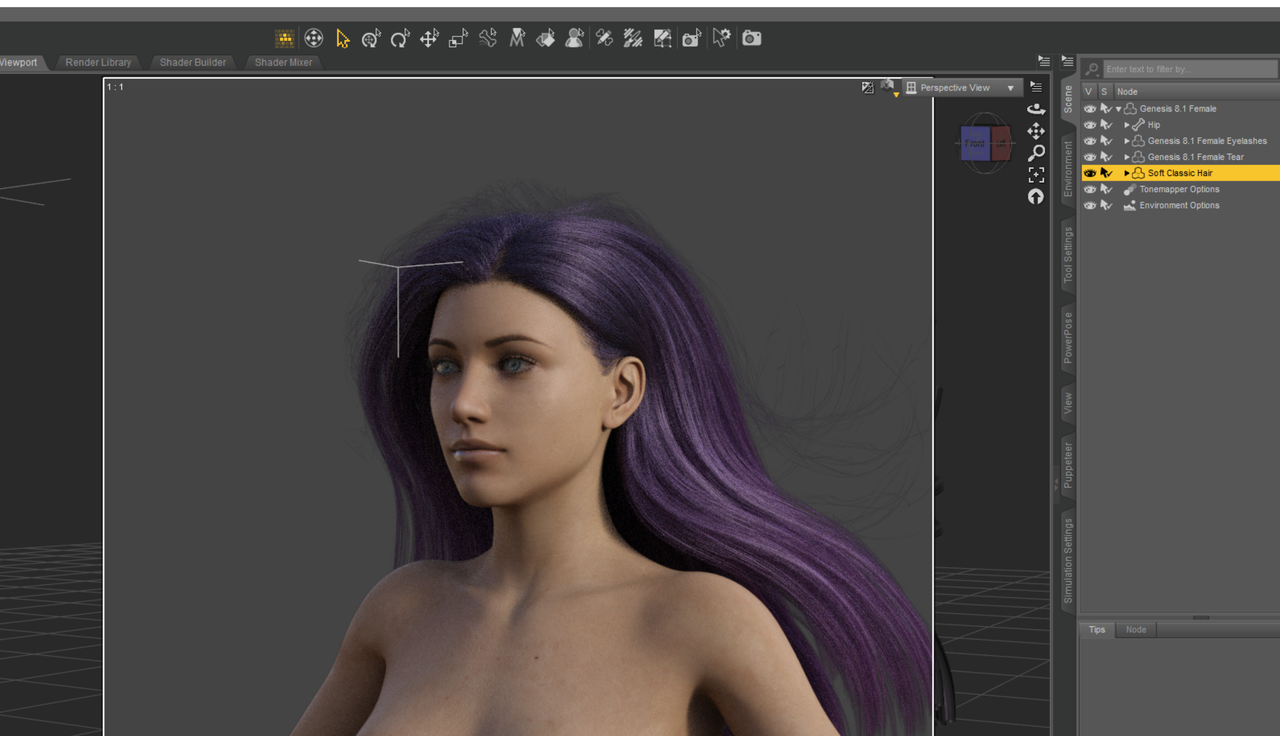
Did a quick test to verify. No problems with hair or color. No geometry shell; I simply selected the main hair asset and then clicked the purple color option here. I've used this hair many times with no issues, so it's not the asset that's the problem.
Unfortunately I don't know what else to suggest. 🙁 If you right click the materials in Daz you can go to their source location. If that doesn't show up then that's the problem. If the source materials DO show up, then something else is the problem, but I don't have a clue what it is...
Good luck! 🙂
January 16, 2023 at 10:35 AM #1914464Well..., a tipical question of "mistakes"... Each "PA/creator" makes its hierarchy and paths. They do not always adapt to a logic, more or less, established by Daz. I recommend "DsonEdit", to edit the "duf", and vary the path.
You can always reunite the "ContentPackageAssit", separating the folders and destination..., and redoing the installer, with a new ID.
Check if the described path is correct. ALWAYS.January 16, 2023 at 8:23 PM #1914662Thanks for the help everyone. I'm having zero luck with this though. I right clicked the materials to check the path and it is correct. I've created a test folder and put it on my desktop and still nothing. I had someone send me a link to re-download it and that didn't work either, it was the same that I had anyway. I tested the new download and it didn't work either. It seems to only be a small amount of hair figures giving me the issue.
-
AuthorPosts






- You must be logged in to reply to this topic.
