

Forum Replies Created
-
AuthorPosts
-
July 30, 2026 at 8:33 AM #2182870
I was astonished by this sad news... I couldn't believe it ~ It was nearly two years ago when we had conversation last time on discord...
I will miss you, Anja. RIP ~
September 19, 2025 at 12:16 PM #2145849Nope, it shouldn't appear white or gray with Texture Shaded draw style because Cutout Opacity are already set as zero ~~
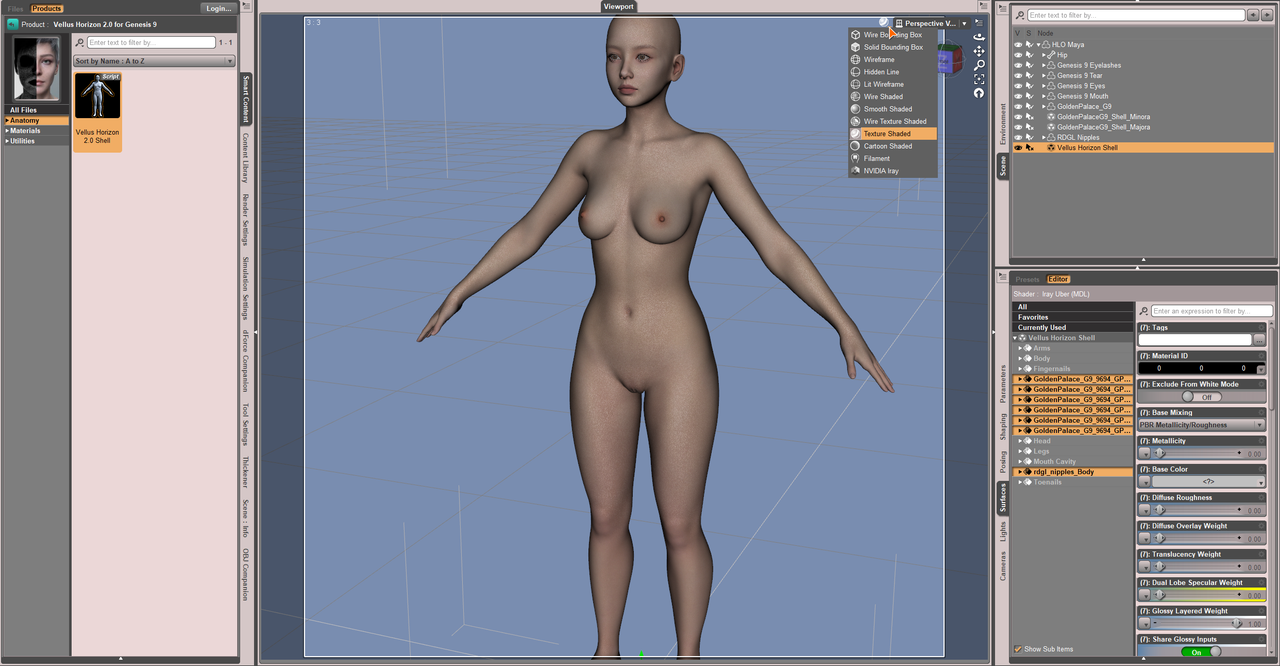
Any screenshot ?
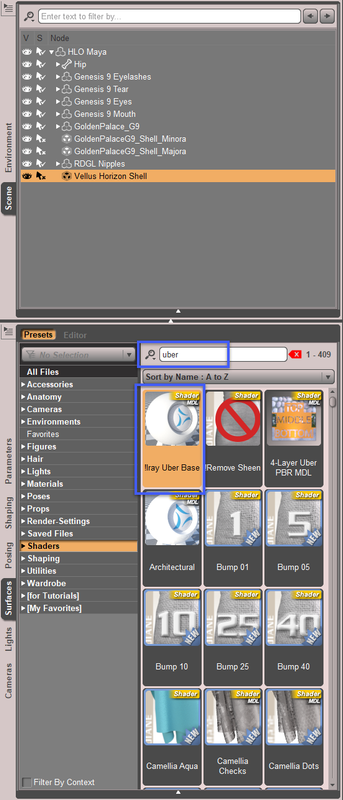
Edit: I just found that Vellus 2.0 uses Iray Uber shader rather than PBRSkin shader. So you don't need to apply PBRSkin shader to GP / RDGL surfaces on Vellus geoshell. Instead, apply Iray Uber shader to them:
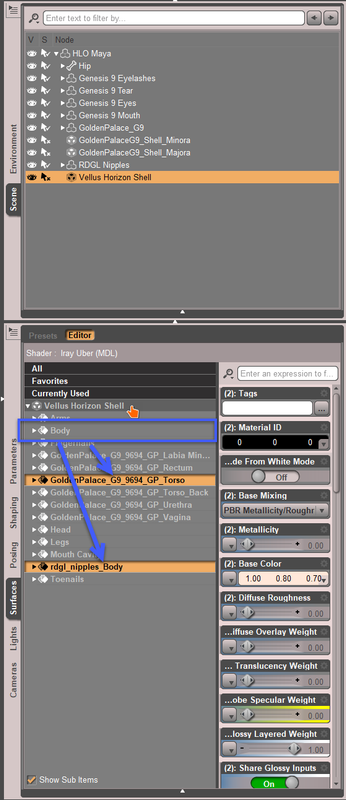
Then copy Body surface to GP Torso and rdgl_nipples_Body, so as to make the skin on those areas have vellus as well:
The case you have is a bit unique, i.e. mixed shaders + mixed geografts & geoshells ~~
Anyway, I attached the scene file for your reference.
https://mega.nz/file/jbQXAAra#yh-odx121MW97vNWZh7H3TDv27HSfzyqPAiNcoJp3-wSeptember 19, 2025 at 3:31 AM #2145765The root cause of the issue is that the nipple/GP geografts' surfaceS on the geoshells have no texture but just white colors. The issue happens in the case there're more than one geograft surfaces on geoshell(s) of a figure.
I recommend another way of fixing it once and for all, by hiding the geografts surfaces on the geoshells:
- First, you need to install this product: https://zonegfx.com/pbr-skin-plus-repost/ since you're using a character with PBR Skin Shader
- Select both GP geoshells, in Surfaces pane, Ctrl + select two surfaces of Rdgl_nipples_Body.
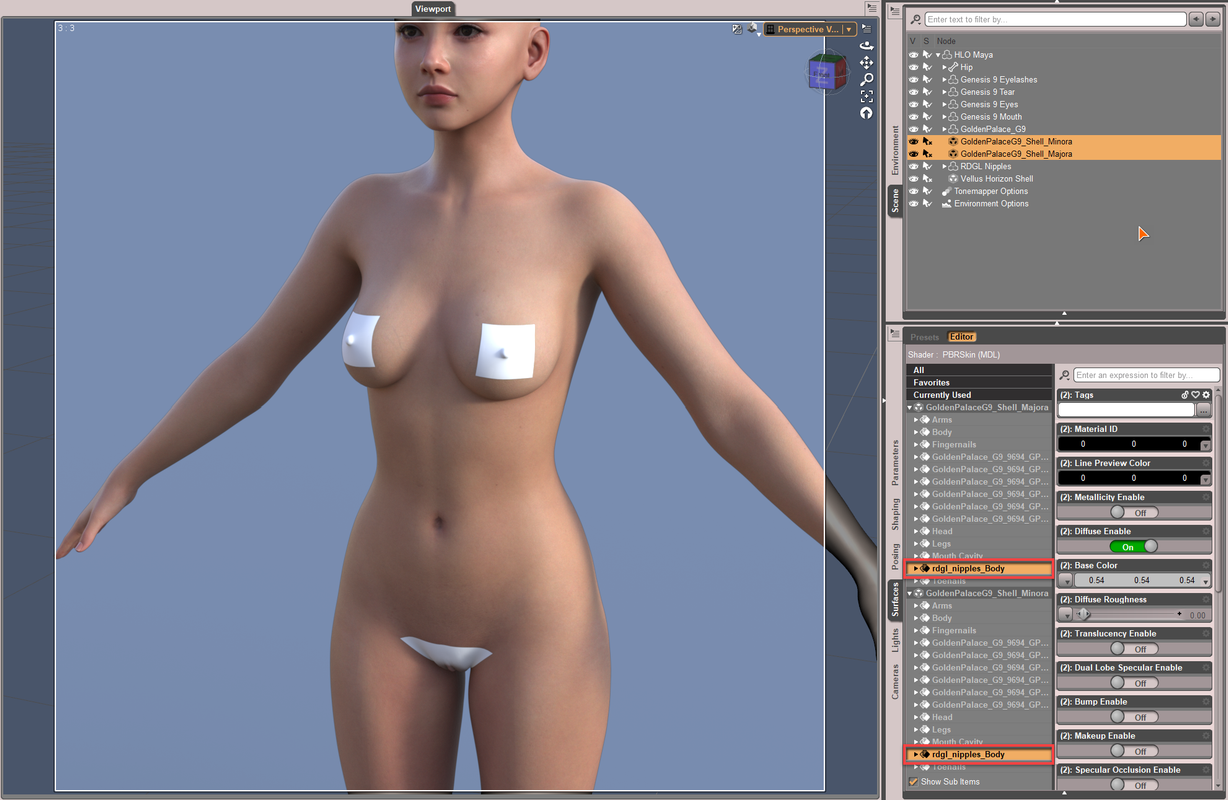
- Go to Preset tab, filter and apply PBR Skin Plus shader.
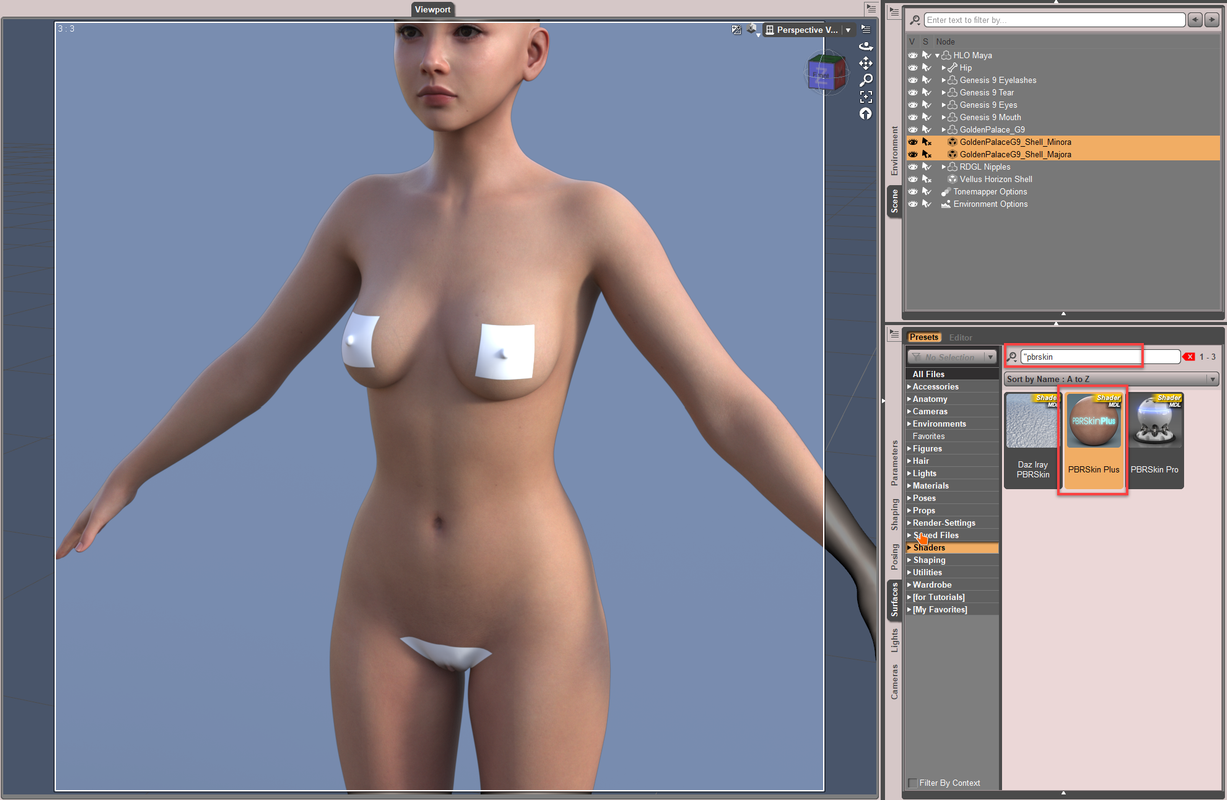
- Back to Editor tab, filter by Opacity, set it to 0. Then lock it!
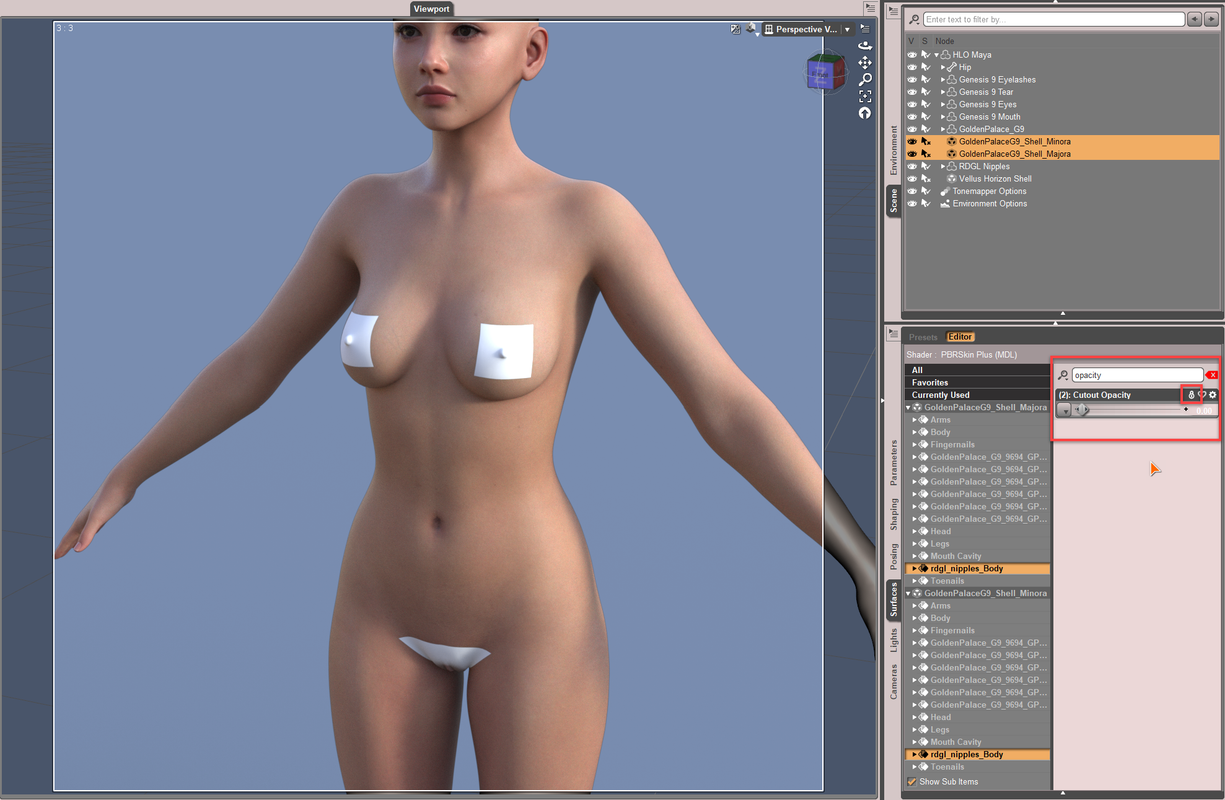
- Do the same to Vellus Horizon Shell but you need to select all surfaces of GP and RDGL nipple.
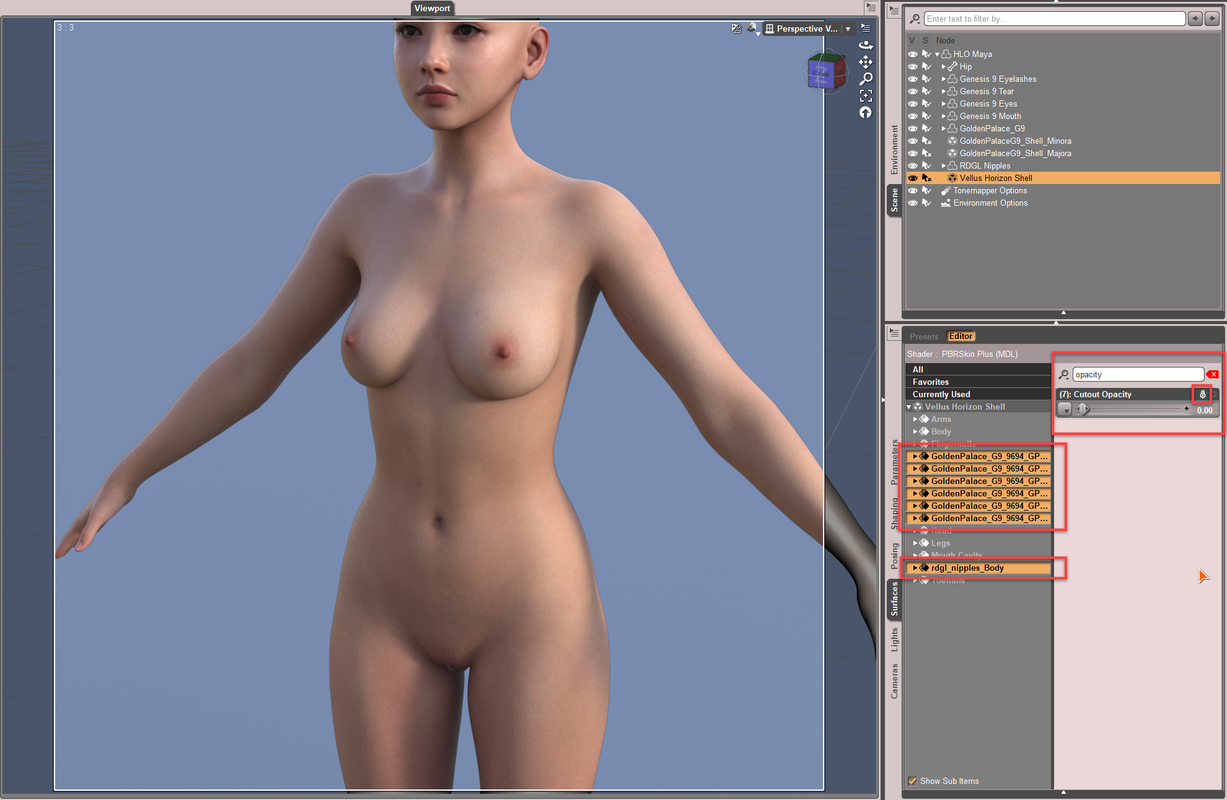
Issue is fixed. This way can be applied to all the similar cases.
With this way, no matter you toggle the tools of Geometry Editor, Node Weight Brush or Mesh Grabber, etc., the issue will not come back... unless you add more geografts and geoshells. If you do, fix the issue in the same way.
September 17, 2025 at 12:40 PM #2145599@Eel, after checking the package, I don't think they'll help anything related to conversion process especially for fixing eyeballs / eyelids / corrective morphs, etc., (if that was what you meant...) because they're just ordinary morphs, and most of them are already there on G8.
March 14, 2025 at 3:09 AM #2121680Yea, though Jay converted the figure with DevTools for G9, the "fit suit" was still rigged on G9 with Transfer Utiliy (by using Create Follower, at 5'.00 of the tutorial) but just in a Silent Mode. However, the way of using DevTools is more cumbersome ~~
I checked HID Violet, yes I could reproduce the issue even with my way... I think with the above way shown in the tut, you'll get a even worse result. I believe the culprit comes from the bigger range of Vertex Positions' change on the head morph of Violet G9.
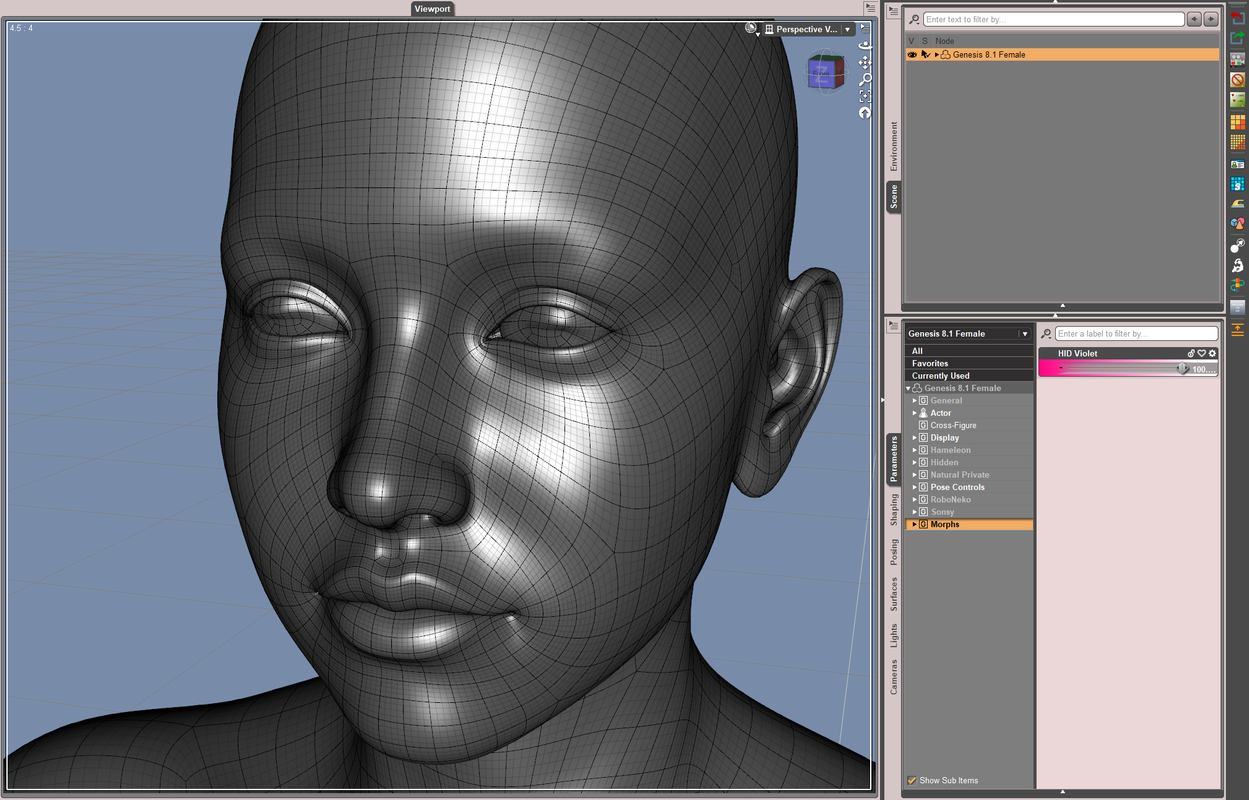
But it should be easy to fix the distortion in Blender (with Smooth/Grab brushes...). Or, remove the delta vertices of Violet Head morph from the Eyeballs then directly re-rig them to get a even perfect result ~~
With the 2nd way, I roughly re-rigged them as below. Even without any fix for correctiver morphs, Eyes Up-Down / Side-Side and Eye Blink worked pretty well.
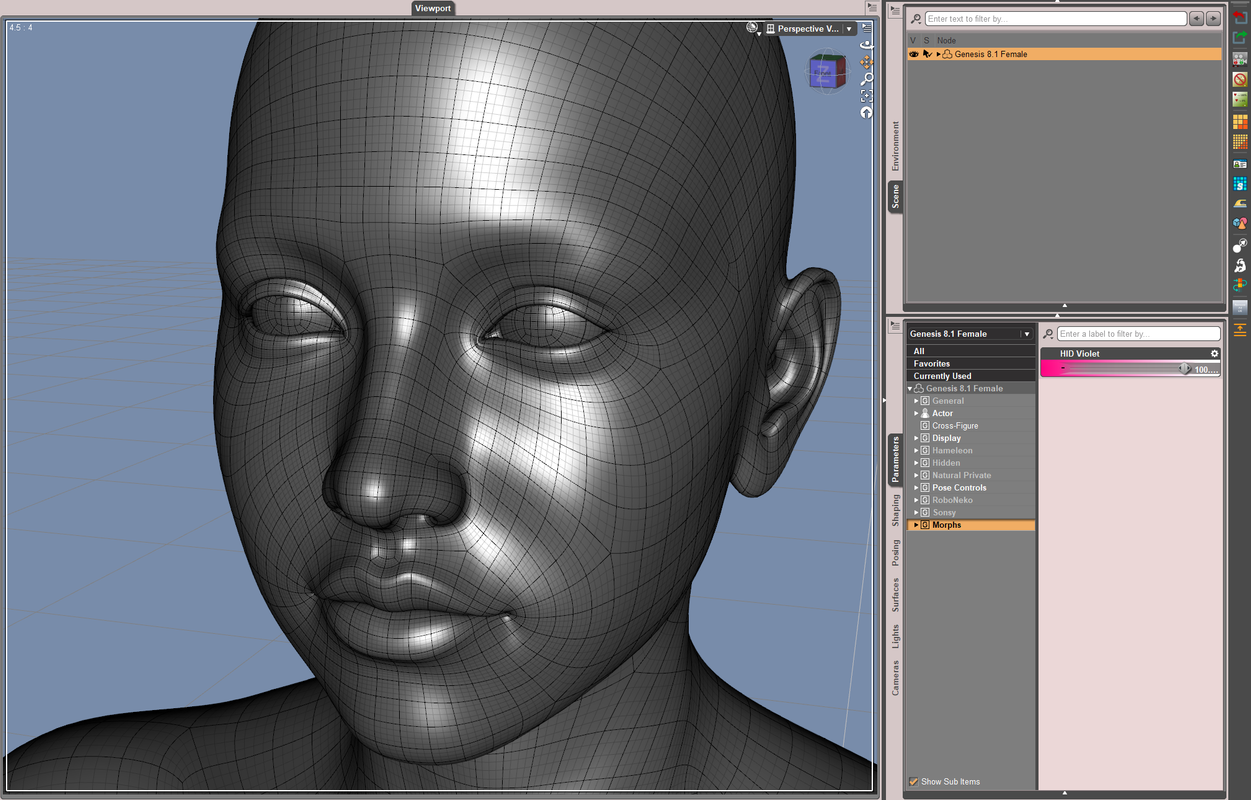
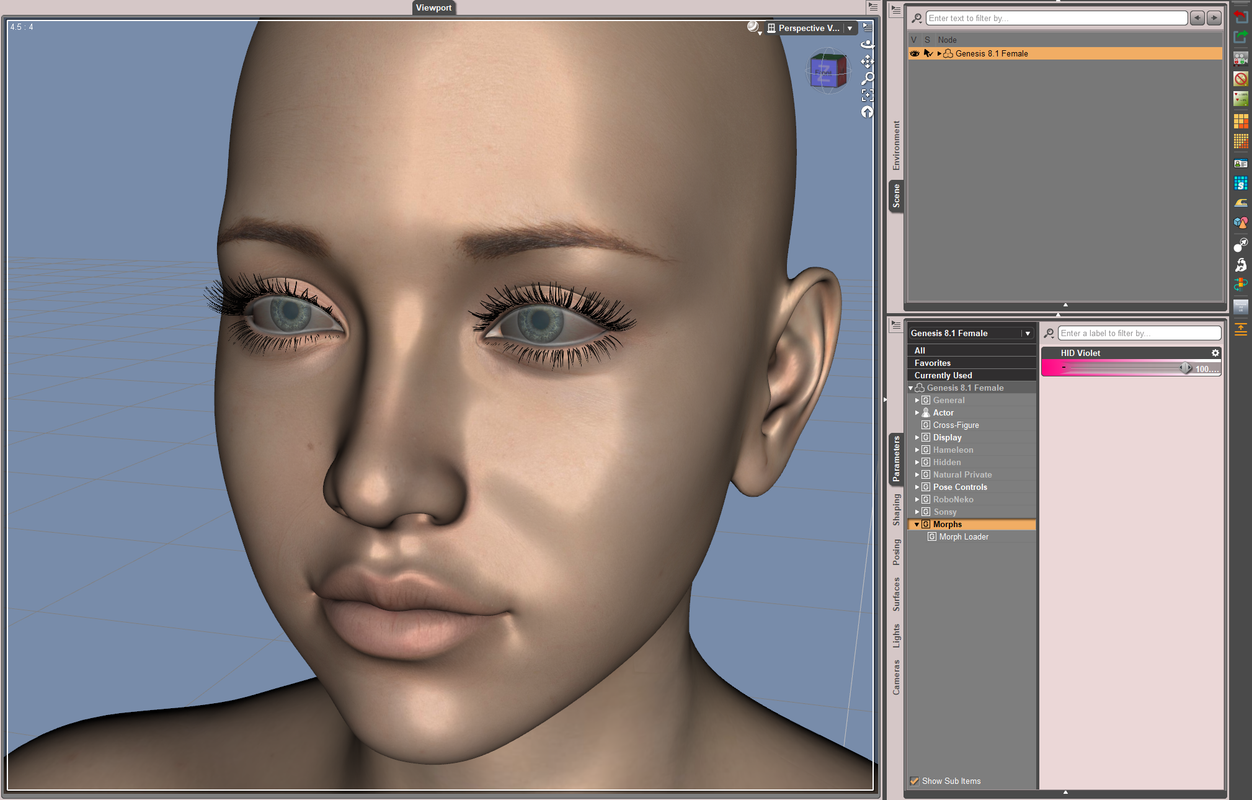
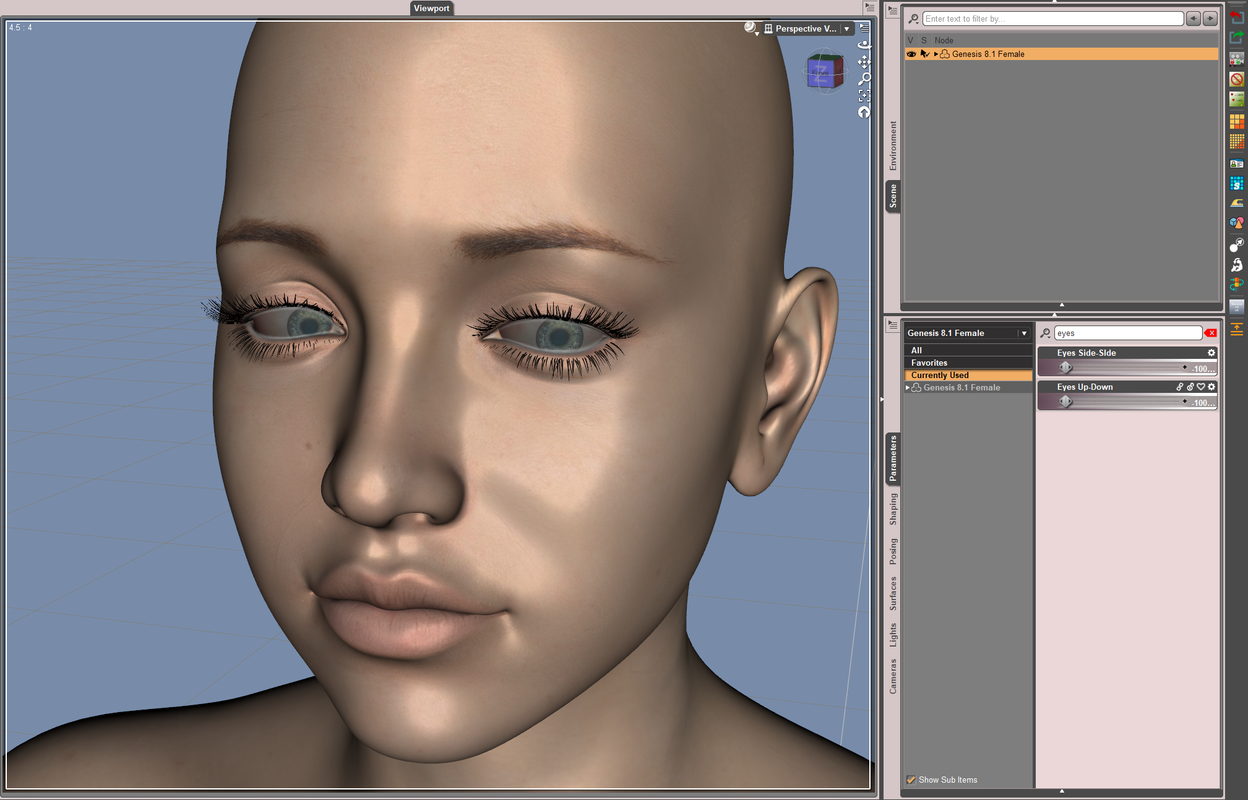
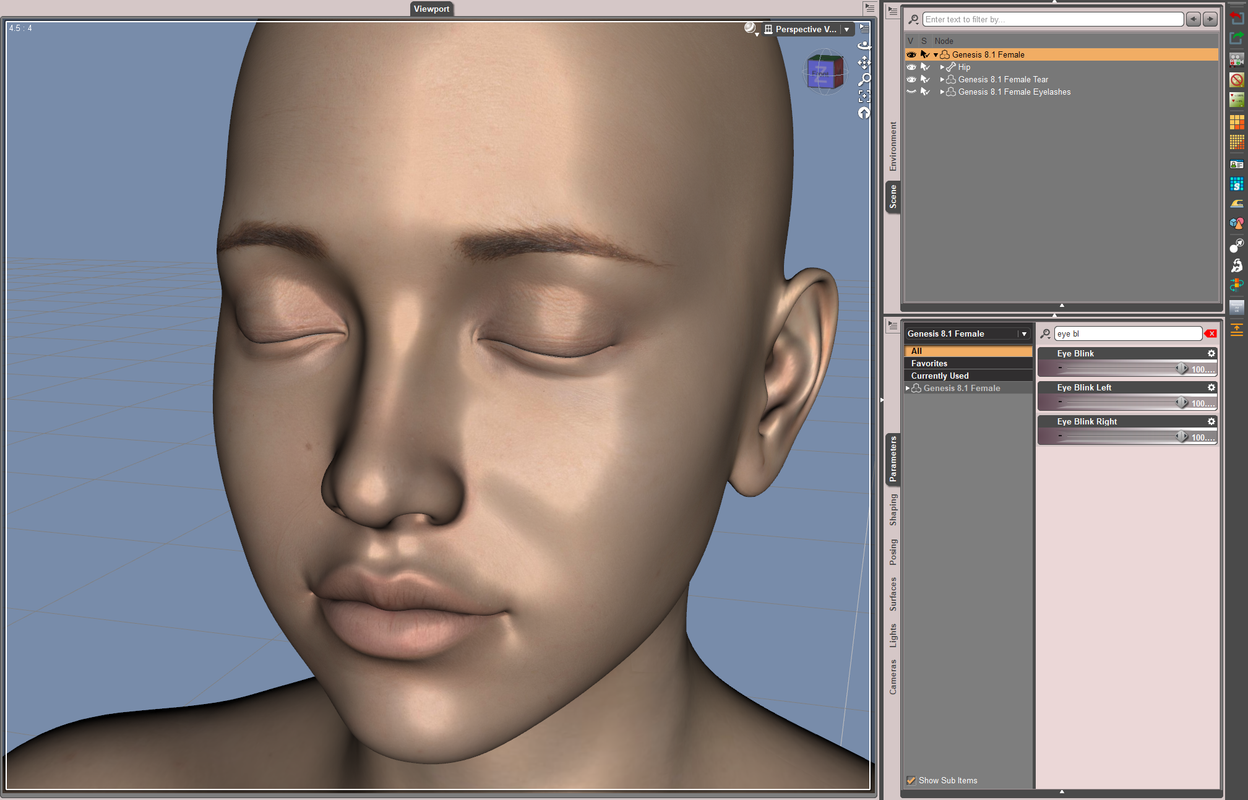 March 13, 2025 at 1:46 AM #2121550
I rarely see distorted irises in the conversion cases by using Fit Suit. How does the distortion look like ? Or name the character with which you failed to get the expected result~
The case I did for eel (V3D Natalie) with Fit Suit, no fix.
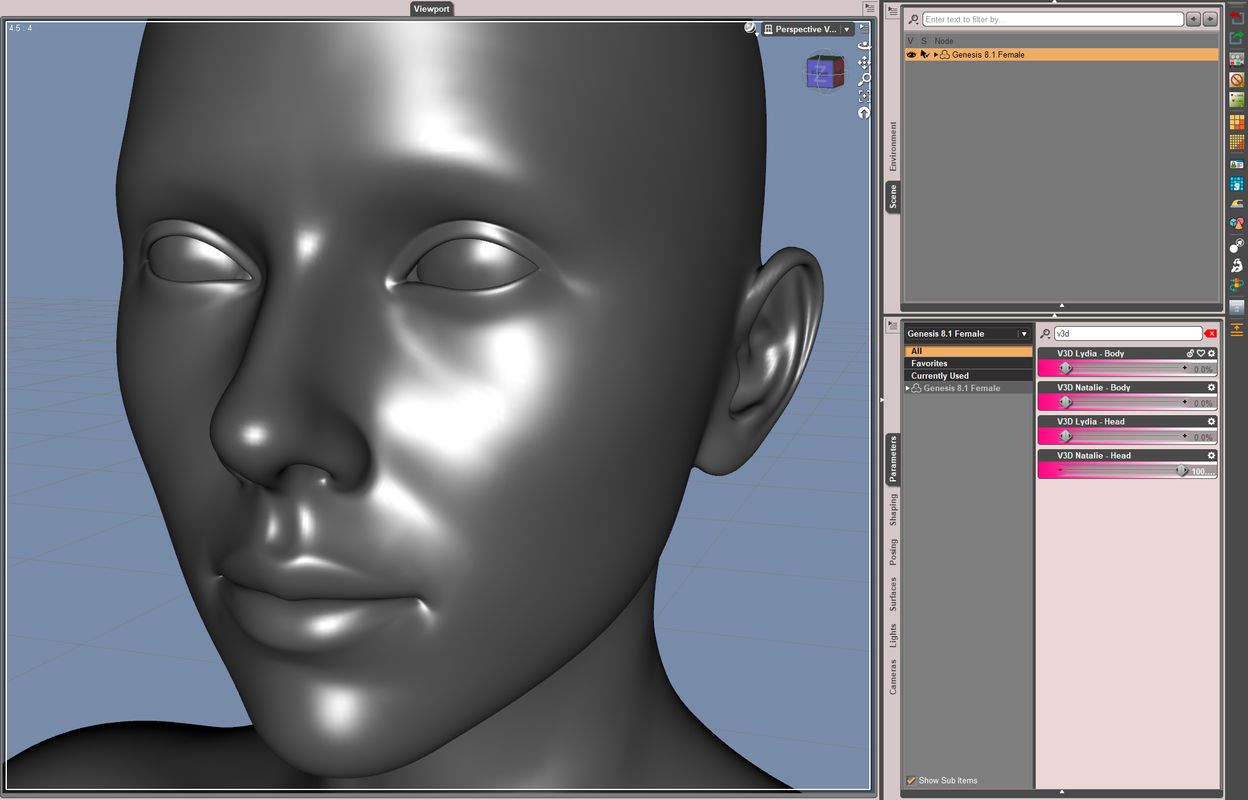
And, you need to distinguish the natural bulge of Cornea geometry on the eyeballs.
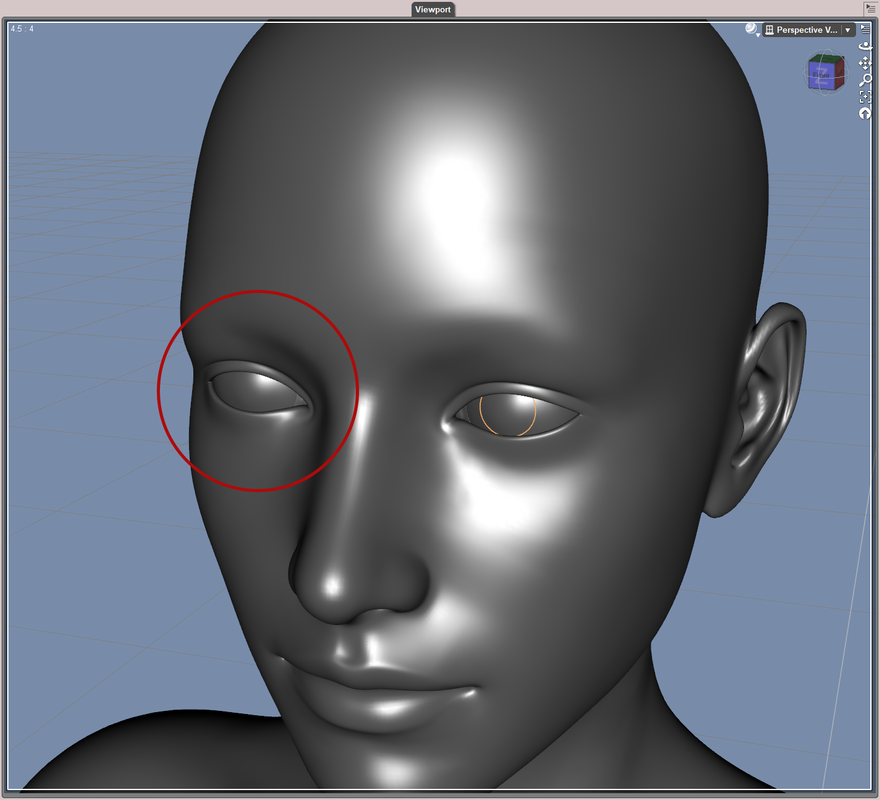
When fitting G8 CLONE mesh on G9, in Transfer Utility dialogue, tick Use Near Vertices with value set to 1000%. That'll help to give more precise result in some cases.
Besides, better always use Dev Load rather than Base figures of G8/G9 for any conversion ~
Good luck !
March 12, 2025 at 12:28 PM #2121497No problem !
March 12, 2025 at 11:42 AM #2121495All right ~ Though you can manually fix the weight map but that'll be cumbersome. A tricky way to avoid this issue is to : re-rig the pants with Transfer Utility.
Pls refer to the tutorial I just recorded as below:
https://mega.nz/file/HLB1XBjY#V-s1QVEK2WzOgzlYko9CI_kZ8IPrJQgS875eW1j2Ve8March 12, 2025 at 1:41 AM #2121444As for the issues caused by AutoFit, yes, in some cases, AutoFit transfers wrong weight (e.g. you may see glued pants, arms/hands drag the ruffle skirts up when you pose the figure, collar wholly follow neck/head's move...etc.), removes custom bones, destroys Rigid Follow Nodes, etc.
However, there're always some tricks can prevent / fix the issues. Better case by case...
March 12, 2025 at 1:21 AM #2121443Right ~ the product is on the blog. After checking them, I have to say the shoes were not really well made (defective Base shape, poor material zone setup, improper Pose Preset)...:D
Anyway, I converted them for G9 and also fixed the cbs. The package was sent to you, check your PM. Be noted: Original Material Presets (not H.Mat Presets!) can be directly applied to the shoes.
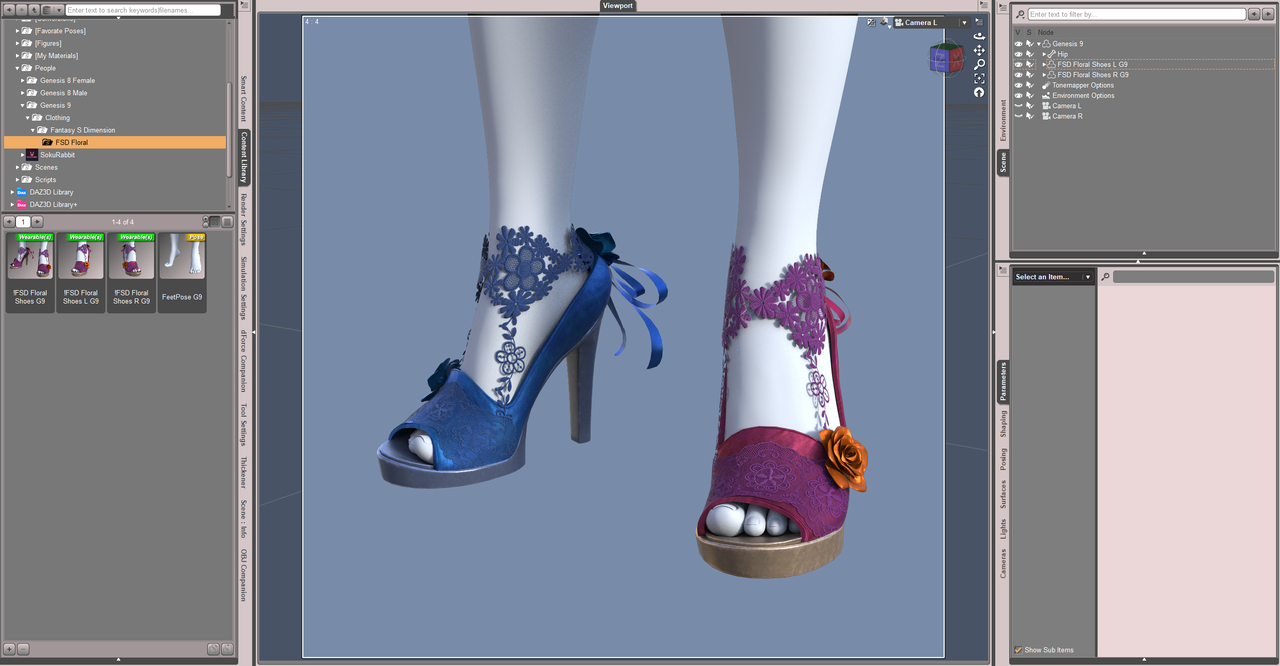
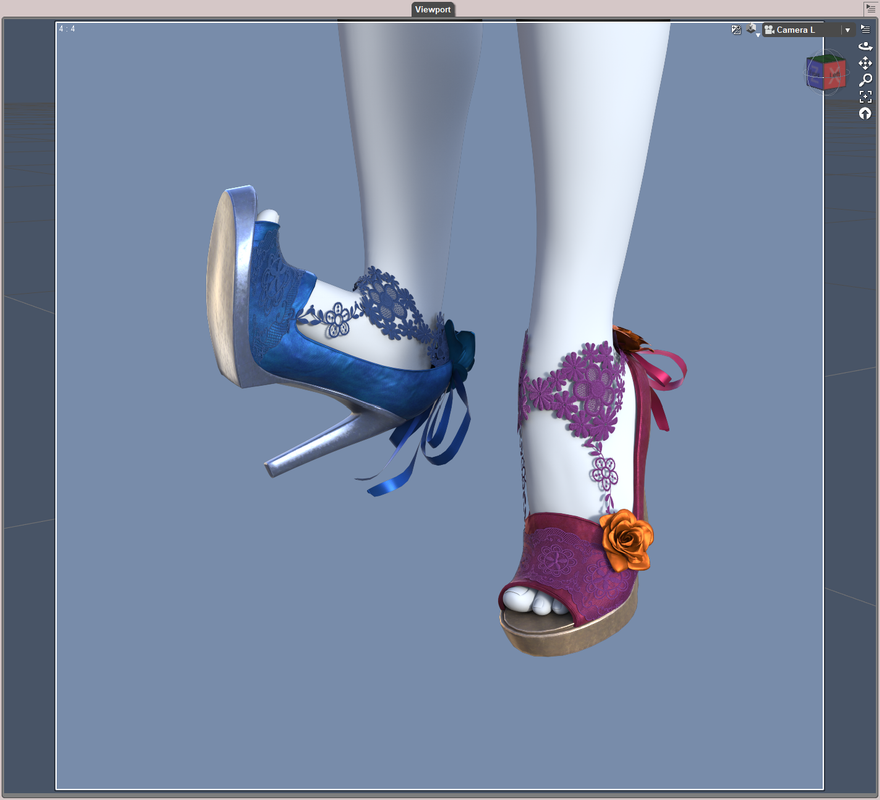
BTW, no point's needed. I'm not short of points ~ 🙂
March 11, 2025 at 2:30 PM #2121398No problem ! 😀
March 11, 2025 at 2:22 PM #2121396Auto-Fit or re-rigging both work well for the conversion. The trick is to fix Base geometry (vertex positions) as well as the corrective morphs.
I ever made a tutorial of perfectly converting high heels from G3 to G8. The workflow can be fully applied for the case of G8 to G9.
https://mega.nz/file/qe4H3LDY#PiGJA-C7YhmCT2qaJHCvjJNli-j0JmfA1J-K66e1MlQBut if you want to have a straight-forward result, just name the product. I may show you how-to as well as the converted result.
March 11, 2025 at 2:08 PM #2121387Right ~ Fit Suit method which can be just done within Daz Studio. Actually there's another way within DS: Transfer morph target from G9 to G8 by using Transfer Utility plus Clones. However, I really don't recommend that way because there'll be distortion on eyeballs as well as on eyelids when Eyes Closed or Blink. You have to further fix them by using external applications ~~
@eel, job done ~ Pls check you PM ~~ Have fun !
March 10, 2025 at 10:16 PM #2121308@eel, typically there're just two ways of converting G9 morphs to G8F/M, Fit Suit method, and Faceform Wrap...but unfortunately the original HD Morphs (dhdm files) cannot be converted.
Both of the above ways requires G9 Starter Essentials package, you have to install it beforehand.
Fit Suit method is pretty easy. Faceform Wrap (cracked) is a bit complex but if you made a node template, you'd be able to repetitively use it for any converstion of G9 > G8. But I still recommend Fit Suit mehtod which is super easy.Some post-work for re-rigging, fixing corrective morphs will be needed...if you want the converted head morph work really well.
Converting all the texture maps can be done in FaceForm Wrap or Blender. I most of the time used Texture Atlas + Faceform Wrap. There ARE some workload indeed ~~
Which character product are you referring to ? If I have it, I can quickly convert a head morph for G8F or G8M ~~
June 23, 2023 at 12:05 PM #1988941Mystique 2 for Genesis 8 Female(s)
Samurai for Genesis 3 Female(s) -
AuthorPosts
