
Forum Replies Created
-
AuthorPosts
-
August 18, 2018 at 1:39 AM #720345
CD Projeckt Red seem to have principles. I'll trust them until they let me down. They haven't made a bad game yet, and I'm super excited about this one.
The Witcher 3 + Cyberpunk theme sounds awesome.August 18, 2018 at 1:23 AM #720336I've never seen one that removes it completely. Are you trying to create a character without a nose? Like just alien nostril holes or something? You might could find an entire head morph that gets you close and then use the utility to isolate the portion of the morph that you want, but I don't know what you're trying to do exactly.
July 16, 2018 at 4:37 AM #680026Looked fun, so I gave it a whirl...
Definitely pushed the limits of my system to render a scene with this much geometry in it.
I've played the video game but I've never played the table top version so I apologize in advance for any faux pas.
June 8, 2018 at 12:56 AM #633080@robf4g210 The setup was pretty basic really, the texture was the Wize Wizard texture and the lighting was just four spotlights (rim light right, side light left, back light, and a top light).
@adam interesting article, my favorite bit was "An Arrow Shot Over the House That Hits No One" which pretty much is my take on internet insults.@arthurgarcia I appreciate the support, but it's not that big of a deal.
June 6, 2018 at 11:42 PM #631794Thanks @miarka for a great contest, and everyone who voted!
I'm not sure what "Fake" means honestly, do you mean composite? It was supposed to be a character exposition, so I didn't spend a lot of time on the cloths. I just found a combination of things in my library that did the job honestly. The hair I did with Garibaldi (stubble & eyebrows included) and the eyepatch I made in Marvelous Designer. I did some work on the face in ZBrush. Everything else was entirely in Daz Studio and rendered with Iray.
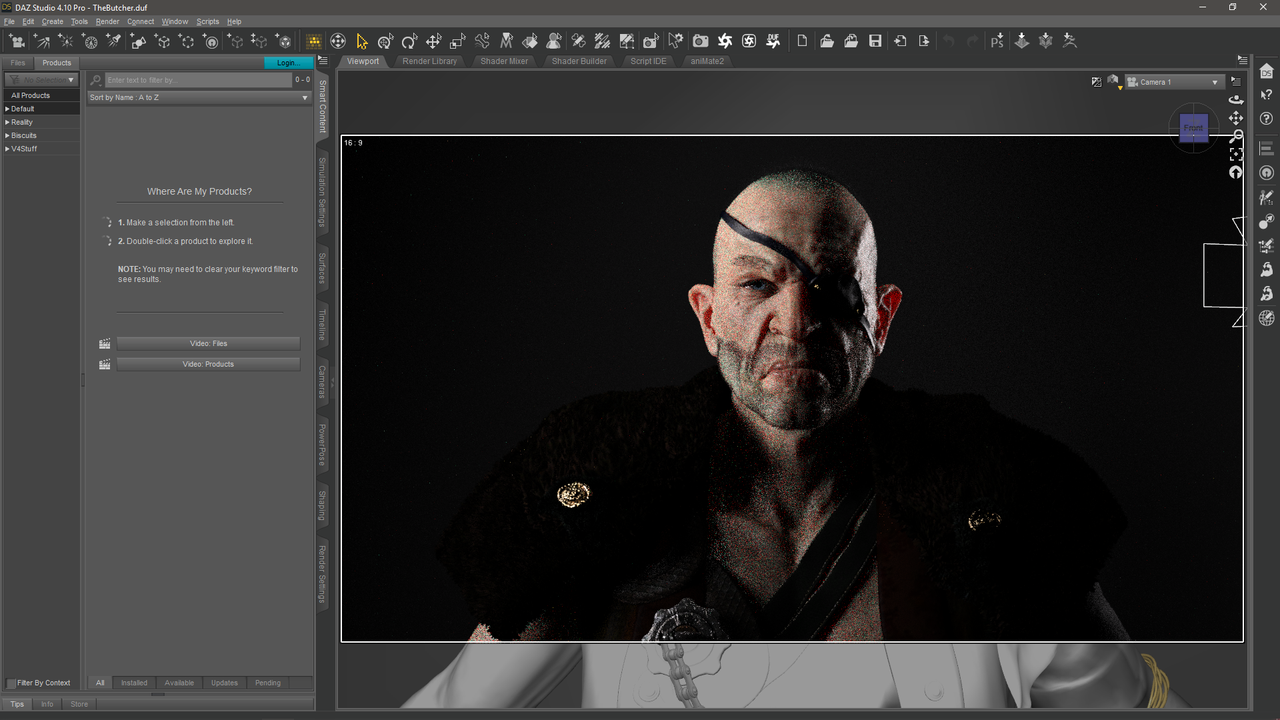
I know portraits/busts are boring to some, and I get that. But most of my renders are portraits I'm usually going for realism and close-ups are the best way to show that off. I didn't really expect to win because of that, realism isn't everyone's thing. I just enjoyed participating, and I'm not really sure why you think I'd bother if I was just going to cheat in some way.
Anyway, thanks to everyone for participating. It's great to see so many different takes on the theme, that's what makes the contests fun.June 6, 2018 at 4:09 AM #630866I'm pretty certain she will come with a "Breasts Implants" morph if it makes you feel any better... 🙂
May 27, 2018 at 4:39 AM #619313"THE BUTCHER"
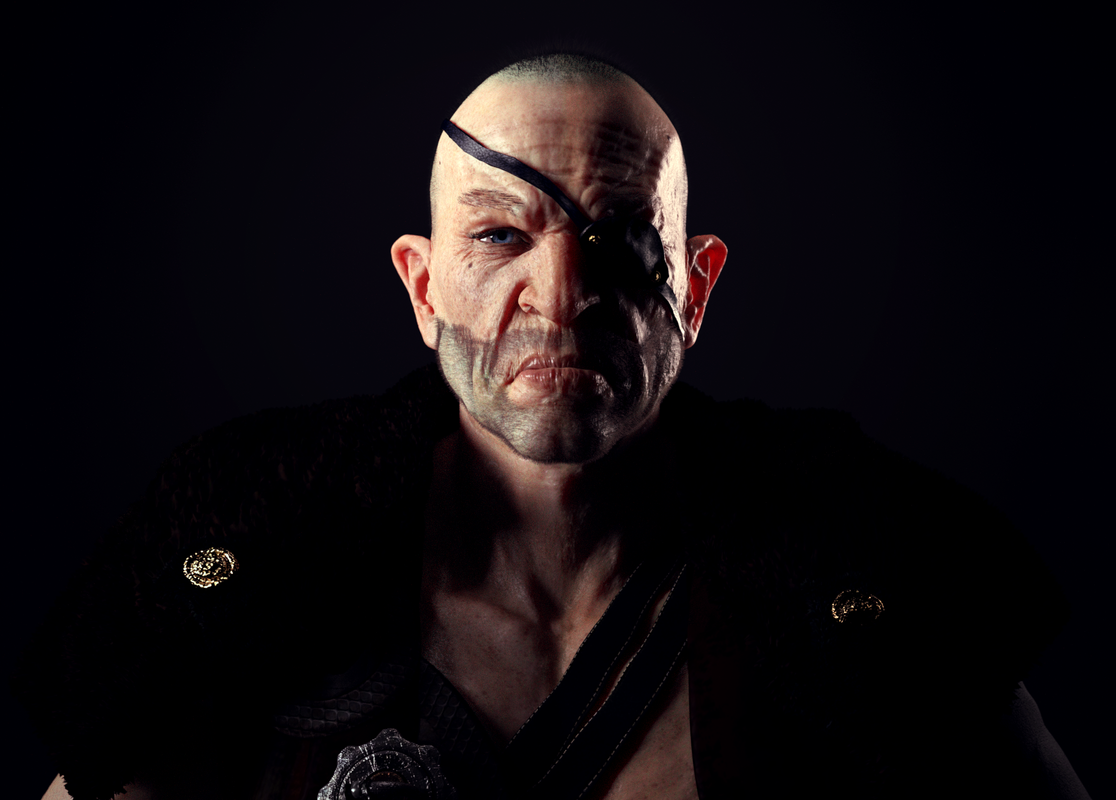
Also known as "The Slum Lord's Dog", few things escape is notice in the city. Pray the gaze of his single eye never fixes on you. He meets insolence with a cold glare, and a silent knife in the back. Contempt is the only expression he knows. The King may rule the city, but the Butcher rules the streets.
April 8, 2018 at 11:22 PM #563213April 5, 2018 at 9:41 PM #559073Have you tried playing around with the bloom setting? That might work if you turn it down a bit.
April 5, 2018 at 12:57 AM #557979If you model it outside of Daz and bring it in and apply a texture map, that map is tiled. Depending on your mesh the tile might be too big or too small. If it's too big you will see the texture applied like it's too big and it won't look right. Most of the time it's tiling too small (because your mesh is huge) and it doesn't appear like you applied a texture at all. It just looks like a color because the maps are too small. The surfaces tab has a horizontal and vertical tiles number and it's set to 1 by default, that may be the wrong setting depending on your mesh, DAZ has no way of knowing how big the tiles should be. The tiling setting applies to all of the maps, normals, bumps, textures etc., so when it's tiling too small you just see a color. It's not always easy to fix either, I've run into clothing that I've modeled outside of daz and I can't figure out what size tiling to use to get the shaders to work right. Sometimes you can play around with the tiling and fix it, other times nothing seems to work and it just looks like a color. There's probably a way to determine what your tiling setting should be, but I don't know an easy way. It all depends on your mesh and the resolution of the textures you're applying.
April 4, 2018 at 12:51 AM #556595Rob, I create reflectors all the time. Just create a plane, make the size you want position it and add a shader. If you don't like customizing shaders then just find a good premade shader for chrome or gold depending on the lighting color you want. Make sure the shader is good (i.e. it looks like gold or chrome haha) and it should work just fine. In the surfaces/edit tab, I usually turn the reflectance setting (Glossy Reflectivity) all the way up. Also make sure its an Iray shader, the Daz Uber Metal shaders work pretty well.
Here's a quick example of a plane using the Daz Uber Gold with a single spot light hitting it, I have it reflecting towards the floor so it doesn't appear shiny (because the light isn't reflecting towards the camera). That's key, point the light towards the shadows you want to lighten, it works best to turn off all the other lights (except the light that's reflecting obviously) so you can see where it's reflecting. I think if added a reflector about the size of the figure, pointed in the opposite direction of the shadow lines, it would lighten the figure up without looking unnatural. Really depends on how much light you have to work with though, in real life if you were photographing someone who was backlit by the sun like in your image, you would need some fill lights to bring her out of shadow.

Here's an example of a portrait I did recently using one gold reflector, two mesh lights (for low level color fill), three spots (rim light, back light, fill light), and a specular only spot light for the eyes. The background is just a plain white flat plane for those interested in backgrounds 🙂

-
AuthorPosts