Home Page › Forums › General Chat › Rendering
- This topic has 34 replies, 12 voices, and was last updated 8 years, 6 months ago by
 ADAM.
ADAM.
-
AuthorPosts
-
April 3, 2018 at 1:12 AM #555455
@rob - Ideally you'd use an HDRI and a matched backplate image so you get the lighting from the HDR and the image from the backplate. HDRs are high dynamic range, i.e. really bright.
April 3, 2018 at 2:25 PM #556079I'm ready to be taught. Nearly every render I do, unless it's interior, has an HDRI with "Draw Dome" set to "On".
Is what you're describing a better way? I would love to see examples. Is a backplate image just a plane with the same HDRI image applied as a material?
April 3, 2018 at 2:49 PM #556112Anonymous
InactiveRank:
I personally find with HDRIs it really depends. Much of the time, I'll use an HDRI and minimal additional lights to get certain effects and such. But there are plenty of products out there, that are geared toward using HDRI as background and sole image lighting. Many of the HDRI skydome packages for example are built for that exact purpose. There's no sin in using them in this fashion especially in conjunction tone mapping among other things.
April 3, 2018 at 4:30 PM #556205Ive been liking HDR. I think that a well lit scene with ghost lights would be a little better since youd have more control. Especially in doors.
But then im a beginner. Possible both would ne great.
I try not to use flat backrounds.either way i think this was just a thread to stir the pot and watch it boil. If the original poster does something constructive ill be surprised.
April 3, 2018 at 8:11 PM #556374I'm not going to get into the philosophies of art, but I will say, there ARE basic rules.
Here's a representation of what I believe the OP is talking about. (Though a rendered ground plane with an image as backdrop is what I believe he's talking about. But its the same principle.
We are NOT talking about using an HDRI image for lighting, unless its an environment scene , which would then also render on the figures as well, I believe.The lighting and shadows of the photo being used, need to be matched on and around the figure(s) in the scene. You can do whatever you want, but if its wrong, its wrong and you don't get to claim "art is subjective" or whatever other phrase you want to use to justify the improper way of doing things.
 April 3, 2018 at 8:14 PM #556379
This is one of the many Dragons that resides here at my place. This is the back end of my property. 😉 The goat pen is off to the left. But the Dragons don't bother them.
April 3, 2018 at 8:36 PM #556389there are flat backbrops and curved right?
 April 3, 2018 at 9:10 PM #556410
There are for Poser. I don't know about Daz. I don't use them myself. I prefer to do my figures, get the lighting as close as possible to a pic , if I'm using one, and take everything into Photshop.
April 3, 2018 at 9:37 PM #556443April 3, 2018 at 9:56 PM #556458April 3, 2018 at 10:40 PM #556481Th images below were made with an HDRI. I deleted all lights that came with the set, so the lighting is only IBL.

This one uses the Nik filter “Detail Extractor”

Which is more realistic? Does the fact that she is mostly in shadow in the first image detract from the “pleasing” factor, even though if you were to shoot this in the real world without reflectors, this is probably what you would get?
April 3, 2018 at 11:09 PM #556495I was looking at my previous post thinking “why are those shadows off?” Then I remembered that I put a directional light behind her. Apparently, I need to move it over.
Definitely not done with this render. I’m hoping to get some critiques and suggestions from y’all before I post it to on other galleries.
Has anyone ever simulated a reflector dish in DS? Does it work?
April 4, 2018 at 12:51 AM #556595Rob, I create reflectors all the time. Just create a plane, make the size you want position it and add a shader. If you don't like customizing shaders then just find a good premade shader for chrome or gold depending on the lighting color you want. Make sure the shader is good (i.e. it looks like gold or chrome haha) and it should work just fine. In the surfaces/edit tab, I usually turn the reflectance setting (Glossy Reflectivity) all the way up. Also make sure its an Iray shader, the Daz Uber Metal shaders work pretty well.
Here's a quick example of a plane using the Daz Uber Gold with a single spot light hitting it, I have it reflecting towards the floor so it doesn't appear shiny (because the light isn't reflecting towards the camera). That's key, point the light towards the shadows you want to lighten, it works best to turn off all the other lights (except the light that's reflecting obviously) so you can see where it's reflecting. I think if added a reflector about the size of the figure, pointed in the opposite direction of the shadow lines, it would lighten the figure up without looking unnatural. Really depends on how much light you have to work with though, in real life if you were photographing someone who was backlit by the sun like in your image, you would need some fill lights to bring her out of shadow.

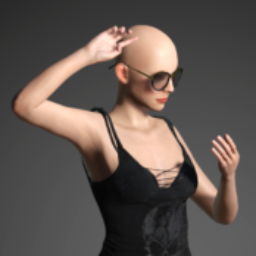
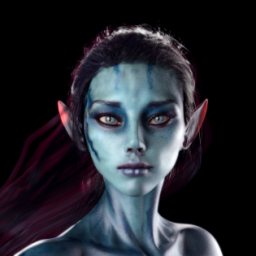
Here's an example of a portrait I did recently using one gold reflector, two mesh lights (for low level color fill), three spots (rim light, back light, fill light), and a specular only spot light for the eyes. The background is just a plain white flat plane for those interested in backgrounds 🙂
 April 4, 2018 at 12:51 AM #556596
I would possibly try 2 things on the first picture. a white reflective surface to bounce some light into her face or a ghost light the same temp as the sun near her to light up her face. "not much" just enough to not create a shadow.
April 4, 2018 at 12:58 AM #556601btw this is a tutorial i came across awhile ago but it may apply here.
Its a single plane and its so simple its silly.
-
AuthorPosts






- You must be logged in to reply to this topic.
