Home Page › Forums › General Chat › Who cares about the render engine?
- This topic has 43 replies, 14 voices, and was last updated 1 week, 1 day ago by
 ducksick.
-
AuthorPosts
-
October 12, 2026 at 11:41 AM #2191478
I agree with Cobra's point of view.
Until repeatability & continuity are consistent, AI will not replace rendering for me; and because of that yes, I do care about the render engine.
🙂
October 12, 2026 at 1:07 PM #2191495Most of the negative thinking here, regarding AI tools, are outdated. Modern models and tools have moved well past those critiques (unless you use a text-to-image model, but there are better alternatives now). You can be creative as you are with DAZ, just using a different set of tools.
For instance, in DAZ, you can change the clothes on a person in the scene by searching for a clothing in your library, loading, then selecting a material (which you are limited to, unless you are comfortable modifying new materials). Then worry about pokethroughs and other BS.
The same can be done in modern tools by simply supplying a reference image or images(multiple views/angles) of the clothing, and it doesnt matter the color, or whether its real clothing or not (you can supply a DAZ clothing, just dont break legal TOS). The person or person(s) in the scene that you specify with now wear the item(s) perfectly, (no dforce BS). And you can change the color simply by saying so, no need to hunt an image of a specific color down.
Prompting is a very small part of the newer AI models (unless you are using a strictly text-to-image AI model, of course). Your prompt for the above clothing example would be a simple:
"replace the clothes on the standing character on the left of the scene with the clothes from reference image 1" or "replace the clothes on the man wearing the blue shirt with the clothes from reference image 1".very easy, quick. Its the SAME level of "art" as doing the same thing in DAZ, you are literally doing the same thing, just using a different toolset.
October 12, 2026 at 1:30 PM #2191499as a neophyte in terms of AI, which ones are those new tools? tried to look for good tutorials, found a lot of overwhelming info (I don't speak english natively, so this is another major point) and I finally desisted.
October 12, 2026 at 1:42 PM #2191500try to look for some "edit" models, such as Flux.2 (flux.2 klein is a distilled turbo version that is quicker than their full models, its a good starting point). There's also Qwen 2.1 which just came out recently. These can be run locally on your own pc, even with a rtx 3060.
October 12, 2026 at 1:48 PM #2191501I've tried using some AI and I feel like I'm trying to ask an angsty teenage to create something for me. I might get what I'm looking for 25% or less of the time. Then the remaining 75% is either mediocre or the AI might even outright do the opposite of what I'm asking. I already know what people will say. Learn to prompt the AI and use custom nodes. Yes I know that I'm not savvy with it. Maybe you can tell me if I'm dumb or not with this next statement but I thought AI was intelligent? So why do I have to spend 10,000 hours learning how to use it before I can get results?
I have this weird expectation where if I were talking to a very intelligent human or even a superbly intelligent alien or something that as long as they understand the language I speak that they would be able to take that understanding and create something with it. Okay mister intelligent make this character do a backflip. Then the intelligent being understands the request and I get my character doing a backflip. When I ask current AI to do this the results are very strange and unusable.
October 12, 2026 at 2:01 PM #2191503thats because you are using a text-to-image model. Use an edit model. If you want it to do a backflip, supply a reference image of a backflip, either a real one or a DAZ generated one.
October 12, 2026 at 2:15 PM #2191504@gts6, I have 10's of Ks of high resolution scans from vintage fashion magazines and I've always wanted to do a bit of editing, changing clothes and colours, changing the model or her hair etc.
I've tried some improvements such as removing the bit of moire but the results aren't amazing. There's also the problem of being overwhelmed (like @1138adrianmartinez ) by choices. I've read a bit about Qwen 2.1. Is this a recommendation you'd make?
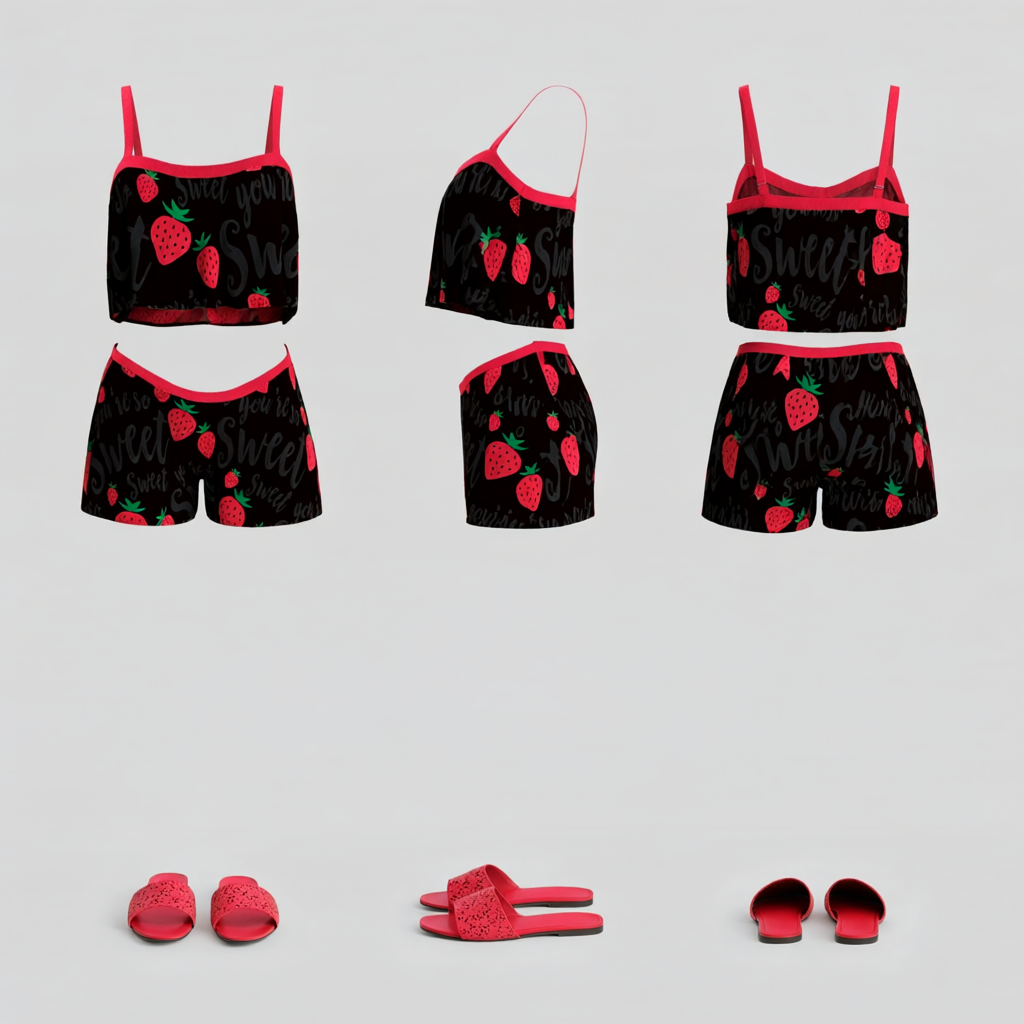
Thanks!October 12, 2026 at 2:27 PM #2191506Yes, Qwen 2.1 is pretty good, it actually just came out a few weeks ago. But I usually default to Flux.2 klein for human subjects because i prefer the greater skin details (just a preference, some people might prefer the opposite), but for other stuff, Qwen 2.1 is great. For your task of clothes, yes either qwen or flux.2 . What you can do with all of these models, for instance: supply an (image or images) of the clothing or full outfit and accessories. Then generate a "character sheet" reference of that using the AI model. This will generate a reusable image of the outfit from all views and angles (such as front view, side, rear). Then that sheet image can be used as the reference in the future, as needed, to swap onto any character. The AI model does not need to guess about what the back of the clothes look like (which in the past was why you might struggle with getting consistent clothes, the AI had to keep inventing what a certain view looked like). But now in this character sheet, everything is provided to the model.
here is an example of a simple reusable character sheet from a daz clothing product. You can then simply swap it onto any character, either a real one or a daz generated one.
 October 12, 2026 at 4:19 PM #2191510
@gts6, Oooooooo.....shiny!
I'm assuming that a detailed character sheet might be used in Meshy (or similar) to create a 3D model?I just realized that this is not at all dissimilar to photogrammetry, what's now being called gaussian splatting.
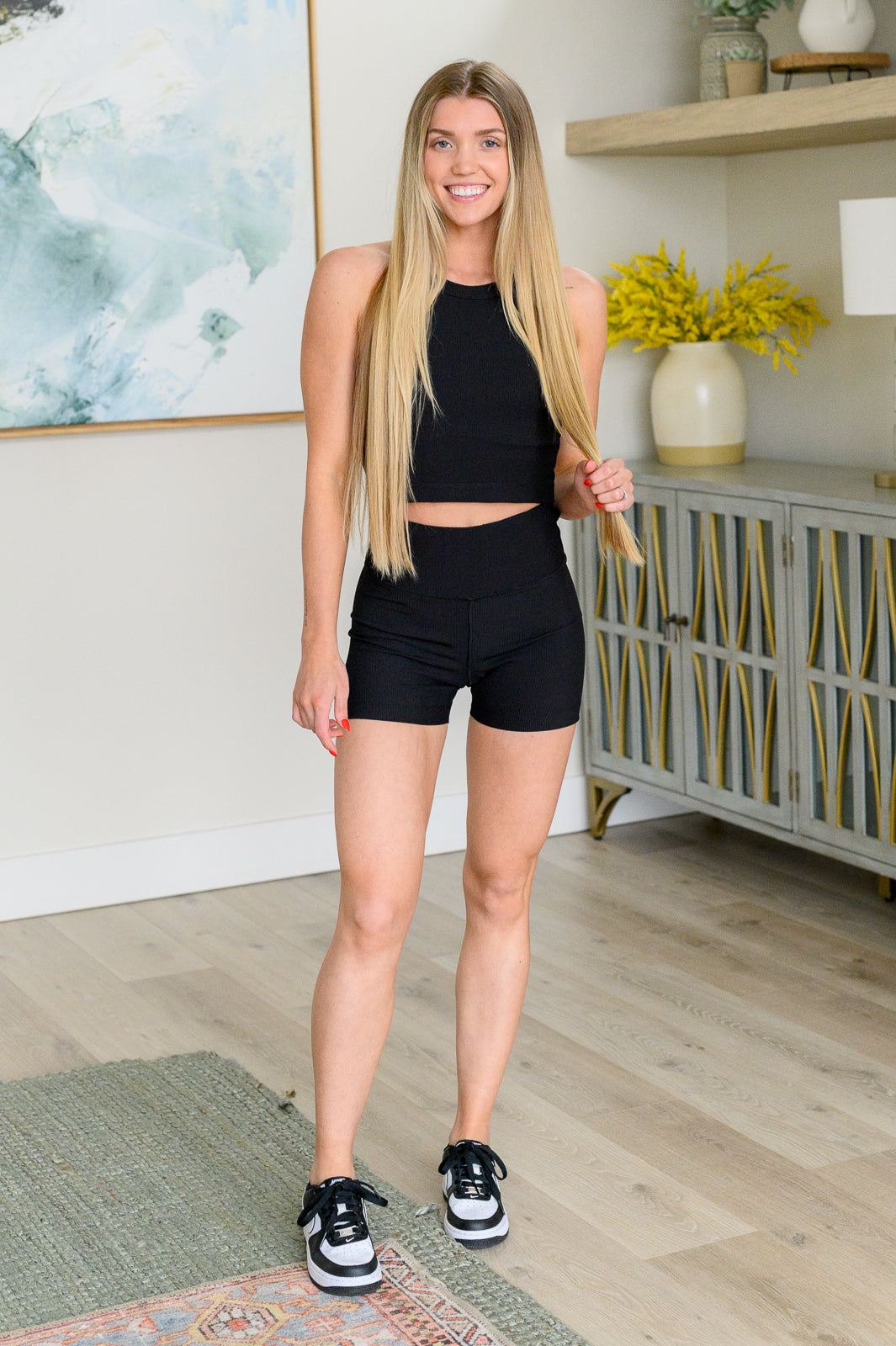
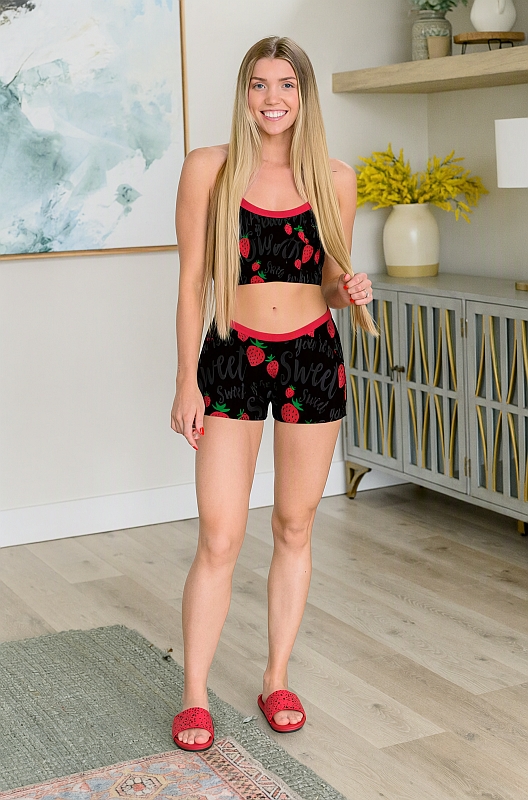
October 12, 2026 at 4:22 PM #2191511Here is an actual demo, using that AI generated sheet from above. I searched for a random girl image, and will replace her outfit with the outfit from my last post.
This was using Qwen 2.1 with the simple prompt: "change the outfit and shoes of the woman in image 1 to the outfit and red slip-on shoes in image 2."BEFORE:
AFTER:
 October 12, 2026 at 4:24 PM #2191512
It missed a bit of hair but did a hell of a lot faster and better job than I've done in Photoshop. I've spent many evenings fiddling with changing simple lingerie on a model in PS so I appreciate this. See my edit in the above message.
October 12, 2026 at 4:30 PM #2191513im not familiar with meshy, but the sheets can be used for a variety of purposes. And of course are not limited to clothing sheets. You can use a multi-view sheet of a human, so the AI model has a definitive reference of truth, to know the character. You can re-use that character in any image, scene, pose (using either real or DAZ generated room, sceneries, poses, etc)
Also, if it missed a slight bit of hair (i dont really notice it) you can just re-generate it until it gets it right, usually its pretty accurate
October 12, 2026 at 4:34 PM #2191514There's someone on Civitai that's making a wide variety of excellent rooms and scenes...
( https://civitai.red/user/arrssenne/models?sort=Newest ). I like the idea of creating a character's face. I've a few that I'd like to experiment with.
Got an acre of leaves and a lawnmower waiting outside. Thanks for the info!October 12, 2026 at 4:56 PM #2191516No problem, hope it helps.
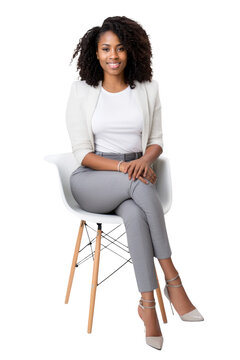
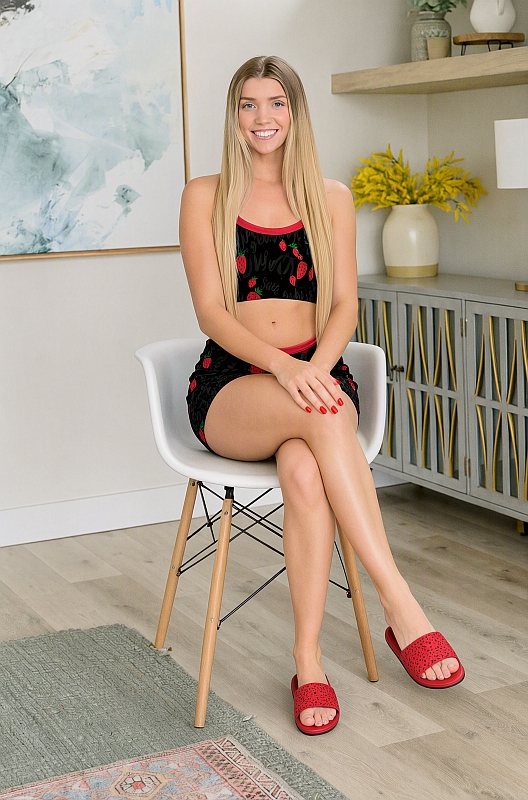
Here's a quick pose demo using the same girl and outfit from above. I found a simple image of a woman sitting in a chair. I re-posed the girl in the above image to be seated in the same pose in the chair. Prompt used: "the woman in image 1 is seated using the exact same pose and chair from image 2 with her legs crossed and both hands on her right knee. remove the woman in image 2."
If any time its not perfect, just re-generate!
 October 12, 2026 at 7:08 PM #2191523
She's got goofy toes 🙂
-
AuthorPosts










- You must be logged in to reply to this topic.
