Home Page › Forums › Art Showcase › Render to Ai - Before and After
Tagged: animation, Automatic1111, cartoon filter, creative freedom
- This topic has 27 replies, 7 voices, and was last updated 1 year, 1 month ago by
 Frank21.
-
AuthorPosts
-
July 21, 2025 at 2:43 PM #2137297
I recently installed Automatic1111 for doing img2img work -- specifically, turning my DAZ Renders into a cartoon style. I have about 3 dozen line-cartoon related models and 6 checkpoints loaded.
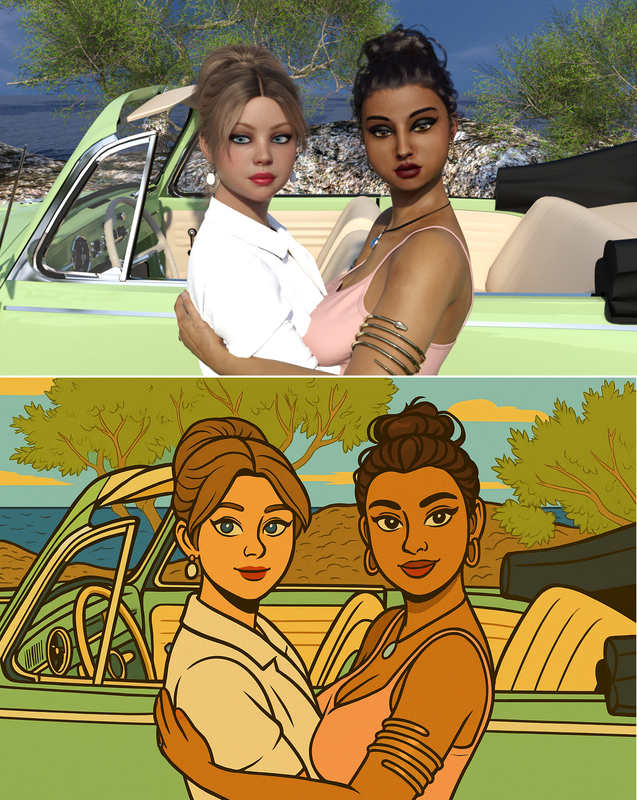 This image -- processed on ChatGPT using Sora -- is exactly what I'd like to do in Automatic1111.
 Any power users with ideas?
July 21, 2025 at 8:25 PM #2137341@kayma Automatic1111 is really old and no longer supported. If you want to do a transfer style, the best model is currently Flux Kontext dev. I think it should also be available on Forge UI (which is basically Automatic1111, but faster and more supported).
August 26, 2025 at 12:20 PM #2142737Not just for enhancing, but just found this site [https://hailuoai.video/ ], with an interesting Image-to-Video option:
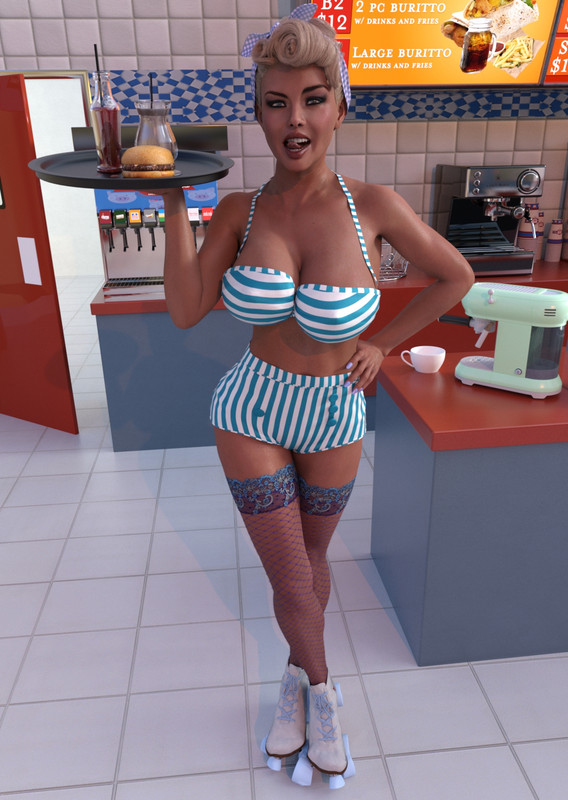
This was a render that I used for an earlier competition -
https://i.postimg.cc/pdT9mwV1/Dinah.jpgAnd just a basic 'spin on skates' gave this:
https://mega.nz/file/8ShwSaKJ#UafXHXCfL1r27VG2UzDWPwe8S82cdGGaiBc6yVgxW5c
August 26, 2025 at 9:13 PM #2142782There's also FramePack Studio Paul if you want to generate image to videos off-line. I might try to install it at some time. I think the advantage is it's uncensored, unlike the on-line ones, and you want to do nudie stuff.
I think you can also install and run it from a SSD to save space on your main drive.Sorry about the AI voiceover.
August 27, 2025 at 2:31 PM #2142874Looks interesting - will definitely give it a run.
Not too worried about space as have 2 x 2Tb M2 drives in the current laptop.🙂
August 27, 2025 at 10:32 PM #2142906If you install it Paul, let me know how it goes and any tips. Can I ask your system specs.
August 28, 2025 at 11:05 AM #2142960Hi Frank,
I might get a chance to try it this weekend [?]The system I am using at present is:
Alienware X17 R1-11th Gen Tiger Lake i9 11980HK - 64GB RAM - RTX 3080 16 GB GDDR6 - Samsung 980 Pro 2 TB M.2 & Sabrent 4 TB Rocket PCIe 3.0 NVMe SSD.I still haven't had time to get around to finish the installs needed on my newer system - hopefully won't be too long now. That system will be:
Alienware M18 R2 -18" QHD- RTX 4090 16GB GDDR6- 14th Gen Raptor Lake i9-14900HX 24 Core- 96 GB Dual Channel DDR5- 2 x 4 TB M.2.
Should be interesting to check the comparisons.
🙂August 29, 2025 at 7:15 AM #2143044Thanks Paul. That new system sure looks the biz..... envy.
August 29, 2025 at 8:49 AM #2143051Looking to set that one up as a dedicated graphic/render system - and keep it offline [3080 as DL system].
Maybe by the time I am back to the UK permanently there will be a nice 50 series that will handle a selection of DS versions -the 32GB on the 5090 is tempting]
🙂August 29, 2025 at 11:56 AM #2143074My goal is to have something that can improve (remove noise and scanning artifacts) my extensive collection of magazine scans. Everything I've tried has been ridiculous.
However the new Nano Banana looks promising. I'm gonna give it a few months to improve and see if it's going to stick around before diving in.
https://civitai.com/models/1903827/nano-banana-image-editing-workflowSeptember 1, 2025 at 1:55 AM #2143459Hey Paul. I tried to install FramePack via One-Click Package from here with the Windows installer but didn't get far. When I run the run.bat to DL the files and finish the install I get this and I don't know what it means or how to fix it. Hitting any key just closes the install.
 September 1, 2025 at 7:41 AM #2143479
@Frank22
Hi,
I have had similar problems using that install option.I initially tried following the video instructions, but after everything it refused to connect to either of the url's given.
If you have the Framepack-Studio-Main folder installed there is a ReadMe file that provides a link to various install options [https://docs.framepackstudio.com/docs/get_started/]
I tried several of these but still had a number of issues.
The one that eventually worked [?] was the option using Pinokio.
A little long winded but eventually allowed me to generate.
I say [?] because at present there still seems to be an issue that will not let me DL the videos. Not sure if an install problem or on my end - if you try it , interested to see if it affects you as well.I will plod on for a little while to try and sort the issues but, as the process is long, may be lazy and look for better options 🙂
September 1, 2025 at 11:54 PM #2143592Thanks Paul. I'll keep the installation zip for a while and see if a workaround becomes available.
-
AuthorPosts










- You must be logged in to reply to this topic.