Home Page › Forums › Art Showcase › RCC Marge Bundle for G8F & 8.1F *UPDATED*
- This topic has 76 replies, 11 voices, and was last updated 1 month ago by
 3Dmouse.
-
AuthorPosts
-
December 31, 2025 at 12:41 AM #2158132
Ok so real qucik, I spent ~4 days trying to get these together and I feel like they look bad but they get the point across. I'm not using these for promos, I'll have to rework them but they display some aspects of the asset well.
1. High resolution image of hands and skin MAT micro details.
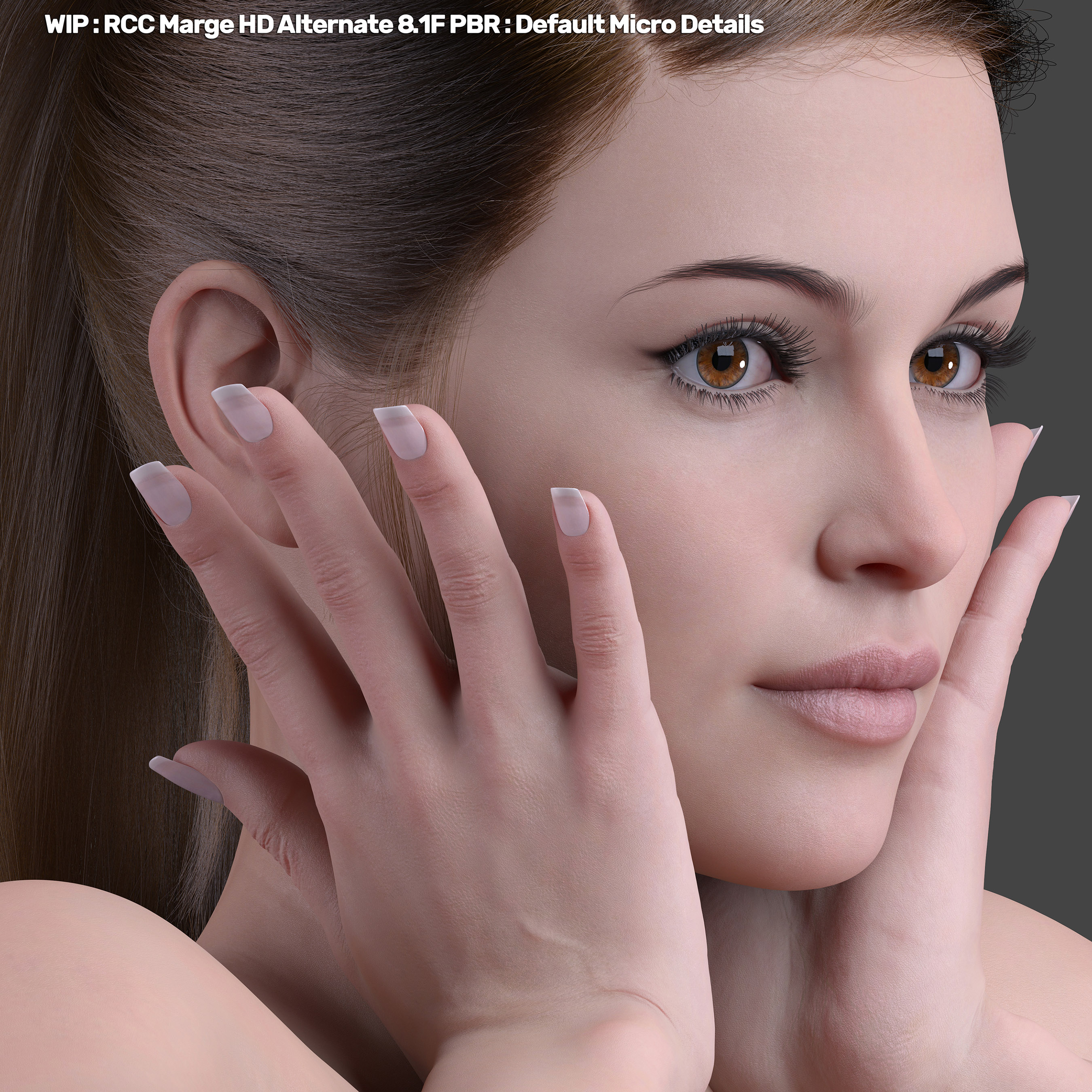
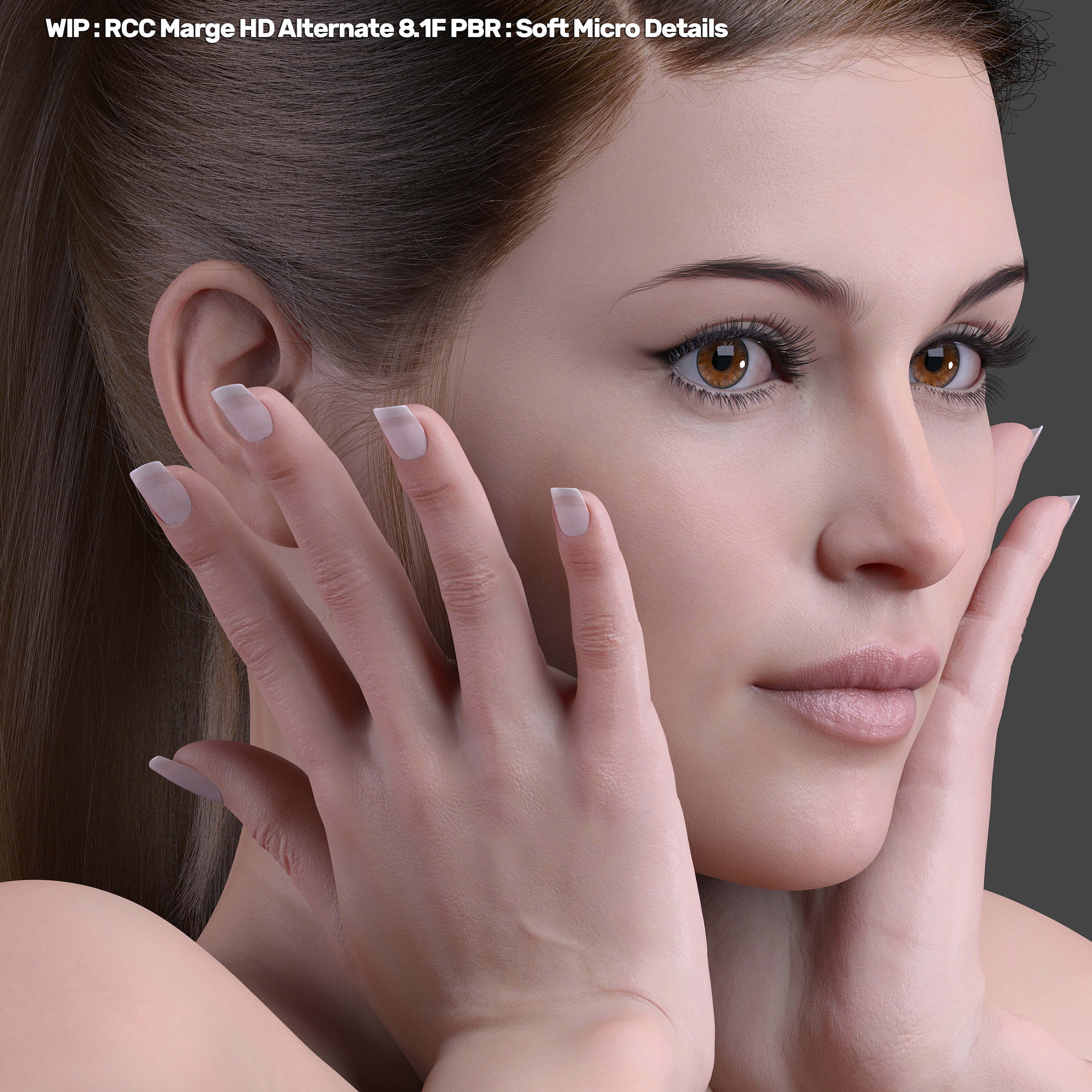
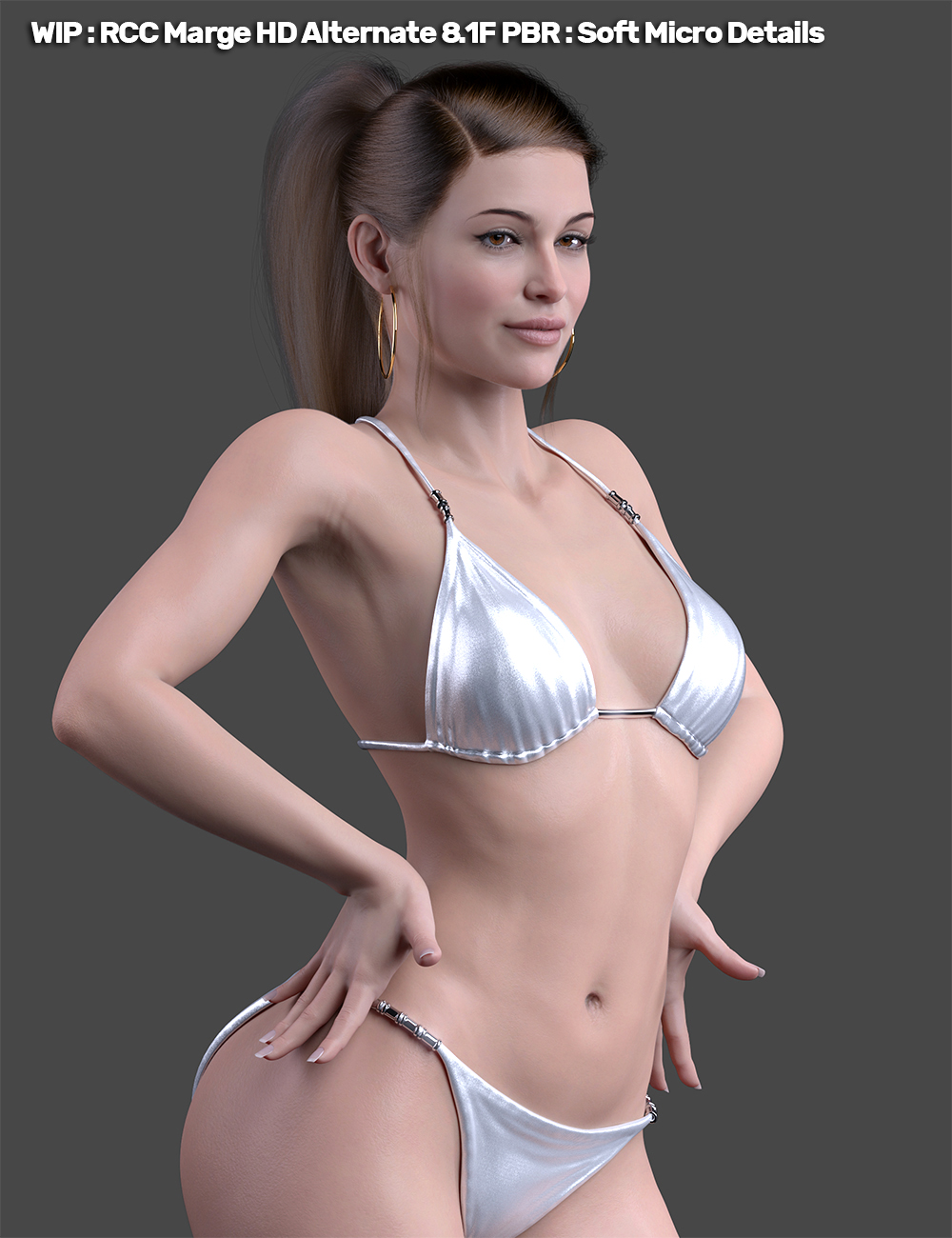
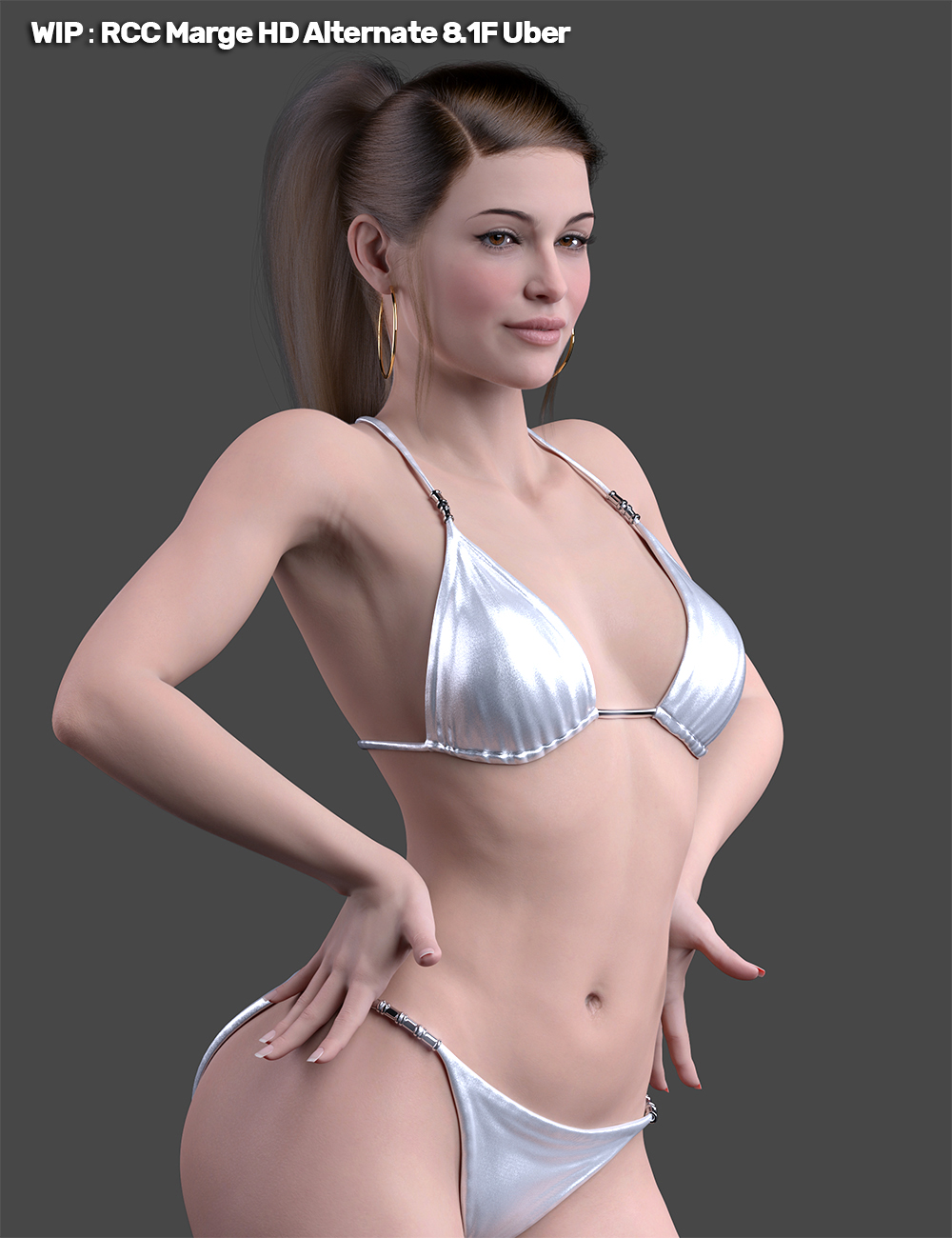
2. PBR Default vs PBR Soft then Uber to show a contrast in PBR vs Uber.
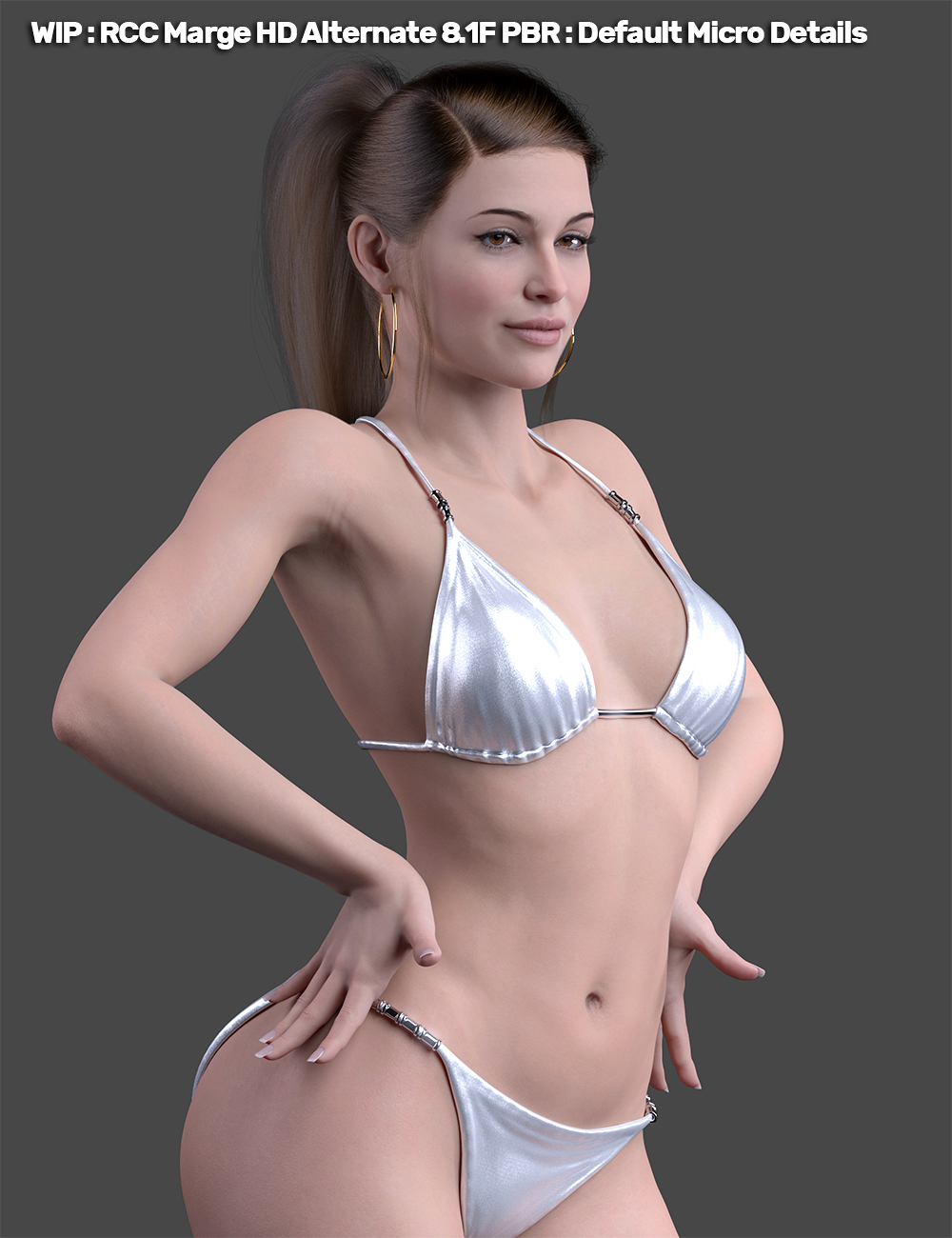
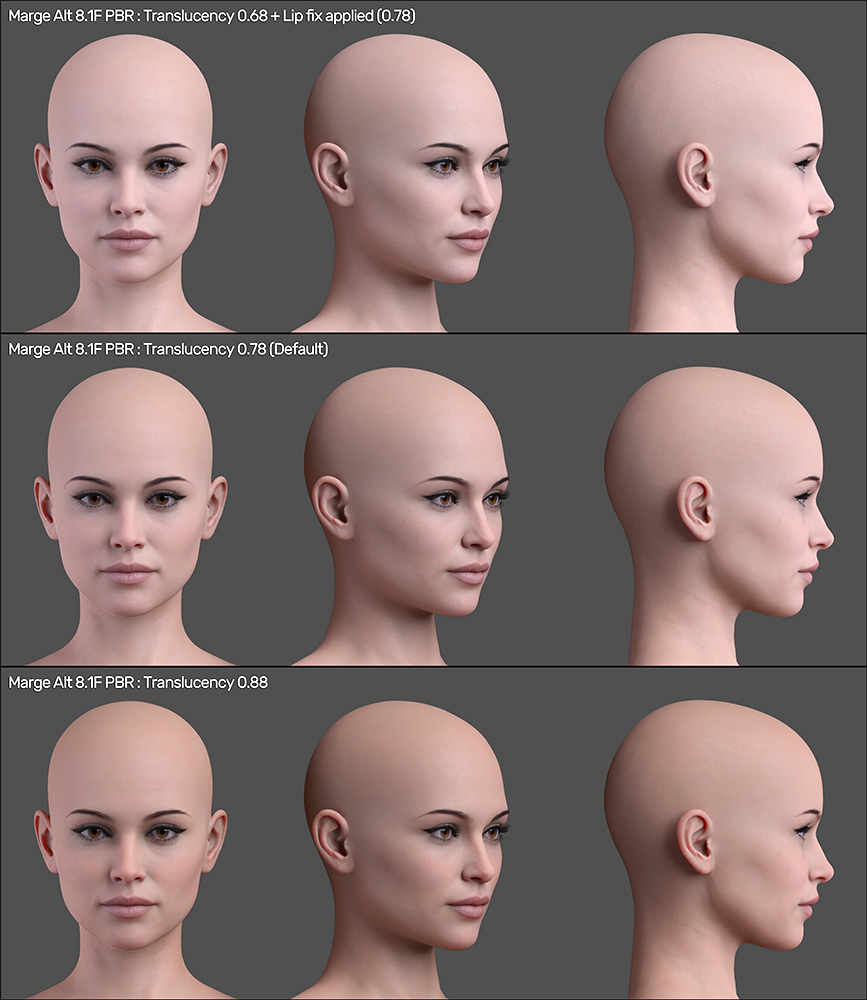
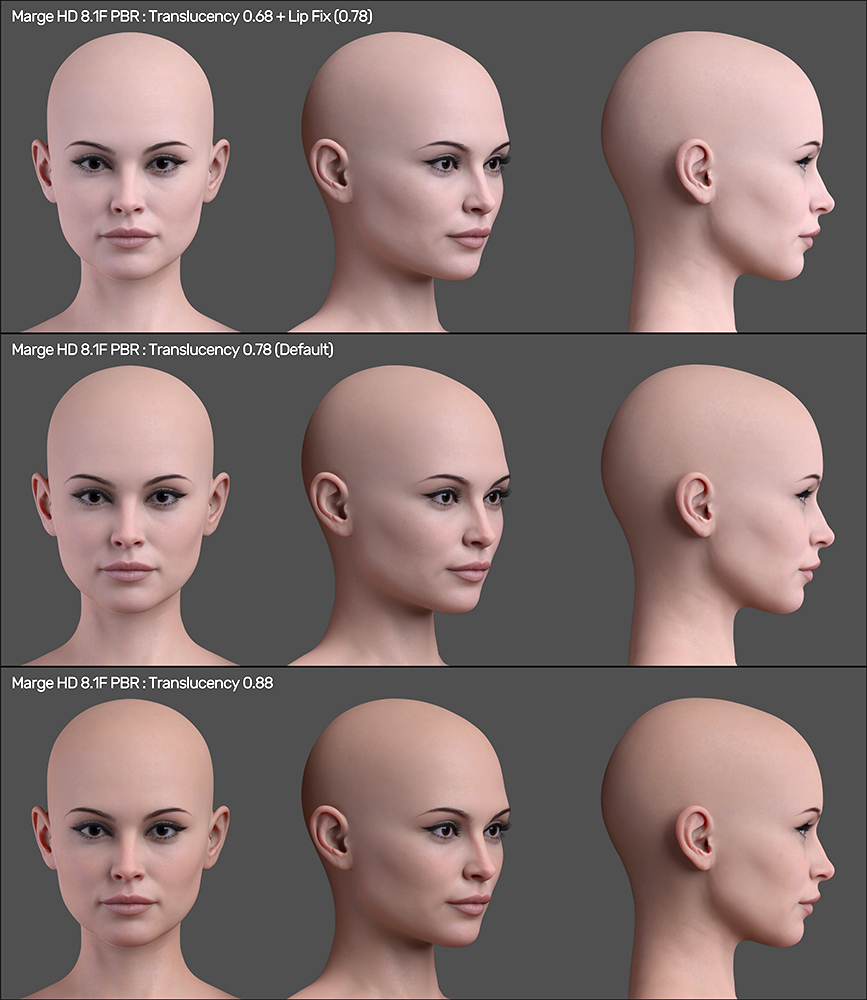
3. Translucency options for Marge and Alternate. Open both images and flip them back/forth to see the difference in morphs.
4. Body Mug shots for Marge and Alternate. Open both and flip them to see a difference.
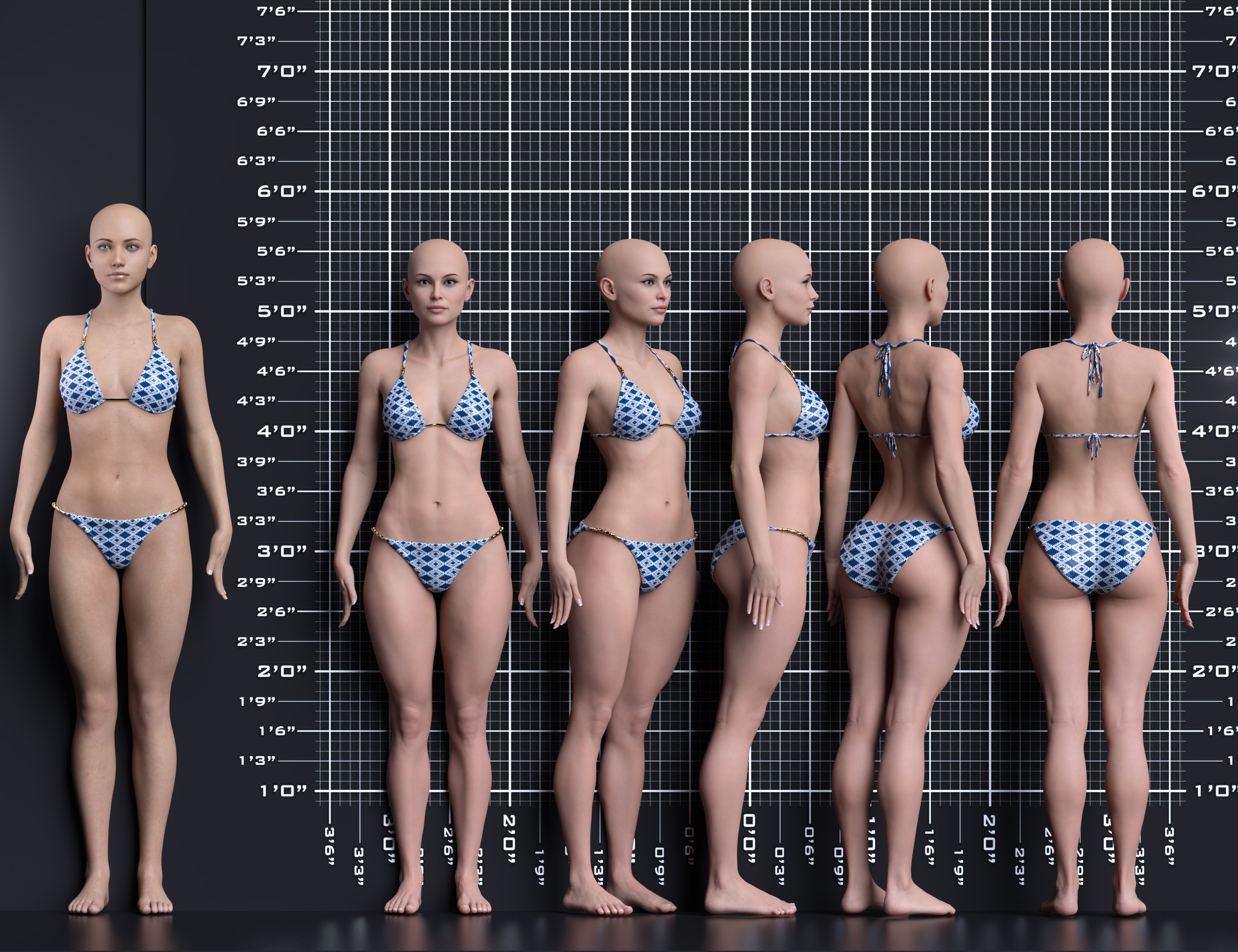
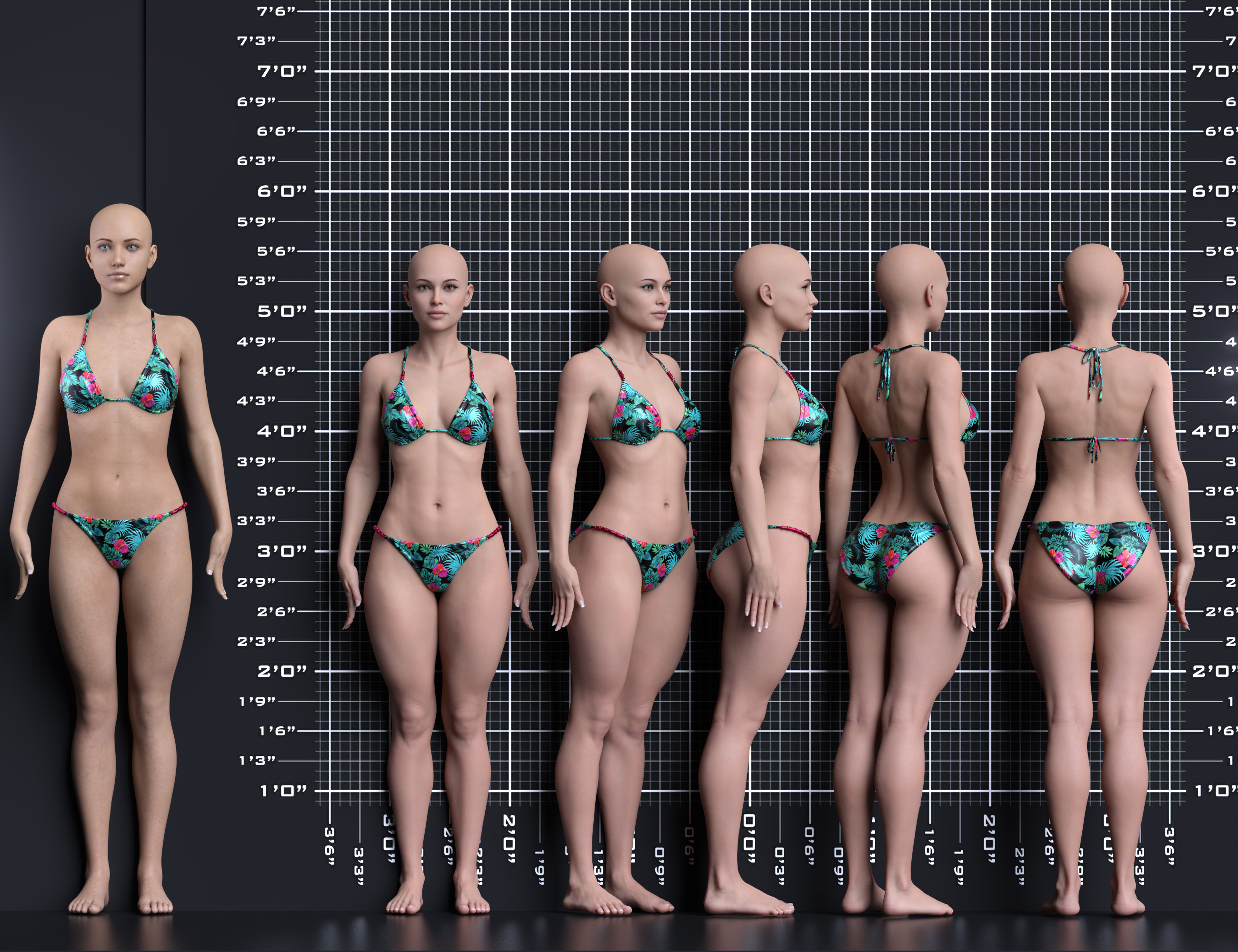
I'm not happy with these renders and they took 4 days... they get the job done and give a good reference for what's being developed but I'll have to redo/rethink all of these for promos I suppose. There's so many new options for the update I don't have the patience to put them on display but maybe I'll work up some decent renders and a paragraph explaining it all when I get to releasing it.
December 31, 2025 at 7:01 AM #2158152I'm not happy with these renders and they took 4 days...
Wow, that looks absolutely fantastic! You’ve clearly put an incredible amount of effort into this, and it really shows in every detail. I can now truly visualize your model exactly the way you described it, which makes the whole concept come to life.
Outstanding work, my friend. The renders are beautiful, The renders are impressive, and the lighting is handled extremely well..
Thank you so much for all the hard work and dedication you’ve put into this. I’m genuinely very excited and can’t wait for the release.December 31, 2025 at 3:52 PM #2158224@lucafeelgood
Thanks so much for the kind words. IDK man, I think I get to looking at something for so long that I'm nit-picking and pulling it apart; it gets frustrating. You mentioned a problem with the exposure and that was not a variable I ever looked at but it's solving an issue I couldn't put my finger on, thanks!I rendered the top two up to 5k and the file and pic size was too big to upload. I had to resize the image and drop the JPG value down to get it under 2 mb so there's a loss in fidelity there but the image resize appears to create a sharper/cleaner image.
As far as the skin MATs are concerned, the PBR default micro details looks the best but there's a skin options folder with presets to quickly change them along with translucency values. If you notice the soft micro details creates more of an oily skin or sheen and it's less resource intensive. The trans values feel dialed in correctly as anything more than the span of settings starts to wash out the skin MAT.
The Uber settings have presets for scatter only vs scatter and transmit which looks closer to the PBR after application so the difference in them is minor when it's all dialed in. The translucency values are shifted slightly to match the PBR settings. The Uber is more script friendly and less resource intensive than the PBR skin MATs so it seems to be a better candidate for far shots and heavy scene renders.
Both skin MATs have proper UVs for G8F and 8.1F with separated preset folders for a total of 4 separated folders but I have the folder structure pretty streamlined and organized so it's not too cluttered and there's really clean/clear icon and mouse over tips.
You can see in the Uber skin mat pic the flushed skin sticks out. I need to dial in that skin tone, seems too orange and not natural so that's added to the todo list. The nail textures need work so that's another issue I'm working on.
The old marge had some JCM issues which I've fixed in this update. It caused misalignment/errors when loading certain hairs. The old HD micro details were a mess so I removed them and replaced them with something more akin to what you might call "SD Details" that I've labeled "HD Details". To achieve a better HD detail I've applied victoria 8's dials @ roughly 65%. I've been learning about how to make proper ones from scratch but it appears to be more of a hack job without access to the proper DAZ tools. I'll work this out down the road but using Victoria 8's looks really good for now.
IDK how people will like the new options but the end result opens the door to creating unique variations of one character. You can darken the skin tone for a brunette then jump to the opposite side of the spectrum and create a red-head with light skin and LIE full body freckles and/or facial freckles. I haven't even gotten into the new eye MATs. They look really good and there's proper UV's for them (G8F/8.1F) then Uber vs PBR.
TLDR : I'm done with the renders for the time being, need to get back to work on the asset lol
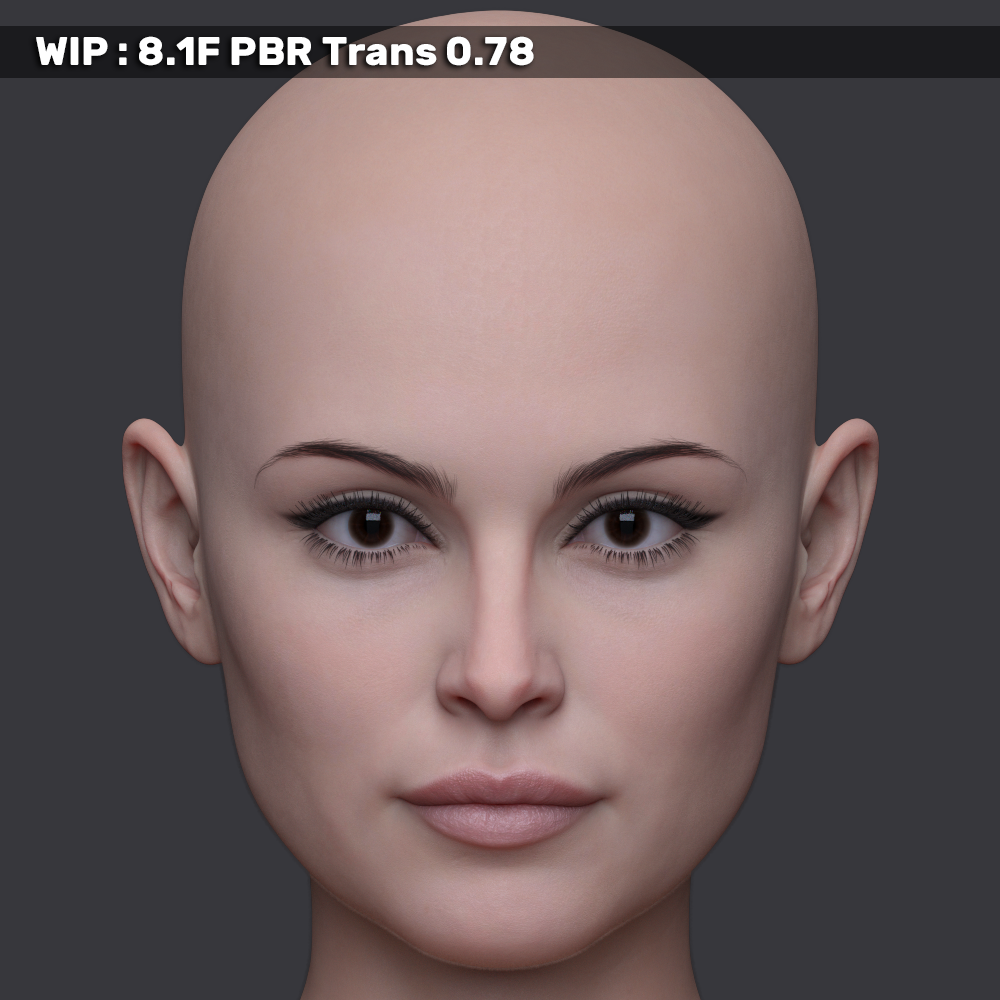
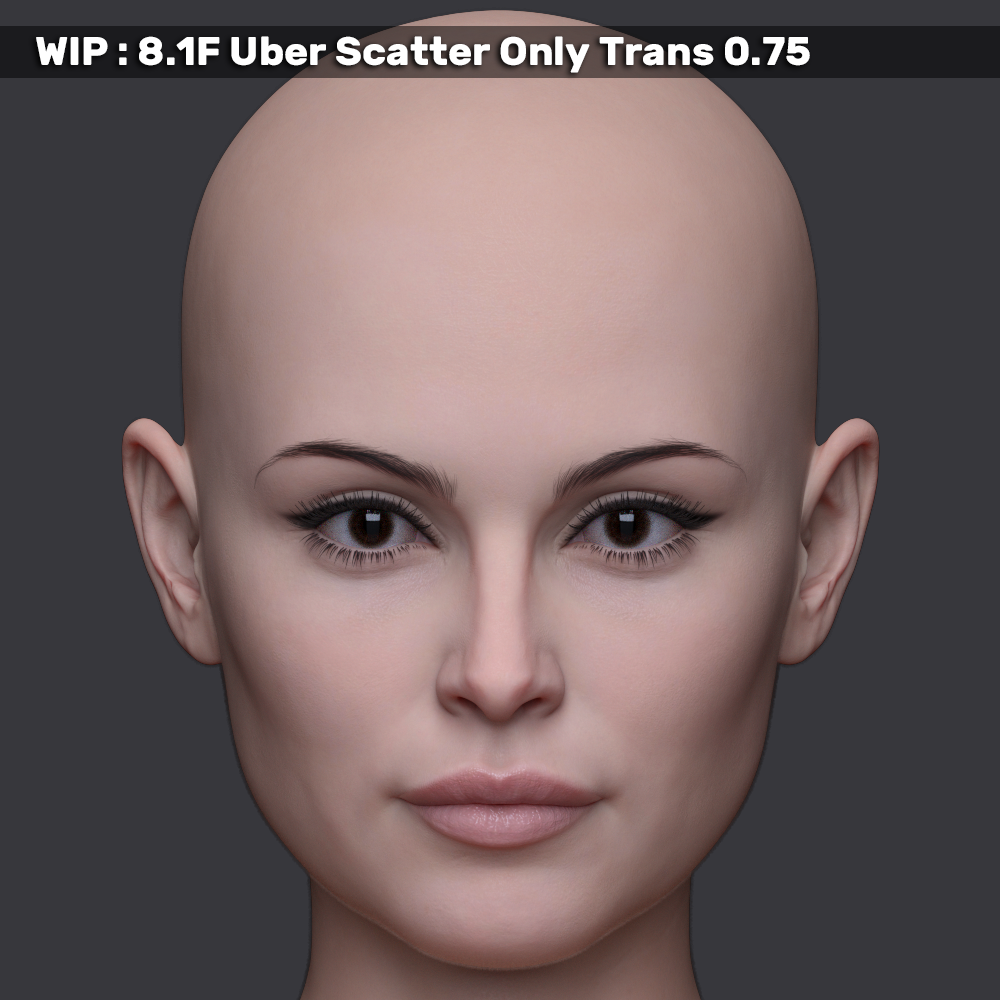
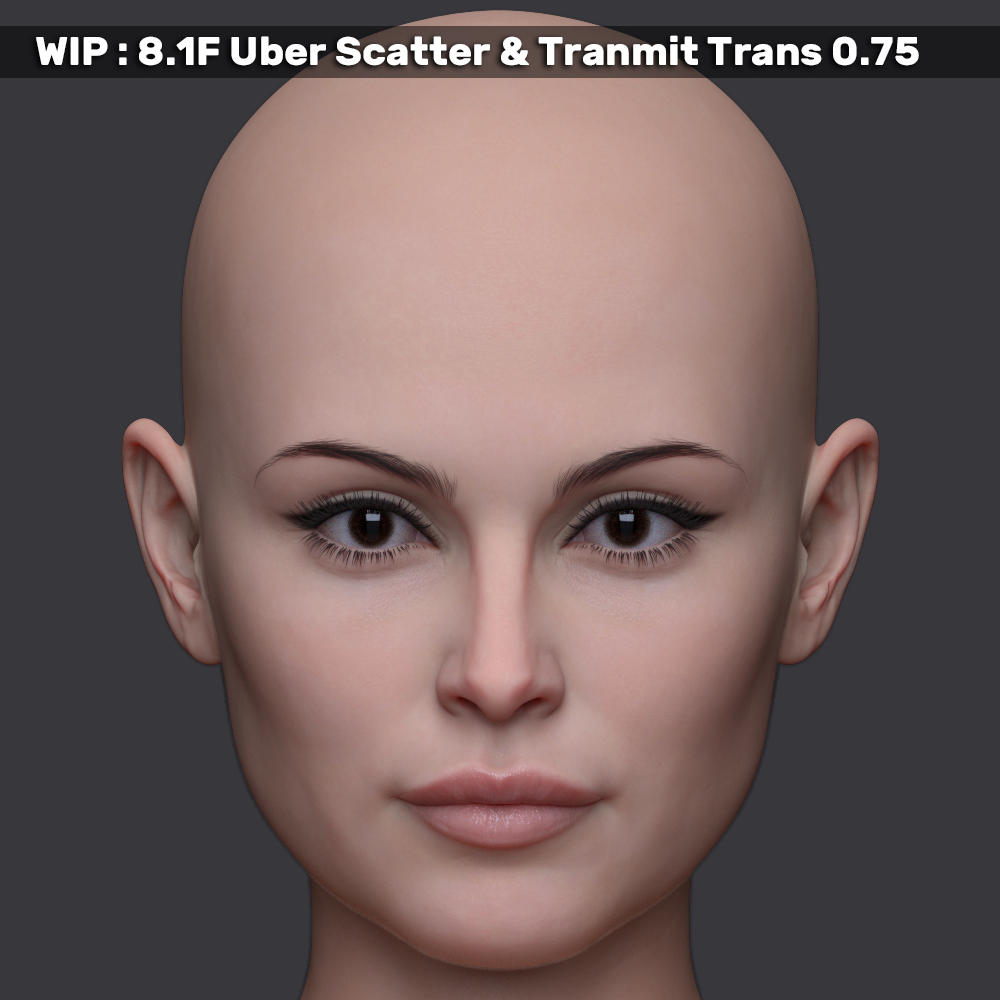
January 7, 2026 at 3:24 PM #2158945I was rendering mouse over icon cards and wanted to show some of the skin variations between PBR, Uber scatter only and Uber Scatter & Transmit. The details can be somewhat subtle but I'm finding it nice to have options for different lighting and scene loads. These renders all have the same lighting setup and cams so you can flip between the images in your browser to see the difference in them.
Shout-out to @lucafeelgood for pointing out the exposure variable. I've been dialing that in and I'm very happy with the results. So much so I'm in the process of re-rendering all of my icon cards, thanks!
Marge HD PBR:
Marge HD Uber Scatter Only:
Marge HD Uber Scatter & Transmit:
 January 7, 2026 at 4:43 PM #2158947
Yeah, what works well in one lighting set, might not be so good in another, so it is always a compromise of what you are trying to do.
There are really so many variables, that it is impossible to cover all eventualities.
It comes down to just finding something that works in most common usage profiles.By focussing on portraits / close ups you are not making it any easier for yourself! 😉
January 7, 2026 at 5:01 PM #2158948@eelgoo
I know man lol, I need to draw a line at some point and quit adjusting all the finite details but I believe I have the current options dialed in, organized and set. No more additions at this point, just need to balance and adjust what's currently there. I have a list of things that need addressed and should have this ready by the end of Jan or start of Feb.I'm digging deep on this one because I want to use this Marge update as a template for the other ~12 characters.
January 7, 2026 at 5:11 PM #2158949You still make damn good models compared to a lot of mainstream vendors.
January 7, 2026 at 5:20 PM #2158950@peepshow45
Thanks Peep, feels good to hear that! : )I started out trying to do things I wish my favorite artists would do and it got out of control lol.
January 7, 2026 at 7:44 PM #2158962@inversekinematics
Thanks!January 20, 2026 at 9:51 AM #2160283@poepogue
Beautiful renders and quality! And you've hit on a key point: lighting changes everything, making any texture preset a starting point for further tweaks. In fact, most content providers calibrate their textures precisely for these standard shader settings (like PBR or Uber), treating them as a base for further manipulation, not a final product. So chasing a single 'perfect' look might be less effective than experimenting.As an optional idea, you could even run a quick comparison: your custom preset vs. the default PBR/Uber setups using the same textures. It might be a revealing experiment! But just a thought.
January 20, 2026 at 5:38 PM #2160330@ramabay
thanks! I have Marge set right now and I'm in the process of finishing up new icon cards. I don't know if I was clear on those last renders showing the PBR/Uber trans settings but I dialed in the PBR trans to a point that it didn't bleed out the details and then went to match the Uber skin settings to get them close to the PBR so they would match. If you turn on the Uber "scatter & transmit" option then it adds depth and darkens the skin a bit and the translucency setting probably needs to be adjusted 1:1 to the PBR settings. I left the Uber set to "scatter only" because it's set to be used as a less resource intensive option for lower end systems and even scenes that are resource heavy and don't need details for close up. With "scatter and transmit" on, it renders nearly the same as the PBR variation.The changes in this update are immense. At a technical level all the UV's are set correctly now for the texture sets and there's options for Uber/PBR/8.1F/G8F for the skin and eyes. There's new LIE makeup I just recently finished in the last couple days and I'm very pleased with it, it's something I struggled with on the old Marge. There's proper LIE freckles for the face and a full body variation that no longer darkens the skin. I've got new finger and toe nail polish and morphs to adjust the length/shape (round/square). There's two sets of details dials now, one is an actual HD details that require the user to increase the subdivision levels and the other is an SD details dial that works at any level of subdivision. They're dialed in to compliment each other so having both @ 100% and the subdivision maxed produces the results similar (better with the latest adjustments) to what you see in the renders I've posted in this thread. I'm very happy with the changes at this point, hope people will enjoy this as much as I do. No promos done yet so it's likely to be a late Feb '26 release.
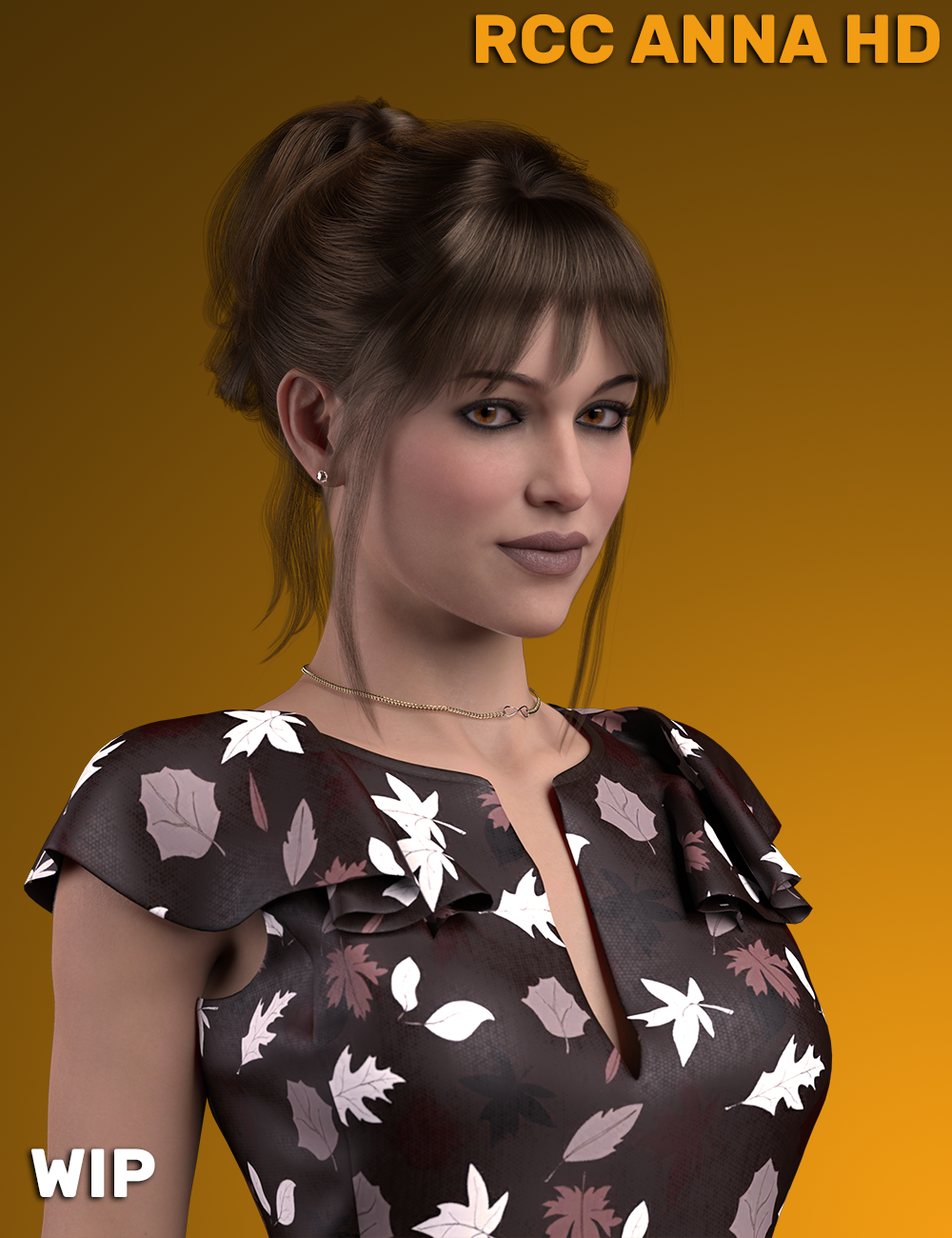
The next character I'm working on could be a good place to experiment more with the skin. This one has been in testing a touch but needs some things overhauled to match with the structure and quality of this Marge update. I'm rendering a preview of the next character, RCC Anna HD and I'll edit this post with the render when it's done.
https://new.imagehostx.com/upload/2026/01/21/RCC-Anna-HD-Main-Promo-014-004-Remake-_1768958193.png
January 21, 2026 at 4:48 AM #2160378January 21, 2026 at 12:16 PM #2160406Yep. Up to your usual excellent standard! 🙂
January 21, 2026 at 1:52 PM #2160420@ramabay
Thanks!
@eelgoo
That standard had some help, thanks Eel! ; )
@inversekinematics
I'm not a fan of G9, I feel like I can achieve what I'm after with G8 and 8.1. I might convert these characters over to G9 as a separate add-on or asset if there's enough requests for it but it seems to me that the vast majority of people are dodging G9.January 21, 2026 at 2:15 PM #2160421It is always a pleasure to see your work! 🙂
Certainly, from my point of view, my stance has hardened against G9.
I started with ambivalence, then disliked it & now have become even more deeply entrenched against it!What I would like to see however is some streamlined way for the better characters to be ported over to G8 / 8.1F.
This is extremely unlikely to come from official sources though,
I wish some script maestro would come up with a solution for transferring head morphs G9 to G8 that could be used without having to install the G9 bloat.
I am not bothered about the textures or even the body morphs, because most vendors do little if anything to the body shape. :0/Sorry rant over. 🙂
-
AuthorPosts








- You must be logged in to reply to this topic.