Home Page › Forums › General Chat › [New product discussion] Daz Studio 4 Scene Tools Set 3 - Pose Symmetry.
- This topic has 10 replies, 5 voices, and was last updated 6 years, 9 months ago by
 Checkit1414.
-
AuthorPosts
-
December 18, 2019 at 6:19 PM #1383152
I rarely do this, but Daz Studio released a new product tool today in it's store and if what i read and understand about what i does correctly, not only this product might/will interest a huuuuge amount of peoples, but it might even become one of the "universal unavoidable and a must have" tool from now on.
It is " Daz Studio 4 Scene Tools Set 3 - Pose Symmetry "
https://www.daz3d.com/daz-studio-4-scene-tools-set-3--pose-symmetry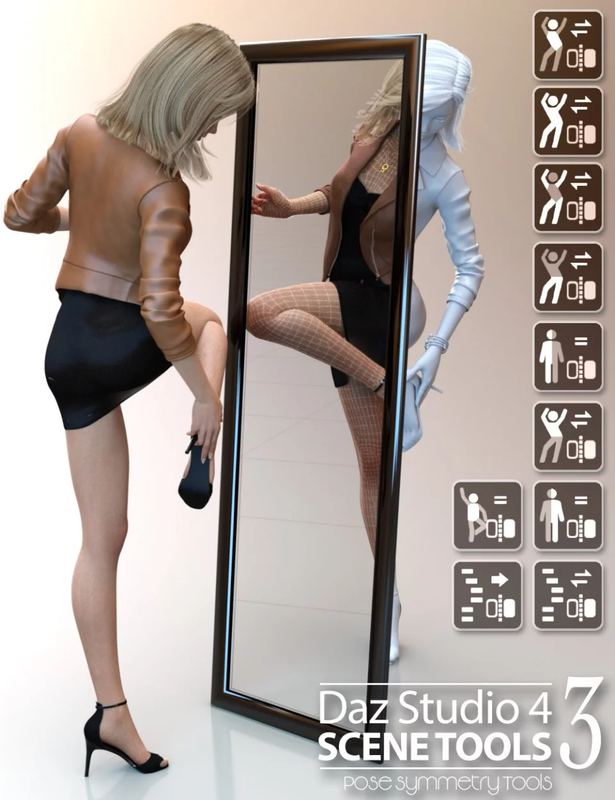
So i have not tested it myself.
But from what i can read in it's description and introduction video, this simple tool has multiple built-in script that allow you from a simple click on the icon of your choice to mirror any poses from (I hope) any generation of figure you have in your scene.If it really work as simply as it sound. And DO work with any current, past and future generation of Daz studio character. Then this simple and nifty little tool is perhaps what any beginner user in Daz Studio always dreamed of.
I'm sure any one of you here one day or another wanted to mirror part or entire pose from a pre-made pose in your librairy.
But unless the artist who made the poses pack purposely made mirror assets of each pose, (which is rarely the case. Specialy with older pack of poses.), you were left with only the standard pose and you had to alter it manualy.Daz allow you to do that with the "Symmetry" function in your character, but trying to understand how it work and MAKE it work like you want to has always been a total nightmare for any beginner and intermadiate user. In other words, it's not user friendly.
I think i've seen tools that where made in the past to convert/mirror poses from certain specific generation, but i've never seen any tools that seem to work as easily as this one and has the potential to be multi generation.
In any case, i hope it will find it's way here on the zone. Because i would gladly like to give it a try. And if it work and do exactly what i think it does, i think this tool might become one of the unavoidable tool for everyone in daz.
Tools that...in my opinion, should just be included as a basic mechanic and function in Daz Studio interface. -_- (Just like Animate 2, Look at my hair, Meseasure Metric, and all the "Auto-fit" tools series.)So, what are you though people on this product ? If you have tried it, feel free to give us your opinion on it.
December 18, 2019 at 6:35 PM #1383173Sounds like it is basically a more refined version of a mirror script.
Yes, it could be very useful for users at all levels & a potential time saver.
🙂
December 27, 2019 at 6:36 PM #1396850Has anyone downloaded, tried and made this pose symmetry product work yet ???
I finaly installed it today to try it. (With a manual install)
But i just can't make it work. In the tutorial video, it say i can make it work easily by going into my Script/3D universe folder in my content librairy.
Although it is there, just like it's shown in the video, if i click on any of the icon, it just say " An error occured while reading the file, see the log file for more detail " (The basic error message.)
And in the log file, all it say is:
Loading script: C:/Program Files (x86)/DAZ/Studio/Content/Scripts/3D Universe/Scene Tools 3 - Flip Upper Pose.dse
Failed to load script: C:/Program Files (x86)/DAZ/Studio/Content/Scripts/3D Universe/Scene Tools 3 - Flip Upper Pose.dseIt do that for any of the icon, even for the "add toolbar" option and the "visit store" icon.
I have tried it on a Genesis 2 figure (because the video said it would work with ANY Genesis figure). But i also tried it with a basic Genesis 8 figure and did EXACTLY the same thing shown in the video with the same pose. Still not working.
Anyone got an idea what i do wrong ?
I must precise that i am still using Daz version 4.10. Does this product absolutly require daz 4.12 to work ???December 28, 2019 at 4:26 PM #1398209For information, I used this product to mirror a complex rowing pose (left to right) and it worked for a G3F, there were just some imperfections for the fingers. (at least 15 minutes spared).
December 28, 2019 at 5:45 PM #1398297@corbeau : How did you installed it ? Do you use the thumbnail in the Content Library ?
What version of Daz are you running ?Also, do you know what the thumbnail "system metric" do ? I see that this icon is in the product but wasn't presented in the tutorial video.
December 28, 2019 at 9:47 PM #1398566for what it is worth, Daz IM won't even 'see' the file in the downloads folder - maybe something is 'wrong' with the file? I tried testing the file with WinRAR and it says that there is nothing wrong with the archive...not sure what is wrong with it...
December 29, 2019 at 9:52 AM #1399252For information I have the most recent daz Studio official version and I NEVER use DIM, manual install is for me the best way to go (I select my folder and i keep elsewhere a safe copy of the original file, there are many threads about "custom" install). You should find what you need in the script folder, 3D universe subfolder, just click on the right file in the content library. Now the true question is where your script folder is according to DIM ? Hope that helps somewhat.
December 29, 2019 at 11:19 AM #1399328Just installed on Daz 4.10 using DIM successfully, however, After hitting the first icon on the toolbar to mirror pose, got this popup: "This tool requires Daz Studio 4.11.0.166 to work"
To install this using DIM, make sure there are no spaces in the file name.
December 29, 2019 at 5:11 PM #1399771Welp, thank you Herecles.
With your answer and Corbeau kinda confirming my doubt, i think i can safely guess that this product need AT LEAST Daz version 4.11 or newer version to work. (Unless someone else prove me wrong.)So since i'm still running Daz 4.10, i either have to update or just give up on this product.
December 29, 2019 at 5:56 PM #1399820@Checkit....So what part of “This tool requires Daz Studio 4.11.0.166 to work” did you not understand.
December 29, 2019 at 6:27 PM #1399863Errr.....i just said in my previous message that i DID understand that i require Daz 4.11 !!!! Maybe i expressed myself not clearly enough ? (English isn't my first language after all.)
The thing is, this "requirement" wasn't really clearly specified in the original product requirement. Sure it state in the product " Compatible program Daz 4.12 ", but Daz store do that for all their product. Even old one that used to work on older version.
Now...we know.
-
AuthorPosts









- You must be logged in to reply to this topic.
