Home Page › Forums › General Chat › Hair Transparency
- This topic has 5 replies, 4 voices, and was last updated 7 years ago by
 Checkit1414.
-
AuthorPosts
-
October 1, 2019 at 6:16 PM #1268753
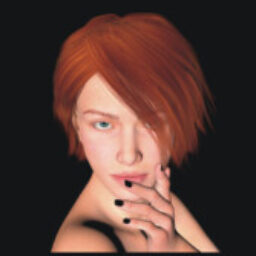
Why do hairs look transparent on my screen?
https://gyazo.com/3e037caa04cfc83a1f32fe3ae62181d6October 1, 2019 at 9:43 PM #1268917Ha ha ha ! Kerry with the question that everyone must have asked themselves at least once and never dared posted it before. ^_^ I like you Kerry. -_^
Unfortunatly, that's one question i asked myself a lot of the time. Especialy in my beginning with Daz Studio. And i never dared to ask why it's like that and searched for an answer.
I'm sure there is a super logical explanation as to why sometime hair look like that in ours workspace and sometime not. (Not all the hair have that effect. Some are more "solid" than other.)
All i can assure you Kerry, it's got nothing with a bug or something you did wrong. Some hairs are just like that. But fear not, they are fully visible and there when you render them.
All i could deduce in time for the reason why it does that is...it's got something to do with the type of shader and texture property of the hair. And it's multiple layer of meshing. I think. A person far more knowledgable in 3D asset creation could probably answer you.October 1, 2019 at 10:33 PM #1268977Well, in other program (not Daz studio), usually this Transparent on viewport and not transparent when rendering is called as Renderqueue,so on viewport, the renderqueue of some hair is clearly lower than the renderqueue of the character, so the viewport will prioritize to show you the head, funny enough in this case the renderqueue of the scalp is equal or higher with the head,so the scalp got shown
October 1, 2019 at 11:26 PM #1269013I've never wondered why, but I've noticed that in some cases, objects behind the head will be visible as the hair disappears completely. You get used to it because it still renders out fine.
October 3, 2019 at 11:17 AM #1270895I have played Second Life since 2006 and some hairs have the same problem there.
So, in DAZ, if I want to see the hair...I should do a render?
October 3, 2019 at 6:04 PM #1271338You have a couple of option, but yes, if you want a true view of your character's head with her hair, that's the best way. I know it's annoying when working in the scene workspace and not seeing exactly how everything look in reality in your final render, but this is something your going to get a little accustomed in Daz. Hair and shader are not the only thing not looking "exactly" like how they render. You'll notice that environnement and lighting are also a bit different.
It's for technical and computer ressource reason. If Daz workspace was to work with all the real shader and lighting exactly like in your render in real time, it would be way too much of a burden for your computer to calculate and generate. It would slow down your work and the responsivness of your scene by an effarous amount of time.
So anyway, if you want a quick peek at how the hair of a character look like in a render, you can always of course click on the render button and do a small quick render of a few iteration to see what it look like. The picture will be grainy, but at least you have a global idea of the style and texture.
Second option would be to temporary change the DrawStyle viewdisplay of your scene. To change that, in the top right corner of your scene, you'll see a small box saying probably "Perspective view". (Sometime, it can say "camera", if you use one.) To the left of that box, you'll see a small round icon. If you click on that, it'll open a little menu. Most of the time, by default, it'll be set to "Texture shaded". This is the mode of texture you workspace display.
If you want, you can change that and for example, use the last option. (NVDIA Iray if you are working with that render setting. It can be something else thought. Depending on your render engine setting.)
If you click that, your computer will change the texture of your space to use the texture of your render. Be warn, it WILL slow down your work space, because your computer will have to calculate and work harder to generate the texture. But it'll give you an actual view of all your texture in your render. (You can always toggle back after to texture shaded after that.
-
AuthorPosts






- You must be logged in to reply to this topic.
