Home Page › Forums › General Chat › GTX1060 has no openCL for dforce?
- This topic has 21 replies, 7 voices, and was last updated 5 years, 11 months ago by
 Luiz Otavio.
-
AuthorPosts
-
September 10, 2020 at 9:58 AM #1625913
Well yesterday I tried the DDU program and then tried new install again, but same result.
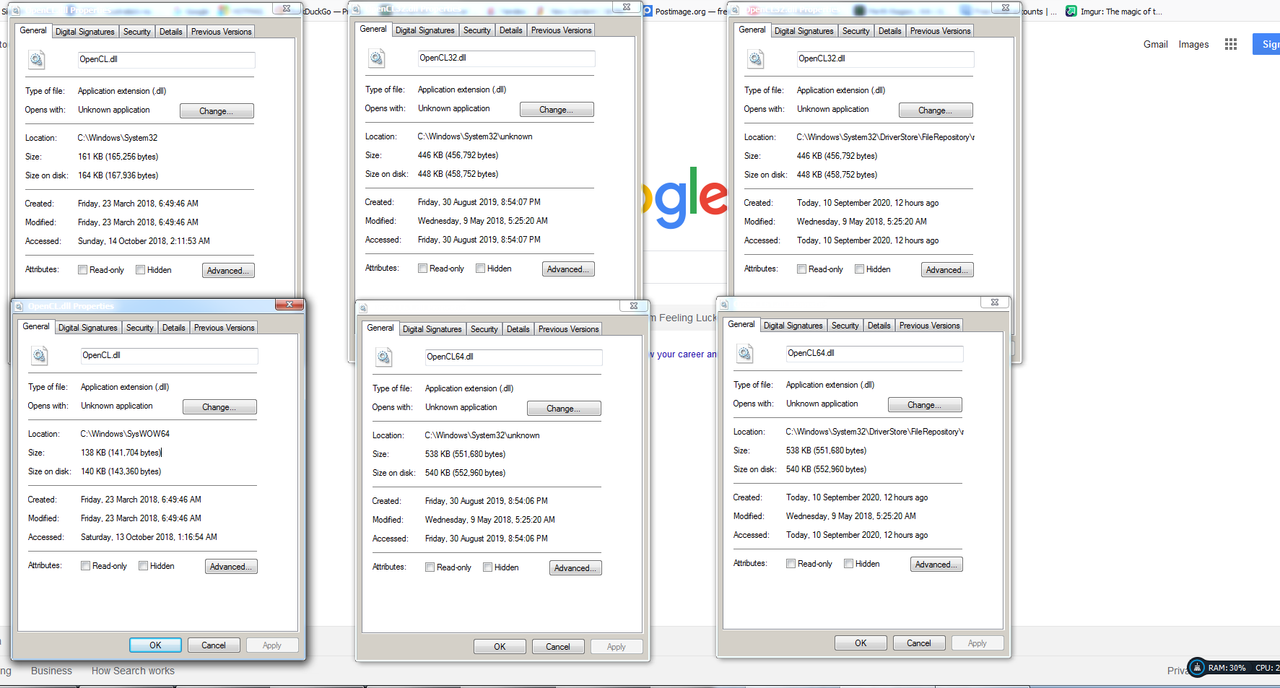
Today after some digging, here are all opencl files i found on on my pc.
I will say that I do recognize the 2 middle windows that list the date 30 August 2019.
That was the date i removed my PC's original radeon card and installed the GTX1060.
Someone tech minded may find this to be important, or maybe not.
 September 10, 2020 at 10:21 AM #1625918
Which specific Nvidia driver version are you on, and which specific DAZ version? I'll still tell you to upgrade to Windows 10,though. It'll fix your issues, and you can do an in - place upgrade to keep all your programs and settings.
September 10, 2020 at 10:59 AM #1625924I am on latest nvidia game driver and latest public daz release. I need to keep windows 7 on this computer. I have games and software that wont run on windows 10.
I have just come across this post and he says he has same problem as me and it says the problem was the intel driver.
Sounds like uninstalling intel driver might work. But Im cautious so i will study more about this.
I am looking into what happens if i uninstall my intell drivers, i dont want to do something that will make things worse.
https://www.techpowerup.com/forums/threads/opencl-ticked-off.267121/September 14, 2020 at 5:01 PM #1627755Well I have obviously done something very wrong. DDU has deleted something that i think i should have kept.
Now Daz Dforce tab says a valid OpenCL 1.2 device could not be found. Now i have no dforce.
My CPU is not being selected for dforce anymore..
I don't even think I have option for onboard graphics anymore, I look in device manager and I only see gtx1060 in display adapters.
But the fact I have NO opencl to use for daz is a real mystery.
And i only have 2 restores and they wont take me back to when I had open cl.
So I am at a loss as to what i have done.
I might dig out the drivers dvd and windows dvd and do a reinstall if things start to get worse.September 19, 2020 at 11:18 AM #1629402Today, Gforce experience says new nvidia game driver 456.38 is ready.
So i choose custom, fresh install option and installed it.
I open up GPU-Z and now i have OpenCL ticked and I'm happy to say that I can use Daz dforce with gtx1060.
Still trying to work out the intel graphics problem, but hey, I'm in a much better position now.September 19, 2020 at 11:28 AM #1629407Glad to hear it works now. I am installing the new game drivers as I type this.
November 19, 2020 at 11:57 PM #1643968@globalrecession2009 I found driver studio for your GPU here:
NVDIA Advanced Search -
AuthorPosts







- You must be logged in to reply to this topic.
