Home Page › Forums › General Chat › Characters NOT showing up in List once installed
- This topic has 60 replies, 5 voices, and was last updated 8 years ago by
 eelgoo.
-
AuthorPosts
-
October 15, 2018 at 6:17 PM #802971
Yeah Eelgo, that's helpful for sure. Are the Daz executables usually extractable? They don't encrypt the installers? That's dumb. But then again, so is an installer that doesn't check the registree for a legit install. I had no idea that was even possible
October 15, 2018 at 6:21 PM #802979Yes, they are. Touch wood never known one to fail.
As I said in the referred thread, you can just stick a ds exe in a folder & use it as your extract target.
Anything that is fired to that folder can then be looked at with reference to a manual install.
Connect stuff is a lot more tricky & well worth avoiding.
🙂
October 15, 2018 at 6:21 PM #802980Do you happen to know how daz tracks assets? Changing names or moving some stuff in explorer has been a bad BAD idea on occasion, morph organizer has blown up my install twice. Completely my fault, of course
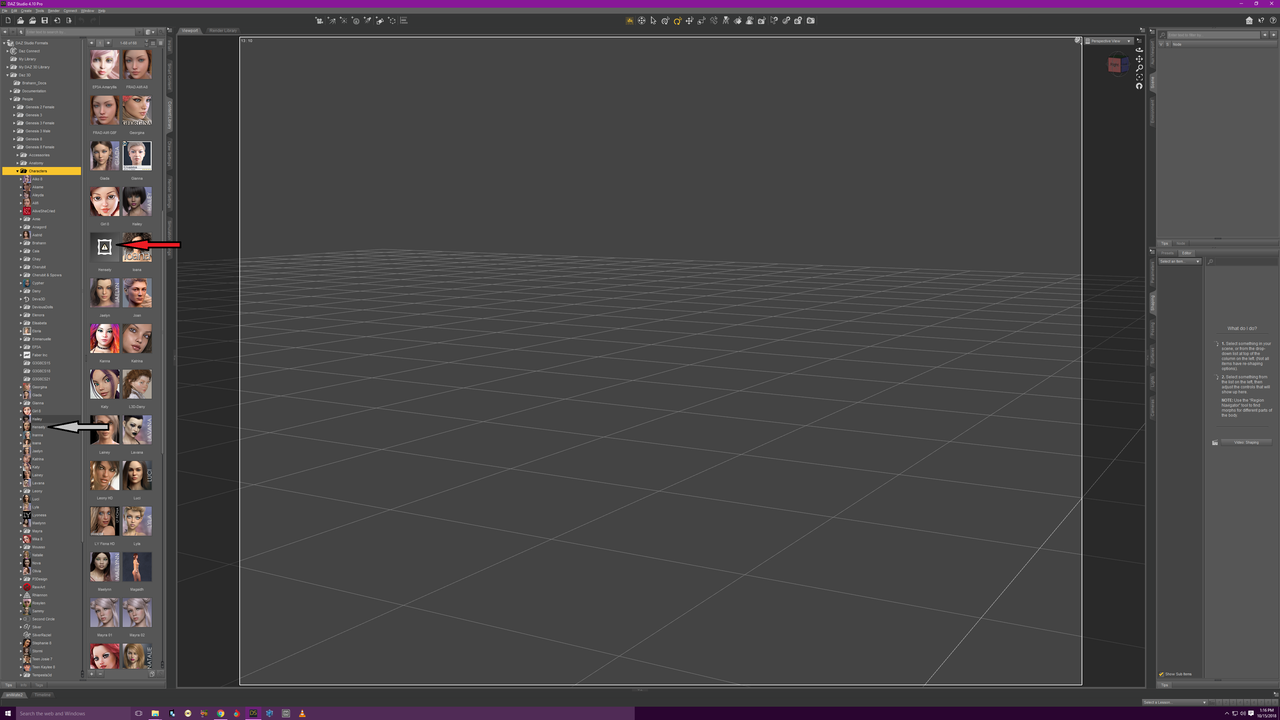
October 15, 2018 at 6:21 PM #802981well. shit. I refreshed and now her pic is gone from the character tree. It displays on mouse over and is in the list . but damn
October 15, 2018 at 6:22 PM #802983October 15, 2018 at 6:26 PM #802985Sounds like you have a tip file but not the base png.
The image is too small for me to see any detail.
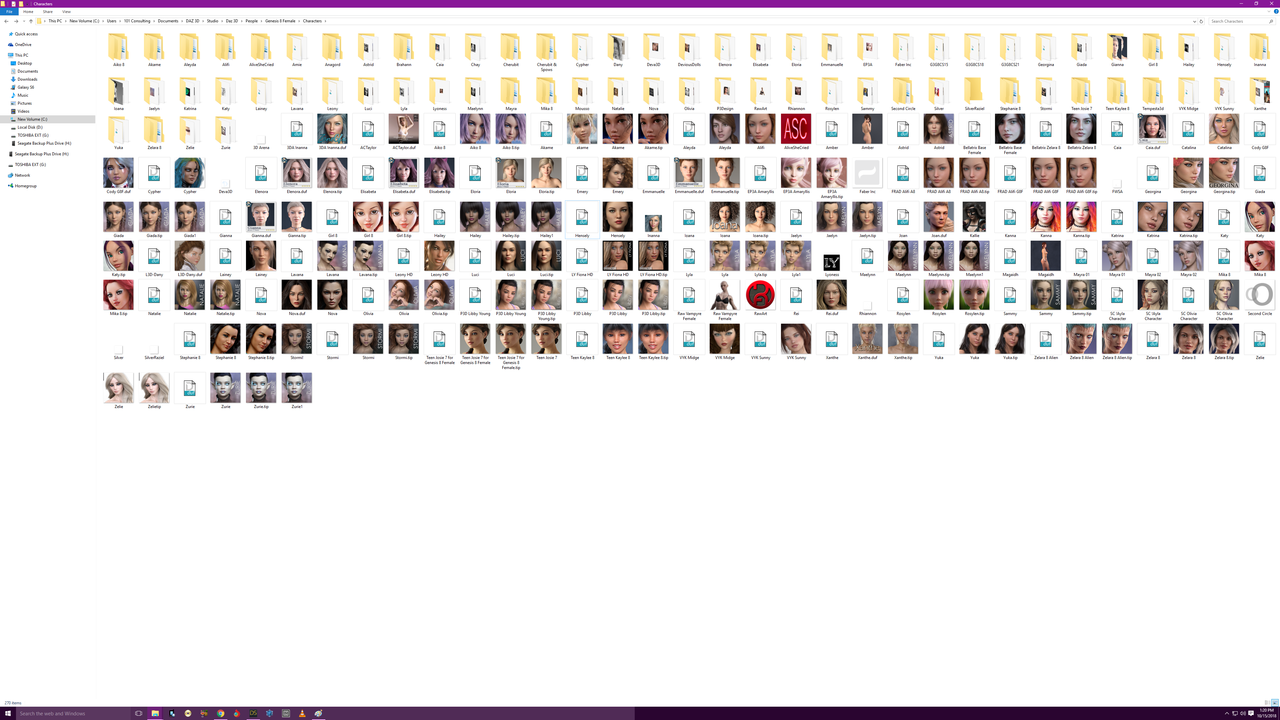
I see you have some folders with 3 icons, one of those will likely be an auto generated png with.duf at the end of the file name.
October 15, 2018 at 6:28 PM #802987I'm so confused lol. I see the tip for some characters but dont know what it is
October 15, 2018 at 6:29 PM #802989If you could get the image large enough so I could read the filenames it might help. 🙂
A .tip file is the slightly larger image that pops up as you mouse over.
October 15, 2018 at 6:30 PM #802990can u show what your file structure looks like so i can see what to do. because right now, some things work and make sense but i try to do same thing on another file and it doesnt work
October 15, 2018 at 6:31 PM #802993For sure it is towards the end of that linked thread.
October 15, 2018 at 6:32 PM #802998lol. Sorry. Thought i posted link
October 15, 2018 at 6:36 PM #803005Right, thanks. I have that large enough to read now.
Give me a few minutes & I will take & look & come back to you.
October 15, 2018 at 6:37 PM #803006i just noticed my Gen 8 Basic Female isnt there either yet it was installed
October 15, 2018 at 6:40 PM #803010I looked at it and the character "Hensley" comes with a corrupt .png "Hensely.png".
So its not your fault but whoever uploaded it must have unpacked it and repacked it which may causes this or it's the vendors fault.October 15, 2018 at 6:42 PM #803011ok. so can i just download a new png and add it to the correct place?
-
AuthorPosts







- You must be logged in to reply to this topic.