Home Page › Forums › General Chat › Characters NOT showing up in List once installed
- This topic has 60 replies, 5 voices, and was last updated 8 years ago by
 eelgoo.
-
AuthorPosts
-
October 15, 2018 at 5:46 PM #802926
She loads right? The image is just the "broken link"picture?
October 15, 2018 at 5:46 PM #802927It all comes back to that organised system I referred you to in the other recent thread! 😉
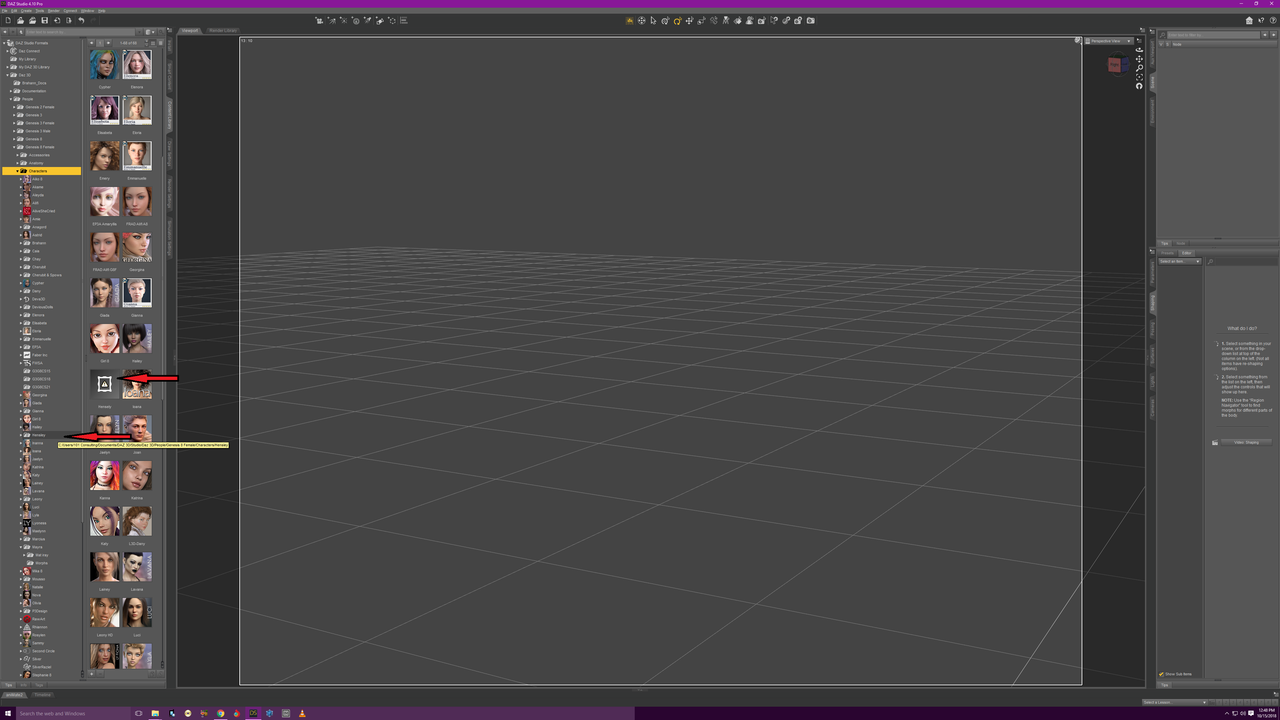
October 15, 2018 at 5:50 PM #802934https://i.postimg.cc/wvhZ7nQV/hensley-not-showing.png
it is a folder icon only, no image
October 15, 2018 at 5:50 PM #802936You don't need an organization system. Just embrace the chaos of vendors putting stuff everywhere and never following anything uniformly.
October 15, 2018 at 5:51 PM #802937as you can see by looking at the directory, there are more than half like that. makes kit unorganized and looks bad
October 15, 2018 at 5:51 PM #802938In my experience, 99% of these issues are spelling related.an extra space or a cap. That's actually why I wrote the script; I was doing "rename" and copying it from the parent and renaming the copies just to be sure they were exact. It's a major pain.
October 15, 2018 at 5:53 PM #802940"You don’t need an organization system. Just embrace the chaos of vendors putting stuff everywhere and never following anything uniformly."
Then, of course, there's always that
October 15, 2018 at 5:54 PM #802942lol. I have mild OCD lol
October 15, 2018 at 5:57 PM #802946It jsut bothers me, that I have a ton of characters to choose from but half dont show up. I am wondering that if some are for G8F, maybe they wont have a .DUF I have no idea though
October 15, 2018 at 5:58 PM #802947Everything goes one level up from what your trying to thumbnail. So the character folder with the .png and.duf your interested in needs a copy of the .png and .due in the folder containing the character folder. If you look at the "characters" folder, every folder in it, every girl, should have at least one .png and one .duf if you scroll down past the folders. If there is just a .png you'll get the thumb but it won't click. If there's a.png but it's not showing, it's spelled wrong, the publishers are, in many cases, idiots. The folder will be "hilda fat ass g8f" and the .png will be "hilda"
October 15, 2018 at 6:00 PM #802951That last post is the crux of the issue you directly referred to. 🙂
October 15, 2018 at 6:04 PM #802955If I was home I would show you. If you can't figure it out pm me and I'll try to help. Best thing imho, is look at something that is displaying the way you want and figure out it's folder structure, you'll get an "ahha" moment and be good.
October 15, 2018 at 6:06 PM #802956You guys want the renaming script?
October 15, 2018 at 6:07 PM #802958Ok so it was a spelling issue. The publisher had it spelled two ways, Hensley and Hensely.
So i fixed that and it now works. I tried it on Aime but it gets a error. So i will investigate further. but yes the main issue was a spelling error
October 15, 2018 at 6:07 PM #802959I still think you ought to have a look here.
I have gone into quite some depth.
' https://zonegfx.com/forums/topic/manual-install-to-ds/ '
🙂
-
AuthorPosts







- You must be logged in to reply to this topic.