Home Page › Forums › General Chat › Sharon Stone
Tagged: Basic Instinct 2, BasicInstinct2, Lori 9, Sharon Stone, SharonStone
- This topic has 19 replies, 8 voices, and was last updated 7 months, 1 week ago by
 Wonlee.
-
AuthorPosts
-
February 23, 2026 at 8:02 PM #2164829
Sharon Stone = LORI 9
--------------
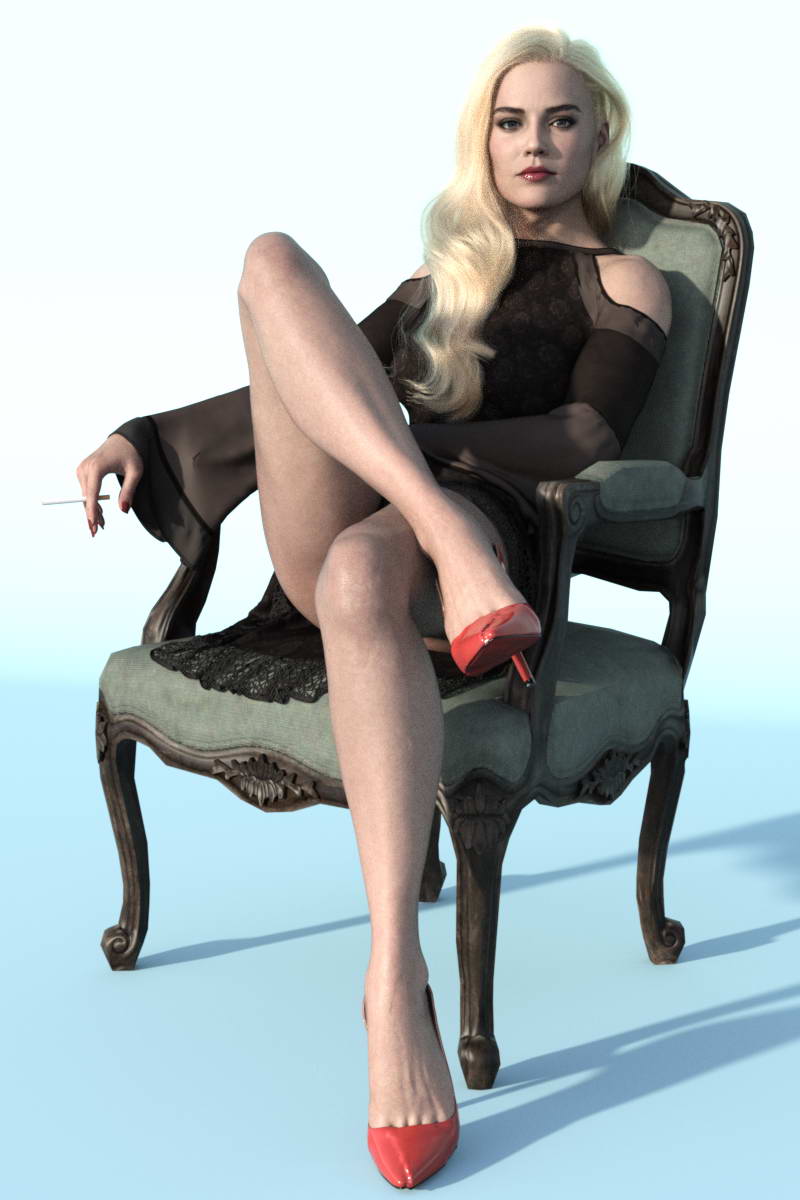
I was making a sitting figure of Sharon Stone from the poster of the movie Basic Instinct 2, when I realized that the angle of the crossed legs made the photo look suspicious. The anatomy of the body does not align with the perspective of the sitting position; the distance between the left side of the hip and the right side is too large. It seems that back then, they had clumsily used Photoshop to merge two photos in an attempt to make the sitting pose as sexy as possible.

------------------
"Do you have such an impression as well, or is this just an optical illusion on my part?"
------------------
Sharon Stone
------------------February 23, 2026 at 8:30 PM #2164831Good find. I'd have never noticed if you hadn't pointed it out.
February 23, 2026 at 9:50 PM #2164840Can't be sure but I think that character could definitely pass as Sharon Stone. I was thinking about that actor a couple months ago after watching Casino; good find.
February 24, 2026 at 6:54 AM #2164886How can one be sure to any degree of accuracy that your 3D body is the same as the real body and also the pose that she is in is the same? She is slouching. Bones can move in real life they are not static like in a 3d model. Maybe you're right that photo manipulation was used. We know that photo manipulation has been used widely. I'm just saying that there could be alternative explanations for what we're seeing here.
February 24, 2026 at 9:15 AM #2164903The model in the render may well have a smaller, narrower hip?
February 24, 2026 at 10:09 AM #2164914Thanks to friends for their comments.
If you look closely at the angle of the thighs in the original image, where the pelvis is at their end, you'll notice an unnatural distance between the two sides of the pelvis.
At least, that's how I see it.
Also, no matter what I tried, I couldn't recreate the pose exactly like the image.
If you think the figure is realistic and you'd like to give it a try yourself,
I'd be happy to see your render—of course, the render quality doesn't matter, just the pose and camera angle are important.February 24, 2026 at 10:49 AM #2164919I won't be able to do that.
A shame the model is for G9 :0/
February 24, 2026 at 1:20 PM #2164924Approach this challenge with this mindset:
"Photo Fact-Checking Using 3D Simulation"
You can use any character in DAZ you like for this challenge.
Just replicate the pose as closely as you can, set up the camera, and render.
As I said, only the angle of the camera relative to the figure matters—nothing else.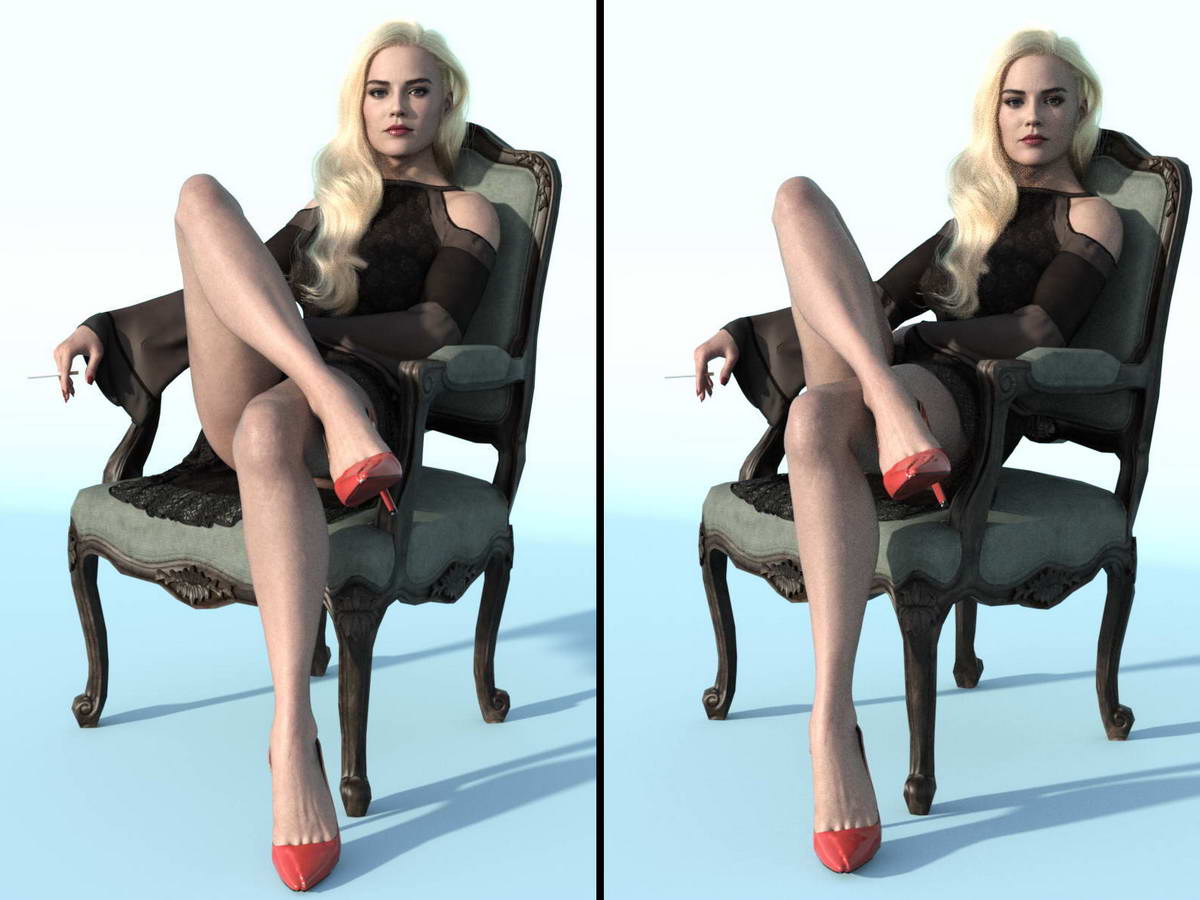
The render that is most similar will receive something like a "request in exchange for 100 points" from me as a keepsake, if they post the download link for the figure and camera settings — provided they deem it fair.
February 24, 2026 at 1:40 PM #2164925@Eelgoo
If the model is good, that could change ; )There's dials to widen hips that could work for this if you're trying to get the exact look. I have one in mind but give me a min and I'll find what it belongs to. I'll edit this post.
EDIT:
Shape Shift Bundle for Genesis 8 Female(s) and Male(s) Repost
I know the 8 version has a hip adjuster in it that pulls the legs out and widens the hip, I can only imagine the G9 version has the same. While it might look unnatural, you could possibly get the look your after by hiding the deformation because of the angle of the shot and chair.
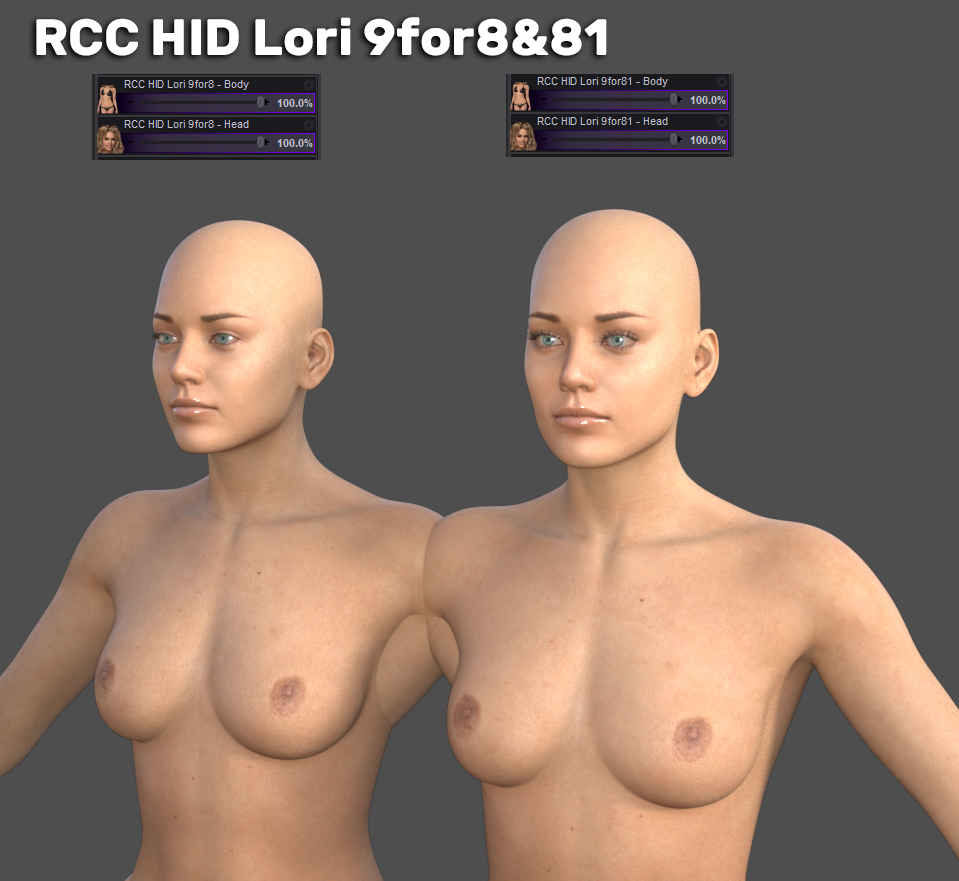
I'm going to convert HID Lori btw,
she looks good.I just looked at the morphs in G8F and 8.1F, "manly" is the word that comes to mind, thanks G9!EDIT:
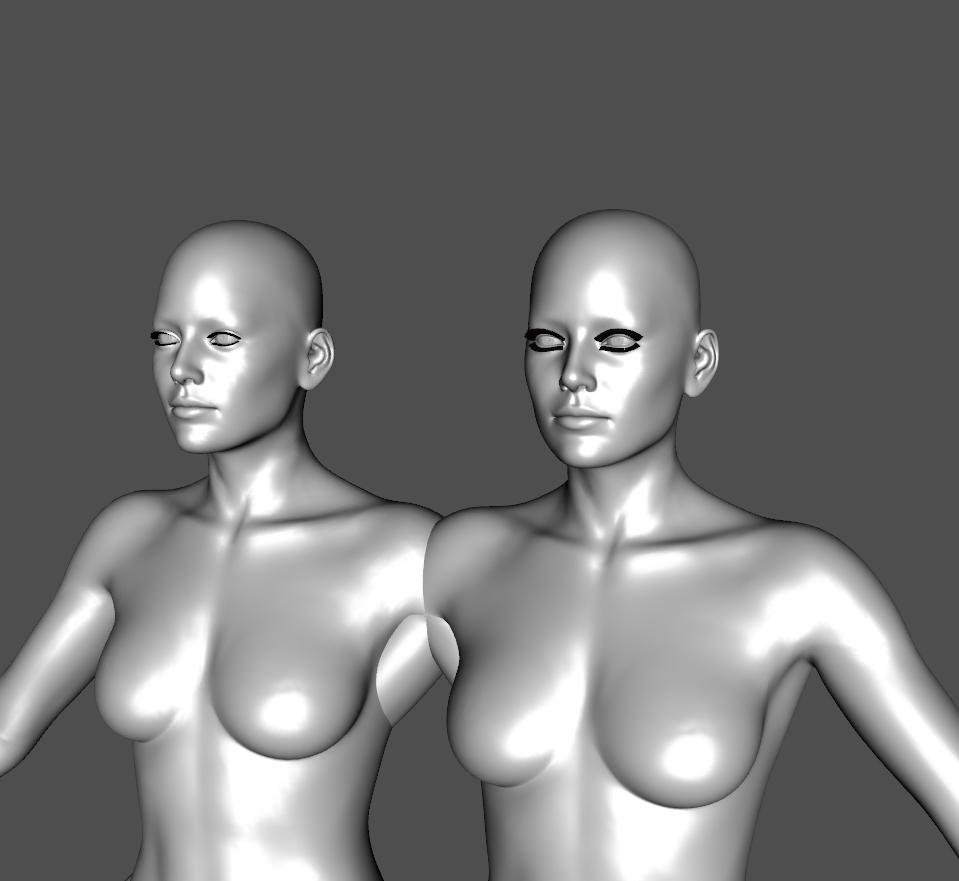
If anyone is interested in this I'll continue work on it otherwise I'll stop here. Maybe if I get the textures converted over, IDK. Right now the morphs are set for G8F/8.1F, eyes adjusted, rigged and ready to go.
February 24, 2026 at 2:58 PM #2164930Thank you, dear friend. @Eelgoo
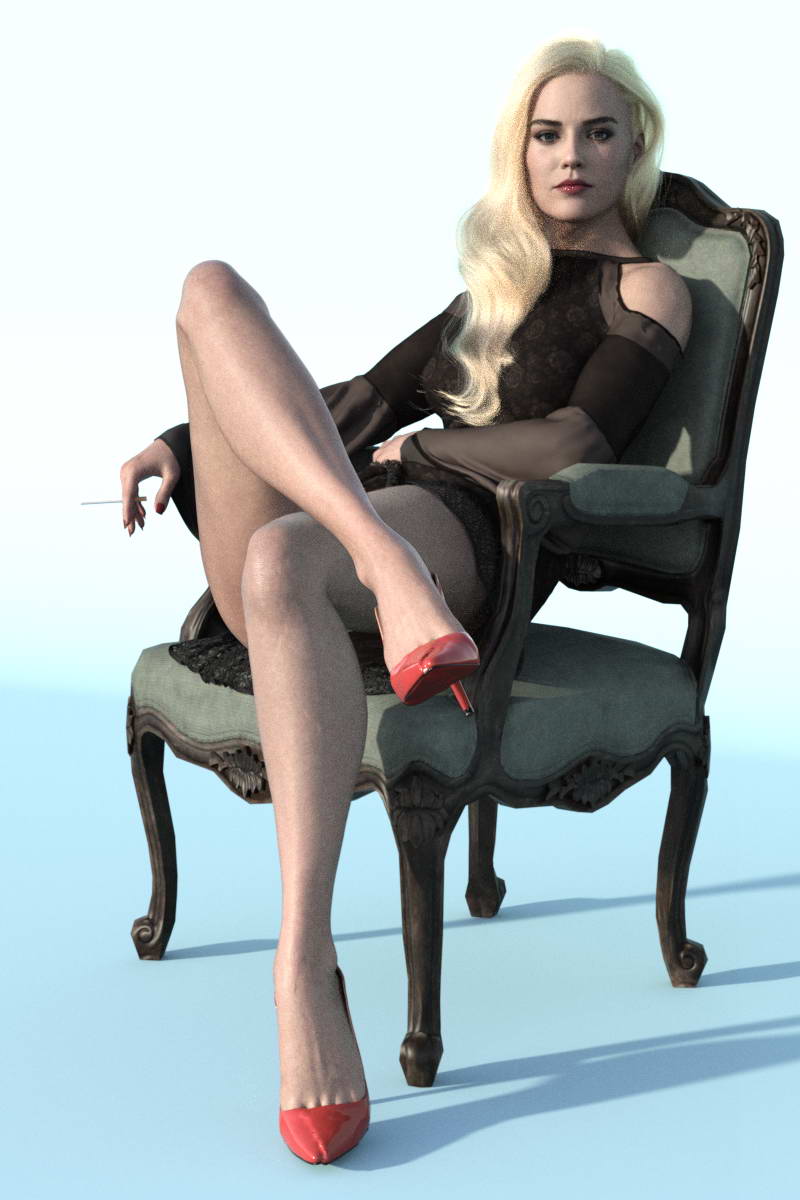
The goal is to verify the authenticity of the image, as such a figure is impossible in the real world.
but
Now, thanks to Photoshop, there are two hip bulges on either side at the top of the thighs.
 February 24, 2026 at 4:52 PM #2164945
I think that is closer, but the right leg almost looks displaced at the hip?
Yes, I think there is a masculine element facially, but she is still pretty IMO
🙂
February 25, 2026 at 3:20 PM #2165029You're right @eelgoo 😉
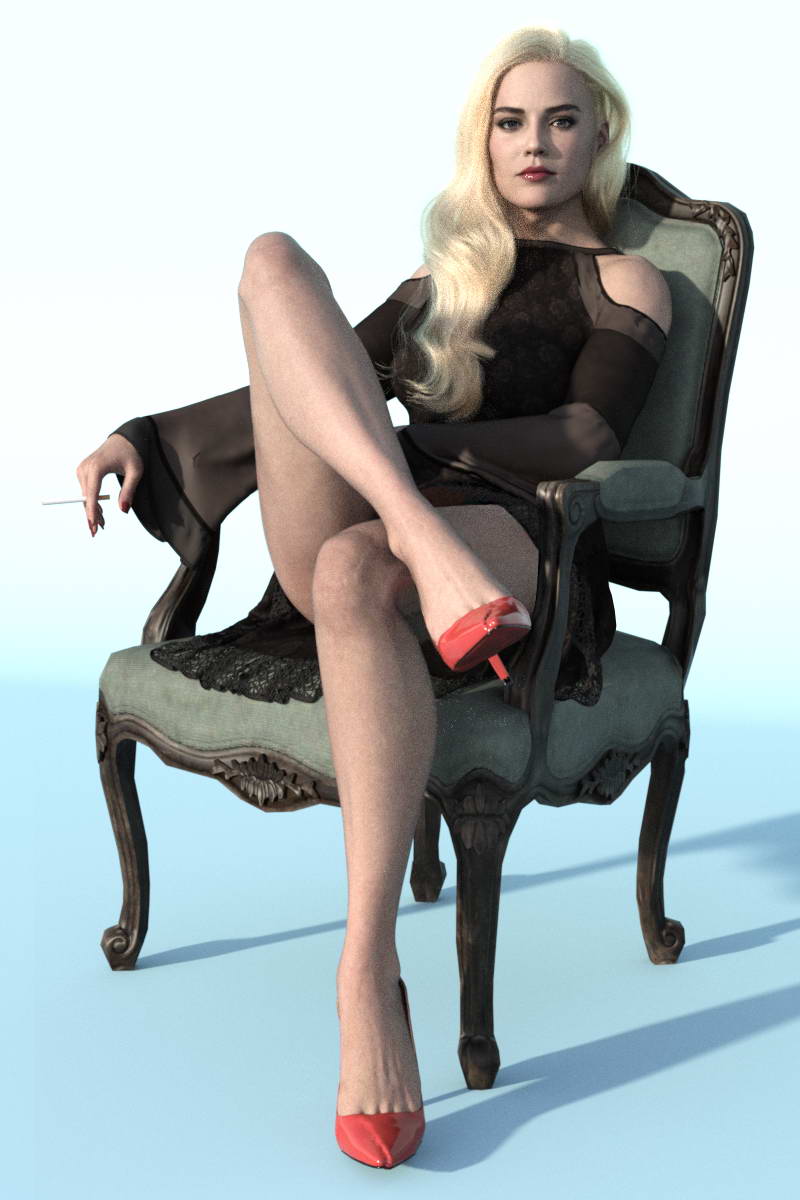
Well, with this Photoshop, I think we can finally announce the completion of the project.
🙂
 February 25, 2026 at 3:44 PM #2165030
Agreed.
Nicely done!
🙂
February 25, 2026 at 7:50 PM #2165042Your camera is slightly higher than the original. The original has the figure more slouched with their ass closer to the edge of the chair. And your figure and chair aren't identical to the original. These are factors that will distort your perceptions, which are necessary to form accurate conceptions; if the perceptions are wrong, then the conception will necessarily be wrong. Although your attempt to reproduce is close, 'close' will always be less than accurate. Regardless, you did a nice job.
Tangentially, take a look at the 'study' conducted in "Drawing on the Right Side of the Brain" featuring the Picasso portrait of Igor Stravinsky. It shows that we can be deceived by our pre-conceived notions of 'person sitting in chair'. Students were required to freehand copy the image, and the results were far less than accurate due to these pre-conceived notions. A second group of students were required to freehand copy the same image upside down. Under the upside down conditions the pre-conceived notions were eliminated, and the students had to rely solely on negative space, shapes, line angles, and so forth. The results were much more accurate than the first group.
February 26, 2026 at 7:42 AM #2165075Thank you @3demon for your very helpful comment. I should clarify that the main goal of my post was to cast doubt on the poster's authenticity and suggest that it was created in Photoshop by merging two photos from different angles, rather than being a single shot.
.
For that reason, I first tried to show that no matter what you do, you can't fit both ends of the hips into a single frame the way they appear in the poster. Then, I attempted to demonstrate that if you take photos from two angles, you could achieve the intended poster by merging those two images together with the help of Photoshop.
.
Well, some friends raised reasons to refute my points—all of which were valid 'in theory.' So, I suggested that they prove the poster is real 'in practice.
.
But if my final Photoshop result isn't a hundred percent identical to the poster, it's because I've already achieved my main goal: showing both ends of the hips in a single shot. And if I were to spend more time on it to make everything match the poster perfectly, it's no longer necessary.
.
I suggest you give it a try yourself—just for fun—to see whether the poster comes from a single photo or from merging two images in Photoshop.
. -
AuthorPosts











- You must be logged in to reply to this topic.