Upload best practice

Home Page › Forums › General Chat › Upload best practice

Viewing 3 posts - 1 through 3 (of 3 total)
  • Author
    Posts
  • #1833234
    mathmathou
    Participant
    Rank: Rank 4

    Hello all,

    I was wondering if any "best practice" had been defined regarding upload format for assets.
    I upload to MEGA and create a folder with the files inside, named after the vendor, the sku and the asset name (archive, image(s)...).

    It looks like this :
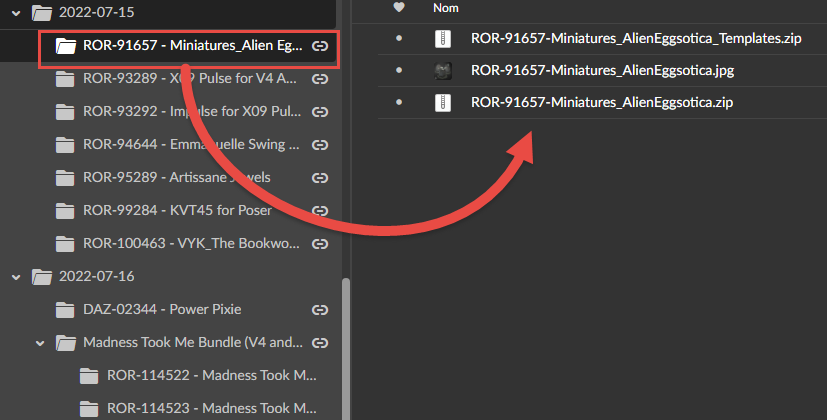
    File and folder structure

    But I noticed that, generally, when I download an asset, it's only one .zip or .rar file with all the content compressed inside.

    Should I change my way of doing this, or is it still fine for most users ?

    Cheers

    Math

    #1833238
    Kusalkin
    Participant
    Rank: Rank 3

    I prefer your method because my connection is not very good, if I don't want all the products in a bundle, I can just get the ones I do and not spend hours trying to download a 3GB file that will probably crap out before it finishes. Even if there's only one product in your post there's nothing wrong with the folder approach.

    Mega has the option of downloading an entire folder in a single archive so anyone who prefers that can still get it.

    #1833458
    Grouchy Old Fart
    Participant
    Rank: Rank 3

    I usually link right to the .rar file without a SKU or not much beyond a little promo image, but only because I'm putting up custom content, so it's basically one self-contained file anyway.

Viewing 3 posts - 1 through 3 (of 3 total)
  • You must be logged in to reply to this topic.


Post You Might Like
