Hi everyone,
I'm trying to make a fresh DAZ Installation. I followed @Anjabear and @Legolas18's advices but at some point im struggling:
i'm trying to sort my content path in DIM but i can't.
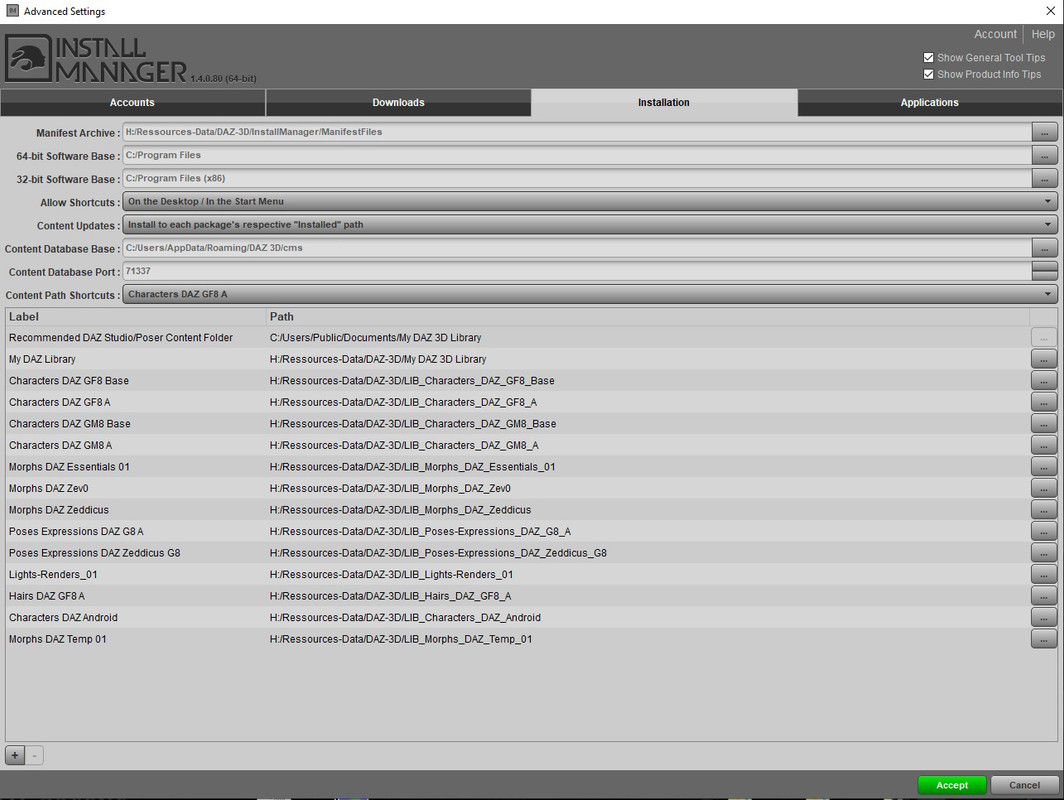
As you can see in the screenshot i'm trying to move up ''Morphs DAZ Temp 01'' but it looks like it's not possible, or maybe I missed something
The only way I've found is messing with the ''account.ini'' file. But it's a bit tedious.
Any idea to do that ?
The sequence in DIM doesn't really matter, so there is no reason to move them around. Also, DIM displays directories in the order in which you have added them in DIM.
Just remember to load these directories in DAZ, these should automatically be organized in an alphabetical order in DAZ.
Yes i know that, i have loaded them in DAZ and you can sort them like you want in the content directory manager, all fine.
The problem is that i have a lot of Base Directory and im using DIM to organize my contents. It's a bit boring while i use the drop-down menu to look for the right destination when nothing is sorted
Thanks for your help.
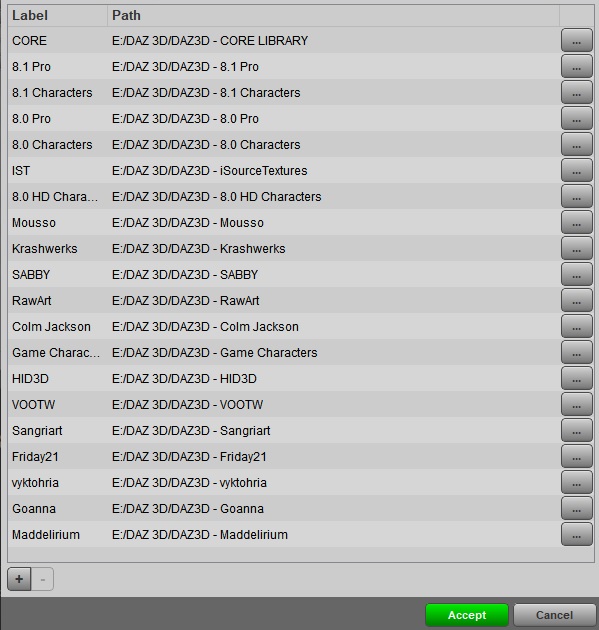
Let me show you how I organize my stuff, and remember, there is no reason whatsoever to separate males and female morphs: They don't interfere with each other 😉
Also, you can remove and re-add directories in DIM with nothing being deleted whatsoever...just re-add them in an a better order. A bit annoying, but doable.
Thank you @Legolas18 ! Your explanations are clear and your screen very helpfull !
Just to let you know, you can edit
''user/AppData/Roaming/DAZ 3D/InstallManager/UserAccounts/Account.ini'' to change the order of these directories. but still more or less annoying 😉
 .
.