Home Page › Forums › General Chat › Need Hair Help!
- This topic has 8 replies, 5 voices, and was last updated 4 years, 8 months ago by
 John Lund.
-
AuthorPosts
-
January 23, 2022 at 2:30 AM #1769600
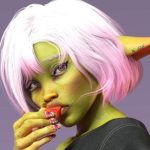
I bought a hair card set from Artstation and received hair as an OBJ that I imported to Daz Studio. I applied a shader for the hair, but it still looks off:

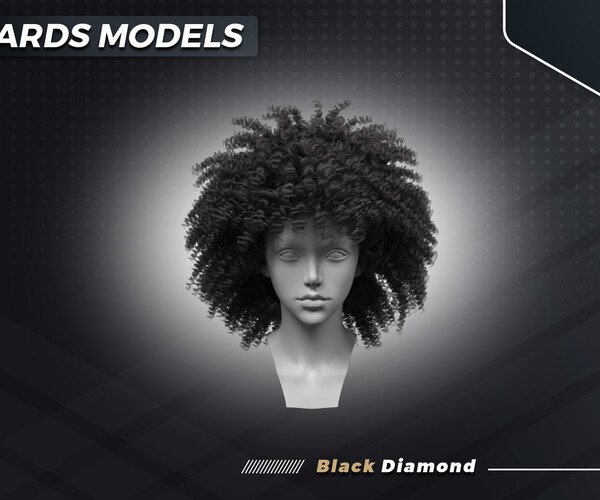
I'm trying to achieve realism by making the hair a bit um... fuzzier with less of a plastic-like texture. Like this:

What settings can I alter in Surface to fix this problem? Are there any shaders I should consider downloading that can help? Or should I just find better hair to match the one in the image (any suggestions)?
Also, there has got to be a better way to make the lips less like plastic. Seems to be a consequence when I added Daz/Iray PBR Skin to the character.
January 23, 2022 at 8:12 AM #1769645Maybe this shader can help a little bit: It has options for curly hair.
https://zonegfx.com/to-dye-for-universal-iray-shaders/How bout one of these?:
https://www.daz3d.com/dforce-ayaan-hair-for-genesis-8-femalesJanuary 23, 2022 at 8:52 AM #1769654Prae hair is always well done.
I use them a lot.
🙂
January 24, 2022 at 5:55 PM #1770075Thanks Cage! I love Ayaan Hair, but the shape is a little different than what I'm going for, and Yara Hair doesn't have the "frizzy" look I'm going for (its almost too perfect). I did use the shader though.
Thank Eegloo, I love that Prae hair, but it has too much volume.
I ended up using a shader, and putting Wild Waves Hair over top of it for a more organic, messy look. Still missing some highlights I wanted, but it'll do.

Thanks for the help!
January 24, 2022 at 6:39 PM #1770096There was a recently filled curly hair that is also similar to ones you are using. Not sure whether it will fit your need, but the hair looked good in the promos at least.
https://zonegfx.com/forums/topic/2000-points-for-leon-hair-for-genesis-8-females/
For hair shaders, my first 2 choices are these:
ColorWerks Hair Shaders for Iray and ColorWerks Extreme: Hair Texture Blending for Iray and dForce Hair
OOT IrayPair Hair Shaders for DAZ Studio Iray
I highly recommend the colorwerks shader, it has a massive amount of hair shaders as well as option to create highlights using mask. And they both come with an option to control the shine of hair.
Also, I am not sure what you mean by plastic like lip/skin (a picture might help), but you can play with glossy and specular setting in parameter tab to reduce shine if any surface (lip/skin/hair). The lower the value the less shiny it is.
January 25, 2022 at 3:57 PM #1770311January 25, 2022 at 8:03 PM #1770353Hi @John Lund, I got it to work, and I've made a post for the product, just waiting for approval.
I wish I knew how to upload the file directly from my Daz Studio, but that's beyond my knowledge.
@John09 I absolutely missed that post, thanks for the heads up! I devoted so much time to Black Diamond's hair, I haven't had time to look at others 🙁
I followed your advice and dialed down the specular, but I'm just unhappy with the texture map itself. It's very plain... But I would need to edit the UV in photoshop or procreate, apply it, then do the PBR and micro texturing all over again...
I was hoping for a quick fix displacement map or product using LIE to have HD lips (without makeup).
January 26, 2022 at 12:45 PM #1770552The hair models are now up!
January 27, 2022 at 10:35 AM #1770823 -
AuthorPosts








- You must be logged in to reply to this topic.
