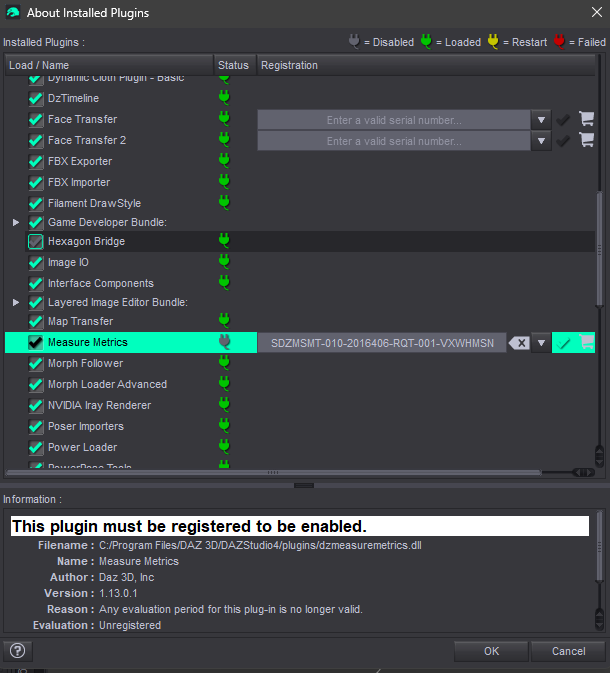
I clean install Daz Studio and Measure Metrics, delete all the related files in my drive yet it still give me the same result.
[ SOLUTION ] My Daz and Windows is the problem
I try to run Daz Studio “Run as Administrator” but it pop up a box saying Daz Studio permission error "Daz Studio cannot run elevated permissions". So I search online and watch a YouTube video to solve this issue,
1) Open Registry Editor
2) Computer\HKEY_LOCAL_MACHINE\SOFTWARE\Microsoft\Windows\CurrentVersion\Policies\System
3) EnableLUA > right click > modify > change 1 to 0
4) File > Export... and save the file to the Desktop with a name like "Daz Reset"
5) Double click the file and agree
6) Open Daz “Run as Administrator”
7) Help > About Installed plug ins > Measure Metrics > Input S/N
Note: I couldn't click on the tick icon, I instead press the enter key. Then it finally pass!
Further Note: I also notice that some of the Measure Metrics content is missing, I fix this by extracting IM00016684-21_FigureMetricsforDAZStudio46Content.zip into C:\Users\Public\Documents\My DAZ 3D Library
After Measure Metrics is activated, restore EnableLUA to 1 in the registry and reboot.