

Forum Replies Created
-
AuthorPosts
-
October 15, 2026 at 11:06 PM #2191812
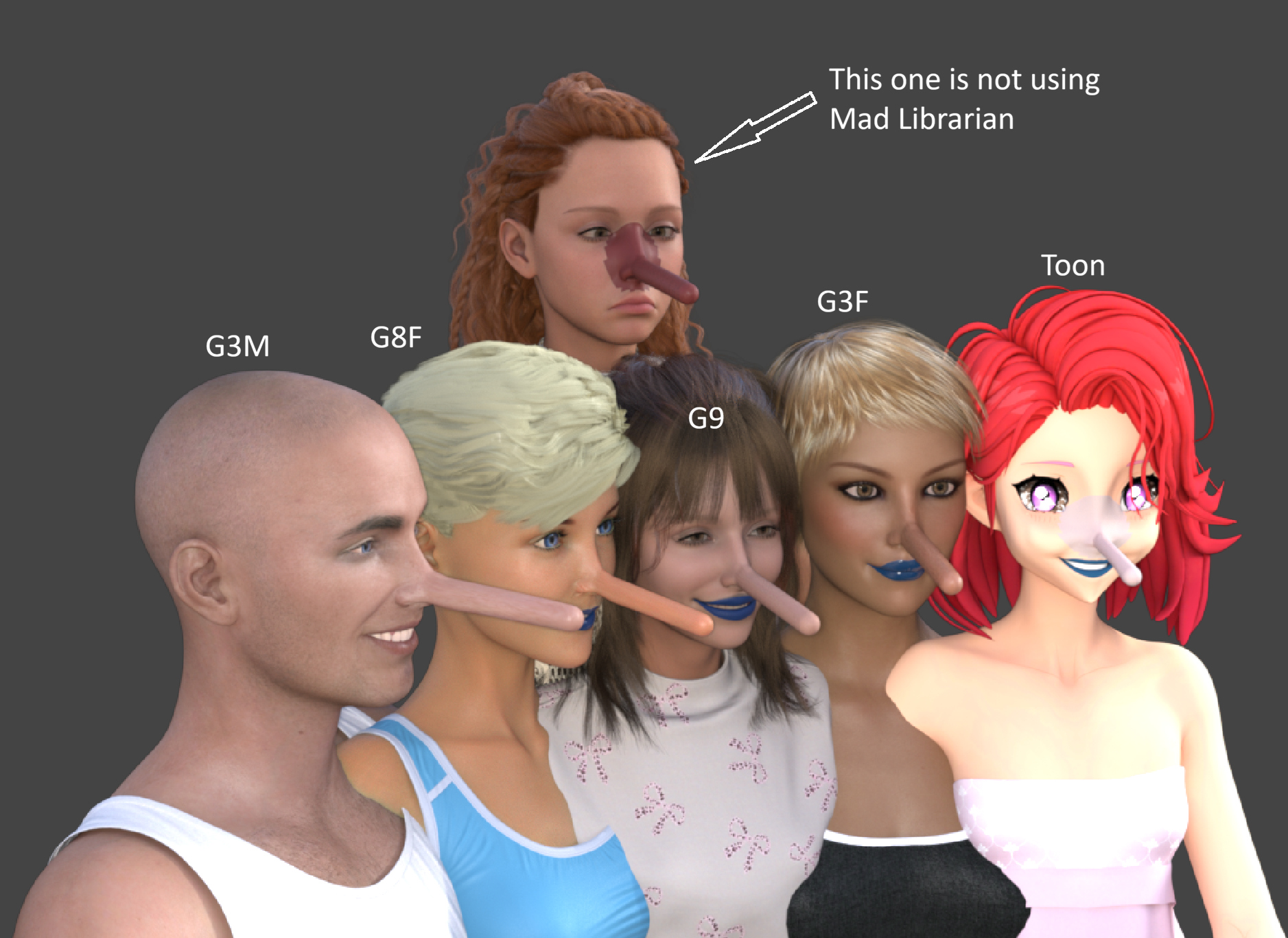
Grafts across generations and genders
Using a graft on another generation or gender is as simple as double-clicking the item in Mad Librarian.
The graft attaches to your selected figure, and Mad Librarian automatically handles the conversion, fitting and skin color correction. Just double-click and let it do the work.
The image shows the same graft on G3M, G8F, G9, G3F and a toon character. Compare them with the character at the back, marked "This one is not using Mad Librarian," where the color mismatch is clearly visible.
All graft adjustments across generations and genders are handled automatically inside Mad Librarian. No external image editor or manual texture repainting is needed.October 15, 2026 at 9:25 PM #2191806No shared ancestry: Mad Librarian shares no code or developers with EZFinder, and has no affiliation with Daz 3D. It was developed independently, without access to private PA discussions or help from Daz technicians.
The architectural similarities are understandable. A standalone Windows app, a local catalogue cache, virtual folders and .NET are natural choices for this kind of application. Daz also publishes scripting documentation and its DSON specification, so the necessary knowledge isn’t confined to private forums.
Mad Librarian also goes well beyond finding and organizing content. Its distinctive features include applying makeup and attaching grafts across generations and genders. Just double-click the item: Mad Librarian handles the conversion, fitting and skin color matching automatically. Makeup transfers while preserving the receiving character’s own skin. Those capabilities are a substantial part of what makes it a different product.
There is certainly a price difference: EZFinder is listed at $198.99, while Mad Librarian is $29.95. That’s almost seven Mad Librarians for the price of one EZFinder. And Mad Librarian looks much cooler, too. 🙂
On credentials: Mad Librarian does not ask for or collect your Daz store login. It reads product metadata already stored on your computer, including Daz Connect metadata that can describe owned products whose content hasn’t been downloaded. It then checks whether the referenced files are present. This depends on locally available metadata; it isn’t a live inventory of your Daz account.
The "hands them to Install Manager" wording could be clearer: the command opens the official Install Manager, where you select and download the product. Daz’s own software handles sign-in and downloading.
You’re also welcome to check out affection-x.com.
October 15, 2026 at 5:25 PM #2191794Quick clarification from Mad Librarian.
Mad Librarian is a local Windows desktop app. It indexes and searches the DAZ library already on your PC. It does not upload your models, your content, or how you use the app. That is separate from RenderHub's free browser tools, which do upload files you drop into them.
The monthly online check is only for the license: activation and periodic renewal so a key stays limited to two computers and a refunded key can stop working. What goes to the license server is the key/activation and the app version. Nothing about your library. After activation it can run offline for up to 30 days at a time. Details are here: https://affection-x.com/legal/privacy.html
Happy to answer questions.
-
AuthorPosts

