Home Page › Forums › General Chat › UV Mapping, Unwrapping and UVediting
- This topic has 3 replies, 1 voice, and was last updated 5 years, 4 months ago by
 globalrecession2009.
-
AuthorPosts
-
May 24, 2021 at 12:13 AM #1695153
I have been trying to make sense of how to edit uv maps that stretch textures. I am Trying to learn how to create brand new UV map for base figure thats been morphed into a different shape.
Base shape will alway use original uvmap with the new shaped mesh unless that shape gets a new uv map and thats what im slowing learning to do. Suprised to see that there are not many uv progams to be found.
I have uv mapper classic, blender, maya 2016, 3dcoat, and lithunwrap which was just before it became uvmapper pro.
Would like to know if some people can suggest any other uv program or programs that included uv tools.
I am mostly interested in manipulation of existing uv maps and not reallt creating new ones......yet. Still learning on the art of unfolding as well.May 24, 2021 at 5:33 PM #1695405I have marvelous designer and have been making clothing but the uv maps it makes are terrible.
For the life of me i can not seem to make a single thing where the quads remain straight.
If you look at a primitive plane you make in daz with its mesh at say 1 metre by 1 meter all its quads are straight. If you make the same size fabric in marvelous and look at its mesh the quads are warped right from the start, before its even been simulated. So thats why i been looking into uv editing, to learn how to fix these types of problems so that texturing is abit easier to do.May 27, 2021 at 6:59 PM #1696074Hey Eth Thanks, Here i make some sheet with rectangle tool so the sides are exact same length but as you see I always get warped mesh, and i have not even sewn or simmed it. Surely a freshly drawn fabric primitive square would not be all wrinkly?
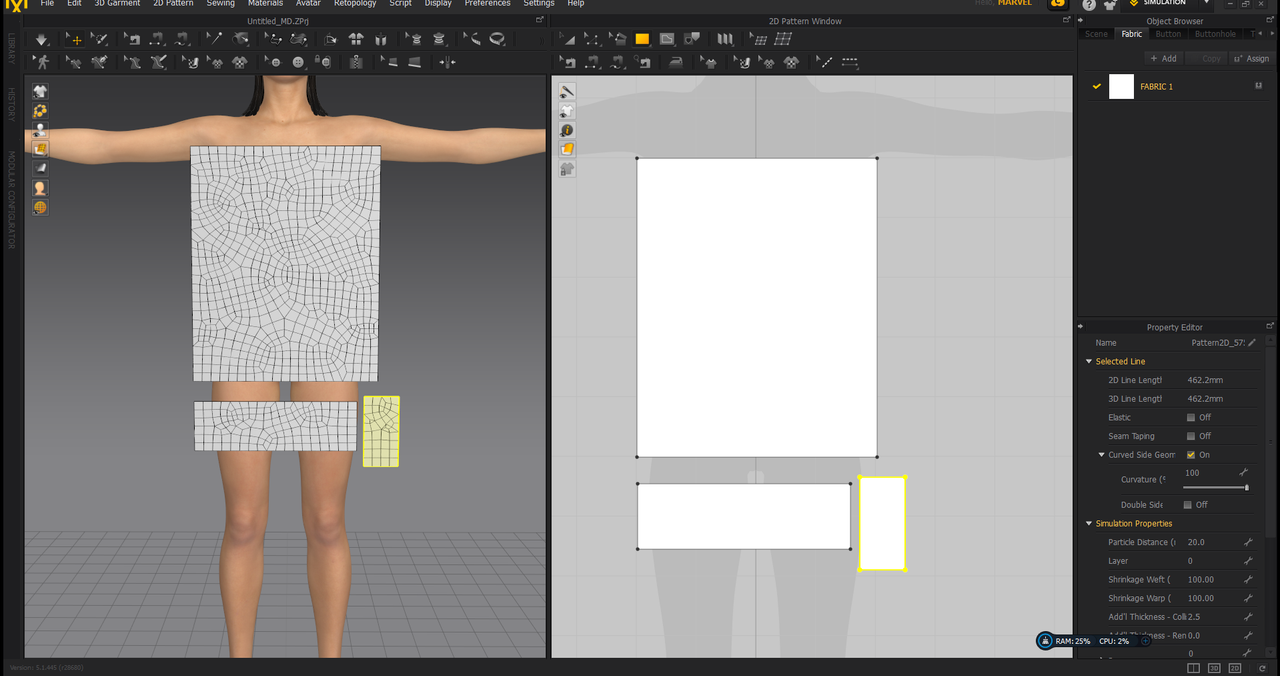
I would love to start with straight quads but stuffed if i know what im doing wrong. Its ok if i am going to do texture in marvelous and leave it as but if i want to texture my self in photoshop then the uv is terrible in my opinion.
I see some clothing from vendors that have nice quads, nice a straight, so you you can loop no worries ect but the way marvelous makes uv maps is a mess. Blender has tools that can fix things like tis and im trying to figure it all out.
I really want to get the hang of uv editing, i want to be good at it, im determined to understand how it all works.
There is lots of info out about unwrapping and making uv maps but very very little tutorials on how you edit uv maps.What I would like to find is tuorials that are specific for creating new uv map for custom character, editing and mapping daz3d skins. Im slowly getting the hang of blender, the more i use it the better i get but i still have moments of dispair where i have no clue at what im doing and just pushing buttons to see what does what.....I.m just learn how to move a few vertices around on some clothing and then save as new uv.May 28, 2021 at 1:15 AM #1696156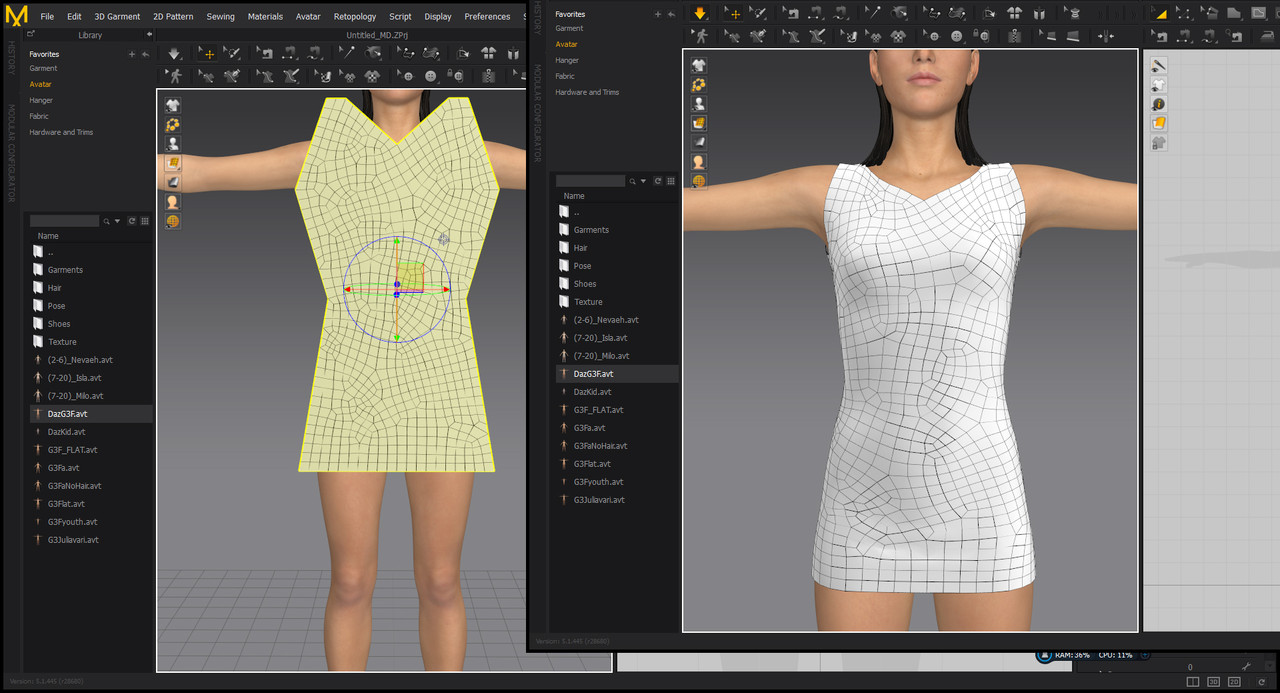
I would like to know how to get marvelous designer to produce neater meshes. like those that have a green tick, nice clean mesh meshes.
My dress is the RED X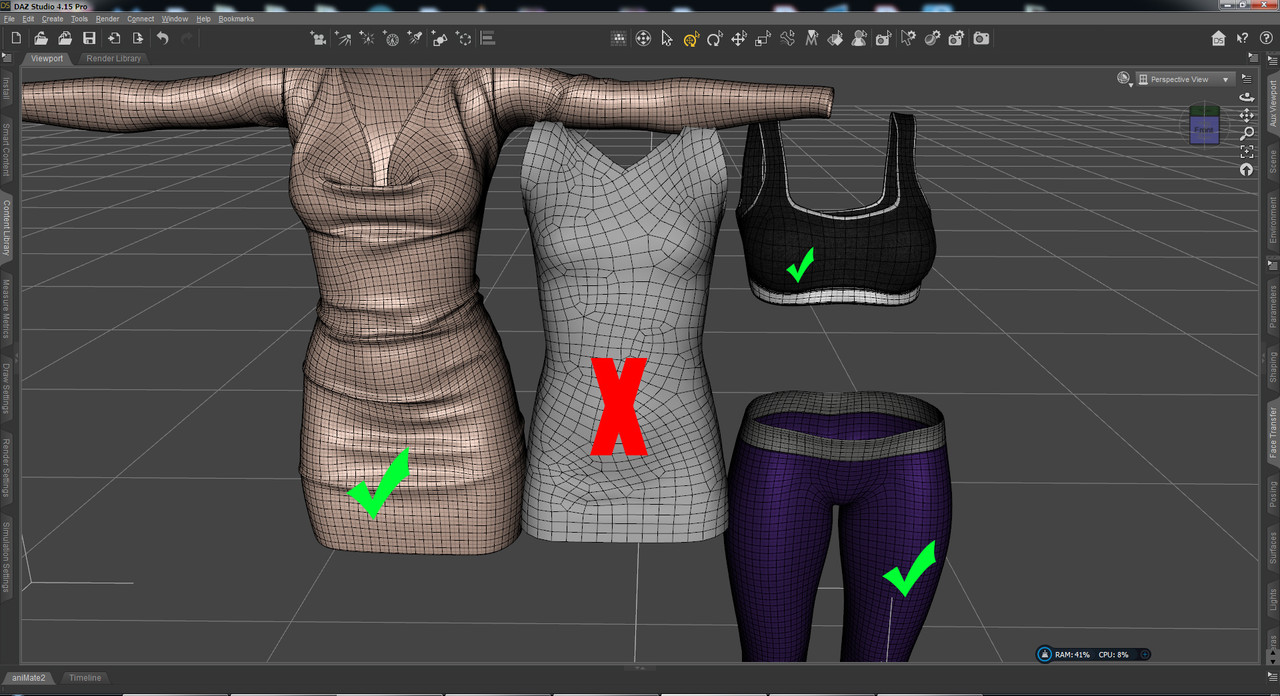
-
AuthorPosts


- You must be logged in to reply to this topic.
