Home Page › Forums › General Chat › To user giang...
- This topic has 21 replies, 2 voices, and was last updated 3 years, 5 months ago by
 giang.
-
AuthorPosts
-
May 4, 2023 at 9:32 AM #1965913
@giang , I think it's splendid that you share animations for iClone, but, at least, that they are "full".
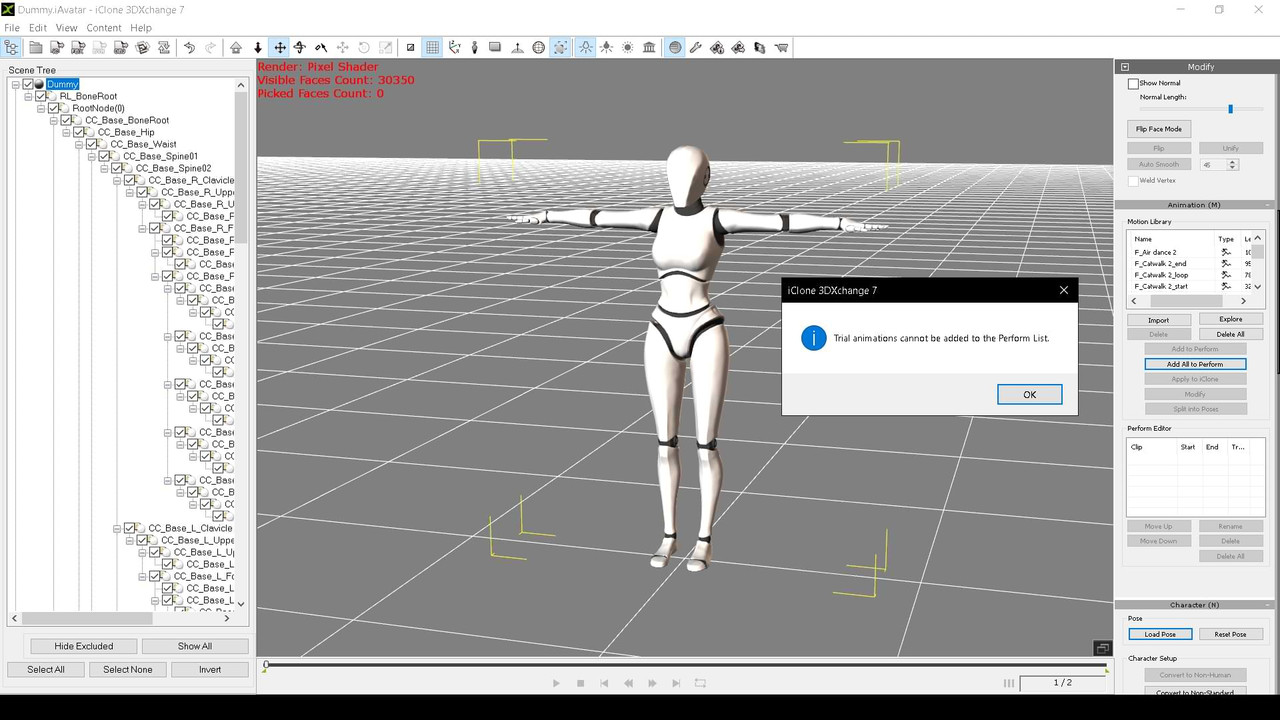
For example, your "Suave & Charming" is a trial: it's NOT good for anything. Both in iClone and in 3dxchange, either a watermark appears or they are unexportable...
Please check that before exposing them in public. Others are not complete from the original pack...
We are "pirates", but honest... 😀May 4, 2023 at 11:28 AM #1965944Hello! Looks like there's been a mistake here! I just checked the "Suave & Charming" file you reported as a test file. I have checked and no problem at all. I reported myself as a dead post to the admin before opening iclone and the "Suave & Charming" file to check! After checking, your information given is completely wrong! I think I mistakenly uploaded the test file instead of the original file to zonegfx. I will make a video and send you and everyone the truth about the file "Suave & Charming" is true as you say or not in 1 hour! I will double check the downloaded file to see if there is a confusion between the test file and the original file! if the file downloaded on zonegfx is a test file I will upload it and give a new download link! Please consider the content of your report if it is not true then you are responsible for your actions! hello and thank you dear @Abad !
May 4, 2023 at 12:10 PM #1965947Well...
 May 4, 2023 at 12:32 PM #1965954
Possibly, you upload the wrong file on the first try, since shortly after it was accessible, I downloaded it...
If it's fixed, I apologize. 🙂May 4, 2023 at 12:49 PM #1965962I downloaded the file "Suave & Charming" as you said, file size 147 MB. I have checked and it is not a test file and is the original purchased file. i am uploading my test video on youtube. When the video is released, I will send the video link for you to check and the content of my answer! @Abad
May 4, 2023 at 12:55 PM #1965965Are you sure the file you used is mine or did you get it from somewhere else! Please check your iavatar file for errors or not. Please review your export process for errors or not. Whether iclone and 3DX work well, is it a paid version, a trial version or a crk version!
May 4, 2023 at 1:12 PM #1965970here is the video I recorded during the test:
https://youtu.be/mJPPcD8rS9EMay 4, 2023 at 2:31 PM #1965991The same size..., but...
It may be this version I have of iClone v. 7.9.5124.1 and 3dxchange v. 7.8.5111.1..
No idea now..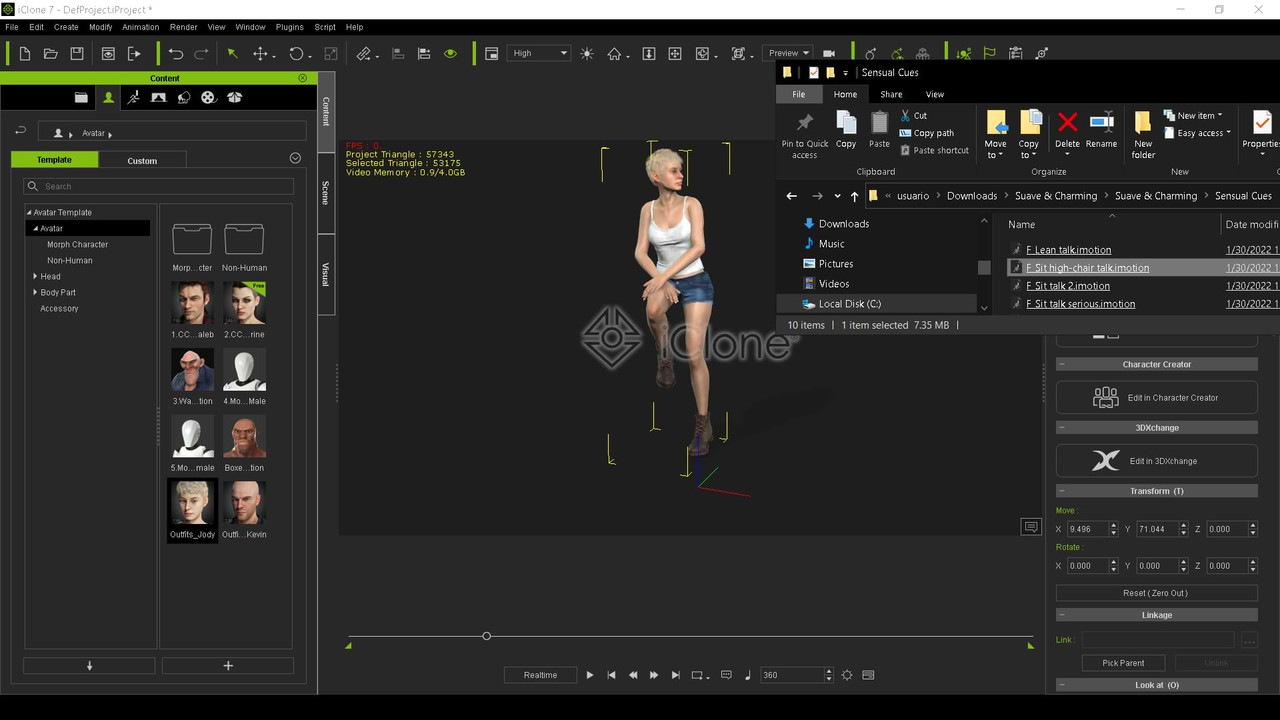
Other i-motions work fine.., but "Suave..." doesn't like me. 😀
Don't worry...May 5, 2023 at 3:34 AM #1966155I just tried the filename "F_Sit high-chair talk" but mine is fine. Follow these 2 steps will definitely fix your error:
1. Please delete the old "Suave & Charming" and re-download the new one on zonegfx. If the error is still there, proceed to step 2 as follows!
2. I'm going to upload a modified "Suave & Charming" which still has 37 actions, but uses only 40 MB of files instead of the original file.
=> If the error is still caused by your iclone, please upgrade to v8 or reinstall v7 with a different file. If you buy from the manufacturer then there should be no problem. Or at least get it on zonegfx! By the way, I would like messages like this to be private instead of public. Make sure the evidence is clear when blaming others. a good day! @AbadMay 5, 2023 at 3:41 AM #1966156File Rả = 40 MB
XT = 147 MB
Link download version 2 here:
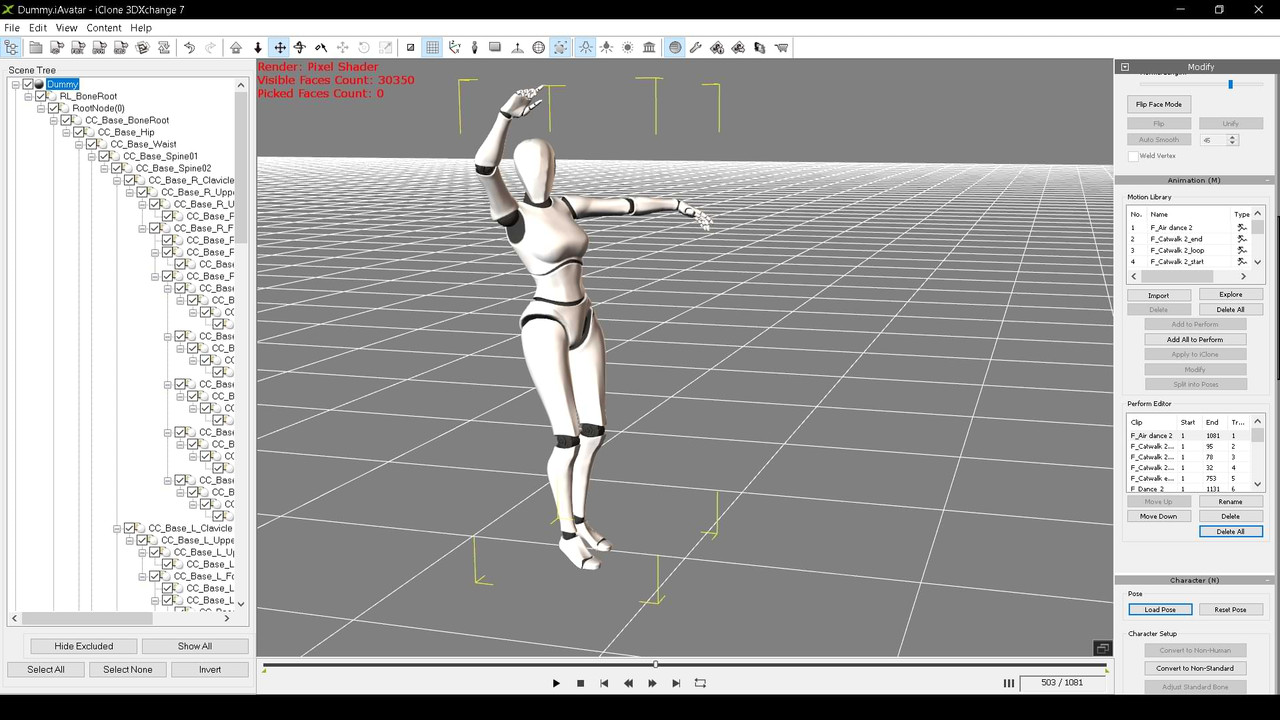
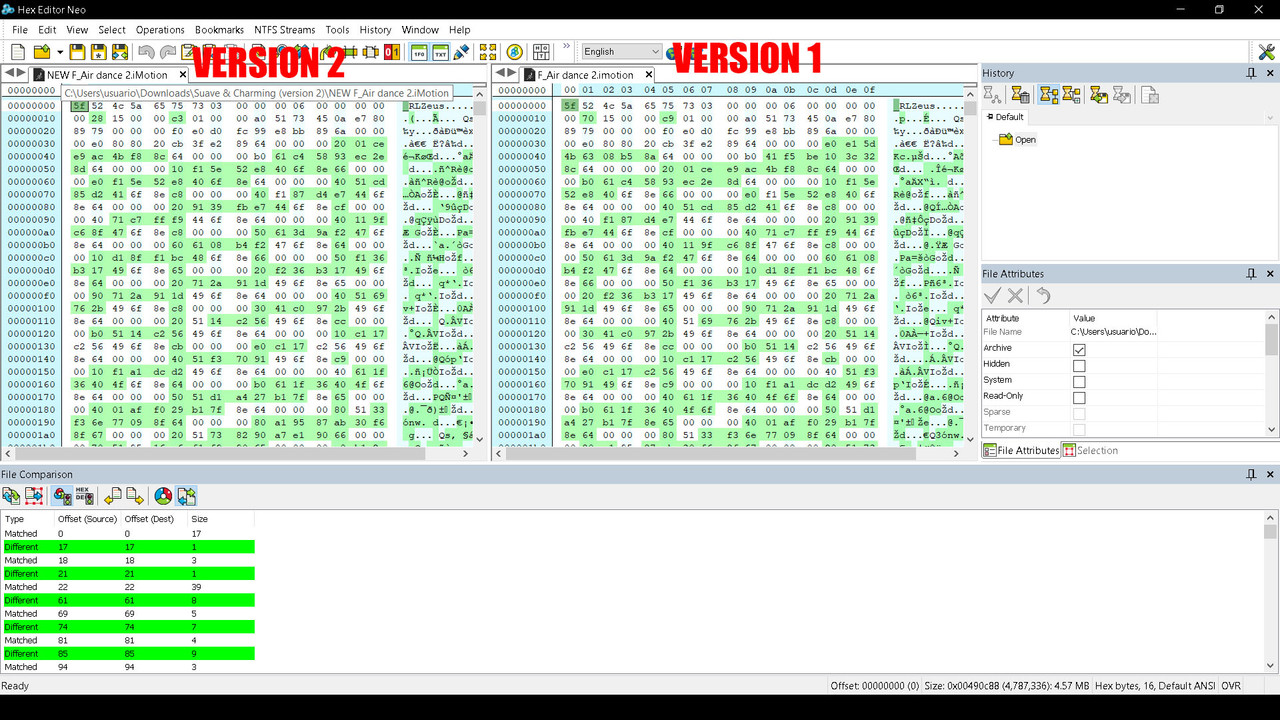
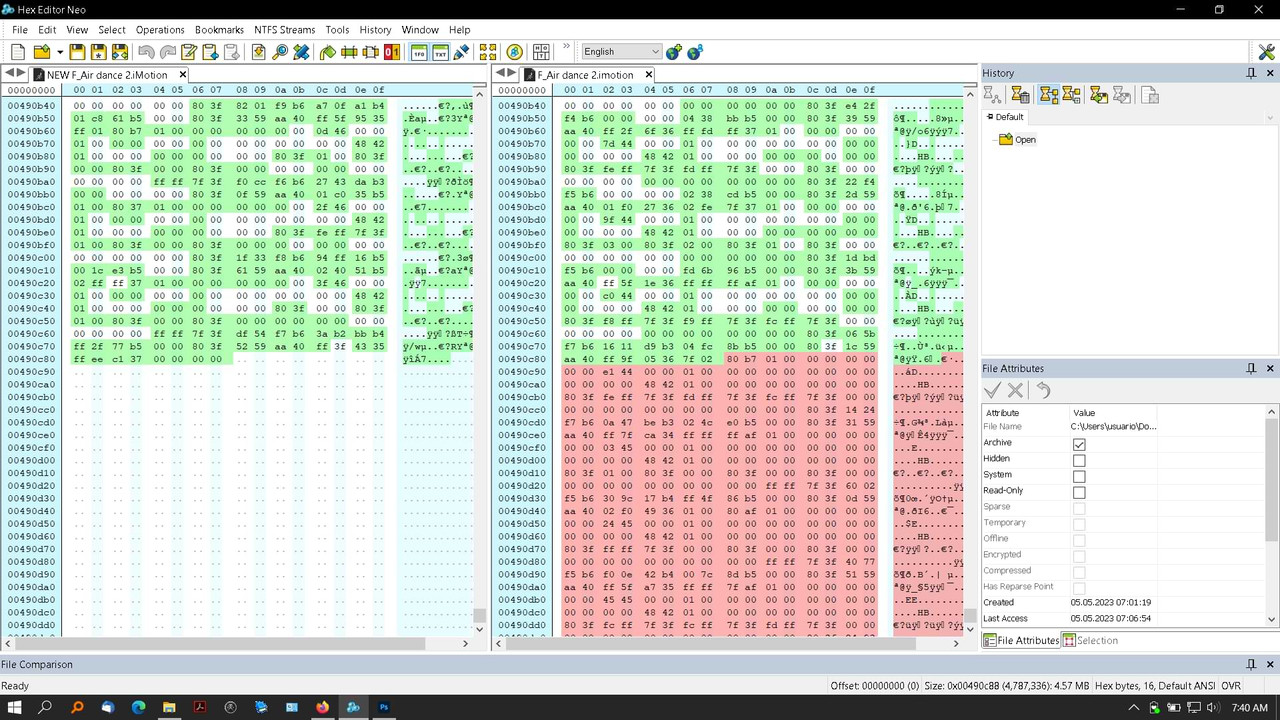
https://mega.nz/folder/KIARDCQD#3r30QuY-T6Ii2qRw5MU9zQMay 5, 2023 at 5:36 AM #1966168This Version 2 does work. As you can see in "Air_dance2.imotion", they only vary by 2 Kb in size, but compared in hex, there are thousands of different values...
I don't know how Reallusion compresses its files: They always start with "xxZeus". I've decompiled 3dXchange.exe and its dll's for a long time, but I can't find a way to do it.
Mysteries of life!!! Thanks, @giang. 🙂
 May 5, 2023 at 5:43 AM #1966170
Besides, at the end of the old one, there is code that doesn't exist in the new one... The 2kb?
 May 5, 2023 at 6:11 AM #1966172
And I apologize again.
I dedicate myself more to industrial design (my real work, in CAD/CAM...) and animations in MotionBuilder/Maya for my designs, since I do simulations of interaction with the human being, than to make "beautiful renders".
I like programming and researching code. It may happen to other users, and in private messages, they would miss this technical detail... That 2kb "added code" could be the key to open Reallusion's Pandora's box. 😀May 5, 2023 at 8:01 AM #1966211I don't know what your error is? but I just checked all the files “Suave & Charming” both ss1 and ss2. The results are normal both on iclone and 3dxchange7 sites. all files work fine and i tried exporting both iavatar and rlmotion in 3dxchang7 from FBX it works fine. no problem happened. If you don't believe me I will make a video and send it to you. a lot of users but each of you is getting the error. You try on youtube and check what is your error? see if there is a solution. i have tried all the files over and over again as usual! can you take a video of the error you get in 3dxchang7 and send it to me. I'm just a normal user, not as thorough as you. And I also don't understand your error?
May 5, 2023 at 8:21 AM #1966220I only use it for simple work like making videos from cc, iclone...+ ue5 => ae adobe => Pr adobe. If you use imoton, rlmotion to use for cc, iclone and encounter errors, I will be responsible. but if you expand and interfere deeply, I give up. I don't know how to program. It's like you know how to build a website and I'm a website theme buyer and I just know how to use it! and in the web, there is php code, java ... then I also give up. Or if all the files of reallusion have the same error as you said, maybe reallusion, ue5, daz... have their own encoding. Not sure I think so! For example, if you want to get animations from UE5 on iclone, you can only export the UE5 FBX file and then open 3dxchange and convert the FBX file to rlmotion, you can't convert ausset to rlmotion directly!
-
AuthorPosts




- You must be logged in to reply to this topic.
