Home Page › Forums › General Chat › stable diffusion
- This topic has 104 replies, 7 voices, and was last updated 2 years, 2 months ago by
 gts6.
gts6.
-
AuthorPosts
-
July 15, 2024 at 3:52 AM #2083264
Can you try out this hi-rez of Ms Watson? I'd like to see how reactor handles a large size good picture.
July 15, 2024 at 4:42 AM #2083266Ok, here are 3 of her with 3 different adjustments made. At the high end of the scale the image is crisper, as I lower it, it gets slightly more "real photo" look and gets slight fuzz. You can adjust to any settings you like, of course.
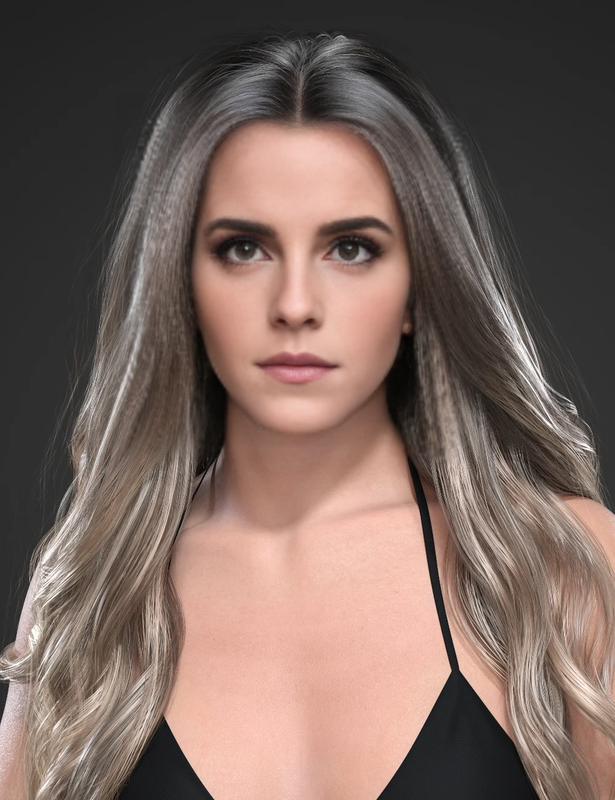
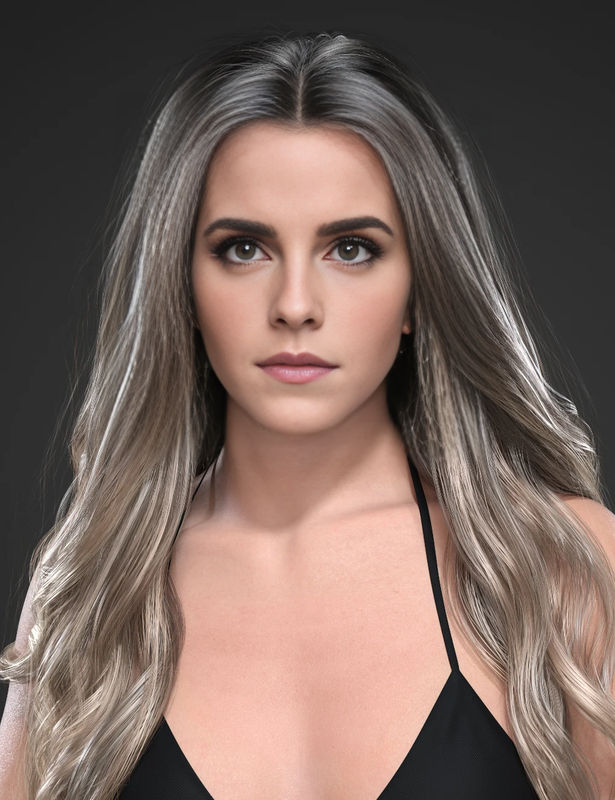
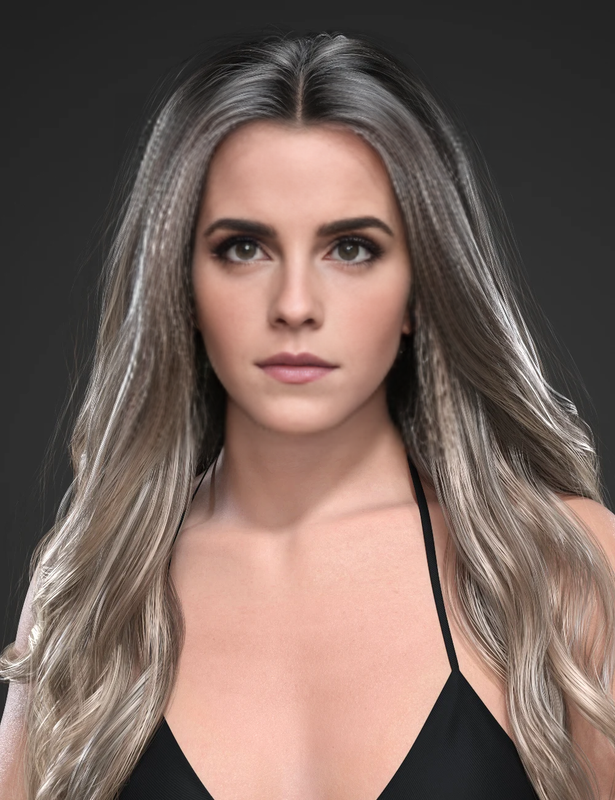
and heres one more of her with the promo image of Hera thats on the front page right now of zonegfx
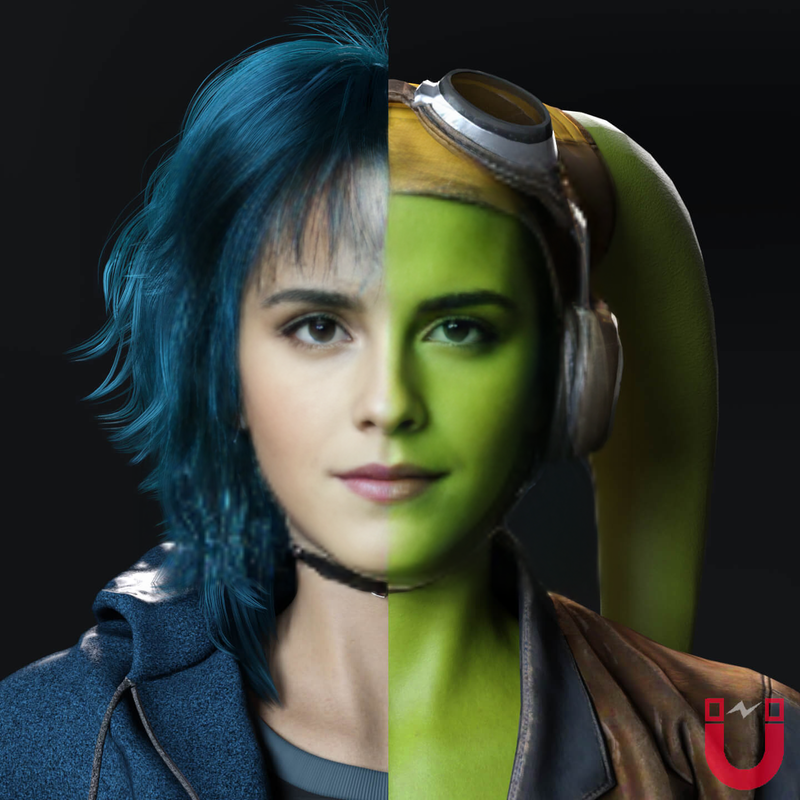 July 15, 2024 at 4:51 AM #2083267
and heres one more of her with the V3D Nena promo pic.
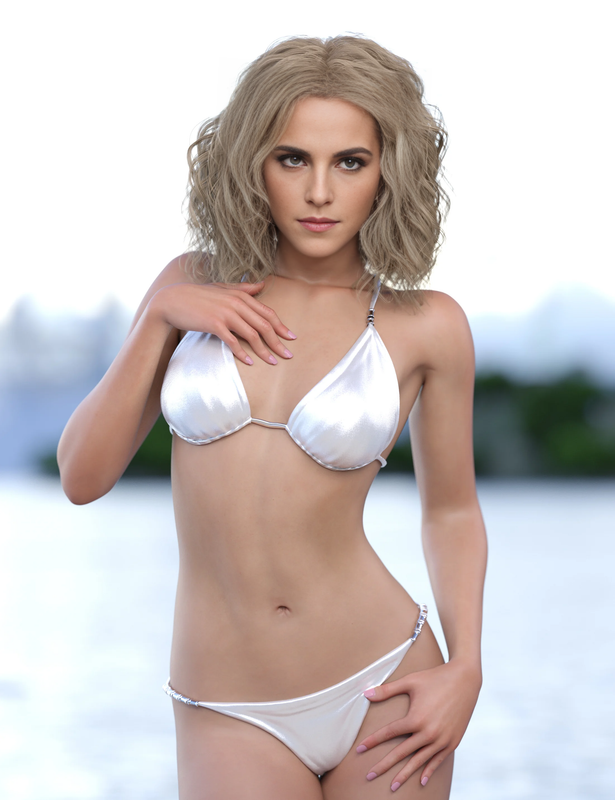
Keep in mind, with the right skins and lighting, the skin on DAZ can look very real, and with the faceswap, it does look very good. The skins in these promo shots are not ideal for realism, but you get the idea

 July 15, 2024 at 4:58 AM #2083268
And of course you can make more adjustments later as well, in photoshop or lightroom or whatever.
I have a few lightroom adjustments I sometimes use to make it even betterJuly 15, 2024 at 4:59 AM #2083269Not bad at all. Didn't pick up on the skin pores or freckles but you could prompt for that I guess. Sorry for interrupting, I know you're busy training.
July 15, 2024 at 5:27 AM #2083272@frank22 no worries, the training is running. Usually I cant render anything in SD if a kohya train is running, but with faceswap, I guess it doesnt use the same things the training uses, because they dont seem to slow each other down. If I was to try to render an image, they would both come to a crawl, but for some reason not with faceswapping. Literally took less than the time to count to 5.
As for the skin pores, that type of stuff would need to be present in the main image first in order to appear in the swapped face. The faceswap tries to keep things kinda the same (skin tone, complexion,etc)
Ill try to find a more detailed image and do a swap
July 15, 2024 at 5:41 AM #2083274"As for the skin pores, that type of stuff would need to be present in the main image"
They are in the hi-rez image of Emma I linked at the top of the page.July 15, 2024 at 6:02 AM #2083276Yes, but they need to be in the main image too. The faceswapper is trying to adhere to the underlying image.
Look at this image from earlier, you can blow it up and see the pores very subtley.
The faceswap is a "blend", so they will carry over, they just wont be as pronounced since it is a blend. You CAN adjust with the settings, making things appear more to the original or to the new image, etc. But then other things change, not just clarity, its something that needs to be adjusted as needed per image, if necessary.But check this image out, you can see the pores did blend visibly
July 15, 2024 at 6:14 AM #2083277if the main image had more distinct pores, the blend would be more visible, especially if both images had detailed pores.
But back to what I had suggested earlier:
when you consider all the time to source images for a dataset, caption them, train them (perhaps more than once, even), then render test. Hope the prompts work to what you actually want, because the lora can make the prompts not do what you want if its overtrained, as ive discovered.
So, with all these negatives, plus the extra drive space needed to store the lora files...Or I can just faceswap in 3-4 seconds.... So thats why I choose not to train Loras on a face only. Full characters or other things, yes. But I dont bother with face loras. Not worth the hassle. Especially when after all that, even if the Lora comes out trained great, at render time there will still ALWAYS be the ones that come out screwed up and need fixing anyway, usually with the faceswap that I could have just done at the beginning
July 15, 2024 at 7:50 AM #2083280So when would it be better to make a lora as opposed to just doing a faceswap? In which circumstances would one work better (or worse) than the other?
I guess if you're faceswapping onto a Daz person, where the Daz textures are mostly crap IMO, and reactor is trying to blend the two, (trying to adhere to the underlying image) you'll get a rather washed-out image lacking in skin detail/imperfections. Which is fine if that's the art style one is working towards.I made this lora (Joey King) about a year ago when I first started out but you can see there's skin imperfections that make the image more realistic and convincing IMO. The images produce by reactor seem a bit too uniform and smoothed out. I appreciate that the ones you showed are just quickies for us and you could no doubt make much better examples if you had better base images and time to put the characters into an environment. Also appreciate you sharing you skills and knowledge... you really know heaps more than I do.
July 15, 2024 at 4:48 PM #2083346I would make a LORA usually for a full character (not just a face), or for a particular place, for example. I was able to create a lora based on very old pictures of a condo I used to live in. I had pictures of a few of the rooms. Now I can simply prompt for it and I can have a scene take place there. It doesnt look EXACTLY the same, some things might be re-arranged, or appliances added onto countertops or bed not against the correct wall or different frame, etc. But when I see the images, I know right away where that scene takes place at. Because SD takes a lot of liberties with what it spits out as a result, theres changes. And so that also happens with just a face lora, too. When theres things off in an entire room, or even a full body when just a finger is screwed up, its not as big a deal as if a nose is all wrong or on the mouth, etc. That is a much more noticeable flaw. A face lora CAN produce great results for sure..SOME of the time. A lot of time its trial and error. Sometimes the rest of the image can be perfect and you want to use it, but the face is all screwed up. Sometimes, opposite, but theres always going to be something.
But then again, you seem to be focused mainly on close-ups. So maybe a LORA is right for you. Thats for you to determine. For my own needs, I dont bother since I mostly use full shots.
But there are still, yet other ways to recreate the face with neither loras or faceswapping. (or you can use a combination of them, some or all of them). Such as in controlnet, using IP-Adapter. Put an image in there and you can have it render that face the same as a lora does without having to train. And it usually keeps the similar shade and style of hair as well. (Same as a LORA does, it takes liberties with the hair, changes slightly, but still close enough)
July 15, 2024 at 9:03 PM #2083361Thanks mate. On a different subject, I watched some videos about DiffEX this morning and it seems quite easy to install and run. I've never animated before.
July 16, 2024 at 3:31 AM #2083363DiffEx is a front-end user interface for AnimateDiff (which you can use right in A1111 without needing DiffEx and then youll also get controlnet support also, etc.) I haven't really messed with it yet, but its on my radar of things to screw with.
After im done exploring every nuance of kohya training im going to mess with depth maps from DAZ. Ive mentioned in the past that I wanted to easily export a true depth map from DAZ poses to use in SD (SD currently "guesses" the depth map from a pose using Midas, its somewhat accurate, but its never going to be as accurate as a true correct depth map on a complex pose).
It was on my to-do list to write some software to do handle this, but I didnt realize someone else already did. 3DU has a product called Basic Depth Map Maker for DAZ. So I will experiment some with that next.
July 16, 2024 at 9:39 PM #2083486It looks like DiffEx 1.2 includes full ControlNet support. Do you think it's worth installing or would AnimateDiff in SD be a better idea?
July 16, 2024 at 9:50 PM #2083488I would prefer to keep it all under one roof. You can easily pass things back and forth, such as to the inpaint tab, extras tab, etc. Unless DiffEx adds some kind of functionality that is not possible otherwise? (ive never used DiffEx, so I dont know the ins and outs of it)
-
AuthorPosts



- You must be logged in to reply to this topic.


