Home Page › Forums › Art Showcase › Some of my WIP Characters
- This topic has 10 replies, 6 voices, and was last updated 7 years, 6 months ago by
 MicroBaked.
-
AuthorPosts
-
April 8, 2019 at 3:49 PM #1031153
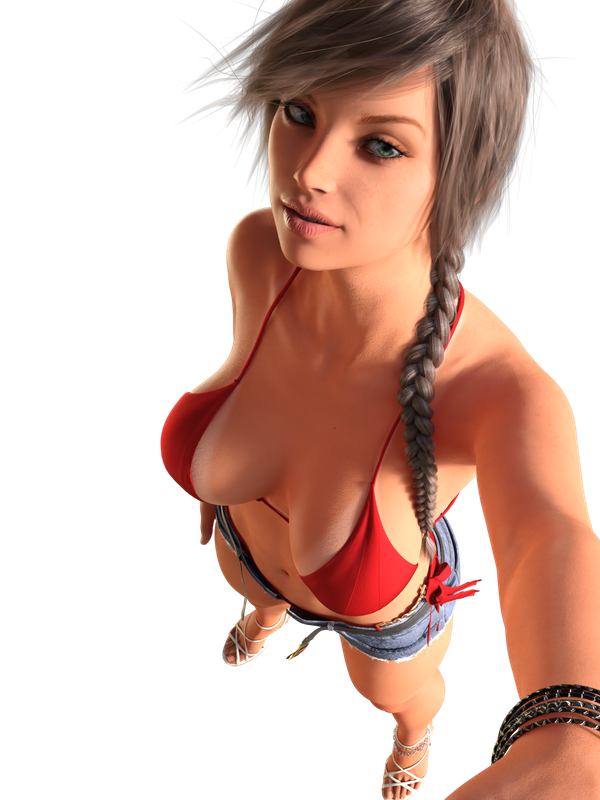
Hey all, just thought I'd share some of my WIP characters I've been putting together.
Lemmy Know what you all think!
One - Shishi and Shutoa

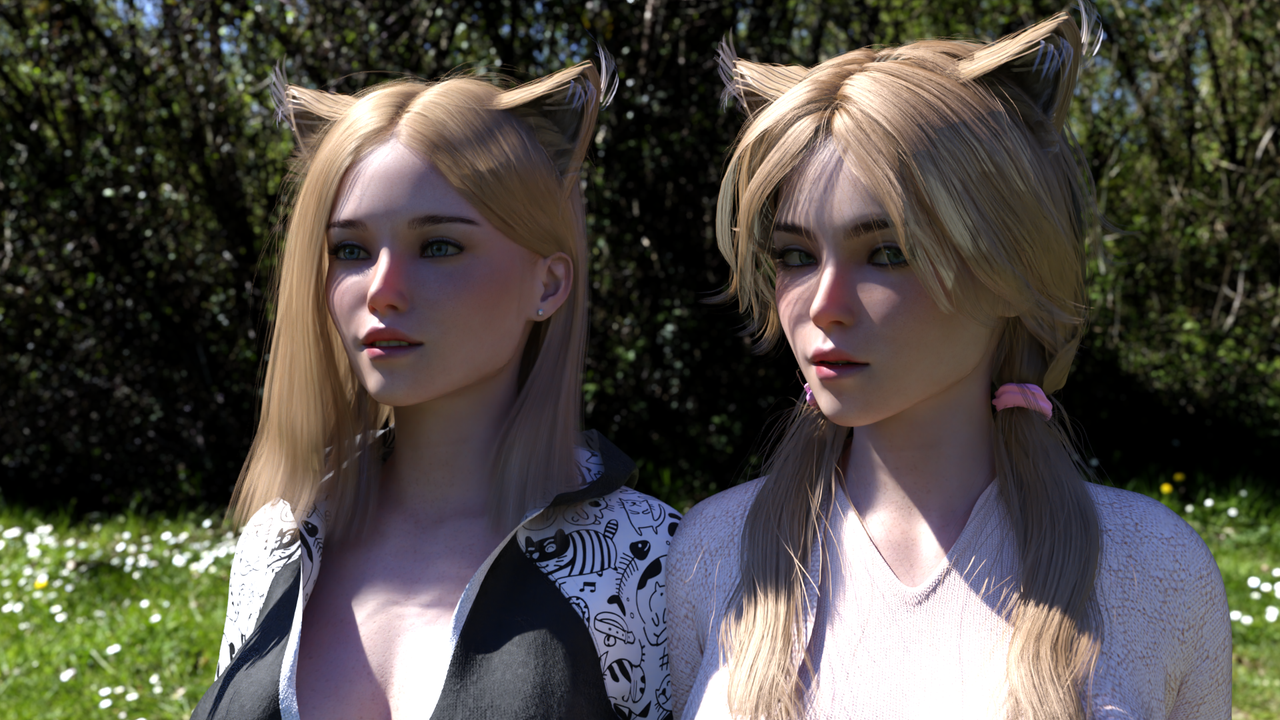
Two - Emmie and Tora
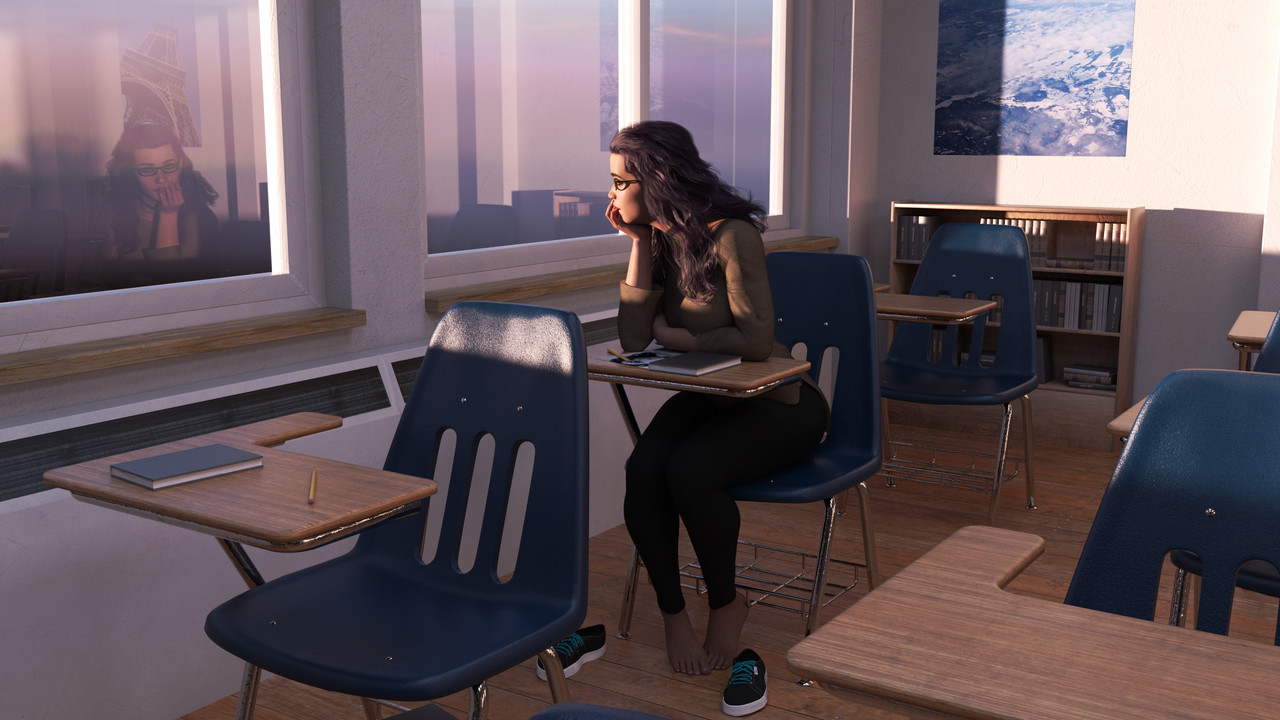
Three - Autumn - Day Dreaming
Four - Emma
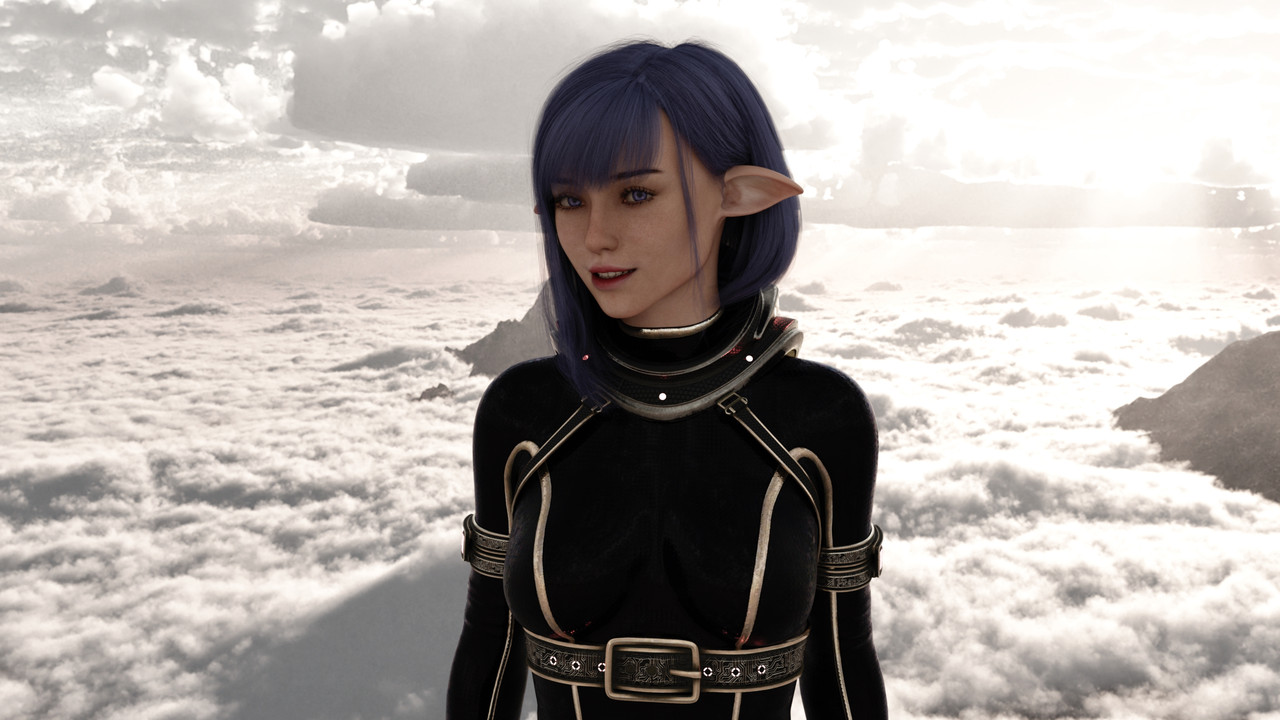
Five - Mika
 April 8, 2019 at 4:05 PM #1031175
Day dreaming is great. Not a fan of doe ears but like the hair.
Cat ears arent my thing either but its better than doe ears. Like the perspective on the last one. Like the HDRI on the clouds.April 8, 2019 at 4:13 PM #1031187@d0gg0d Yea, the idea for the ears on the first One, was for a heavy fantasy world vibe. They actually both look really good with normal ears, and ears with larger earlobes. I haven't completely made up my mind on what route I should go with them.
April 8, 2019 at 4:40 PM #1031214looks very good i like
April 9, 2019 at 10:21 AM #1032101Anonymous
InactiveRank:
I have to say I do like the two elf girls, particularly Shutoa! Loving her hair!
If you're going for that heavy fantasy vibe, I see nothing wrong with their ears as they cement them into that world adding a touch of the exotic to them.Not sure where I land on the cat ears, especially as we can still see one girls normal ears. Was this intentional?
Images 3 and 4 are great but I'd like to see more of the girls.
Mika in the last imae is looking gorgeous, and quite grounded in reality. The one thing that detracts from the image though is the fact that as a whole she seems rather flat with no gloss or sheen to her skin.
April 9, 2019 at 1:33 PM #1032252Well done! Better than most of the fantasy characters for sale on Daz.
April 9, 2019 at 5:40 PM #1032554@tomsk The double ears were intentional. Their genetics were considered a cross-breed, which in turn caused them to have two variations of most senses. I dunno if this is a thing the world of Cat peoples, though I've made it so, in this case heh.
As for Mika, I just totally realized I forgot to edit the wet shell before rendering lol. You can also see her lips are chapped to all hell.. I dunno how I missed that... woops xD She is one of the first that I've tried incorporating Wet and Tanned Skins by V3Digitimes, permanently. I tend to stay away from it, as it has made animating hellishly slow in the past. Tends to add a lot of unneeded delays while moving limbs around. Not to mention that damn bug that causes them to glow yellow or blue in a Textured View Port. That drives me insane lol.
April 9, 2019 at 6:38 PM #1032630Microbaked, I think I recognize the ears but how did you apply them to a more modern hair?
April 9, 2019 at 9:13 PM #1032780@daishi If you are talking about the Cat Ears, I went in and made my own opacity textures, and then also pulled the Hair textures, and mixed them in, and did some minor tweaks so that the ear textures were identical to hair textures. Or well, at least as close as I could get without spending over an hour on the two.
April 9, 2019 at 9:40 PM #1032799@MicroBaked
Mind posting them up somewhere for others to play with? It's the G2 Catgirl hair, right?
I love and hate those ears. They're the best cat ears we have that aren't a geomesh, but at the same time, they're also held back by their klunkly texture work.
April 9, 2019 at 10:22 PM #1032850@daishi Well the issues is if I post them they will only work properly with the hair, and color choice that I went with. You will have to go through the whole original process again of editing them for any other hair or hair color variant. With that in mind, It seems a little counter productive to upload, and or even utilize it, unless you are using the exact same hair, and hair color.
To start the process yourself though, you would want to open the opacity. You just need to blur it a bit with a Gaussian tool with your choice image editor. Applying it will get you started with making them look not so dated. From their you can adjust it as you see fit, to better blend with your hair choice/model. Or you can just leave it with the Gaussian only. It looks fine that way most of the time.
Then just grab the texture of the hair you are using, and apply it over the current one. Once you do it a couple times, it only takes a minute or two to prep a new hair style/model.When I did it for the first time, it took a little bit to know what sorta flowed with the ears. Beyond that, the actual editing and what not, takes no time at all. The issue is its all dependent on the hair you are using it with. Some may take more time then others to setup. You may also find yourself making the original opacity more fine(less thick strands), before applying Gaussian. Its all dependent on your choice of Hair, and how its textures were originally intended to be used.
Hope this helps a bit.
-
AuthorPosts



- You must be logged in to reply to this topic.
