Home Page › Forums › Art Showcase › Playing around with Face Transfer
- This topic has 8 replies, 3 voices, and was last updated 5 years ago by
 Frank21.
-
AuthorPosts
-
September 25, 2021 at 4:39 PM #1733062
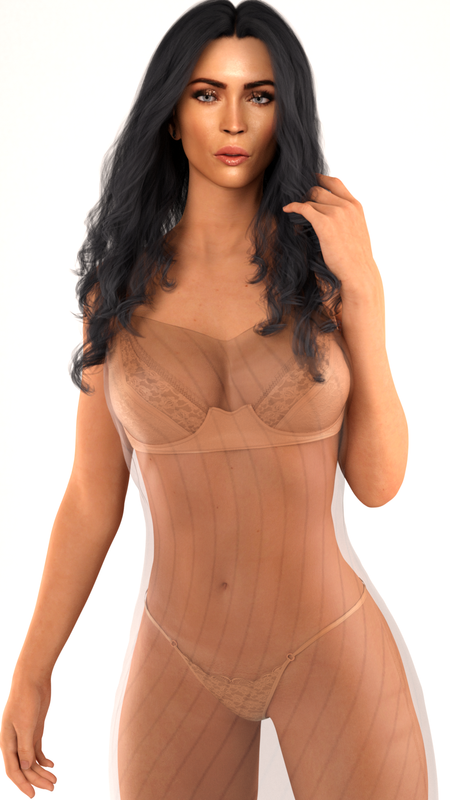
So this is a render I made with Face Transfer, FT Morphs, Z SLM and an image off of the internet. No matter what I do I just can't get the look 100%. It's either Daz's limitations or I just suck lol... anyways. I'll be posting my Face Transfer renders here just for posterity I guess...
The main problem I think is that you need an image as straight as possible without hairs near the face or else it'll be embedded in the texture. Second is the subject should be in resting bitch face, lol. NO SMILING. but it's workable just might look weird when you're adding morphs later.
 September 27, 2021 at 5:01 PM #1733705
Post #2
I like this better than the first(probably just the lighting), different models. Still Face Transfer. Probably gonna start tweaking the face shapes a bit in the future, though I don't know how much liberty morphs can give me on shaping faces that is closer to their source.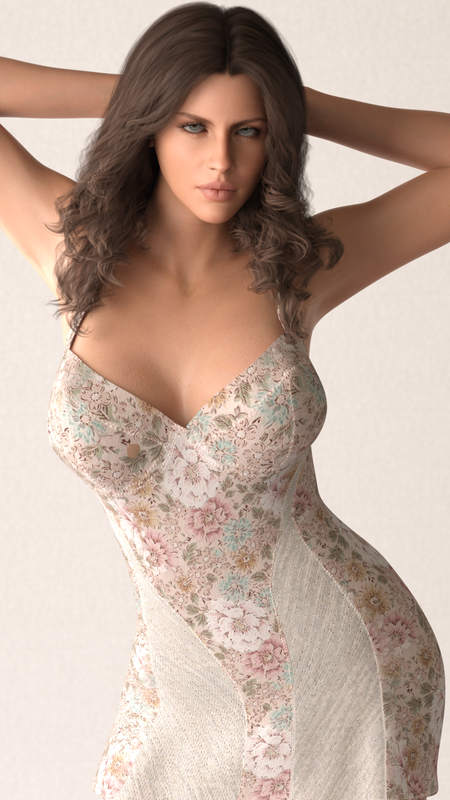
Post #2.5
SCENE: Joking around with Alex while waiting for breakfast. I have the best chef in the world.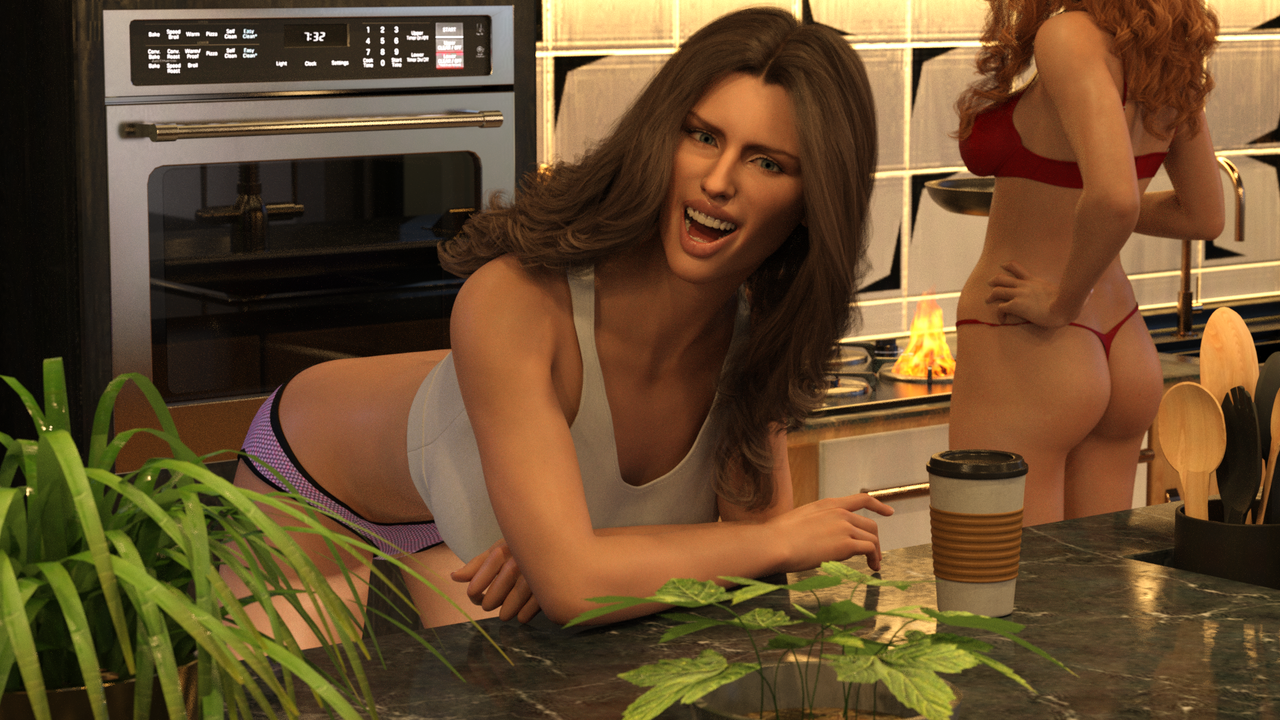 September 27, 2021 at 10:33 PM #1733775
Second image is much better. I've pretty much given up on FT/HeadShop etc as I never get good results. Waiting for something better to come along.
September 29, 2021 at 8:12 PM #1734472Post #3
 September 30, 2021 at 7:26 AM #1734575
As frank wrote already, I give up, also using FT. Always problems with the eyes and bad shades.
But your second image and last image are better.
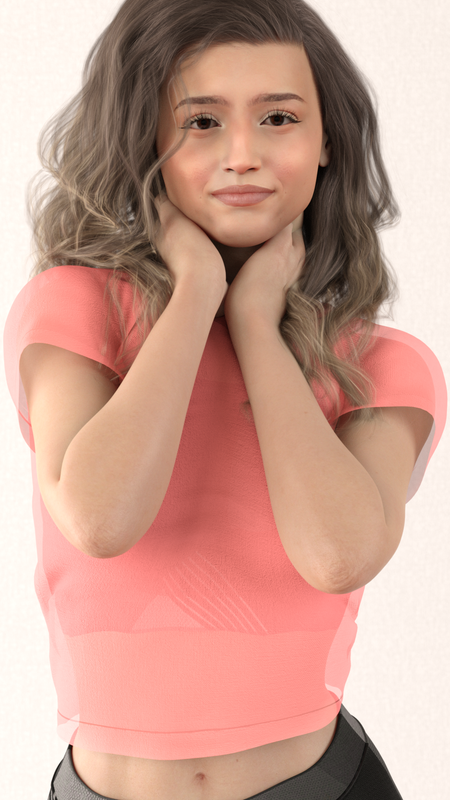
What you changes there? Lighting??September 30, 2021 at 11:29 AM #1734647Yeah just copied a studio lighting setup, I saw. Back right, Front left and right. though the front left is turned off on Post #2. Post #3 has all the lights turned on. Plus Post 1 & 2 doesn't have any extra morphing on the faces aside from the FT Fix Morph. Whilst 3 & 4 has a bit of manual shaping involved using Face morphs.
But I'm not happy how waxy the faces seem to be like Post #3. Probably my fault though because I upscaled the image. One of the problems with internet sourced images is they're often too compressed and mostly only FHD and below. DAZ seem to require ~4k images to prevent compression artifacts from showing on the faces. That's why I try to upscale them but then the plastic like face shows. I'm thinking maybe a bump map? to create skin texture? I dunno, I don't have an in depth knowledge of DAZ surface settings as of yet.
I'm also having trouble with "properly using" Natural Eyes II (are they exclusively for G8.1? Because I've been using them on G8 models) as when I apply them they appear dark. I think it's not playing nice with the corneas and eye moisture surfaces of the daz models so I have to tweak the refraction index and refraction weight of the eye moisture and cornea surfaces.
I'm happy with FT if it's for just playing around, the body I also tend to apply mats from DAZ models as they are better quality and uses bump, spec and normals. Unlike the FT models which uses just the base mats only. I just color match the faces of my FT image and the head mat of a DAZ model. But yeah I don't think FT made models can get anywhere near as good as actual custom made models for DAZ.
Post#4
Bigger sourced image 2k, still upscaled to 4k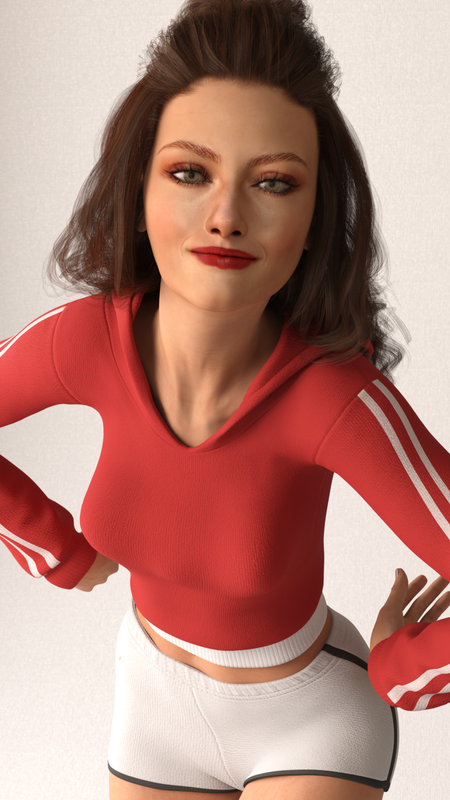 October 3, 2021 at 8:33 AM #1735396
@Ch1no - Thanks for the progress report and new images. I wonder if you started from a body texture before the face transfer that more closely matched the face texture then they'd work better together? Changing textures after transfer loses the thing that often make the likeness realistic, ie. the face texture map. I've also noticed that the Natural Eyes thing and don't use it on G8 anymore.
Good luck with your FT experimentation, it's always good to see new stuff in Art Showcase thread.October 3, 2021 at 9:41 AM #1735425Thank you for those advices! I honestly don't know what I'm doing lol. It's really good to have someone point me in the right direction. Thing is if I use Face Transfer it's already on a G8 body. How do I start from body first? Here's my work flow.
1. Internet image as large as I could get
2. Upscale using Gigapixel AI to 4k (optional I guess)
3. Photoshop face remove shadows, hair, eyelashes as best I can.
4. Daz3D Face Transfer which is set upon a G8 body Female/Male.
5. I apply body morphs closest to the source.
6. Apply body mats from content folder (for example Aurore) Some character mats applies on both faces and body and some just the body.
7. I color match FT texture to Aurore face texture
8. manually change the base texture, specular, bump, mask. (these are improperly made btw, just involves me turning the FT texture into black and white darken and that's basically spec, black and white for the bump and mask. I haven't bothered making a normal map so the image is still using Aurore's normals)
9. that's basically it. I add eyelashes. facial morphs to match source.October 3, 2021 at 10:02 AM #1735430If FT tries to match the face texture to the body texture I was thinking that if you had a particular end body texture applied before doing the transfer then the two would match better. I made a celebrity likeness a while back using much the same process as you do and making a normal map from the diffuse etc. and it worked quite well with a lot of tweaking by smoothing out areas. The thing is you need to keep some of the FT generated face texture or most of the likeness will be lost if you just apply a another whole body texture to the figure.
-
AuthorPosts





- You must be logged in to reply to this topic.
