Home Page › Forums › General Chat › Panty Drop (or, how to use dForce to place a folded pair of panties on a table)
- This topic has 11 replies, 5 voices, and was last updated 3 years, 7 months ago by
Anonymous.
-
AuthorPosts
-
March 10, 2023 at 4:03 PM #1938978
Anonymous
InactiveRank:
As the title says, I'd like to place 3 or 4 pairs of underwear on a table stacked semi-neatly.
So, This is what I am doing (without desired results)
1) place a pair of panties in my scene, above a table
2) rotate the panties so they would be horizontal to the table (not vertical like somebody would be wearing them)
3) Go to simulations tab... with panties selected, add Deforce Modifier" Dynamic SurfaceSo here is the set up before the drop.
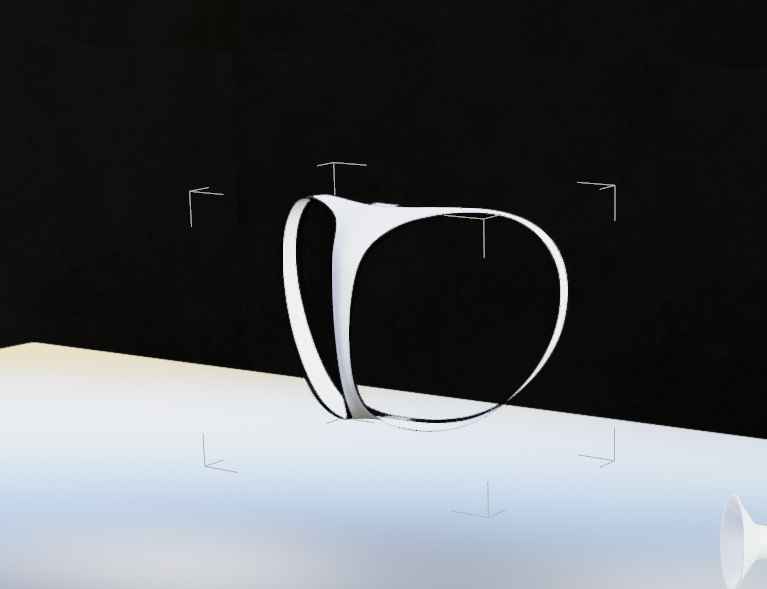
Ok... now I hit simulate, and the panties dont just drop, they kind of fold up into a ball AND THEN drop...
So the result looks like this

Yikes... so much for the neatly folded pair of skivvies. The drop height is barely a few centimeters... why-it-do-that?
What am I doing wrong? Help? My VN needs your vast knowledge of dForce Panty Folding!
Maybe a related note, or a separate question....
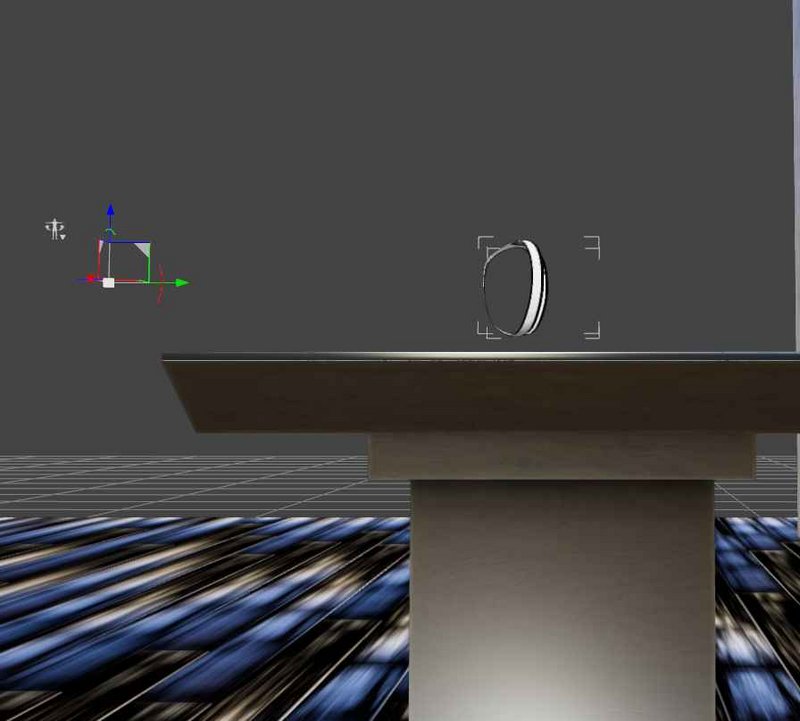
When I try to rotate the panties from vertical (like being worn) to Horizontal (as if folded on a table), the Rotation gizmo is about a meter or so away from the actual object... why is it doing this and how do I move the rotation point? Is it because it sees the items as a character and not an object (thus, the gizmo is where the characters feet would be???? )
 March 10, 2023 at 5:25 PM #1939025InactiveRank:
Thanks for the Tip... and I do have MD.
Is it possible to do more than one pair at a time on MD?March 10, 2023 at 6:32 PM #1939049This has some props that may be good here.. there are 3 on table/floor and 3 hanging on chair props for each cloth type (shirt, pant, bra, panty.. both male and female clothes).. maybe change the materials to get a varied look..
March 10, 2023 at 6:53 PM #1939052InactiveRank:Thanks for the reply @LivingPixels
I gotta ask though (as Daz is open and I am following your instructions now)
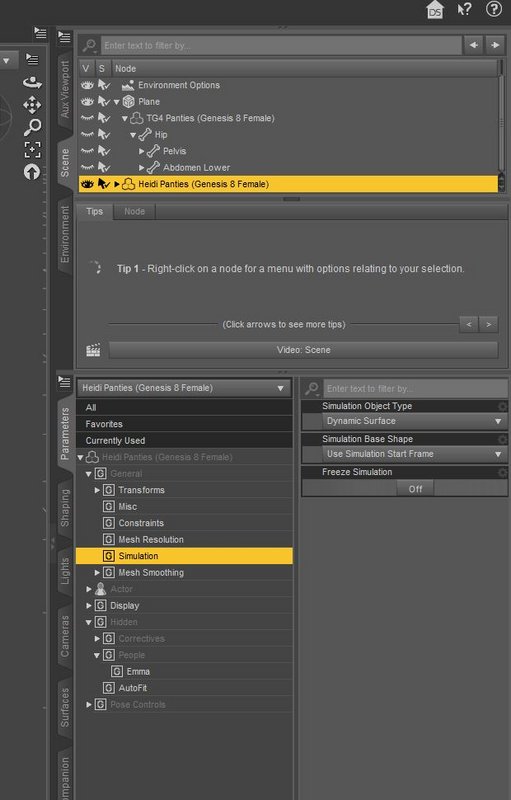
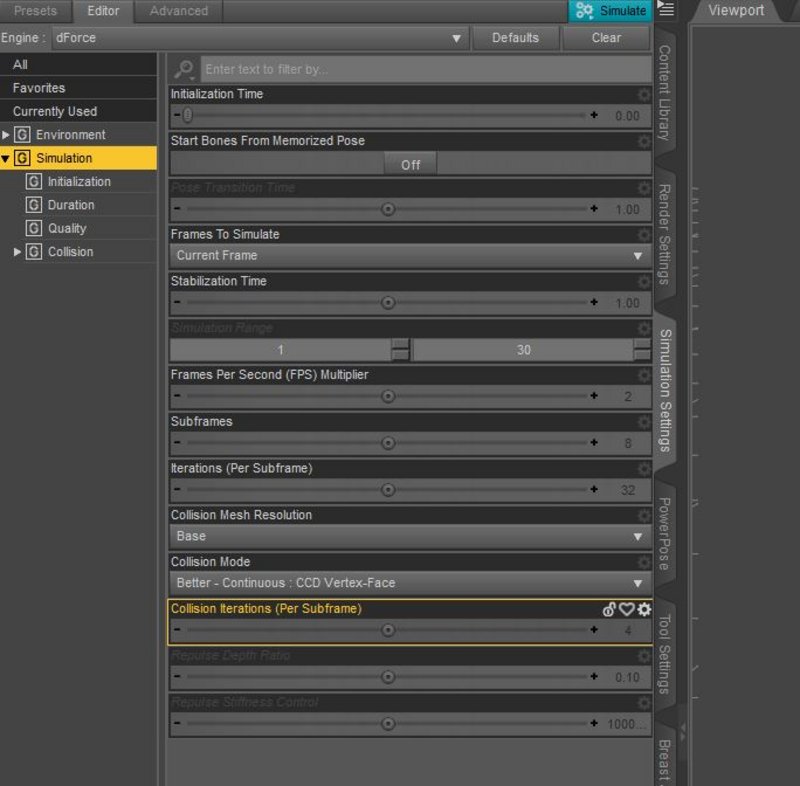
Where are you seeing the Friction/Dynamic Strength/ Damping? Are they in with the parameters or are they with the simulation settings pane?
I have Heidi's knickers all ready to go, but I am not seeing those choices
With Heidi Panties Selected, in the parameters pane under simulation I can see
On the Simulation Settings, I don't see those either...
 March 10, 2023 at 7:10 PM #1939060March 10, 2023 at 7:17 PM #1939063InactiveRank:
Frank21 & Gladson
Great ideas! Actually, I had the Messy Laundry already... and I just downloaded Frank's Suggestion to add to my over-abundance.
I have been kind of scared of dForce though, so I thought I'd try to 'learn me sumthin' and fill a need as well.
March 10, 2023 at 8:15 PM #1939106That makes a coherent argument for once you have got an acceptable end result to save it out as a morph.
Perhaps even consider uploading it as custom content?
🙂
March 14, 2023 at 2:21 AM #1940665@Redflag
There're lots of tricks and possibilities if we use dForce to sim what you want. I use this Skivvies as an example:
1. For easy manipulating the panties in the viewport, export/import it as an obj (Base resolution). And the default dforce settings of this item are not proper for making it fold on the ground...2. Add dforce modifier to the object, change the scale and position as needed:
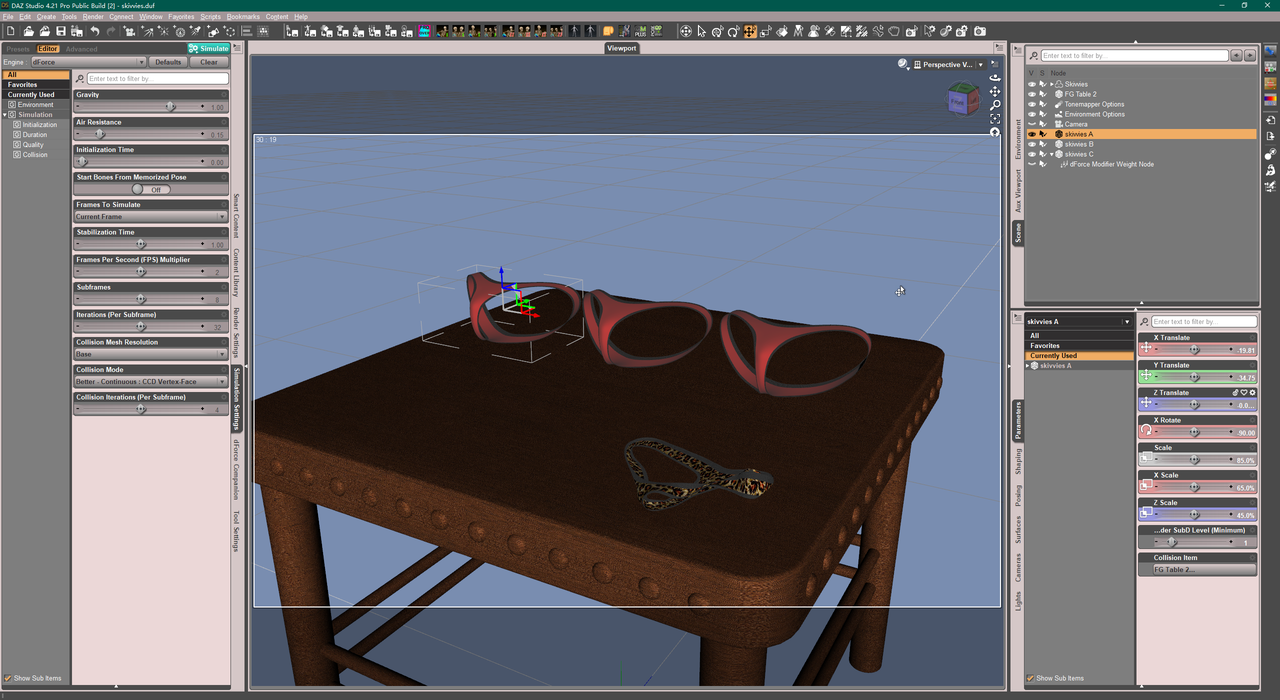
3. Change some values on dynamic surfaces:
- turn off Self Collide, to keep the proper form
- Density as 10, to avoid heavy draping
- CER as 95%, to make it shrink a bit
- Velocity Smoothing as 0.7 with Iteration of 3 - 5, to have better smoothing result
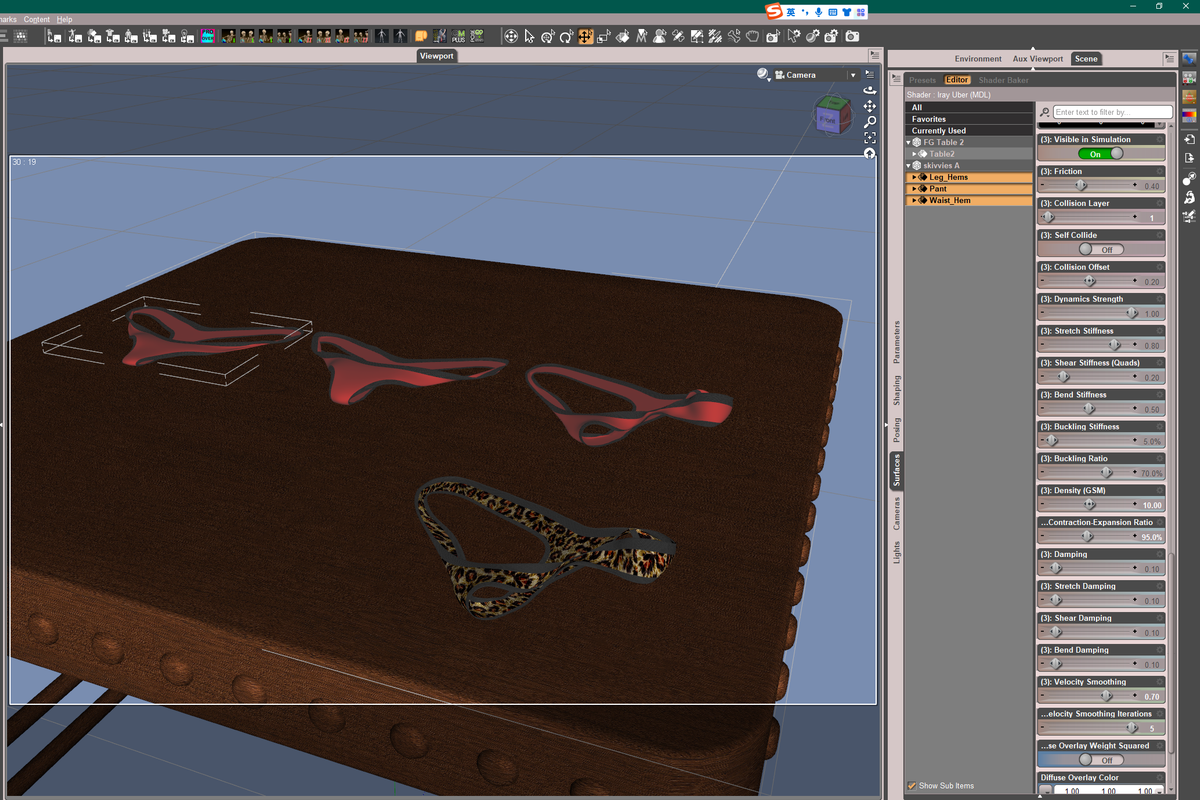
4. Simulate it with default engine settings...
5. We may change dynamic surface values to have varieties of results, for example:
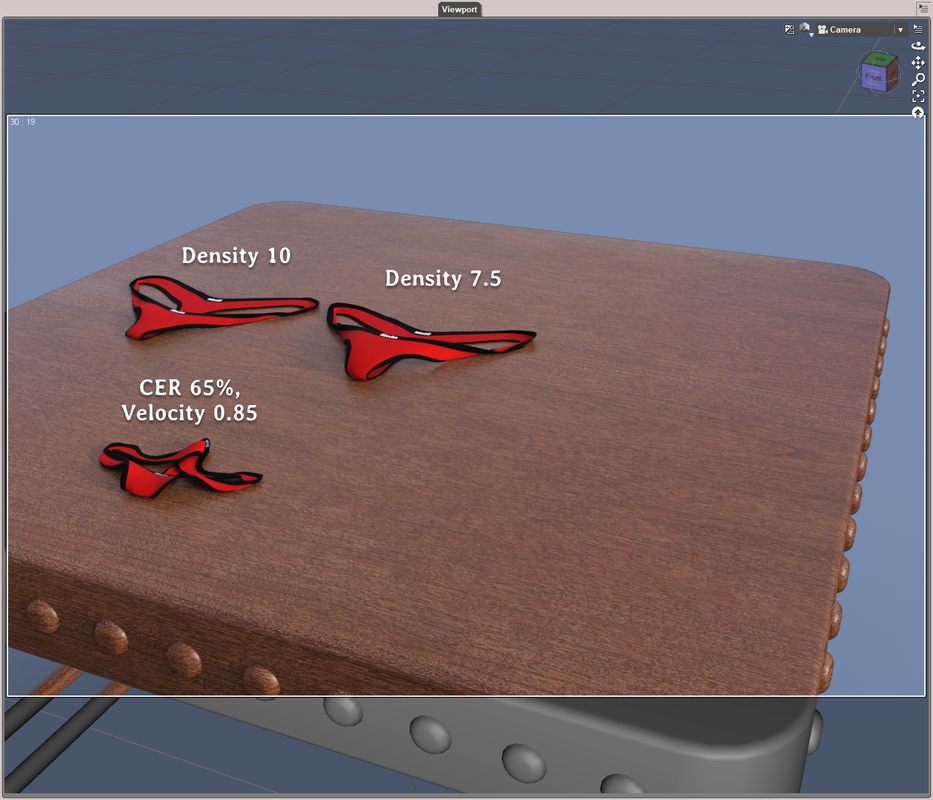
6. We even can add dForce Modifier Weight Node. Add some maps to affect the certain geometry, and fill different weight, for example:
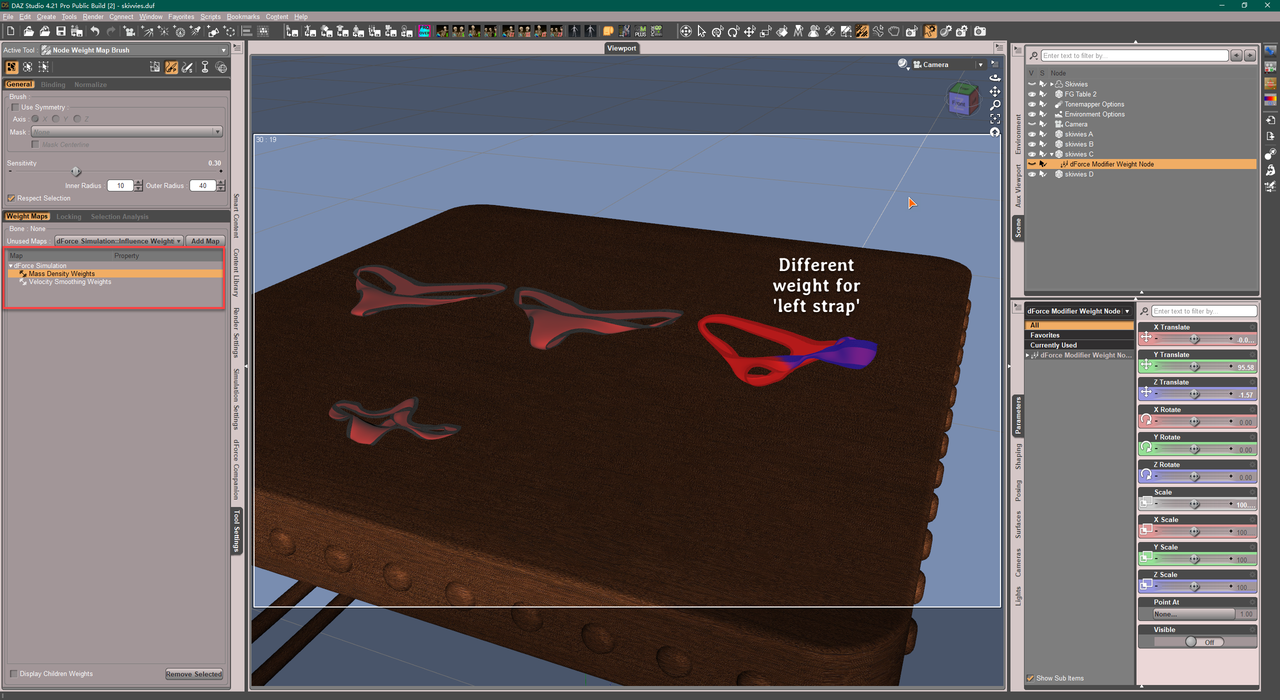
7. Export obj, Morph Loader back to the panties as a morph.
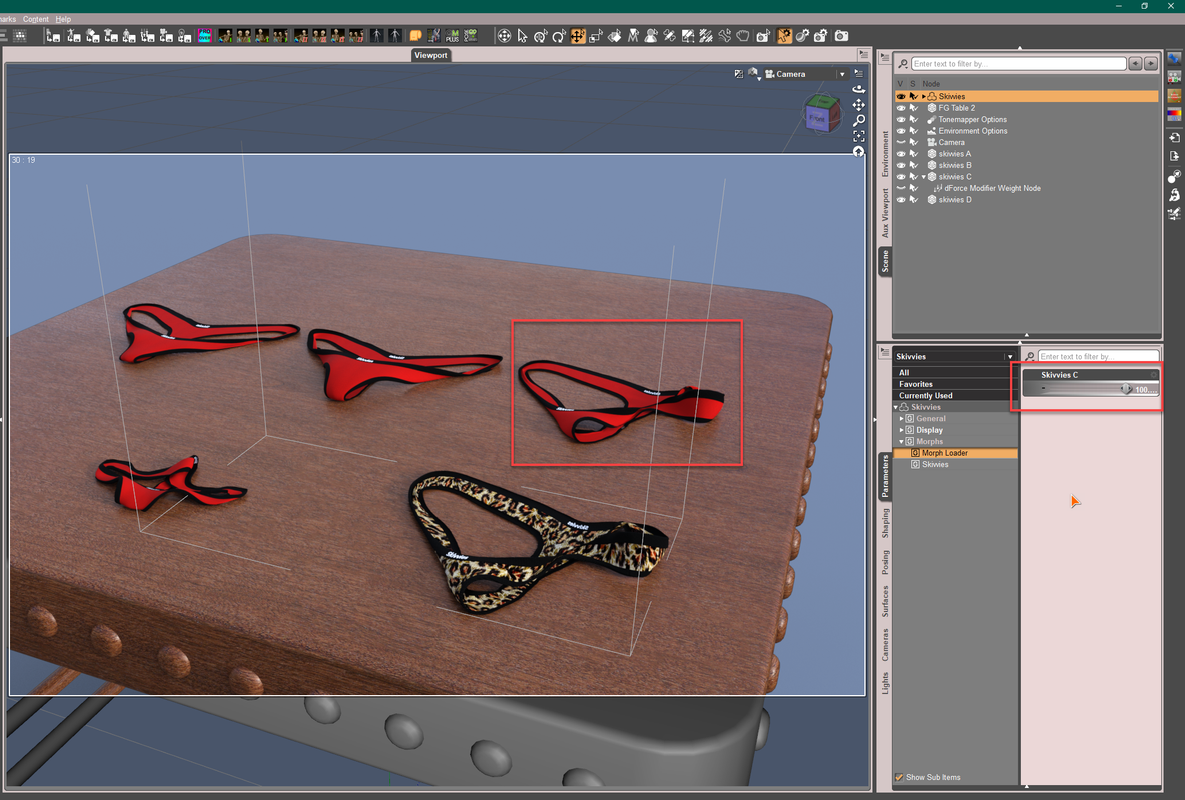
And you can further use Mesh Grabber or modeling software to finetune these morphs.Attached the duf file for your ref.
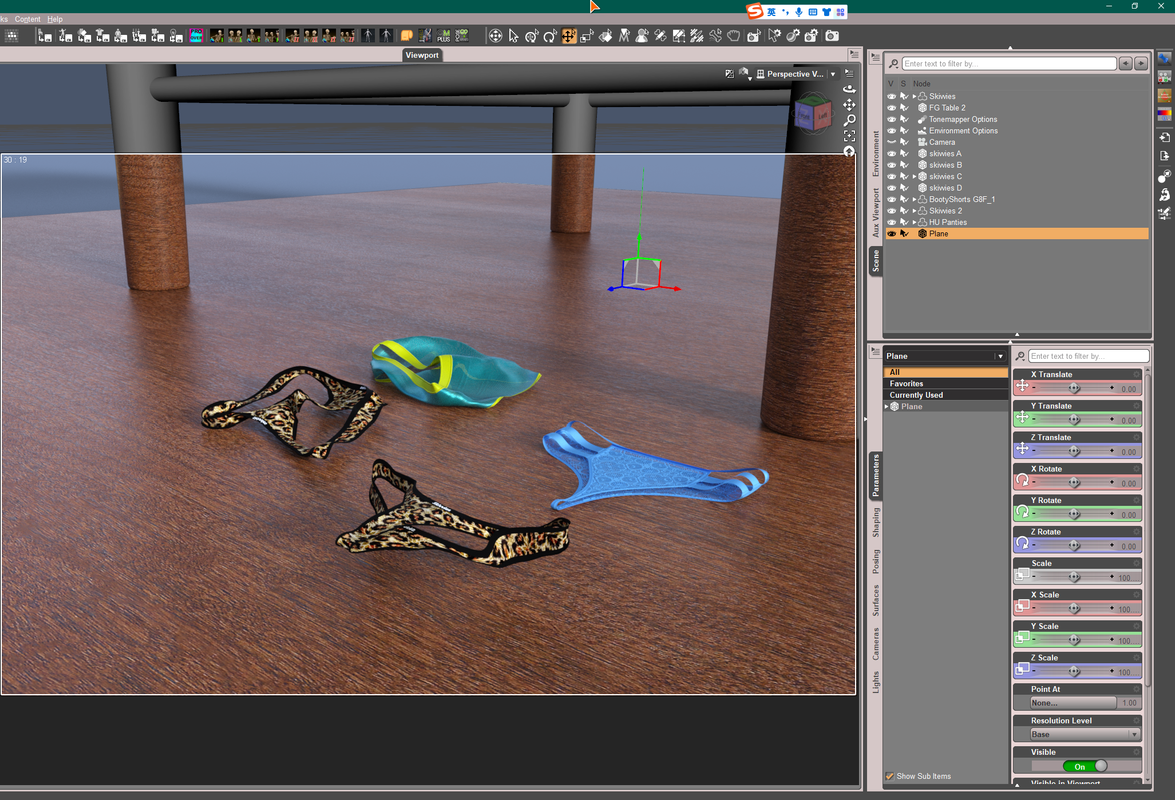
https://mega.nz/file/TT4VGKqL#2tlLScUSIjRpz0D5-xFwfIPnsh57l4cvl3363Fino34Besides, there're lots of garments with 'to Floor'/'folded' morphs or sth. like that. You may use Transfer Utility to transfer the morph targets to the garments that have similar design / style / geometries.. Vendors like nirvy / JaMaRe etc. ever made lots of garments with diff. morphs:
 March 14, 2023 at 4:37 AM #1940680
@Windreaver0118 it's easy enough to use dForce to drop simulate a garment on a surface. The OP is saying "folded", as in undies in your draw, and that's a different ball game.
You could conceivably use Mesh Grabber rotator to fold and re-simulate, but you'd be way better off just using an already-folded item.March 14, 2023 at 5:22 AM #1940683@Frank22
of course it's easy to drop a garment on a surface but making any garment sim well to have a good and natural result is a different thing...folding,hanging,stacking,even winding by dforce are aslo easy as long as you know how to set up a perfect simulation plus using some add-ons.
for me,dforce + magnet + goz can settle everything~ mg is a good tool i frequently use but it has limitations we all know..
March 14, 2023 at 10:36 AM #1940829@Redflag
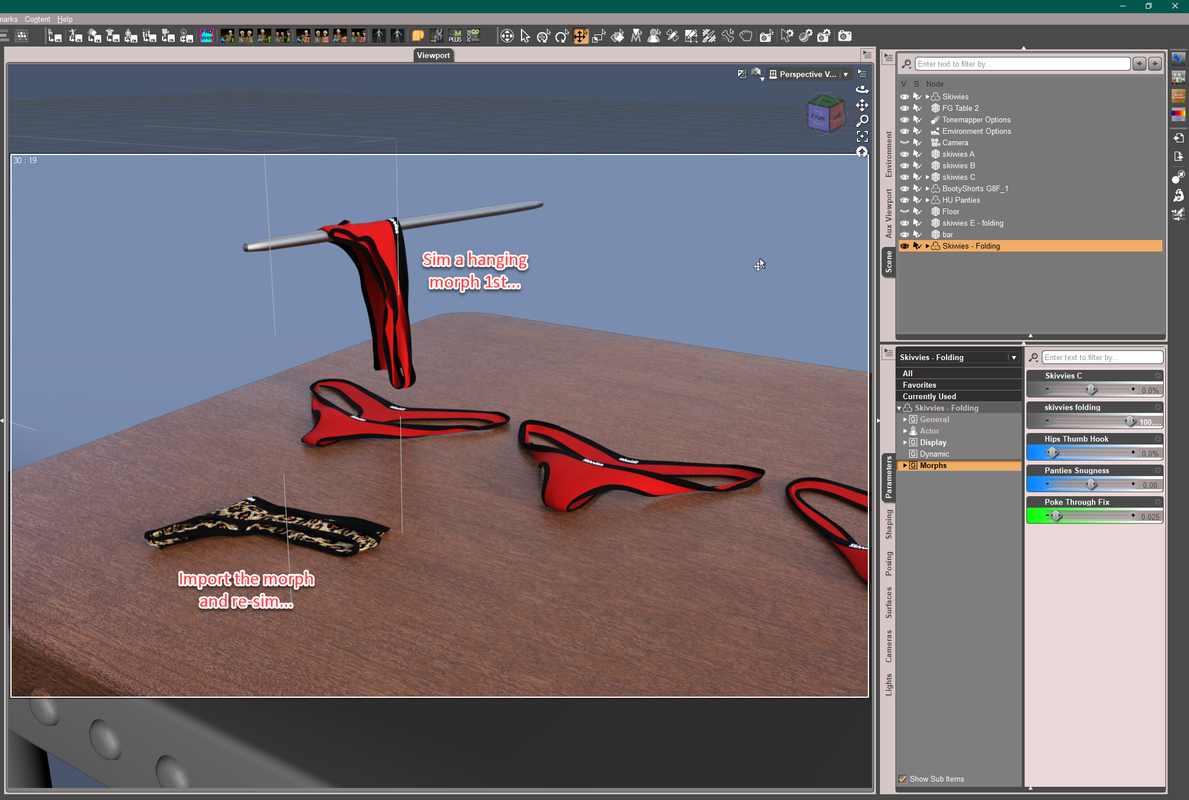
If you need a tidy fold, 1stly simulate a hanging morph for the panties. Import and dial the morph, then re-sim it on the table.
 March 14, 2023 at 11:53 AM #1940866InactiveRank:
Richard...
Wow. Thanks for your comments and help!
All of you folks have been absolutely wonderful!
Here is what I ended up with... Its actually what I got before using Richards advice... I'll go back to the drawing board and try again.
Its NotSafeForWork just a heads up
-
AuthorPosts








- You must be logged in to reply to this topic.
