Home Page › Forums › General Chat › Latex Dress Lighting Help Please!
Tagged: help
- This topic has 8 replies, 5 voices, and was last updated 6 months, 2 weeks ago by
 Poe.
Poe.
-
AuthorPosts
-
April 6, 2026 at 8:12 AM #2171030
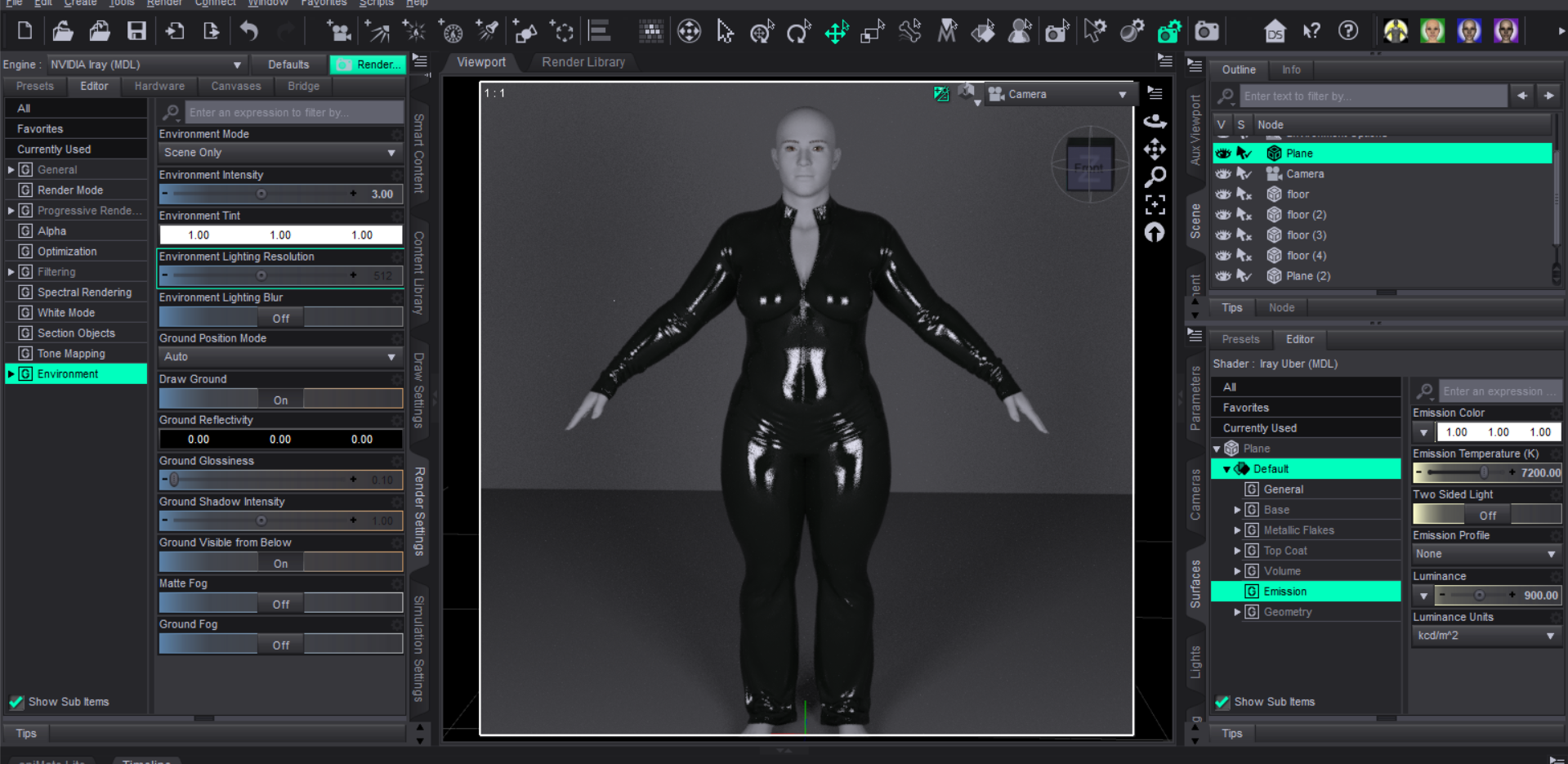
i am trying to light my character who wears a latex dress. if i use lights like flashlight pointlight or simple plane as emissive then the planes or lights source gets reflected on the dress no meatter where i place them. as you can see in the picture below
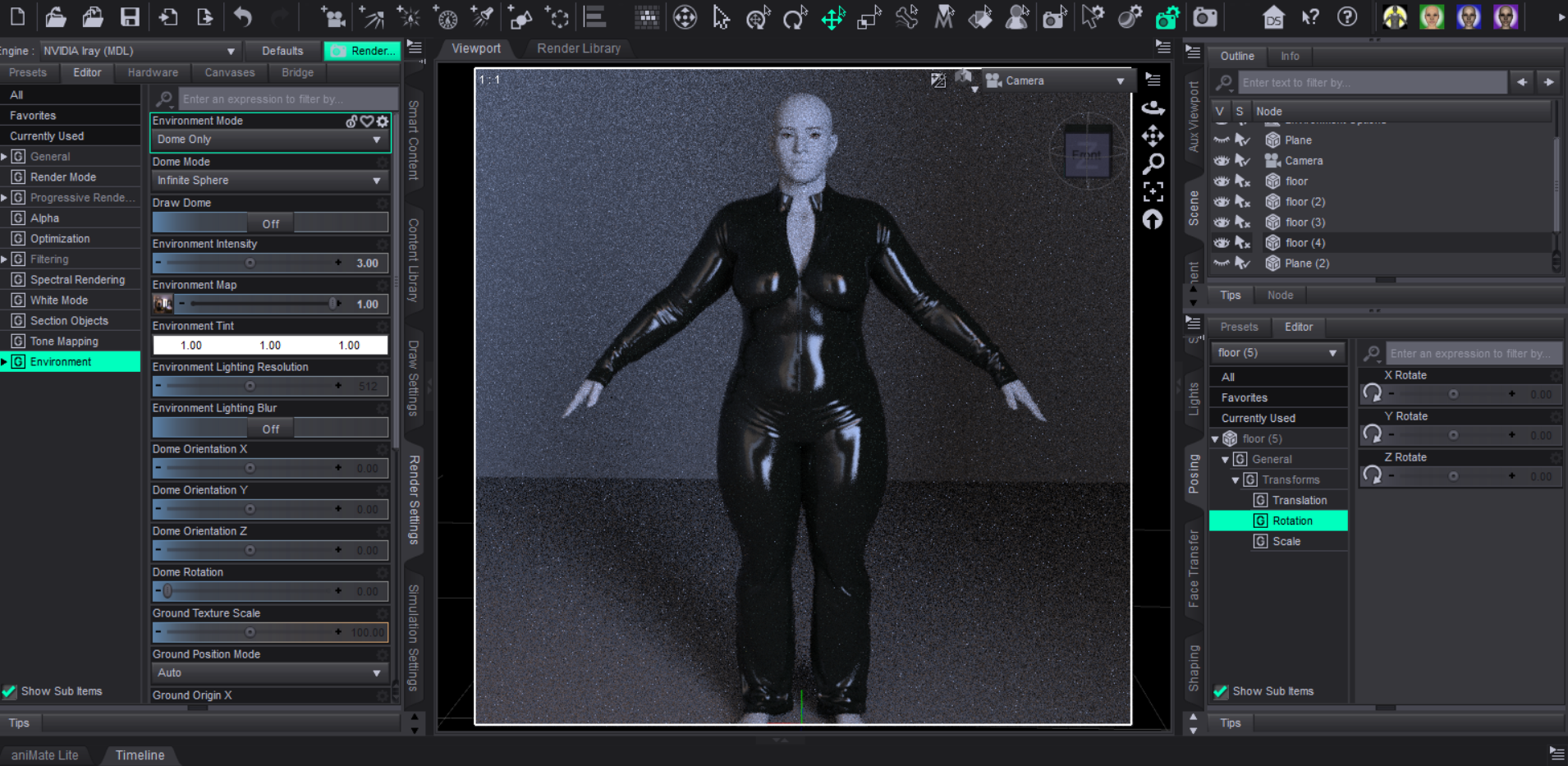
but if i use a simple hdri map and render in dome only then the lightings look good on the dress as pictured below
but dome option is not available for every scene for example if i photoshoot in a closed room then i have to use some light sources and then it just do not look as great as hdri
what can i do here?
April 6, 2026 at 9:02 AM #2171040You can try hiding the wall so the dome's light could get in, or create an iray section plane node and use it to cut through the wall, with the option clip lights off
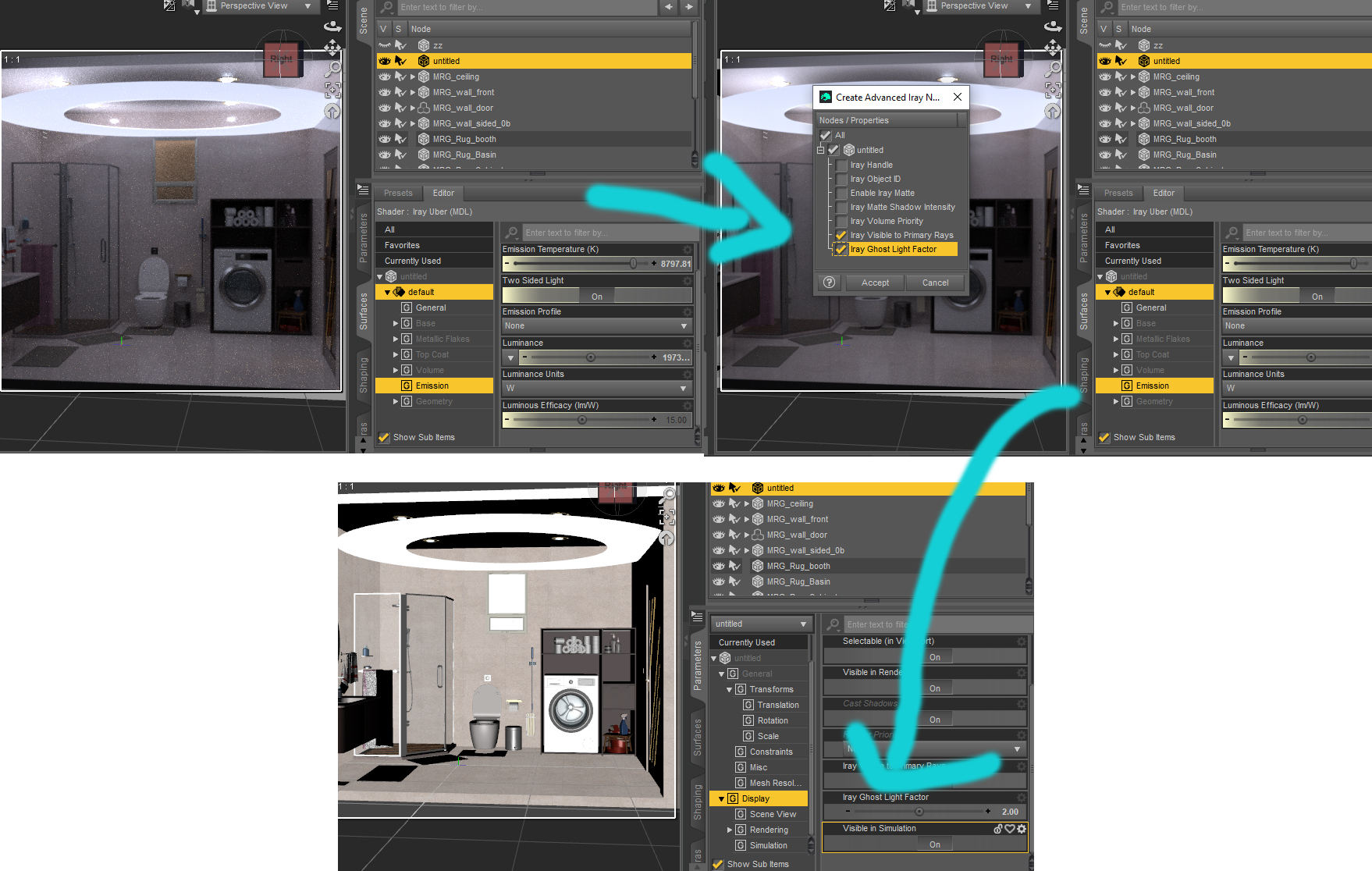
Or you can try to have a ceiling ghost light above to provides light and some small light sources around her.
You can also try to make changes to the latex suit's roughness map: lower the glossiness where the light shine and add fake reflection to the suit(usually its a low res picture of a studio or furniture inside the house, plug in the diffuse overlay channelApril 6, 2026 at 9:36 AM #2171041KinderedArts has Iray Ghost Light Classic Kit especially for indoors, that offer several diffused lighting options similar to hdris. As per the description "Unlike modern ghost lights, these lights do not show up in reflections." Though I haven't used them personally so can't vouch for the accuracy of that statement, but I have used their earlier ghost light products in my scenes that required invisible light sources, to great success.
April 6, 2026 at 10:20 AM #2171046In the Render settings, on the Tone mapping tab, reduce the "Burn highlights". It doesn't solve the problem completely, but it reduces glare.
April 7, 2026 at 3:36 AM #2171137can you tell me more about celling ghost light? how can i do that?
April 7, 2026 at 6:14 AM #2171148menu->create new primitive->torus, and then scale it down along the y axis. Give it emissisive property, and then use this script to give it ghost light property. Or you can use ready made ghost light products, there are plenty here.
script: https://limewire.com/d/CXlMF#aRQf33t0zu
 April 7, 2026 at 12:49 PM #2171184
I've been looking for the latex outfit you're using and can't find it. If you get a min, would you mind telling me what asset that is?
April 8, 2026 at 8:08 AM #2171287April 8, 2026 at 11:47 AM #2171324Thanks!
-
AuthorPosts






- You must be logged in to reply to this topic.
