Home Page › Forums › General Chat › Importing .obj or .fbx with textures?
- This topic has 25 replies, 7 voices, and was last updated 2 years, 1 month ago by
 Frank21.
-
AuthorPosts
-
August 24, 2024 at 9:15 AM #2087877
There's Sailboat on the blog https://zonegfx.com/sailing-yacht-hylas-h57/ which ticks almost all boxes for me. However when I import the obj or fbx file (tried both) essentially the whole boat appears to have one texture. Which doesn't fit the screenshot, so I think there's an eror on my part. But how could I get around this problem?
August 24, 2024 at 10:13 AM #2087884An OBJ or FBX has no textures.
You can go to the surface tab, and texture the boat thereAugust 24, 2024 at 10:33 AM #2087886An .obj file will be accompanied by an .mtl file which references textures if any. Are there any pictures (texture .jpg) in the directory along with the .obj?
August 24, 2024 at 12:41 PM #2087904Looks like it was an export from 3DS Max, and if that was done carelessly the surface properties seem to get lost somehow (I'm not a Max user as you can tell). I've seen crocked OBJ/FBX exports even from legit sources.
Another thing, the textures are sometimes a separate download from the source site and not all pirates are careful to include them. 😉
I'll have a look at it. Nice model, if it can be made to work.
August 24, 2024 at 4:13 PM #2087932I downloaded and had a little play with the OBJ version and I see what you mean 🙁
The mtl file doesn't reference the maps, and if you apply them manually the material zones aren't set up right. The decking ends up on one of the sails, and I didn't go further.The FBX version crashed DAZ for me, but I'm no expert on FBX or DAZ.
Could be fixed but it will take some work.
If there's a Max user in the house they might be able to re export it?
August 24, 2024 at 4:38 PM #2087936Thanks all, good to know it's down to the file. A bit of a shame though, I would really would have liked to use that boat. 🙁
August 24, 2024 at 9:55 PM #2087969Yes it's a pity, very nice sailboat, but the problem is far from uncommon. I've lost count of the dozens of obj/fbx models I've had to ditch for the same reason.... if that makes you feel better.
August 24, 2024 at 10:59 PM #2087979I'd mention this to the uploader then ask a mod to remove the share until it's fixed. The uploader may have grabbed something-anything from some shitsite and shared it just to get points. He might not know it's bad and may not care.
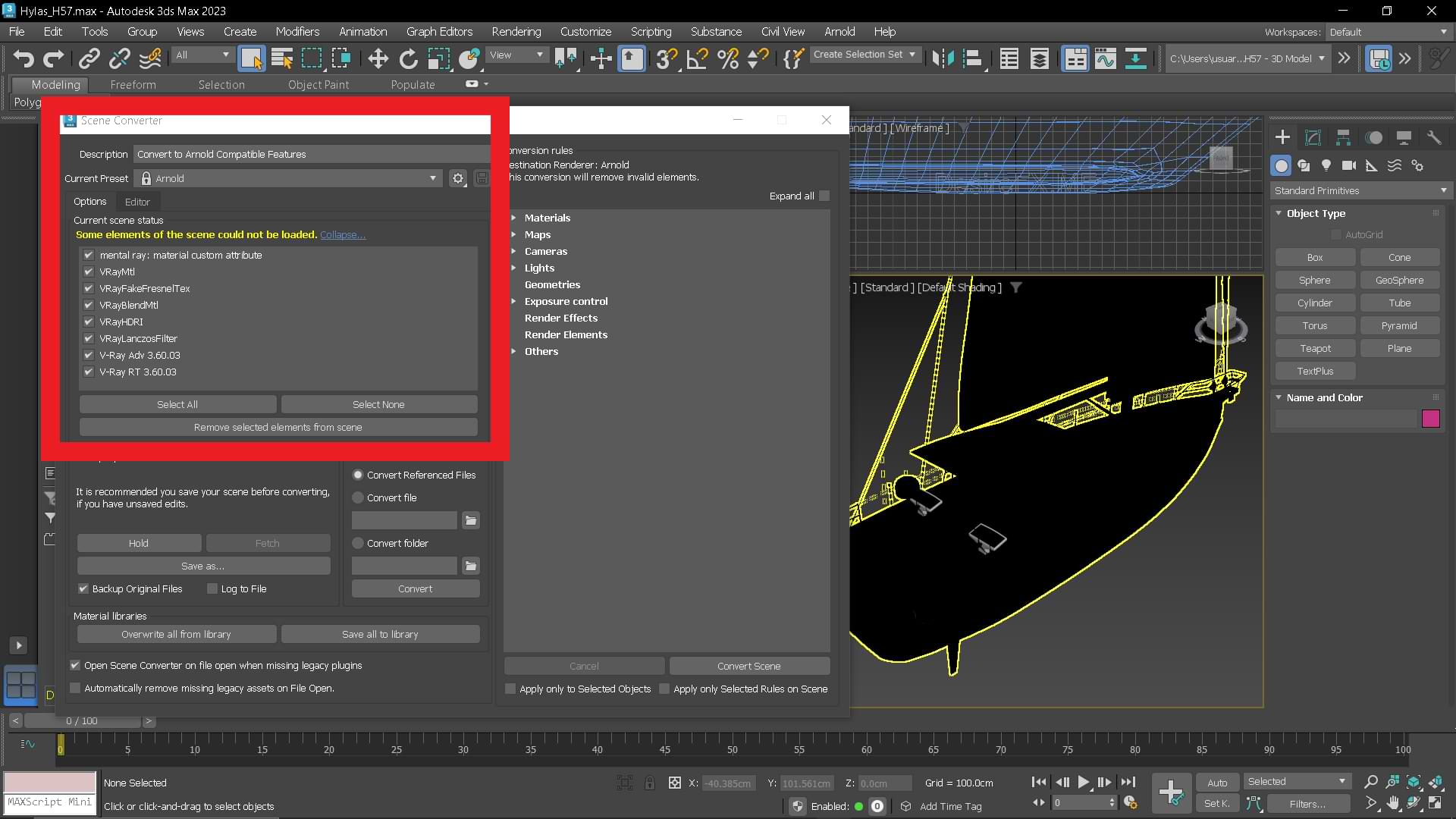
Hmmmmm there's no link to the original file. That raises my suspicions.August 25, 2024 at 11:05 PM #2088114V-ray materials...
 August 26, 2024 at 12:07 AM #2088119
Does Max also convert the V-ray material to useable maps that can be used in DS, either as individual material zones or as a whole map? Or are you showing that it can't.
August 26, 2024 at 12:24 AM #2088121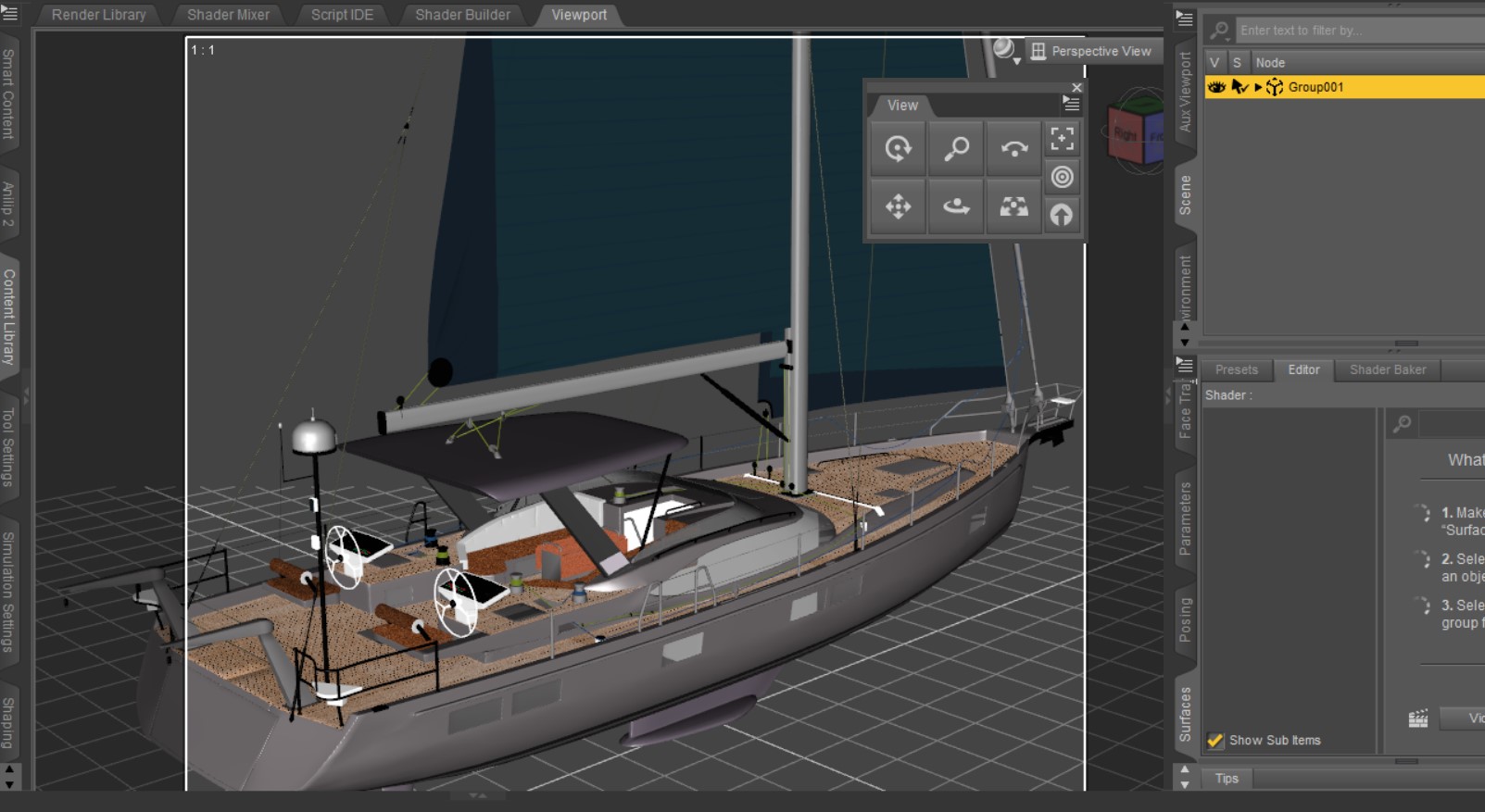 August 26, 2024 at 12:55 AM #2088125
Brilliant... you guys seem to have solved coldbeer's problem. All we need now is for someone to package the map/s and 6sIx1 can re-up it for DS use.
August 26, 2024 at 4:45 AM #2088137Oh, that would be awesome!
August 26, 2024 at 6:43 AM #2088145It is, theoretically, impossible to pass V-Ray materials, since they are shaders, not bitmap textures. Like a MDL for Iray...
They are not visible in the photo, because I do not have V-Ray installed at the moment... and the model is from 2013.
Apart from that, in the original, there is "DesireFx", which has the dirty habit of manipulating all the names of a mesh. This guy is crazy...August 26, 2024 at 7:08 AM #2088152So I guess if unless you want to render the boat with Max and VRay... you're basically stuffed.
Not exactly surprising with the problem with most of these models. -
AuthorPosts









- You must be logged in to reply to this topic.
