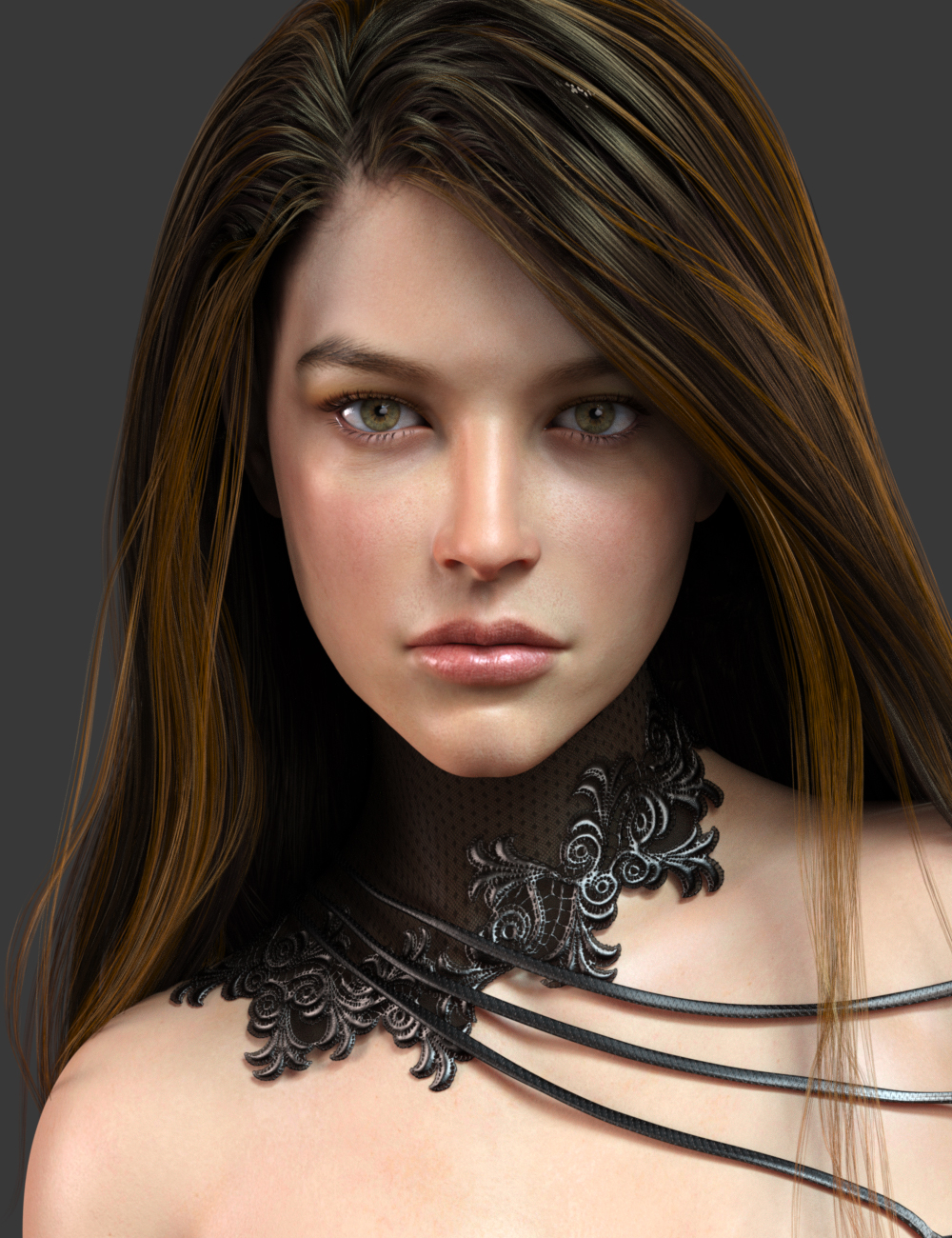
Identify this hair

Home Page Forums General Chat Identify this hair

Viewing 7 posts - 1 through 7 (of 7 total)
  • Author
    Posts
  • #1805376
    Anonymous
    Inactive
    Rank: Rank-1

    Please, someone know what is that hair in the pic?

    #1805483
    Cage
    Participant
    Rank: Rank 3

    Promo image from here:
    https://www.daz3d.com/sonja-hd-for-genesis-8-female

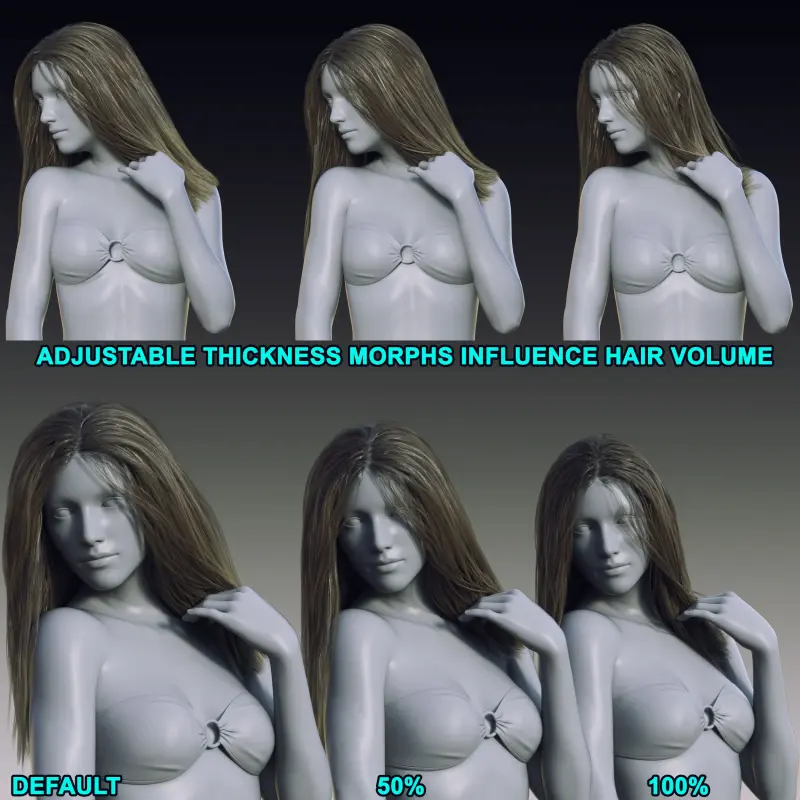
    I think it's a modified version of this:
    https://www.daz3d.com/classic-long-hair-with-dforce-for-genesis-8-females

    The most obvious difference is the placement of the hair part to the side of the head. Anybody know how to do that?

    Look at the hair in the bottom right:
    img
    The thickness increase morph is used to shorten the path between the hair

    #1805537
    darktsaqh
    Participant
    Rank: Rank-2

    The hair parting seems similar (same position) with Side Layered Messy Hair with Dforce from Linday. The hair has straight hair style option and thickness option.

    #1805648
    Anonymous
    Inactive
    Rank: Rank-1

    i used that hair you points, but i don't get the same results 😐

    #1805922
    ThomasBr
    Participant
    Rank: Rank-2

    dForce EXzela Long Hair for Genesis 8 Female?

    #1806044
    Anonymous
    Inactive
    Rank: Rank-1

    @cage

    The most obvious difference is the placement of the hair part to the side of the head. Anybody know how to do that?

    Zbrush. Pose Gen8 in Studio, add hair and do the Dforce thing. Export to Zbrush and pull the hair to the desired position. Send back to Studio and save the manipulated part as a morph. That's the hassle free way.

    #1806047
    Cage
    Participant
    Rank: Rank 3

    Sounds awesome. Thanks @billyhill, gotta try that sometime 🙂

Viewing 7 posts - 1 through 7 (of 7 total)
  • You must be logged in to reply to this topic.


Post You Might Like