Home Page › Forums › General Chat › I Have a Problem...
- This topic has 29 replies, 10 voices, and was last updated 1 year, 4 months ago by
 Charley.
-
AuthorPosts
-
June 12, 2025 at 10:46 AM #2132039
@amberkat It's the 2025 Alpha release. And, I had zero problems with it until now.
I'm at a complete loss as to what to do, apart from uninstalling and going back to an earlier version; see if that fixes it. I've noticed rendering small scenes - even when optimised - takes a long time too.
@supreme-leech Some interesting opinions on that thread. I didn't even know that Daz was giving up on its crappy AI venture. I tried it once, and the posters are not wrong about it.June 12, 2025 at 1:48 PM #2132047I never tried the AI, I took a look at it and thought I went back in time 3 years. Nothing interesting there. And who would have thought NFTs would bomb so badly?! They're the wave of the future and full of Apes!
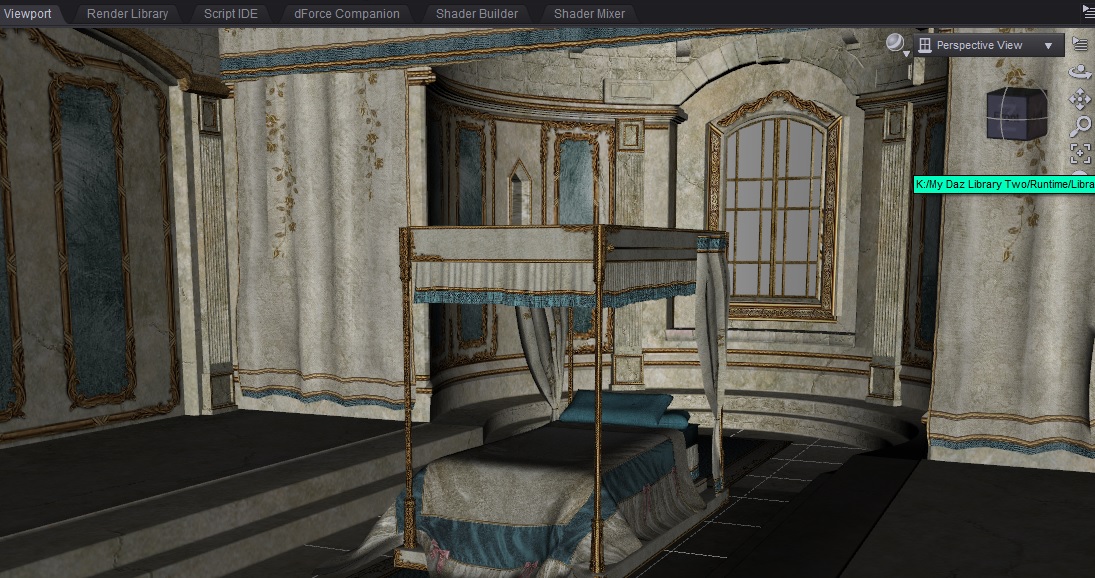
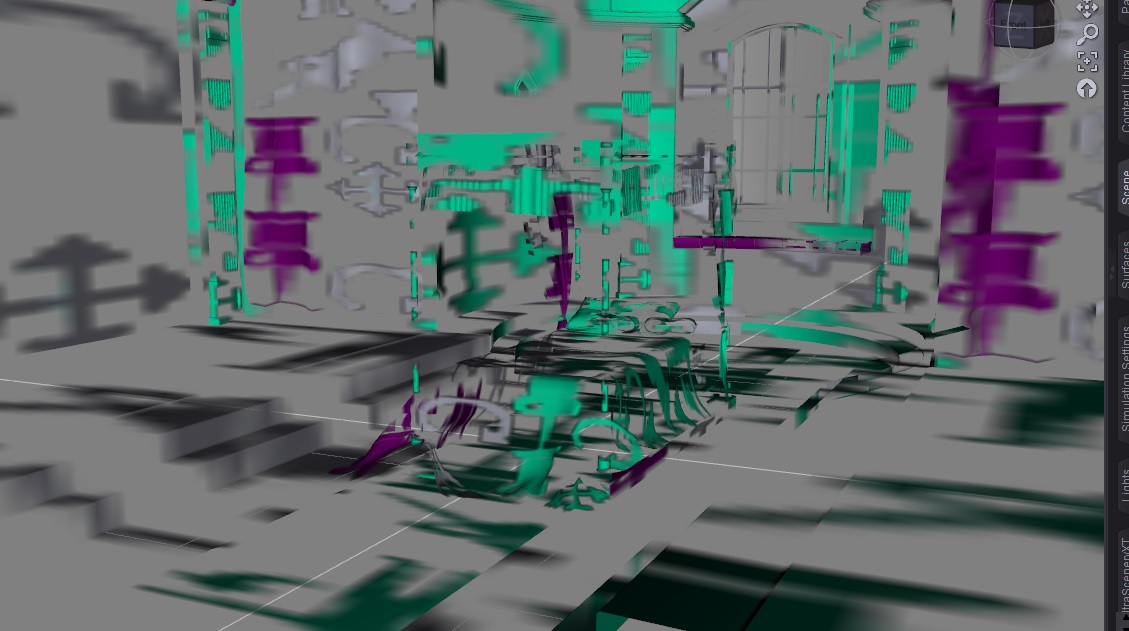
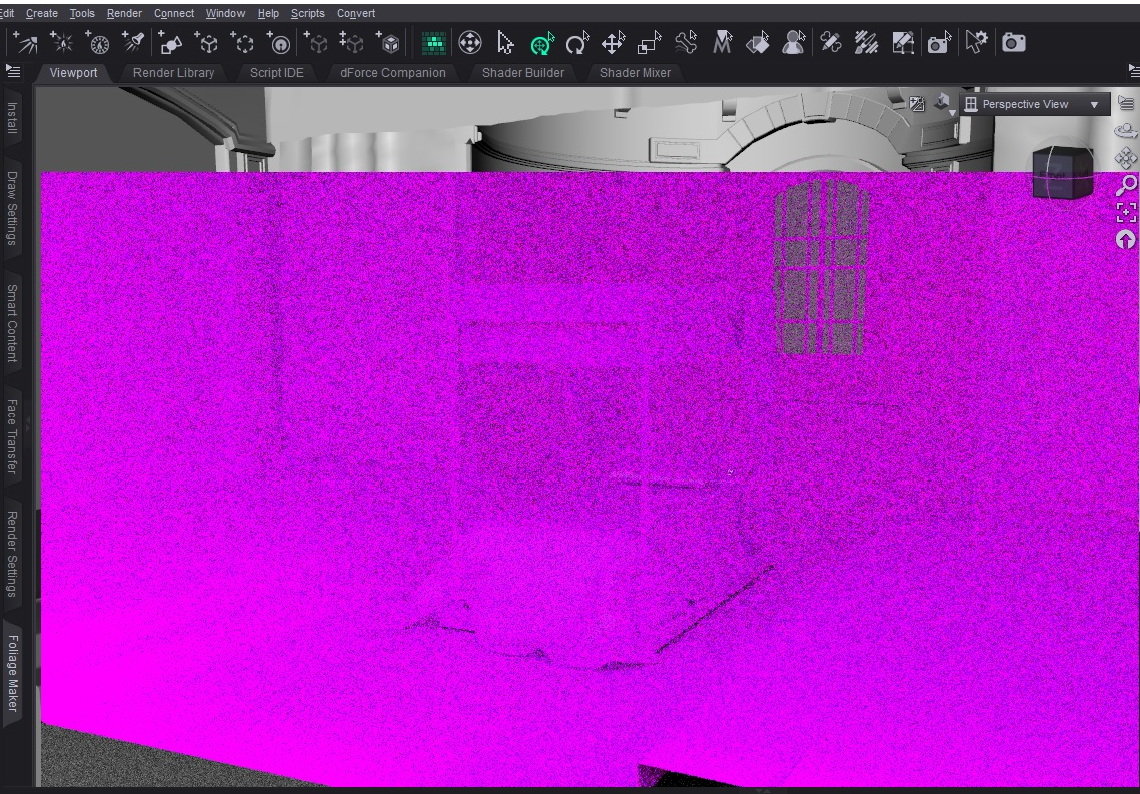
June 13, 2025 at 12:21 AM #2132088Just to get a better idea - here's what I was talking about.
When I load the assets from my library:
When I reload after saving and closing
In Iray preview
 June 13, 2025 at 1:53 AM #2132092
Is this just an Iray preview problem? What happens when you do a full render?
June 13, 2025 at 5:24 AM #2132101@frank22 It's the whole render, because the mess you see in the second pic, is what the scene in the top image looks like after I load it from saved. If I don't save and reload it; it's fine. Renders normally - if a little slowly; everything's perfect. The problem is with saving the scene, quitting it and then reloading it. I'm really at a loss as to what I should do.
June 13, 2025 at 6:33 AM #2132106In the second image you posted, it looks like the the textures on the object surfaces in the opengl preview got replaced by Daz tool icons (like Rotate/Translate) and their "hover" versions.
When you reload the scene, do the correct textures appear in the Surfaces tab? If not, Daz may be unable to locate or load the image files. It might be due to a bug in Daz that somehow messes up the saved scene.
Since, .duf files are gzip compressed json files, you can inspect the json in a text editor and check if the "image_file" property points to the correct file paths. Also, check the log at %appdata%\DAZ 3D\Studio4\log.txt for any errors.
If you have another Daz version installed, try loading the scene there to see if it renders properly.
🙂
June 13, 2025 at 9:08 AM #2132119These look like old Poser files. If so, it could be that the new~ish Studio isn't bothering with Poser compatibility.
I'm grasping at straws with this suggestion.June 13, 2025 at 11:26 AM #2132140@supreme-leech It worked perfectly fine with Poser files until this happened. And, it's with all files - not just the older ones.
@3dnoob I just tried that now; checking surfaces, that is. Didn't actually think to do it before. The location for the base colour and other image maps has changed from the actual runtime library on my second external drive, to a location on my first one - where I had an old install of those assets that I deleted due to broken textures and is empty, even though I got no warning message. Any ideas?June 13, 2025 at 12:50 PM #2132154Not sure what's causing this. Assuming you correctly added the new content directory under Daz Studio Formats in the Content directory manager, Daz should be able to find the files.
Since textures load fine initially but break after saving, it might be a bug in how Daz handles saved scenes.
Try testing with a new empty scene instead, add a primitive, apply a texture, save and reload. Does it work?
Also, since you're using an alpha version, the simplest "fix" would be use an older version of Daz.
🙂
June 13, 2025 at 1:04 PM #2132155Thanks to everyone who helped out, and especially to @3dnoob, who set me on the right track.
And @supreme-leech it was my bad - it wasn't ''all files'' like I thought; I just happened coincidentally, to pick the wrong scenes to load.
Here's what happened; in case anyone ever has a similar problem:
As I said here before, I had an external drive that died. It had all of my Daz stuff on it. I used a data recovery tool, and it retrieved and repaired a great deal of stuff. However, there were many assets that were damaged and lost, and I've been trying to replace those ever since.
Now, it just so happens that the assets which started showing up looking completely mangled on reload, were coincidentally, the replacement assets for those which had been destroyed. And, thanks to @3dnoob, I figured out the problem by checking them in the surface tab. It turns out, Daz somehow got confused, and instead of loading the textures from the new location where the replacement assets are saved, it was loading destroyed image maps (which I thought I'd deleted completely) from the location on the recovery drive where I'd saved them.
So, I navigated to the textures folder on that drive and sure enough; I hadn't completely deleted the ruined image maps. I deleted them, then reloaded my scene. Thankfully, all my textures were there and completely fine.
So, it was a case of Daz getting somehow confused - which is the only way in which I can describe it - and loading damaged surface maps from the drive where I recovered my library; files I thought I'd deleted, instead of loading the intact, undamaged textures from their installed location on my new external drive.
June 13, 2025 at 1:28 PM #2132157@reinecarola Did you forget to remove the old directory from Daz? If both were added, Daz prioritized the old one, possibly because the new one’s on an external drive, (or it could've been the drive letter, for example, E:\ being preferred over K:\). Once the old files were deleted, it defaulted to the new path.
Good that you got it working.🙂
June 13, 2025 at 1:43 PM #2132162@3dnoob They're both on external drives, and strangely, the problem didn't occur until recently, so it seems that something happened with the latest update and Daz started to prioritise the original library.
Like I said, it was all fine, but thinking of it, it did coincide with the latest update. I really thought that I had purged the old libraries completely, but I found a lot of folders with damaged files on the drive, so I got rid of them.
Main thing is; it's working again. Turns out it was faaar less complicated than I thought it would be! 🙂
June 13, 2025 at 1:49 PM #2132163Well, that is good news.
I'm pleased it was a straightforward fix.
🙂
June 13, 2025 at 1:52 PM #2132164Good to see you got it sorted!
This kind of trouble is why I keep a warm daily backup to a USB drive, and a cold 3x/wk backup to the home (networked) server (both are full backups diff'd in via FreeFileSync + Windows' built-in Task Scheduler - FFS can generate batch files which make this possible, and I network-share the directories that the backup server pulls from, which keeps everything isolated in case of malware.)
Doing this has saved my bacon more than once over the years, to the point where even my 2000-vintage original Poser Runtime directory still has yet to mis-load something.
There is no perfect way to do backups, except to make sure that you do them, and often.
June 13, 2025 at 2:36 PM #2132168@eelgoo Thanks! It's a relief that it turned out to be a very minor issue! @pooper Thank you! And, you're absolutely right with regard to backing up files. I was lazy, I admit, but my drive was only a few months old when it failed, and I had already transferred my entire library over to it from the internal drive. I never expected something that new to have serious issues so early on.
-
AuthorPosts












- You must be logged in to reply to this topic.
