Home Page › Forums › General Chat › how do put model into DAZ install manager?
- This topic has 19 replies, 7 voices, and was last updated 3 years ago by
 Abad.
Abad.
-
AuthorPosts
-
October 6, 2023 at 3:44 PM #2033932
Hi i download a model from this website and the model is in my download folder.
how can i transfer it into DAZ install manager so i can use it?
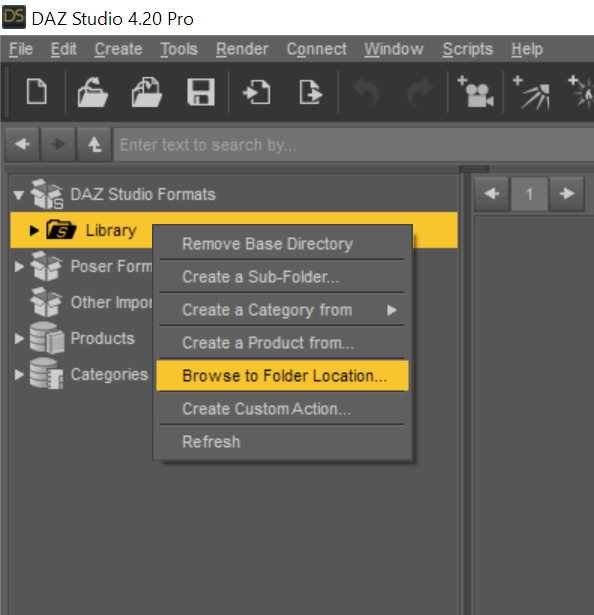
October 6, 2023 at 4:44 PM #2033949Hi, I've been using this Freebie for years, just download & install it, open Daz, pick a location in your 'My Library', like People, click on 'browse to file location'. It should look something like this...E:\Program Files\DAZ STUDIO 3D\Applications\Data\DAZ 3D\My DAZ 3D Library\People The important part is which drive you have Daz Studio loaded on all the way to My DAZ 3D Library\ ,
Copy & Paste in the Content Installer Under 'DAZ CONTENT'.
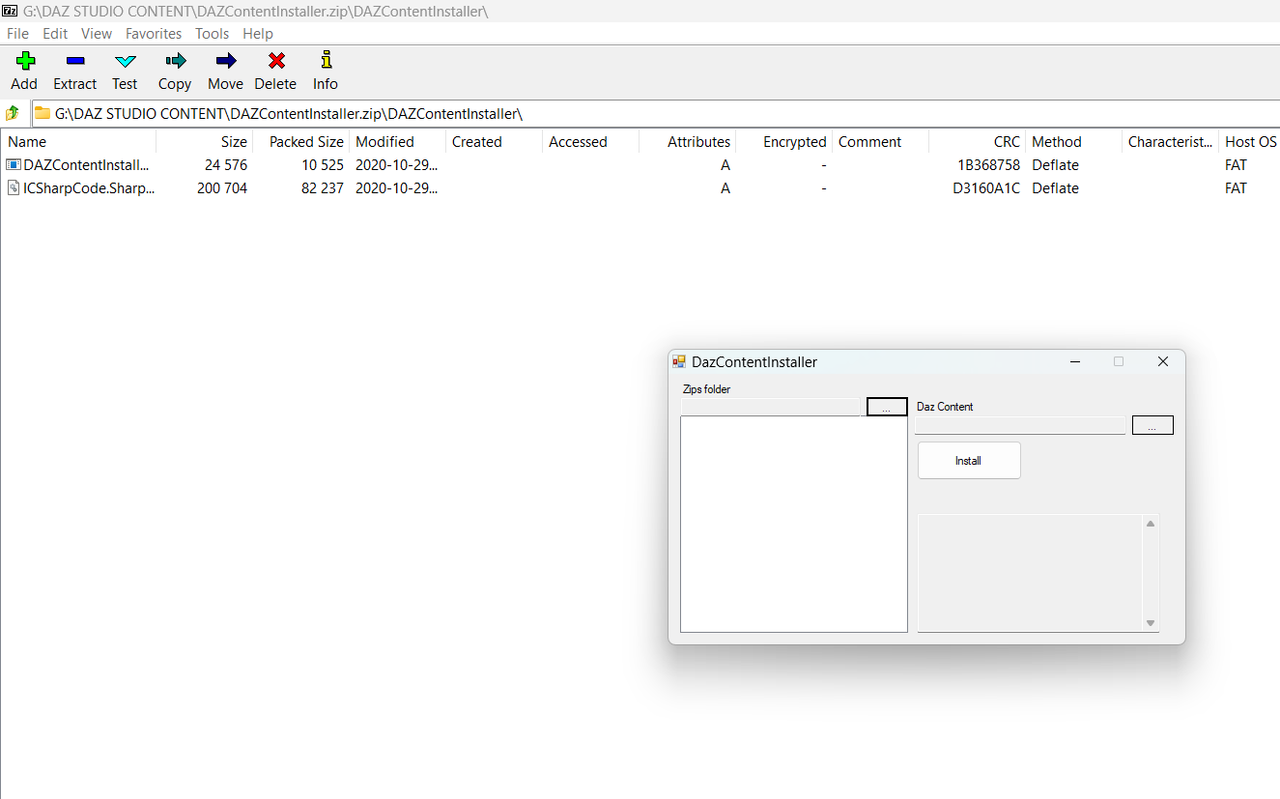
Open every download you have for Daz, find by trail & a little error, the second(usually) .zip file, copy to a Folder, you can put loads of zip files in there. Then open the CONTENT INSTALLER, add the 'folder' & click the INSTALL button.
Once it finishes, you can scroll back up the Install list, it will usually say 'invalid daz content' if a file is inside a second zip file, note any files, & check it out.I'd put a link up to the Site I got this from, but it seems to have disappeared, long ago...
https://mega.nz/file/aJh1SQbD#V-4UBYxd_dyi1XQQaivsfxi9l0Ink2WMeq9h5Klr2e4
PM me if you have any problems, I have no idea on any of the ''tech'', but I can talk you thru the main problems...
Dita
October 6, 2023 at 5:02 PM #2033955do i need to unzip it?
October 6, 2023 at 5:06 PM #2033956do i need to unzip it?
how do i show you a screenshot on my situation?
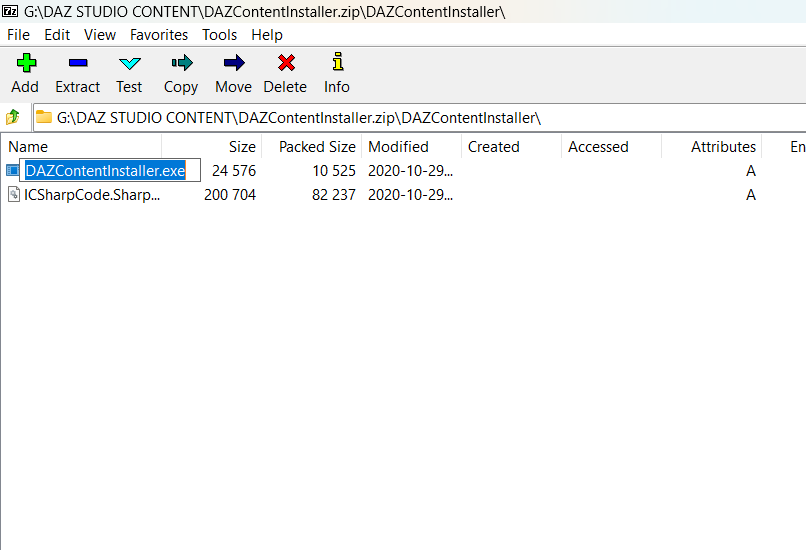
October 6, 2023 at 5:30 PM #2033960Yes UN-Zip the files until you find this...https://i.postimg.cc/rFSRKy7J/Screenshot-5792.png
click on this...You'll get this pop-up https://i.postimg.cc/nrSRmYXy/Screenshot-5793.pngI'd give the Content Installer it's own folder, then use it to load into Daz, It won't put Daz Downloads into smart content, not that I even use it that much...
October 6, 2023 at 5:37 PM #2033961PS...Get yourself the I.postimg app Look Here for the links & reasons...https://zonegfx.com/forums/topic/%f0%9f%93%a3-important-do-not-hotlink-images-from-stores-in-requests-2/
October 6, 2023 at 5:49 PM #2033963try installing "Colonial Forces Add-On For Tactical Assault Outfit For Genesis 8 Male(S)"
because i can't find that file
October 6, 2023 at 7:27 PM #2033982Check your PM's...
October 7, 2023 at 4:23 AM #2034104@joihnsonlee .. what you have here is a zip file of the content which you can manually install very easily..
.. take a look at this thread which gives you very detailed info on how to do iy..
.. you just need to extract the contents of the zip file inside what you have downloaded to your Daz content folder..
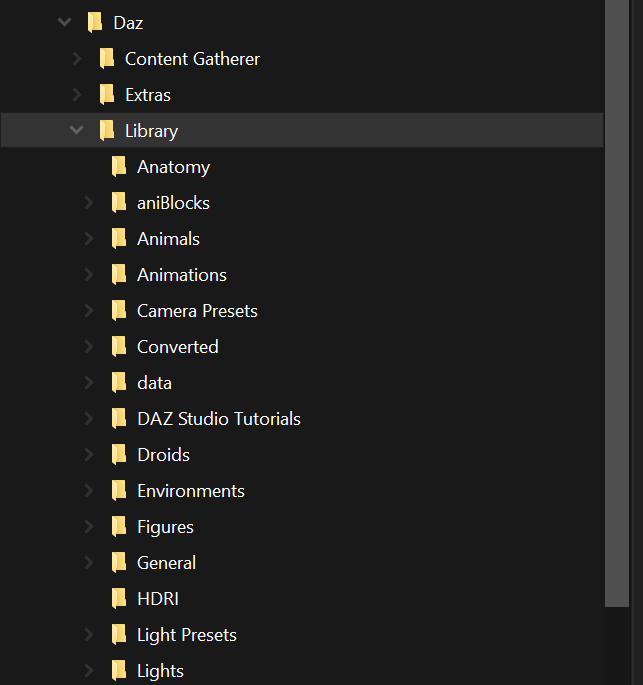
1. Open Daz, right click on your Library and select Browse to folder location to open your content folder
2. Open the downloaded zip file and open the zip file inside that..
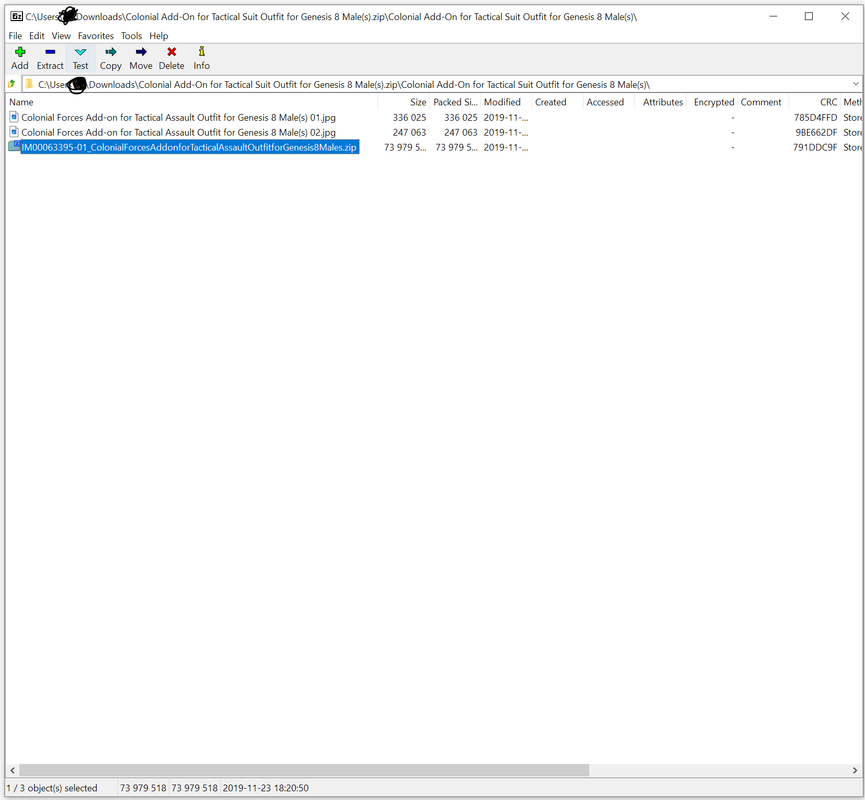
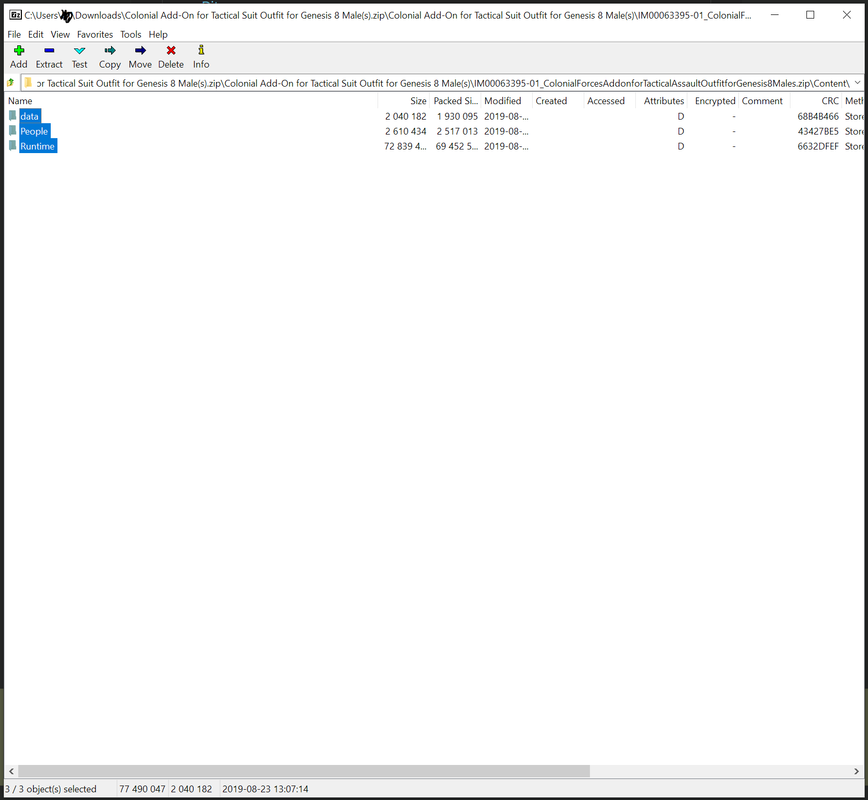
3. Select everything that you have in the Content folder inside that zip and just drag it to your content folder..
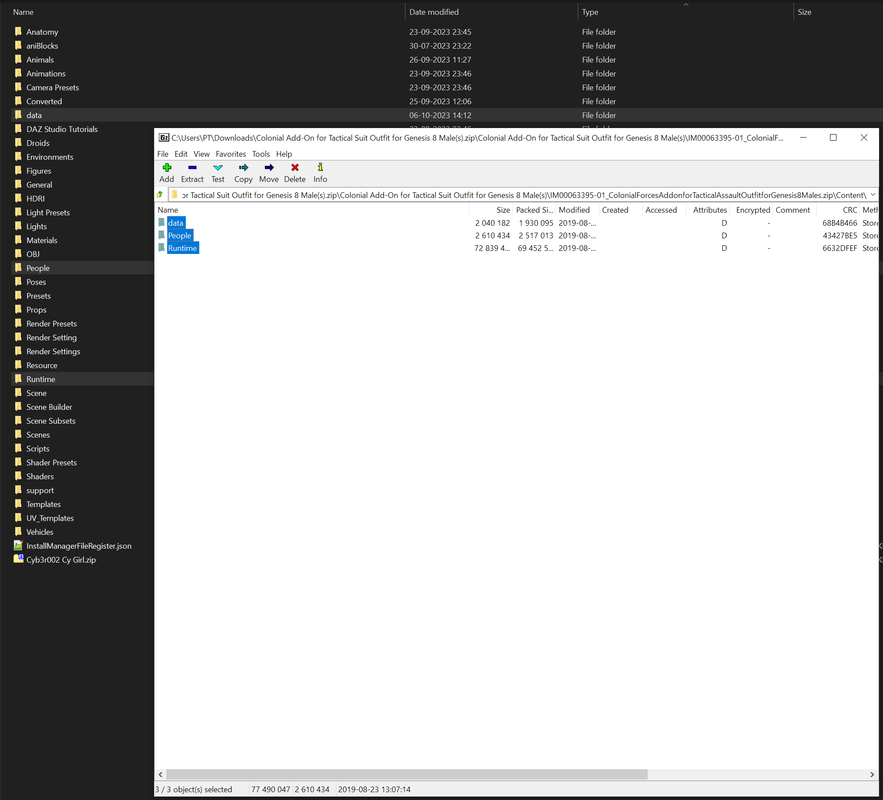
4. Done..
October 7, 2023 at 6:09 AM #2034115hello john,DIM can only install the content of DAZ, with the file prefix “IM”
after installation, they will be displayed in the smart content library.
renderosity,renderotica,renderhub or others, you couldn't install them into smart content without extra plug-in unit.here is a way that you could create or update Smart Content for any product, install products from any vendor and any site.
October 7, 2023 at 9:46 AM #2034140@konantsukue943 .. that's a nice tool, but you would need to extract the zip inside what you have downloaded to use this..
October 7, 2023 at 10:05 AM #2034144it may be a bit troublesome to install the product,but using smart content is very convenient,it's worth spending these extra time.
you could accurately search for the product you need by product number or author name,the filter above,support for customization,there are currently some minor issues, but overall they are good.October 8, 2023 at 9:54 AM #2034412A properly configured & maintained manual install is the only way to ensure ease of use.
October 8, 2023 at 11:18 AM #2034429how do i put images into my messages?
i tried using https://gemoo.com/tools/image-url-generator/
but no luck
October 8, 2023 at 11:25 AM #2034432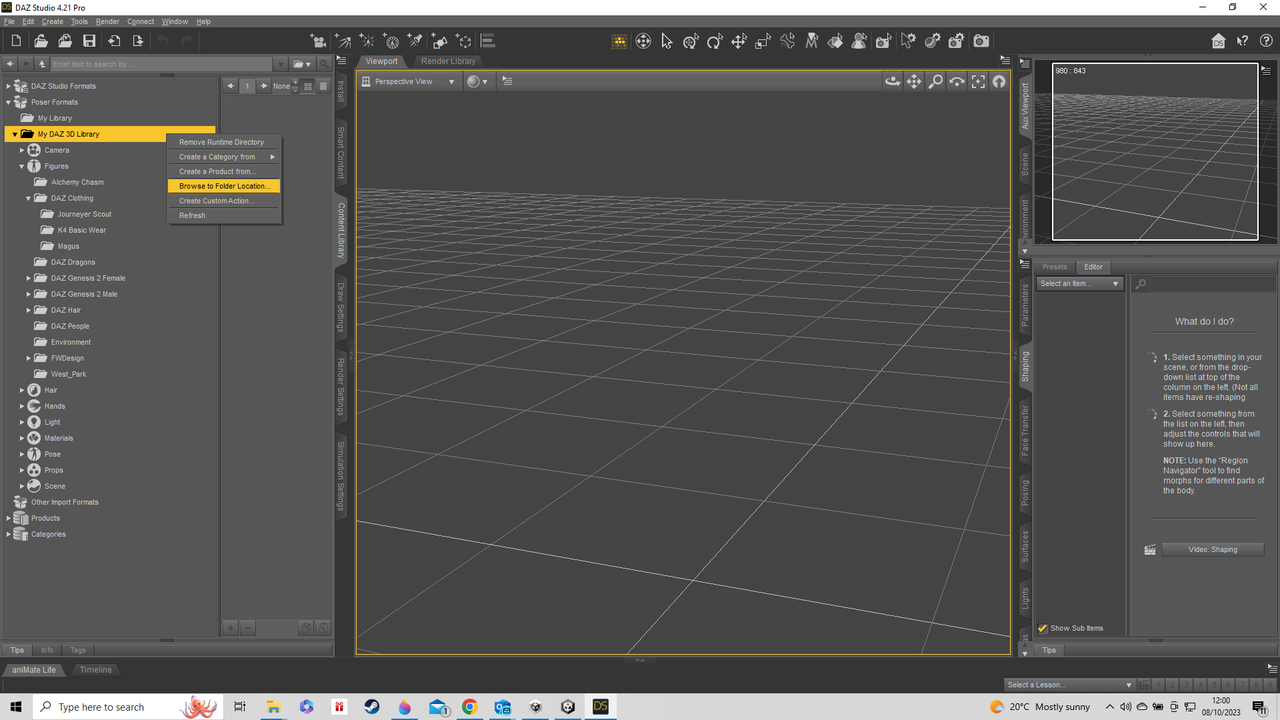
can anyone read this?
if you can't please tell me how to make a bigger image? please?
-
AuthorPosts









- You must be logged in to reply to this topic.