Home Page › Forums › General Chat › Help identifying Linday characters?
- This topic has 20 replies, 12 voices, and was last updated 4 months, 3 weeks ago by
CKAY.

-
AuthorPosts
-
December 26, 2024 at 6:50 AM #2110194
There's one or two characters Linday likes to use in a number of their promo shots. Particularly the characters showing up in these four products:
https://www.daz3d.com/cozy-day-bundle
https://www.daz3d.com/mediterranean-town-overview-hdris
https://www.daz3d.com/dforce-wet-messy-bang-hair-for-genesis-9-8-and-81-female
https://www.daz3d.com/wet-and-dry-summer-bundleSimilar-looking character(s?) can be seen in a number of other Linday's products as well:
https://www.daz3d.com/lindayI know some PAs use custom characters, so this may be a long shot. But just in case, anyone able to give a name?
December 26, 2024 at 10:42 AM #2110250I think Linday uses Twosret 8 textures with a custom morph
December 26, 2024 at 10:50 AM #2110251We all want 'em 🙂
Custom build characters for promo.
December 27, 2024 at 4:00 AM #2110425I hear ya Worda.
And thanks for the tip Anon. Now that I look, Twosret 8's default morphs seem reasonably similar already, even if there's a custom morph involved.
December 28, 2024 at 8:59 AM #2110615Yep i was about to say some of those images look like the default twosret morph, with a few extra body details that were probably applied in PS
September 14, 2025 at 12:04 PM #2145150I know I'm necroing this one, but I thought someone might find it useful. Linday uploaded a duf with the characters, lighting and tan lines used in her Two Body Bundle. It does say Twosret 8 Two Body Bundle Version 01.duf
It requires Milawa, Monique, Penny, Twosret plus the Auto Shape Enhancer, Musculature Morphs and Surgical Beauty.
You can grab it here.
https://www.daz3d.com/forums/discussion/734256/linday-please-help-two-body-bundle-modelsSeptember 15, 2025 at 5:17 AM #2145267September 15, 2025 at 6:46 AM #2145282You're welcome, it was so kind of her to share it. It's also great that she keeps supporting G8, most have moved on.
I don't really want to install all these extras to see how she looks, but if anyone goes through the trouble, I'd love to see how she comes out!September 15, 2025 at 1:01 PM #2145311I will install all these extras and make it a stand-alone morph, wait for me.
September 15, 2025 at 1:58 PM #2145312That is very thoughtful of you.
Thanks.
🙂
September 15, 2025 at 3:42 PM #2145324@Trader2h, I've been trying to find these ladies for ages. Every time I try to move on from Gen 8, they pull me back in. Thanks a whole lot.
September 15, 2025 at 4:41 PM #2145330It is for your own good! 😉 LOL!
( I'll move on from G8 when I see something that is better for what I want to do....NOT a lot worse! :0/ )
September 16, 2025 at 7:28 AM #2145409Okay here is the file: https://www.mediafire.com/file/6bbin2e7rqpl3jw/LindayTwosret.7z/file
You will need:
+ Twosret installed for the skin's textures.
+ Genesis 8 Female Body Morphs: Everyone should have this by now, its one of the essentials of daz.
Included in the pack are:
+ Milawa, Monique, Penny morphs only.
+ Musculature Morphs.
+ Surgical Beauty morphs.
+ Linday's tan line textures and modified studio tomoco HDRI (I heard this hdri is considered the best of the best, its the default HDRI of substance painter)
+ Josephene 8's 5 make-ups.
I didnt include auto shape enchancer because this character only use auto shape enchancer for bend morphs. I prefer Ultimate Natural Bend Morphs 2.0 for bend morphs. You can install auto shape enchancer yourself if you want that instead.If you dont want the pack to clutters your library with morphs, or you already have musculature morphs and surgical beauty morphs installed, you can go to the data folder and delete xenic's musculature morphs and Surgical Beauty morphs.
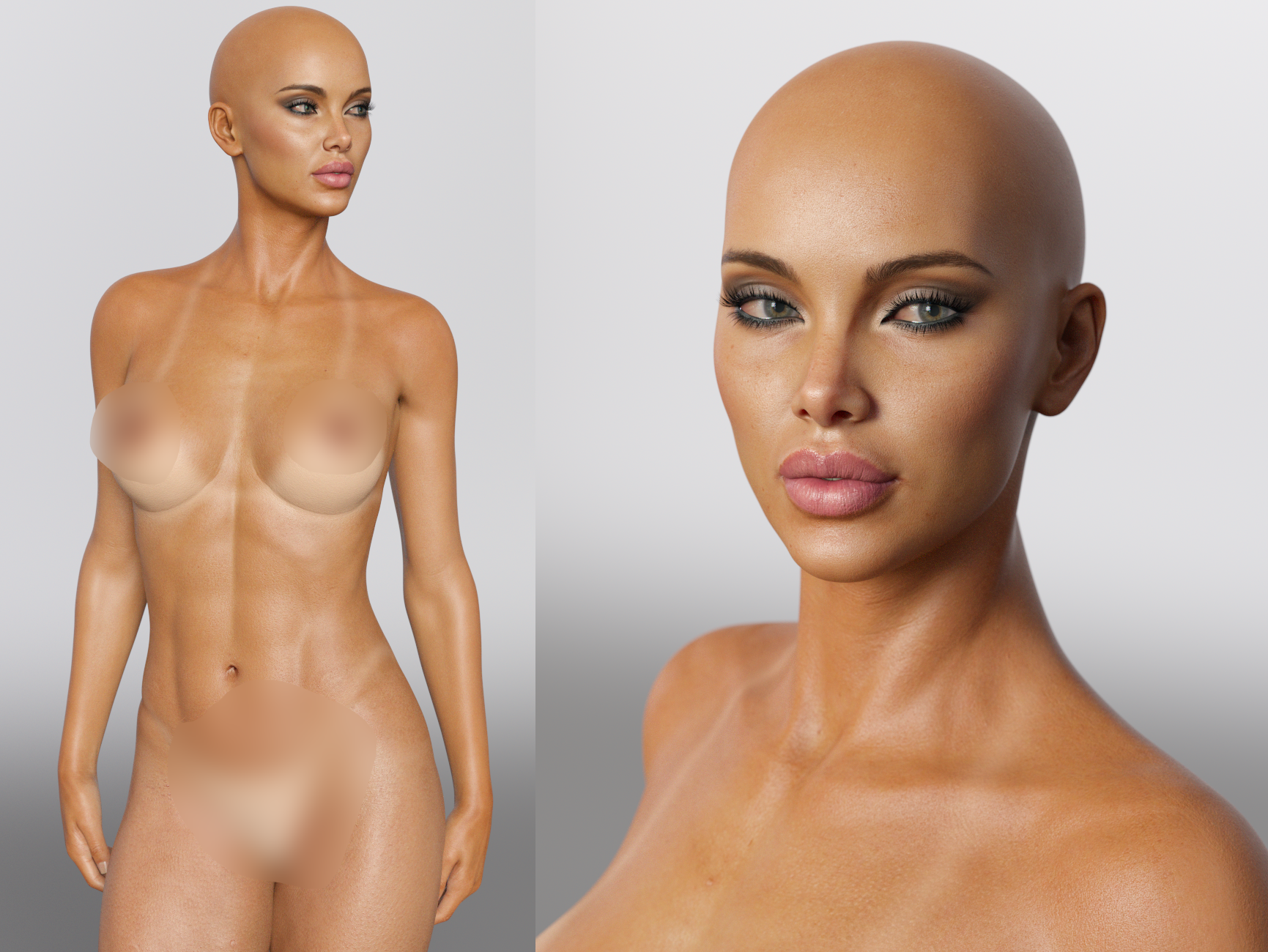
September 16, 2025 at 7:53 AM #2145411She looks gorgeous
 September 16, 2025 at 11:46 AM #2145444
Oh, wow!!! She really is THE girl!!!!!Thank you so, so much @conkec1993, I had my doubts but she's definitely worth all of the morphs! Really impressed!
-
AuthorPosts













- You must be logged in to reply to this topic.
