Home Page › Forums › General Chat › Genesis 2 conversion love for Genesis 9
- This topic has 53 replies, 10 voices, and was last updated 3 years, 10 months ago by
 Goblyn.
-
AuthorPosts
-
November 6, 2022 at 3:31 AM #1886529
I went ahead and loaded up GND. Though I'm extremely new to poser so it took me a bit of trial and error to load the character (injecting morphs are confusing).
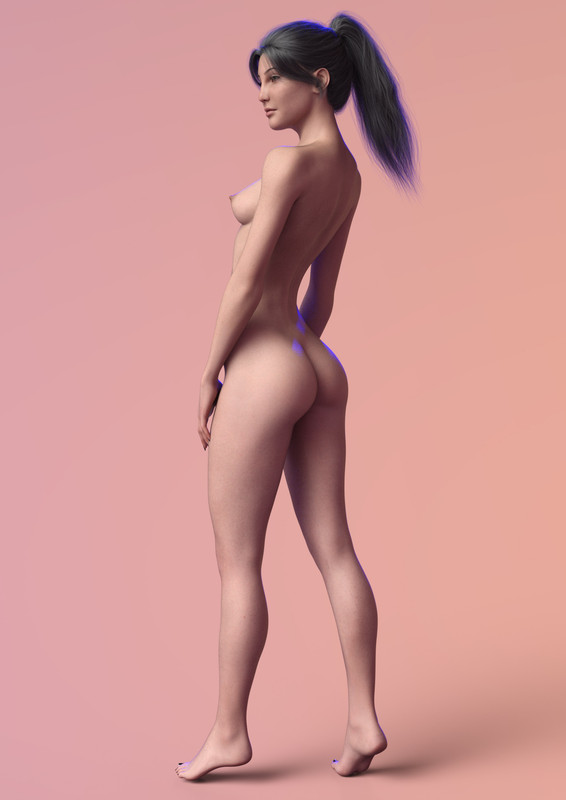
What do you think? Does it look weird? This was a quick conversion, there's lots of extra work to make it even better of course.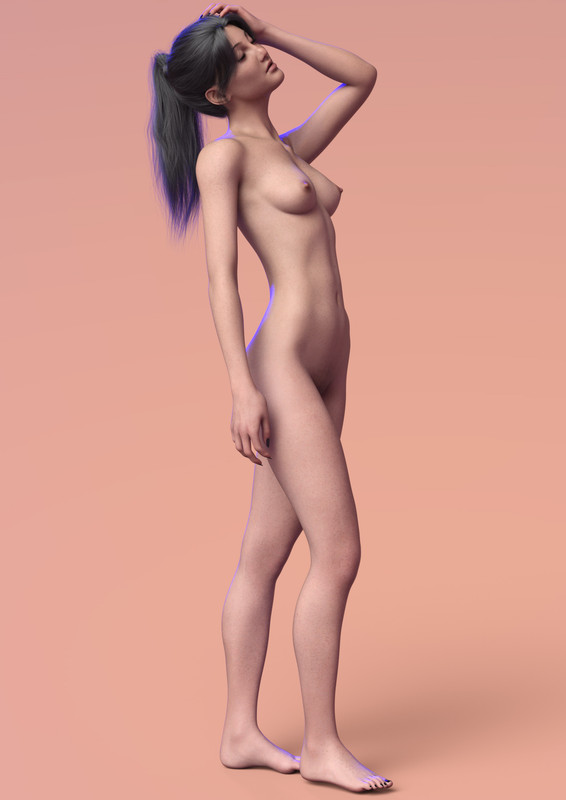
 November 6, 2022 at 3:51 AM #1886530
Wow, and thats to G9? or G8.1?
Is there some sort of process you're following? I was never able to get her to look anything like that!
As a side not yes the loading all the morphs and injecting them and getting it all ready. I may have messed up that step. But thats a pretty good conversion.
I'd be interested in knowing your method.DD
November 6, 2022 at 4:43 AM #1886533Sure, I'd be willing to explain the process sometime! Yes, This is G9.
November 6, 2022 at 8:04 AM #1886567I have never managed to get a V4 conversion further than G3F, and that with 2 stages: V4 - G2F & G2F-G3F. Morph integrity is compromised somewhat with each conversion, so the ideal would be a single hit. That said, I am quite happy with the results in a lot of cases.
You have done a very nice job with that.
She actually does look OK there.
That said, the character GND always looked a little out of the ordinary, despite her nomenclature.As you are favouring clothed renders, I can appreciate that you are OK with G9.
I like to do both clothed & nude, I think my priorities probably differ to yours.If you were able and had an inclination to, I would be interested in seeing a direct comparison with a similar conversion to G8.1F.
Seeing the original, G8.1F & G9 versions together might be informative.November 6, 2022 at 3:46 PM #1886734Yes. And if they are the same or not.
Still would love to know the process he is using. Clearly differs from anything I've been able to create for V4 especially. I've had many characters that I've gotten but no longer use because they just don't look right. Eye's not proportioned properly. Fingers warped. Sometimes something else warped. Or a couple times looked great. Until you used a pose. I checked all the rigging and what not but still came up bad.
@recktat19
When you get a chance. I look forward to how you're doing it. I have a few I'd like to convert.November 6, 2022 at 9:55 PM #1886877@Inversekinematics
I'm pretty sure his process is straight from v4 to G9. I think he's using R3SD Wraps but not 100% sure. Which is why I'd love to know his process. Especially if I can use the same process on some G2's that require a lot of extra effort to convert.I'd love to have some of Darklord Comics characters. I know a couple of them are stock but I can't figure out what body he used or morph he used to make them look the way they do.
DD
November 6, 2022 at 11:14 PM #1886907LOL. I've done a couple with the wrap. However I was never able to get it right.. One the eyes were like Anime and the teeth look like he was punched in the face a few times, or was right out of the hills have eyes. Though this was me learning on my own. I've seen a couple tutorials now and I think I could do a much better job but seeing someone else doing it, and knowing their process is something that interests me. I also think the software has progressed since then.
Especially when the results look as good as what Recktat19 has done.SS
November 9, 2022 at 4:48 PM #1888005@Inversekinematics Let me know if you're able to get it to work!
The last time I used it, you had to do some weird highlighting manually. Like selecting all the grids/textures. Including the mouth teeth etc. Was a really painful process and if you missed one of them it made a mess of things.
This one seems a lot more straight forward.November 10, 2022 at 10:48 PM #1888467November 10, 2022 at 10:53 PM #1888468@inversekinematics
Yes. Link if you have them please? I tried googling but I think he has them under WP Guru?This is one of them.. I think?
And also this one?
November 11, 2022 at 3:51 AM #1888523I'm glad you tried it and are preaching the good news. When I say it no one believes because it's Hip and Cool to not like the new thing. Gen 9 makes morph making a breeze, perfect for beginners. Textures too, Less maps make the process so easy and straight forward.
Genesis 8/8.1 had too many maps, and floating geometry. The eyes which composed of multiple layers and the mouth had to be removed everytime you wanted to wrap for conversion. It was mind numbingly complex. Wrap has a feature called "Fix symmetry" which essentially balances out the left and right side, or even completely prioritizes one side. This was impossible to use back with 8/8.1 because of the floating geometry. I got to use it for the first time on Gen 9 and it honestly changed the game for me.
https://vimeo.com/187608159 <- FixSymmetry in action. I don't know how to embed it, got blocked when trying.
November 11, 2022 at 9:48 AM #1888614So does that make it any easier to convert G9 to G8.1 ?
:0/
November 11, 2022 at 10:21 AM #1888656Nope, unfortunately. Converting anything to G8/G8.1 is a nightmare. Having the mouth, eyes and teeth apart of the main mesh means constant issues having to fix and fixing them is super tedious and unfun.
If you like older characters, Gen 9 is the way. You essentially have all those characters ready for you to use. Conversion is enjoyable, minimal issues with mouth and eyes, Doesn't take long and the textures are easy to convert.
November 11, 2022 at 10:25 AM #1888658Well that has to be a positive.
Given that that is the case, all they have to do now is improve the G9 base in quite a few key areas.
:0/
November 11, 2022 at 12:49 PM #1888733@InverseKinematics I do V4 direct to Genesis 9. Here's an A-Pose pose for Poser. Load your V4 character, Inject the morphs you want then use the pose to get the character in A-Pose. Export the OBJ (make sure it's not wearing anything of course), then import it to Daz Studio using the Poser preset. Export the Obj again from Daz Studio using the Daz Studio preset.
This makes the models relatively the same size and fit for Wrapping.
You could wrap straight from there, though I usually adjust a few things first:
I've never used poser before so I find my model tends to look somewhat distorted, the morphs injected aren't smooth (tend to look blocky) and the model comes with Nipples and a navel built in. This is likely just me doing things wrong. I'm not sure how to fix that in poser so I just load the OBJ in blender and smooth them using the sculpt mode. The model also has fused in Eyelashes, in Blender I delete them by going into Edit mode, selecting them using the material zone tab. This gives you a model that is completely ready to wrap.If you want to go a step even further, I would recommend increasing the height of your Base Genesis 9 to match the V4 shape (You can do this while you re-export it from Daz) and maybe even dial in the Genesis 2 clone that Genesis 9 has built in. I just exported this edited Base obj as Genesis9_Tall for whenever I wrap V4.
Everything is the same after that like you would wrap any other geometry. If you matched the height with the V4 model you won't even have to select point pairs or anything fancy. Just wrap the model.
-
AuthorPosts





- You must be logged in to reply to this topic.
