Home Page › Forums › General Chat › Clothing Fit (breasts)
Tagged: Fit
- This topic has 14 replies, 12 voices, and was last updated 1 year ago by
Daniel45.

-
AuthorPosts
-
October 5, 2025 at 5:23 PM #2147968
Every time I try to fit clothing onto a character that has large breasts it always comes out terrible. If it's a bra then it's fine but other than that... I have fit control but I haven't been able to get it to a point I'm happy with. You can tweak with the cleavage depth, bottom height and all those things but it always looks bad. Is there a solution to this? Here's an example (without fit control) of what I'm talking about
 October 5, 2025 at 7:25 PM #2147975
it appears to only work for specific shapes. aren't there any universal solutions? if I apply the morphs from GVP it just creates a super weird shape
October 5, 2025 at 11:19 PM #2147993There's a thread over in RenderHub that discusses this problem...
https://www.renderhub.com/forum/13925/creating-sgm-or-whatever-you-want-to-call-the-morphs
Here's a LOT more information...
https://www.renderhub.com/forum/13920/daz-using-sgm-or-whatever-others-call-their-morphs
RenderHub has a lot of talented people offering tutorials and help.
There's also an excellent Discourse server called 'Daz3D Slackers'. It bills itself as the unofficial Daz server. Just don't let these places know that you use this place to get items for free. Stuff like using the same name there and here or asking the exact same question here and there. It's best to read the tips and tricks and otherwise be a quiet little mouse.October 6, 2025 at 1:09 AM #2148003Theres a few morphs floating around for it. I think sickleyield might have one.
Other than what the link might say, my unprofessional experience is to alter or remove morphs on the shirt applied by autofit. Add Dforce to the item. Use mesh grabber occasionally. Success rate is about 3/4 but I rarely go that large on boobs. Theres an underboob morph that helps but no idea where I picked it up. It a huge PITA with most every clothing item.
October 6, 2025 at 7:57 AM #2148035Or, uhm...smaller breasts maybe ?
Yeah, I see myself out...
October 6, 2025 at 10:20 AM #2148042Yes, that problem isn't exclusively with larger breasts.
TBH, over the years I have found that the most practical way to deal with the issue is Fit Control. It isn't perfect, by any means, but it usually gets you pretty close, fiddling with a few of the sliders.
Usually I finish off with a small amount of post work in GIMP.
October 6, 2025 at 10:30 AM #2148045What Gen do you use? G8 or G9?
For G9 Beside Dforce, I use that: https://www.daz3d.com/gvp-chest-smoothing-morphs-for-genesis-9
https://www.daz3d.com/gvp-chest-smoothing-morphs-for-genesis-9--volume-2
October 6, 2025 at 5:53 PM #2148107There isn't a single good one size fits all solution - it's specific to a character and a clothing item.
I generally use a couple of custom projection morphs similar to fit control and then smoothing on the top. Gets me there most of the time.
October 6, 2025 at 7:56 PM #2148118I think that nothing beats dforce for the breast situation. I just start the simulation with reduced breasts and apply the full morph at the 15th frame, save as a morph and delete the simulation.
I wish I could use zbrush or blender, that would be ideal. I find mesh grabber a little heavy handed for the area.October 8, 2025 at 9:46 AM #2148333Have been following this thread with interest.
Having clothes shrink-wrapped on my girls was a huge pet peeve, especially if they have enormous racks. For small, standard or even slightly busty then the solutions mentioned here will work. But if they have a big cup size that's when the shrink wrap effect gets really bad.
After trying several solutions, I came across this thread. It’s long but well worth the the read
Don’t be put off by the title: it’s mentioned very early that the solution will work on breasts. Caveat: the solution, while it works very, very well is not a cure all as there are some types of clothes that it will absolutely not work on: swimsuits and off the shoulders being the first things that come to mind. But if the clothing item has cloth that falls over the shoulders then it works very well indeed.
Some examples in action:
https://new.imagehostx.com/upload/2025/10/08/Test-a-smaller_1759914517.png
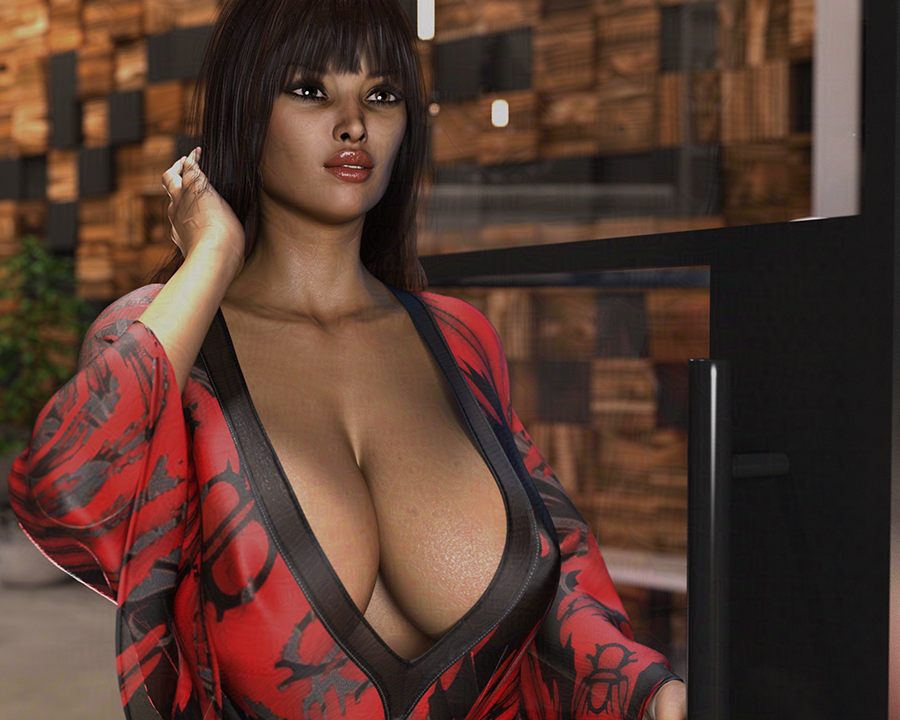
https://new.imagehostx.com/upload/2025/10/08/Test-b-smaller_1759914558.png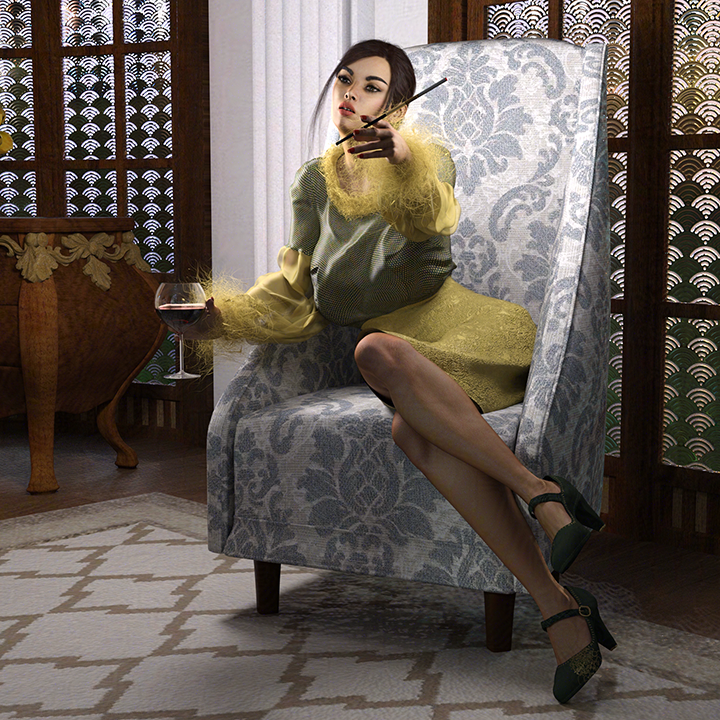
https://new.imagehostx.com/upload/2025/10/08/Test-c-smaller_1759914423.png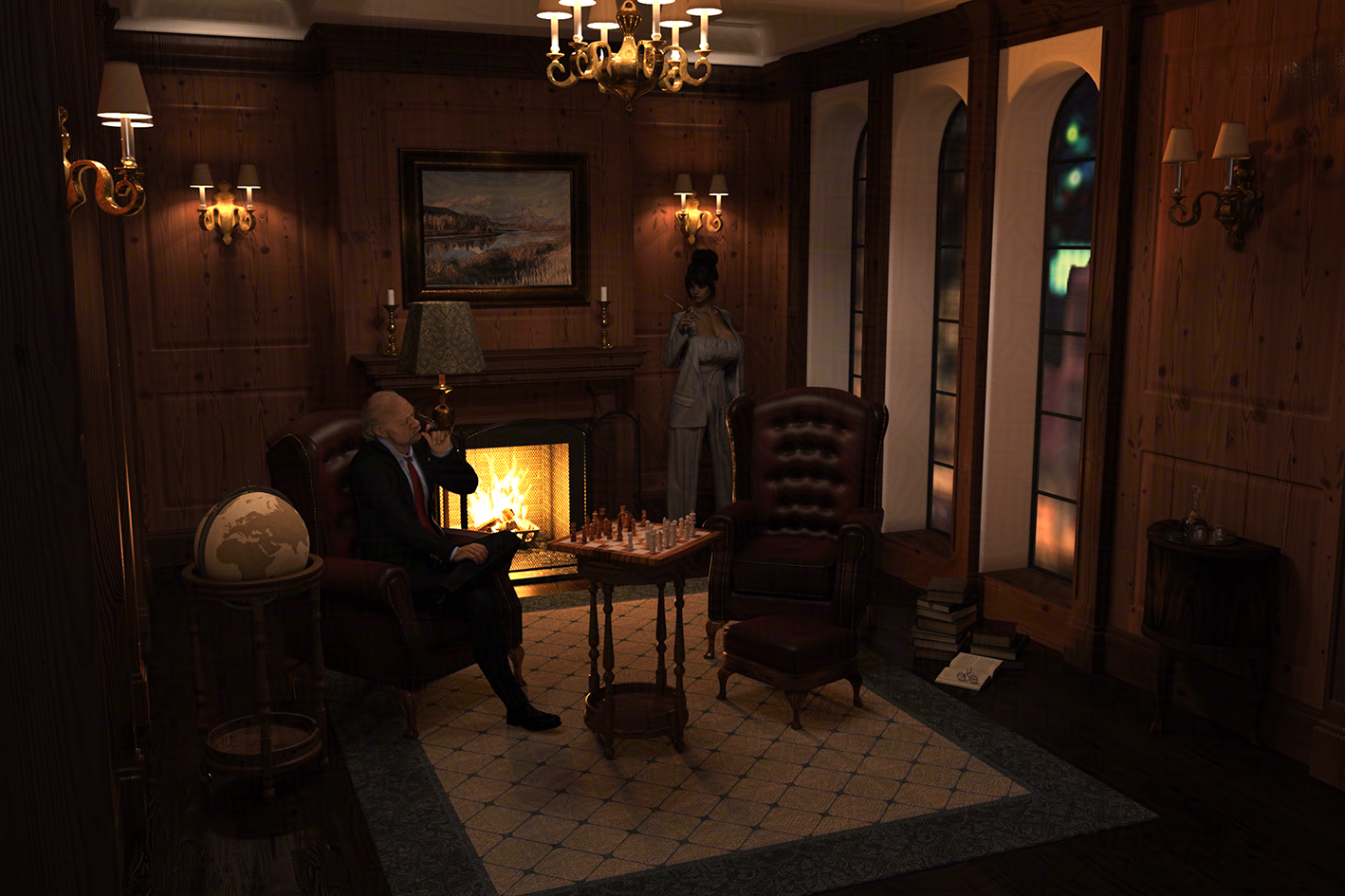
https://new.imagehostx.com/upload/2025/10/08/Test-d-smaller_1759914616.png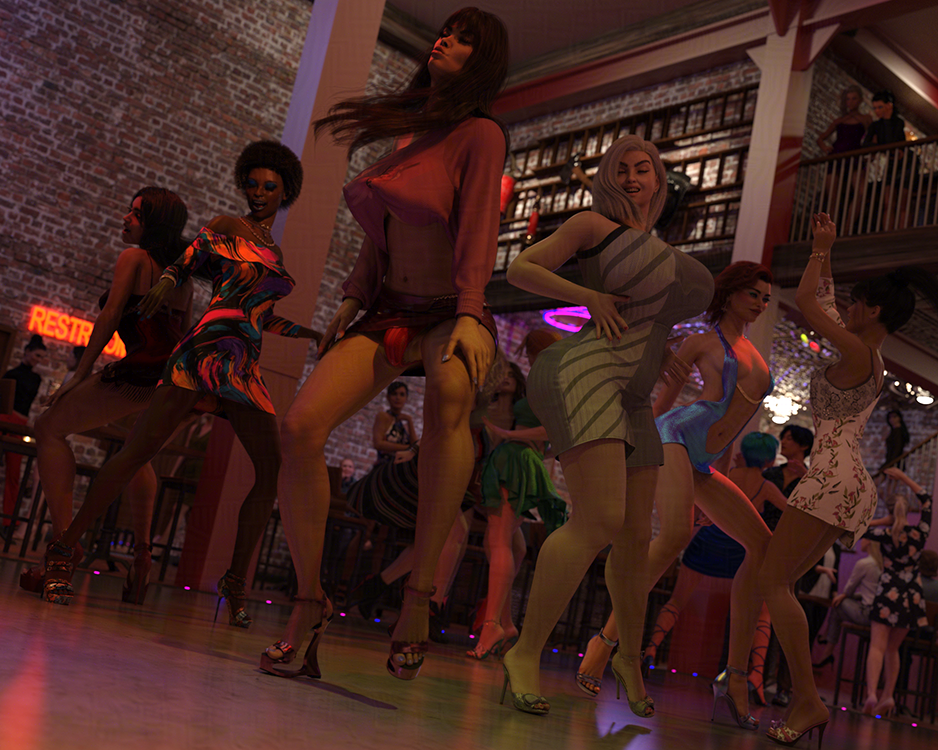
In test c (the third picture) while the blouse looks like a tube top the mesh actually is more of a sleeveless top with the texture hiding the parts above the breastbone.
Hope this helps!
Edited to Add: While my girls are G8F, in the last test they are wearing G9 clothes!
October 8, 2025 at 10:43 AM #2148343Thanks @3Dmouse, that's an excellent thread. There's a few techniques detailed that should work in most situations.
October 13, 2025 at 7:20 PM #2149003Glad you asked. I hate the shrink wrap effect, and my characters are often well-endowed. I got my method down.
SY Products are the solution, and a good PC. Photoshop is also enormously helpful and can save you the tedium of Geometry Editor, but it is not essential. SY Breast Helper along with a morph called "Body Under Clothes Breasts in Bra" by same. For really large breasts, go with about 30 on "Breast Helper Super Fixer". Then about 15 on the 2 breast in bra morphs (unless it's not appropo for the outfit). Next, put 30-60 smoothing iterations on the clothes and switch it to base shape matching. If the outfit only works with generic iterations, you might be out of luck, but there's usually some tweaking that can be done.
No there will be some poke through spots. Save here. If you have PS, using the spot remover will eliminate this next step:
Using geometry editor.
Make sure you save BEFORE you do this, because you're going to disappear some polygons on the character and they'll come back white if you try to u hide them. Select the figure, switch to wired texture shaded view, and select the polygons that are poking through. Right click, create surface from selected, name it, go to Surfaces, and bring the cutout opacity to zero. You'll probably need to create surfaces a few times to get them all hidden.
If the top is opaque and there isn't cleavage, hiding the pectorals on the figure can also bypass the geometry editor step, which is tedious.
At this point, you're usually good. However, Breast Helper can leave you with things like straps and necklaces floating above the character's chest. Use Fit Control and morphs on the clothes and jewelry to bring them down where they need to be.
I've done a lot of experimenting, and the majority of the time just the first three things I mentioned (super fixer, breasts in bra, and base shape smoothing iterations) will get the job done.
PS: sometimes an outfit needs a smoothing modifier added. Go Edit, object, geometry, and add smoothing modifier and proceed with this method.
I can't stress enough how important it is to have a good rig for Daz. There is so much time wasted waiting around for Daz to lug along that it's worth it to upgrade. This is a time-consuming hobby.
October 14, 2025 at 10:01 AM #2149035Thanks for that @hobbyist, I see that both tools are available here...
Similar tools for that Gee-nine bimbo are also here.October 14, 2025 at 7:01 PM #2149070If someone else said this i apologize. Try just adding alot of smoothing to the garment and it will lessen the cling to the cleavage. Also will reduce the stretch of the texture.
October 15, 2025 at 3:17 PM #2149154Hello !
I have been always frustrated by this problem.
After spending a lot of time on this, I've changed my tools.DAZ for the caracters.
MD for the clothes.
Blender to put all in place and render.
Krea if needed and when this AI don't allucinate too much ! 😉Not the simpliest workflow, but I've the hand on every step.
-
AuthorPosts














- You must be logged in to reply to this topic.