Home Page › Forums › General Chat › Can I get points back?
- This topic has 4 replies, 3 voices, and was last updated 3 years, 6 months ago by
 lynnamarie.
-
AuthorPosts
-
March 26, 2023 at 5:08 PM #1947113
So I tried a couple downloads and they are not working in Daz. Can't find them. Maybe I am doing something wrong but I have downloaded lots from Sharecg and here and haven't had to many issues. I'm new to Daz, still figuring it out but these are the three items I can't get to work in Daz.
https://www.daz3d.com/yuletide-elements
https://zonegfx.com/v4-and-m4-shapes-for-genesis/
Is there a way to get points back for these? Or at least give me a idea why it may not be showing up in Daz.
March 26, 2023 at 7:38 PM #1947182Both are very old products from the poser area.
They can never appear in the smart content.You can find them in the content library under the "Poser formats". Where exactly?? Difficult to say with poser assets. But for the whale and maybe the shapes, probably somewhere under "Figures", but there is no sane structure in the poser formats.
If you intend to use many of this old stuff, you should 1/ not use DIM that puts everything at the same location and 2/ use "create runtime directory" to add some structure in your library (for instance a runtime for chars, one for clothing, etc). After that you just copy/paste the files in the proper runtime directory.
March 26, 2023 at 7:44 PM #1947185Thanks Niala, that makes sense. I'll check there. I kept a separate folder for 3rd party downloads. I see if I can find it under the poser file.
Lynn
March 26, 2023 at 7:50 PM #1947190I checked out the first one. It's designed for Poser, so the second one is, as well. What you would need to do is in Daz Studio there's a place for you to add a Poser runtimme.
The easiest way would probably create a second folder outside of your Daz content. Label it Poser. extract the files into that folder.
Here's a shot of mine - I actually use Poser on occasion so I have a Poser content library already set up. You could label is anything you want, just as long as you can find it.
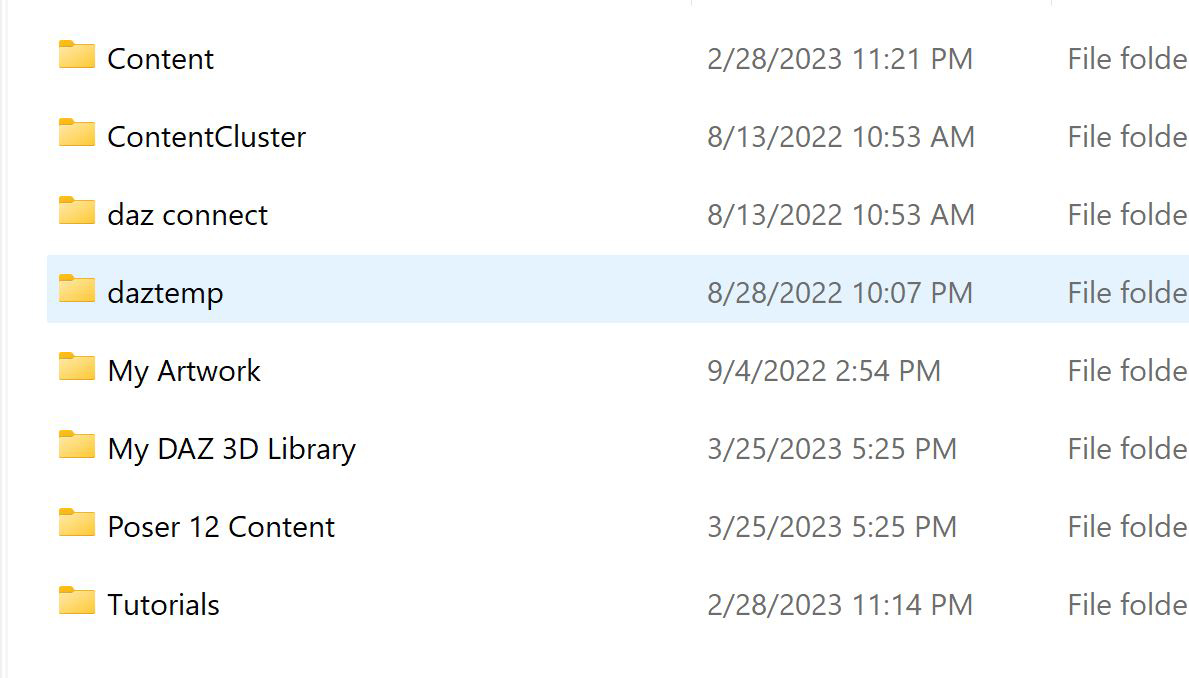
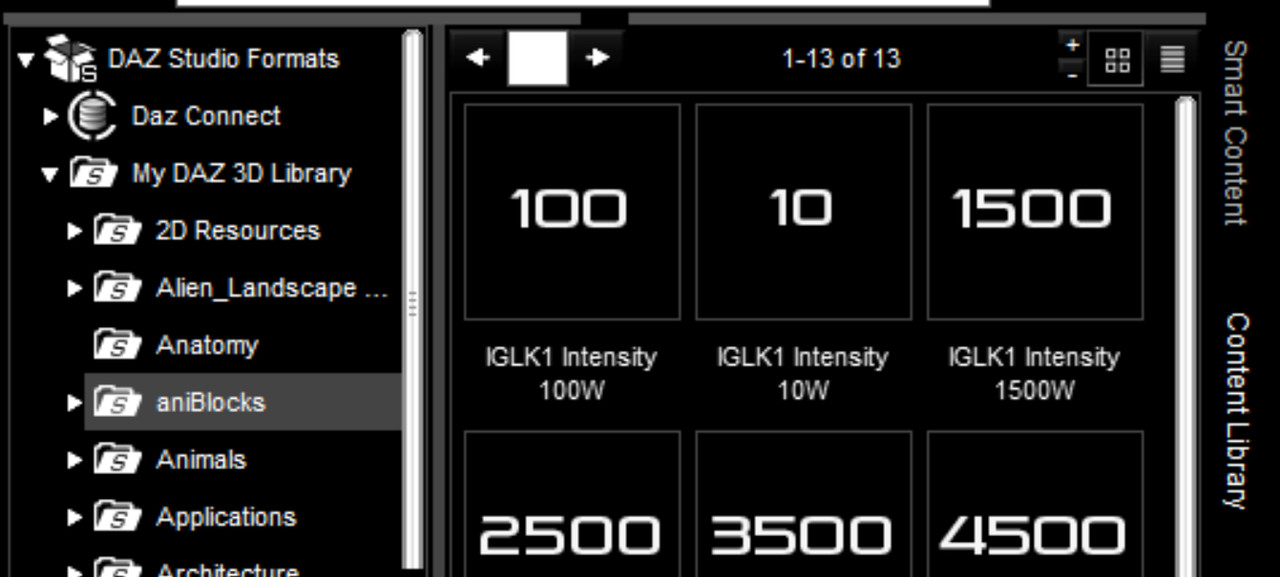
Then in Daz Studio under content if you collapse the content folder by clicking on your content tab, then the library in the very left as shown below (yours might be labeled differently):
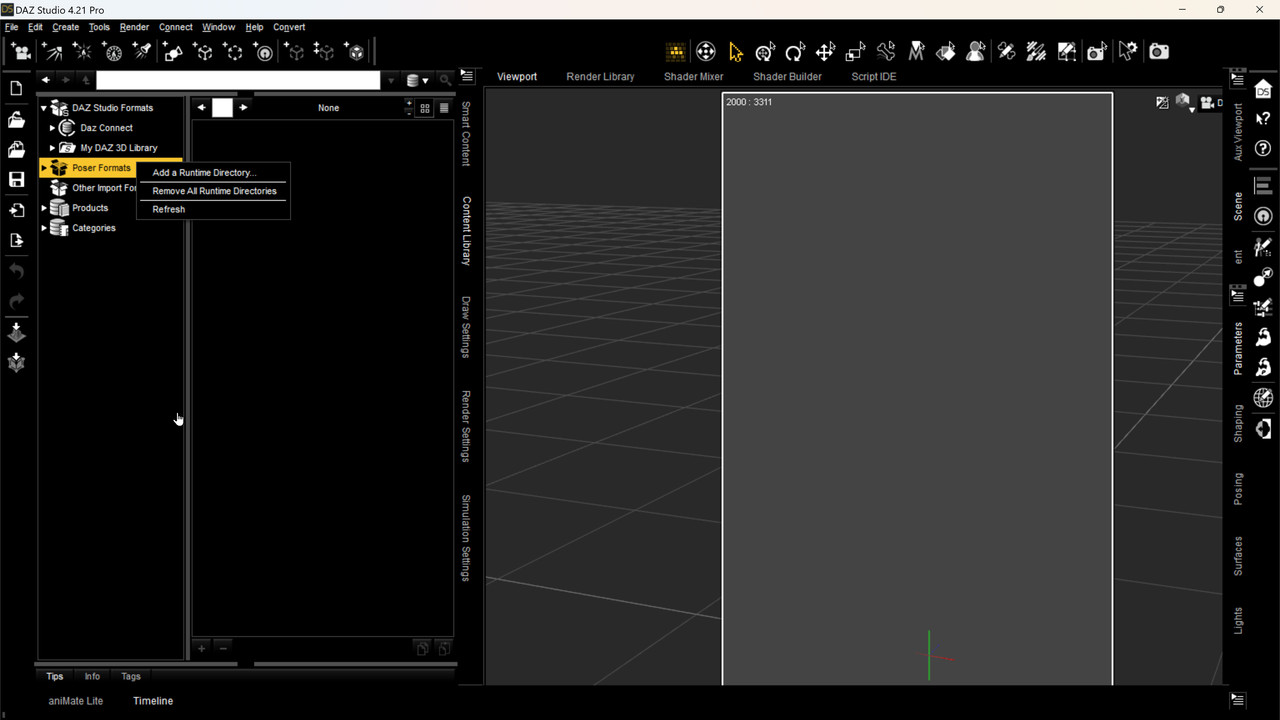
It will collapse and look like the below. right-click on Poser Formats, then Add a Runtime Library:
It'll take you into Windows Explorer. Find the location of your Poser runtime, click on it and select it,
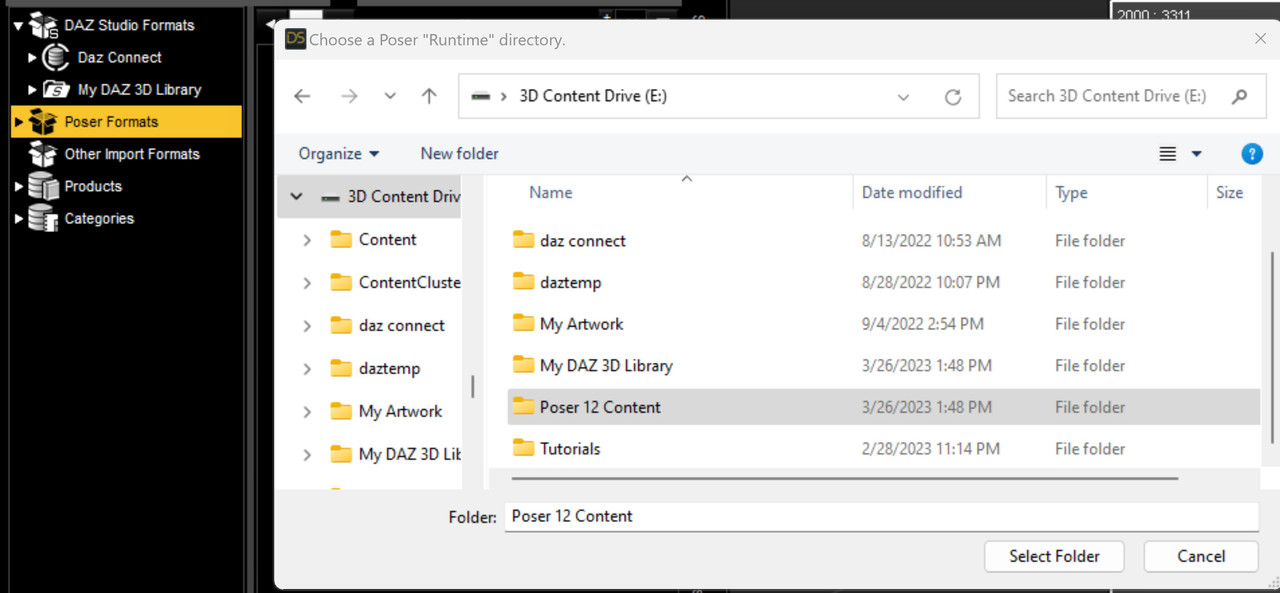
I didn't go further because I didn't want to have to delete a runtime. From there you would extract your files into that folder. To access them in the Content Library collapse the Daz Content Library, then go to your Poser format content:
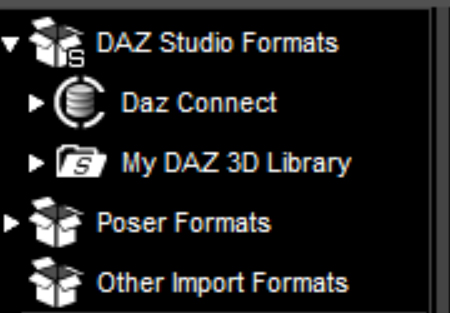
Expand it:
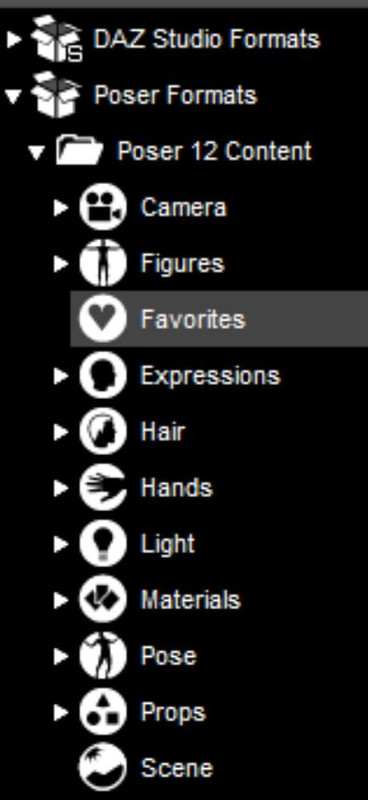
You'll see your list of Poser format categories. Yours would be under Figures. Don't bother with Materials or Lights, if they're there, as they don't work in Daz Studio. Drill down to the desired object, and treat it like you would Daz Content.
I don't have the first one you listed installed, and the second one is in it's own runtime and I didn't want to confuse you by drilling down to that. I just selected something I'd converted to La Femme.
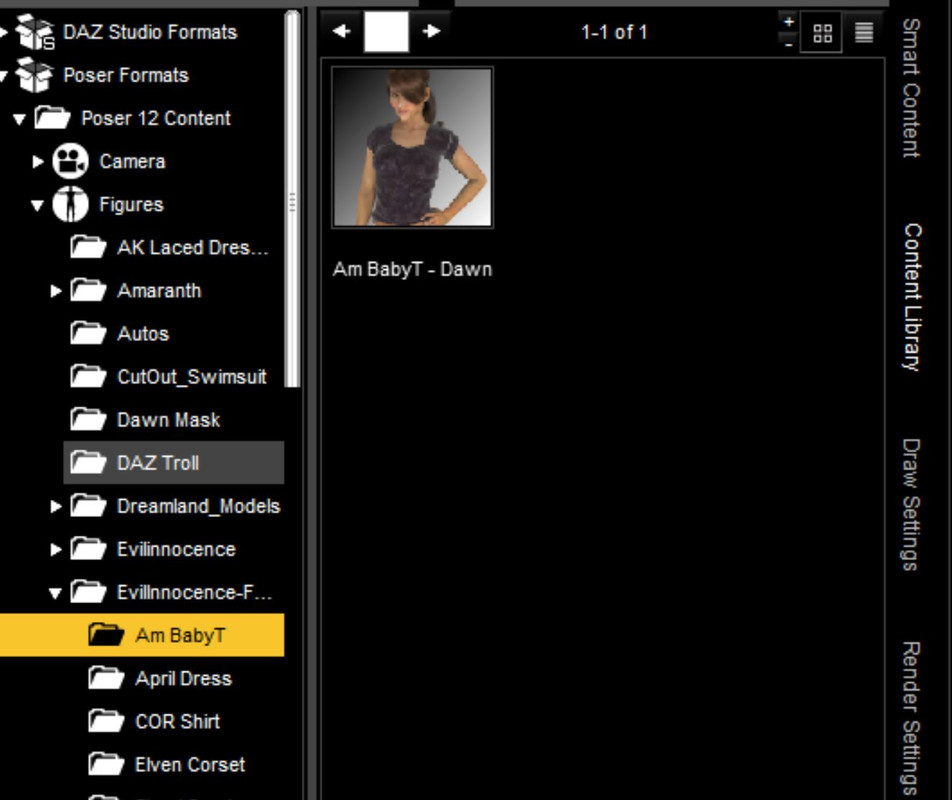
Caveat: the textures might or might not work. I usually run the following script that you can download here:
RSSY 3Delight To Iray Converter (UD 2019-09-10)
it will be installed under Scripts and is INVALUABLE, especially if you're importing Poser content.
Here's an example:
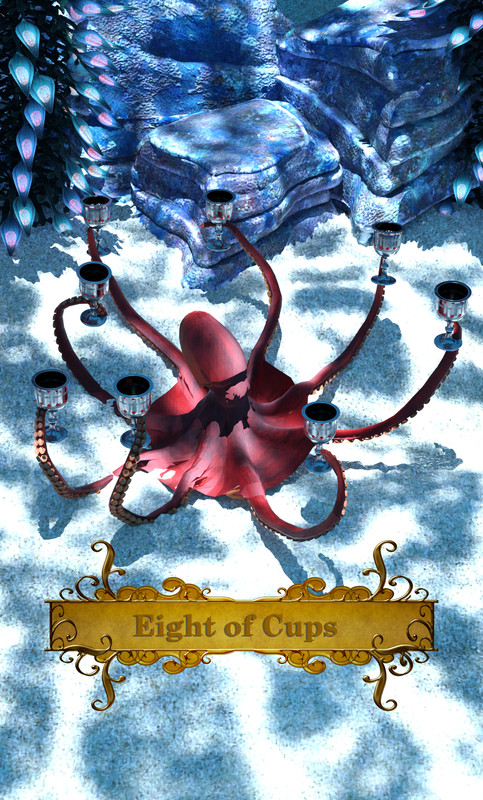
That octopus is, as far as I know, the only one in existence in our particular world. I imported him from my Poser runtime and ran that converter script over it.
Hope this helps!
March 26, 2023 at 8:00 PM #1947196Thank you that helped a great deal!!
-
AuthorPosts






- You must be logged in to reply to this topic.
