Home Page › Forums › Art Showcase › A Portrait or Two
Tagged: goblyn
- This topic has 9 replies, 5 voices, and was last updated 3 years, 7 months ago by
 Goblyn.
-
AuthorPosts
-
March 17, 2023 at 7:01 PM #1942489
I've finally finished working on my namesake, after over a year of tinkering. I just need to fine tune the texture on the fingers to get them to synch up.
Also, 2 issues...
1. The skin texture on the ears stretch, because my ears are so big, and the warping effect is a pain in the arse.
2. I found a way to highlight bits of the hair and make them invisible using a tool in DS (so bangs stay out of the way of my ears), but I forgot how to do it 🙁 If anyone remembers such a tool so I can stop hair from clipping through the ears, I would be thankful!
A barely SFW image lol:

Close-upAnd one from yesterday with the ear clipping hair issue:

Close-upI have some eh, other questionable images on Twitter, but these are my decent ones for Zone!
<(^_-)>Edit: By the way, I found strawberries on Sketchlab for free. You can find items there, load them into Blender, and export them as fbx for DS. Easy Peasy!
March 17, 2023 at 11:46 PM #1942564Anonymous
InactiveRank:
@Goblyn These are great love them 🙂
This is the way I do it for hair and ears
don't know if that it what you are looking for or not ?
Thanks for the sketchlab site 🙂March 18, 2023 at 3:17 PM #1943004@adelasia Thank you so much! Yes, this video definitely helps. I usually load the hair unparented, then place it on the model with big ears, and parent it to the head... but this loos much more easier.
Once I remember how to hid strands of hair and items so they don't clip, I'll post it here.
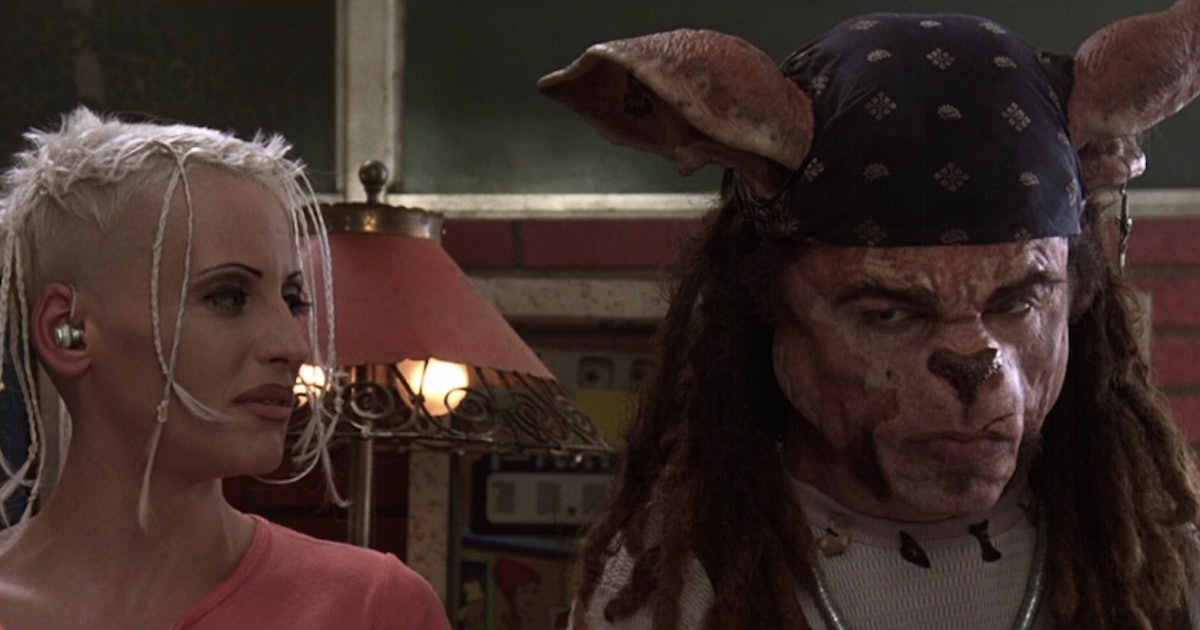
March 18, 2023 at 5:14 PM #1943039Reminded me of Tank Girl Rippers
 March 18, 2023 at 7:18 PM #1943085InactiveRank:
@Goblyn
You're welcome 🙂
Thank you yes I'd like to know how since I make a lot
of renders with same kind of ears 😉
don't know if that tutorial works for strand based hair
haven't tried that!March 19, 2023 at 1:18 PM #1943409@Goblyn your poses, sets, textures, lights are really good and I really like the connection you put between your character and the viewer, well mastered.
@adelasia thank you very much for sharing your advice, it will help me a lotMarch 19, 2023 at 6:50 PM #1943525InactiveRank:@pablito you're welcome glad to help when I can !
March 20, 2023 at 11:36 AM #1943877March 29, 2023 at 7:40 AM #1948156What a cute renders. I adore that girl. Especially when you see both renders in large, you will find the amazing details. A real cherish.
April 1, 2023 at 3:23 PM #1949879Thank you @Lucafeelgood
I remember what I used to get rid of the hair clipping through the ear. I'm putting this here for my own future reference too in case I forget. I remembered after watching this Making Polygons Invisible tutorial on Youtube.
There's a tool that may already appear on some users toolbar (but not mine, unfortunately) named Geometry Editor.

With this, while the hair model is selected in the scene, you can select individual strands of hair (or rather the geometry making up the strand) in the image. After holding the left mouse button and highlighting what you want removed, simply left click the mouse button...


Then select "Geometry Visibility > Hide Selected Polygon(s)". You'll need to probably do this several times since the hair is built upon layers and you need to painstakingly do this over and over to get the result you want...

Unfortunately, if you save this hair to your character as a "Scene Subset" the hair will become visible again. You will need to delete the polygons, rather than hiding them. To do this, select "Geometry Editing > Delete Selected Polygon(s)" instead of selecting "Geometry Visibility"...

Then say "Yes" to the following warning. Now, once you save your character with hair as a set, the strands will remain removed!
-
AuthorPosts





- You must be logged in to reply to this topic.
