Home Page › Forums › General Chat › Is Your Strand-Based Hair Wispy and Low Volume?
- This topic has 9 replies, 5 voices, and was last updated 3 months, 1 week ago by
 3Demon.
-
AuthorPosts
-
June 15, 2026 at 2:22 AM #2177551
EDIT: I'm referring specifically to vendor created SBH hair products, not self-made SBH hair. Sorry for the confusion.
In the past, DS users had suggested loading a second set of the hair, or create a duplicate of the currently loaded version. But both options are resource hogs. I require economy.
Maybe it's just an existing trick I'd just never heard of, but today a better solution hit me. So I thought I'd share it.
Instancing.
Once you get through all of the tedium of loading the strand-based hair and adjusting it, only to have it still look wispy and low volume...create an instance of the hair. Scale the instance itself by 100.10% (your mileage may vary depending on the hair) and you'll have that lush volume you're looking for.
•Parented instanced SBH hair follows the original.
•Any changes (textures, rotations, translations, scales) to the original hair affect the instanced hair.
•If you modify the instance (rotate, translate, scale), it doesn't affect the original.
•The instanced hair doesn't have any of the original hair's adjustment morphs, but it will follow the all of adjustments made to the original.And remember: "Hope is the enemy of hard work."
June 15, 2026 at 3:54 PM #2177599Use legacy hairs, they are generally superior for single frame renders IMO.
EJ & Wartech are particularly good, and there are plenty of others.
June 16, 2026 at 2:23 AM #2177634So I often switch the shader options under the simulation sliders. If you go to where it says Hair Generation Mode and look below that there are 4 settings that I specifically change to get more fullness/volume with strand based hairs.
PS Points (Per Hair)
PS Hairs (Per Guide)
Additional PR Points (Per Hair)
PR Hairs (Per Guide)I like to set this setting PS Hairs (Per Guide) to at least 2 and that usually helps a lot in my opinion. You can mess with the other 3 settings as well but a LOT of strand based hairs has PS Hairs (Per Guide) set to 0. But turn on the Iray preview and mess with those 4 settings.
June 16, 2026 at 2:33 AM #2177635So, you're saying...use different hair? Thanks? But it isn't a matter of using different hair. It's a matter of making the hair I want to use...useable.
June 16, 2026 at 2:33 AM #2177636The solution I came up with to that issue is to parent any prop, i.e. a sphere, to the head of your character, hide it, then load your strand hair without anything selected in the scene to avoid auto-fitting. Parent your hair to the prop (with parent in place turned off), then move and scale the prop to fit the hair to the skull. This is easiest if the hair has a separate skullcap, like FeSoul's hairs, so you can hide the strands while you adjust the fit. This will eliminate the wispiness, keep all the morphs intact, and you can add additional hairs by just adding them to the scene and parenting to the already adjusted prop. This also works for using G9 hairs on G8 (my primary reason for working this out) but you'll have to use a separate prop from native G8 hairs as they fit slightly differently.
But there's no comparison in the appearance of strand hairs - I've largely abandoned legacy hairs now that I have this workaround
June 16, 2026 at 2:42 AM #2177637Correct me if I'm wrong, but it sounds like you're referring to the strand-based hair creation system. I'm talking about strand-based hair products from vendors. They, too, have a tesselation adjustment and Preview hair toggle. But they don't always solve the thin and wispy issue.
June 16, 2026 at 2:58 AM #2177641That's a clever method. I may give that a try. I almost exclusively use Girl 8, and her head is huge. Perhaps I will dupe her head as my 'sphere'.
But I don't understand how the sphere fitting solves the thin and wispy issue.
June 16, 2026 at 3:08 AM #2177642I don't know if you're having the same issue as I did, but whenever I fitted most strand hairs to G8 it would end up wispy in the way you described, like many of the strands were eliminated. I don't know why this works, maybe something with the autofit system - just part of the black-box that Daz seems to be.
I just use a sphere primitive - it doesn't really matter as long as you don't use autofit, disable parent in place for the process, and scale the prop not the hair.
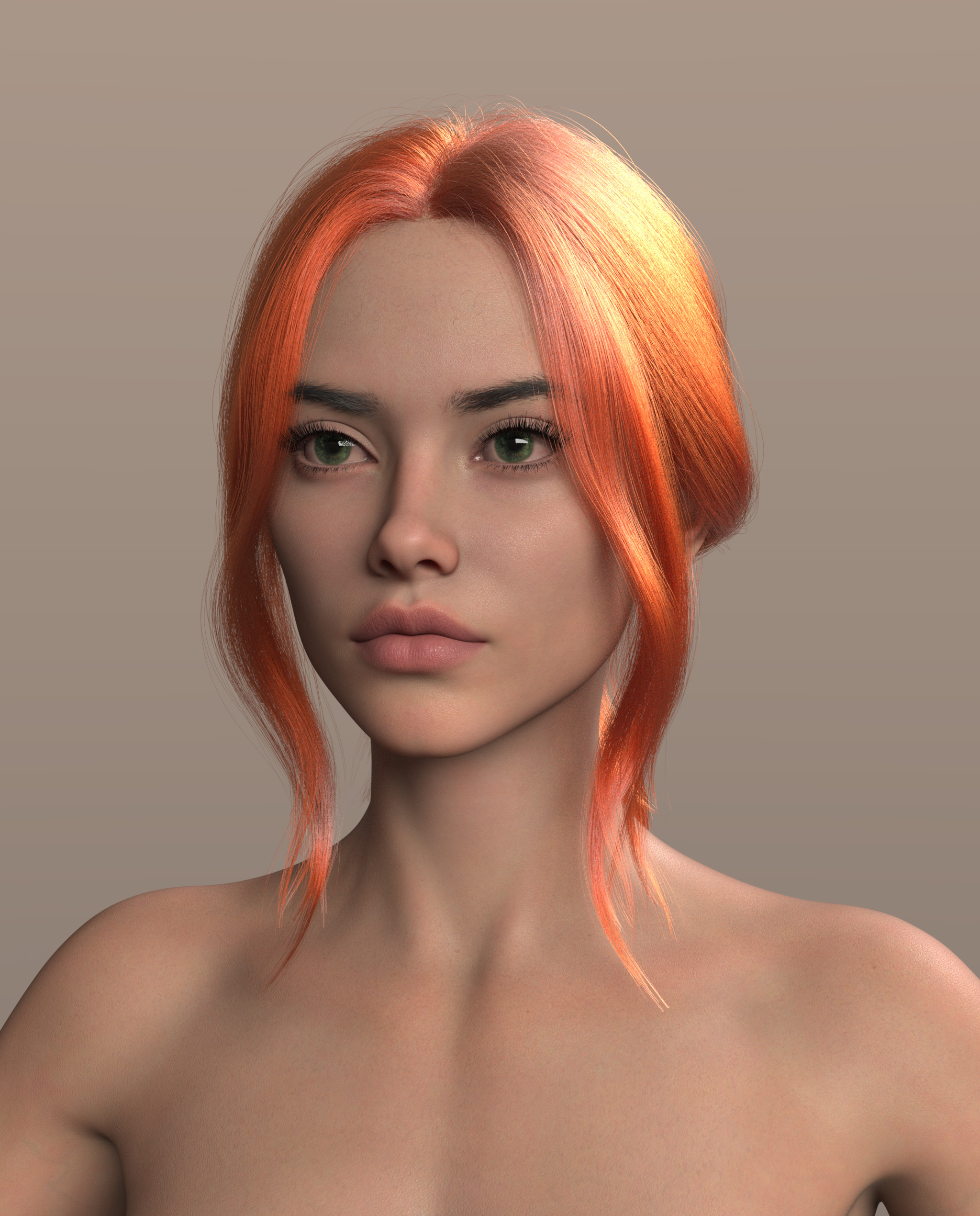
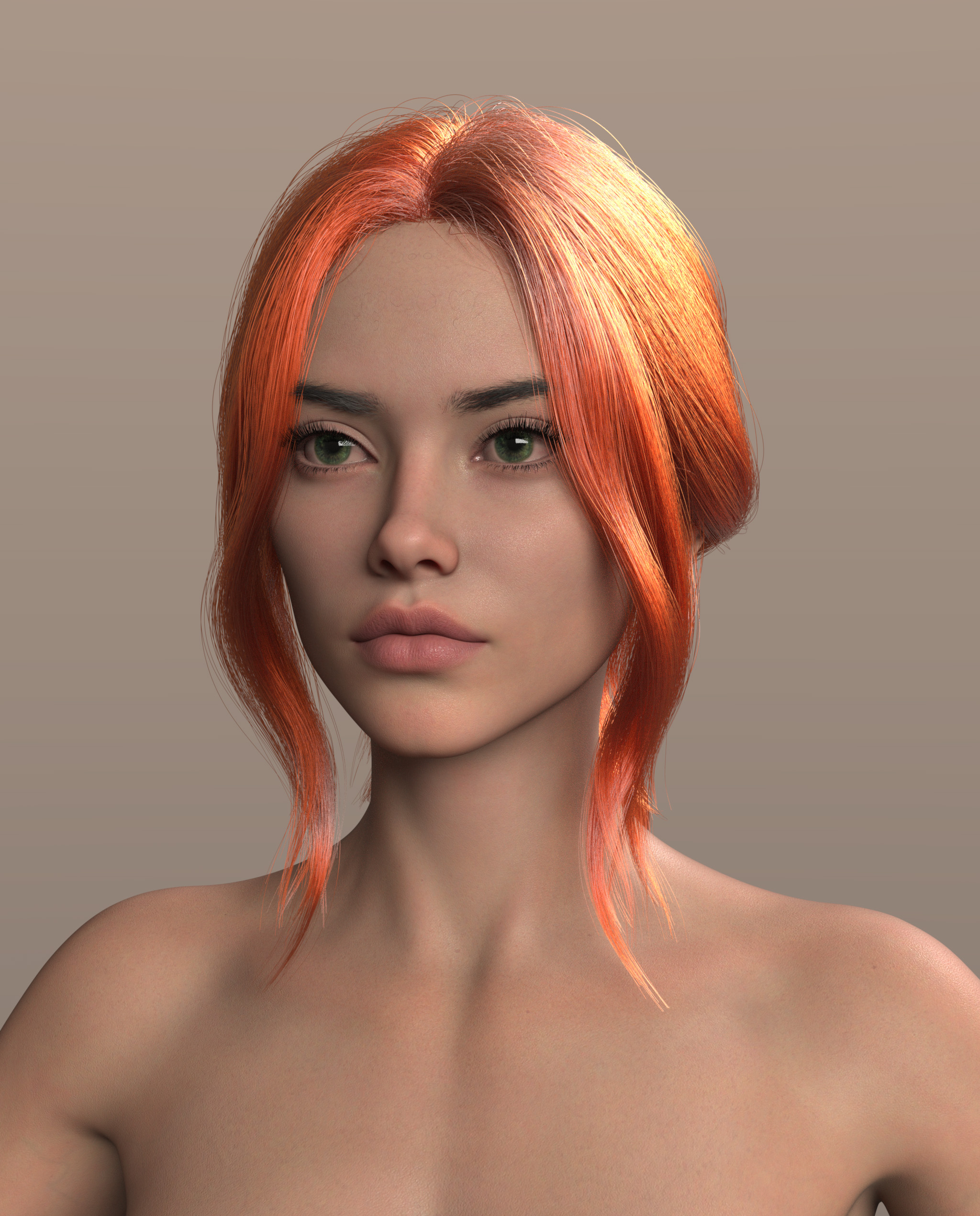
June 16, 2026 at 11:53 AM #2177672I'm not sure I fully understood your issue, but for very thin hair, I simply multiply the line start width (mm) parameters and slightly increase line end width (mm). All hair from outoftouch is very thin by default. I increased the start width to 0.2 and the end width to 0.07.
 June 16, 2026 at 6:01 PM #2177700
@yngvarr You seem to understand quite well, thank you. I think you've pointed me in the right direction.
Combined with the @ericshone method, I'm seeing light at the end of the tunnel.
And those are beautiful examples you provided.
-
AuthorPosts








- You must be logged in to reply to this topic.
