Home Page › Forums › Art Showcase › RCC Victoria 9 for 8
- This topic has 24 replies, 5 voices, and was last updated 7 months ago by
 Poe.
Poe.
-
AuthorPosts
-
February 17, 2026 at 8:16 PM #2164103
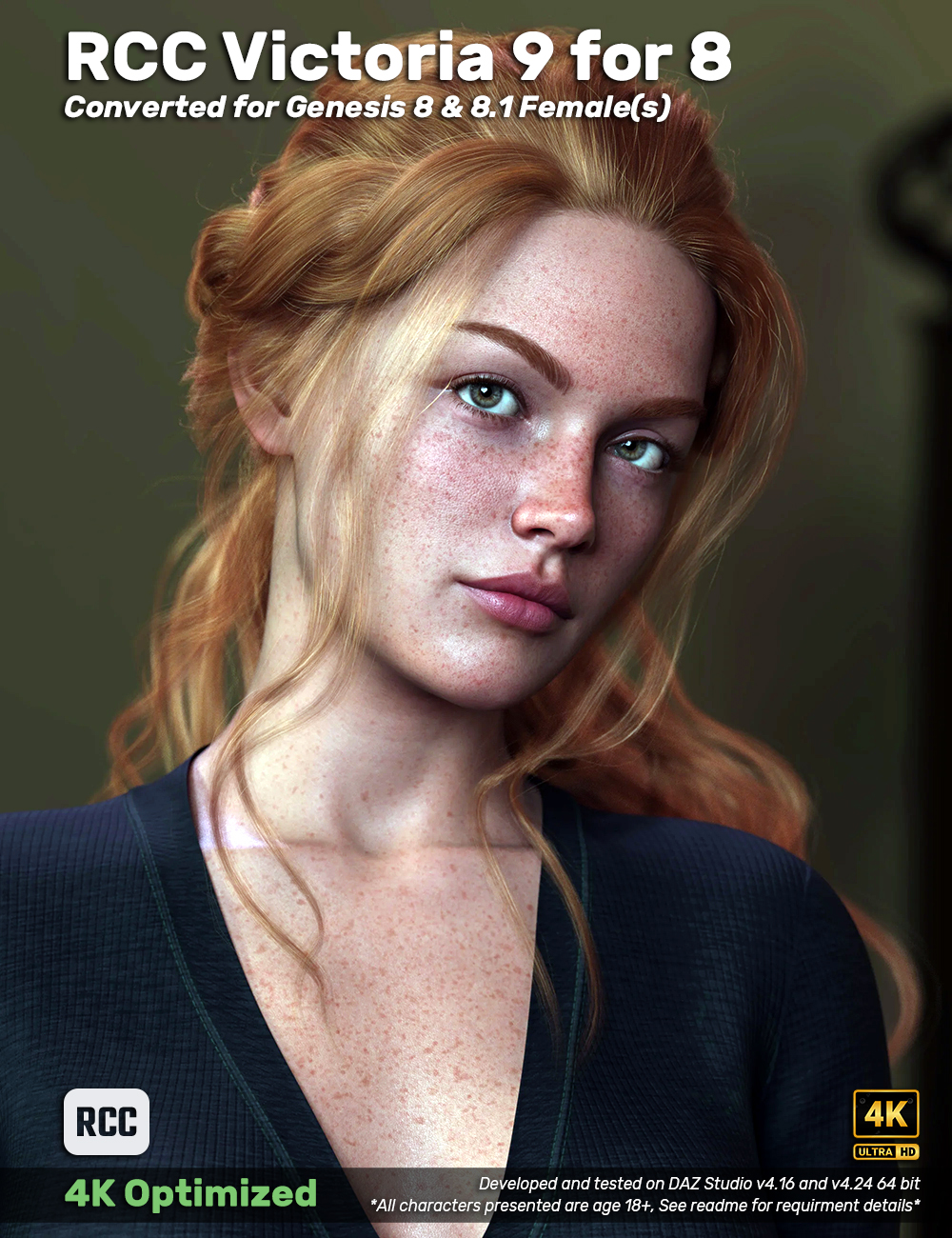
PROMO Nude Portrait, PROMO Boho Rocker, Dragon Slayer, PROMO School Hall, Fibermesh Brows, Translucency Head Shot, Body Mug Shot, Folder Structure
DETAILS:
This is a conversion for Victoria 9 to genesis 8 & 8.1 females. This asset includes dedicated head and body morphs for G8 and 8.1 females, G8 and 8.1 female UV skin MATs, Brows converted from Victoria G9 to G8F and 8.1F. This does NOT include HD Details dials, makeup nor original eye textures. I have included a PBR green eye texture for G8F and 8.1F, eye lashes and tear lines to fill in the missing assets. This is a stand-alone product with one soft requirement, "Genesis 8 Female Head Morphs" by "Daz Originals" to be installed for the Iris Size morph dial but it isn't absolutely necessary. If it's not installed the character presets and promo scene subsets will kick an error but it can be ignored.I kept as much as the folder art as I could from Victoria 9 along with icons and morph dial colors to match. This asset is adjusted in RCC format in the event someone else creates a Victoria 9 conversion.
INSTALLATION:
Either drag and drop the folders from "content" into your library or use the IM installer provided.WHAT'S NOT INCLUDED:
Makeup (Victoria 9 has no makeup)
Original Eye Colors
GensWHAT'S INCLUDED
Character Presets:
Victoria9 PBR 8.1F
Victoria9 PBR G8F
BROW:
Victoria 9 for 8 - Brow
BROW MAT Black
BROW MAT Blond
BROW MAT Brown
BROW MAT Grey
BROW MAT Red (Default)MORPHS:
Victoria9for8 - Head (for G8.1F)
Victoria9for8 - Body (for G8.1F)
Victoria9for8 - Head (for G8F)
Victoria9for8 - Body (for G8F)MORPH DUFS:
Apply/Remove - Full Body for G8F & 8.1F
Apply/Remove - Head for G8F & 8.1F
Apply/Remove - Body for G8F & 8.1F
Iris Size Apply/Remove (Requirement: Genesis 8 Female Head Morphs by Daz Originals) for G8F & 8.1F
Mouth Realism Apply/Remove for G8F & 8.1F
Navel Apply/Remove for G8F & 8.1F
Nipple Apply/Remove for G8F & 8.1FMATERIAL DUFS:
8.1F Lashes
8.1F Tear
G8F Lashes & Tear
Victoria9 PBR 8.1F
Victoria9 PBR G8FSKIN OPTIONS:
Skin Translucency 0.85 (default) for G8F & 8.1F
Skin Translucency 0.75 for G8F & 8.1F
Skin Translucency 0.65 for G8F & 8.1F
Detail Normal OFF for G8F & 8.1F
Detail Normal ON (default for G8F & 8.1FPROMO SCENE SUBS: (see requirement readme for details)
Boho Rocker for 8.1F
Dragon Slayer for 8.1F
Nude Portrait for 8.1F
School Hall for 8.1FEDIT: Asset released. Since I "got paid" already, I'm keeping the cost of these assets at the lowest amount, 100 pts. Thanks so much for the support of my work to those that bid on it!
February 17, 2026 at 8:25 PM #2164104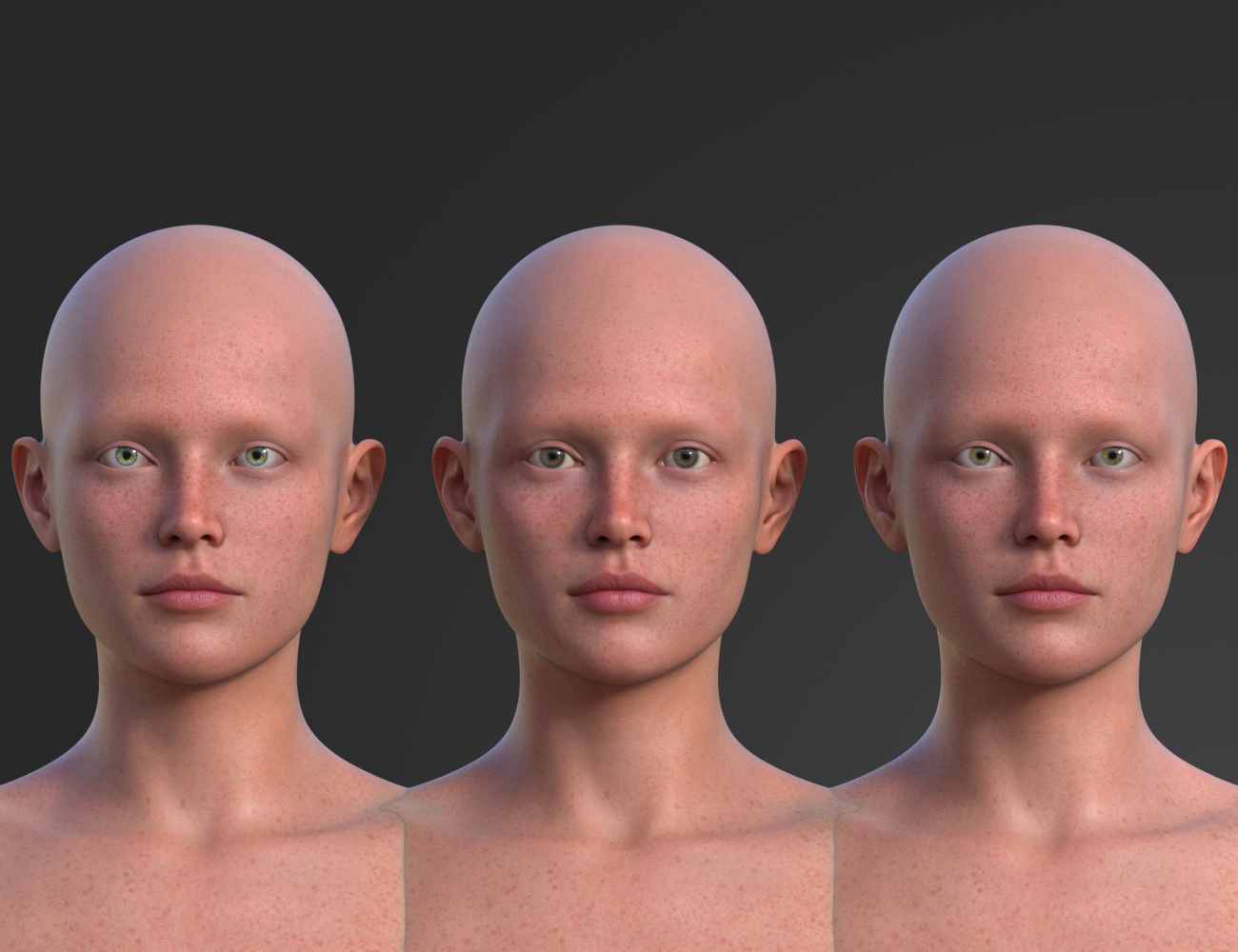
I think it's clear which is the G9 but I made dedicated G8F and 8.1F morphs for this one. I read that doing that reduces load time for the 8.1F. Two things that stick out to me for this conversion is the lip volume and iris but feels fine to me. I don't think I can get it closer than this but I'm open to any suggestions if anyone has a better way. I got the eye's 1:1 in size and position for the G8F and 8.1F. Skin looks good but not exactly 1:1 (splitting hairs here).
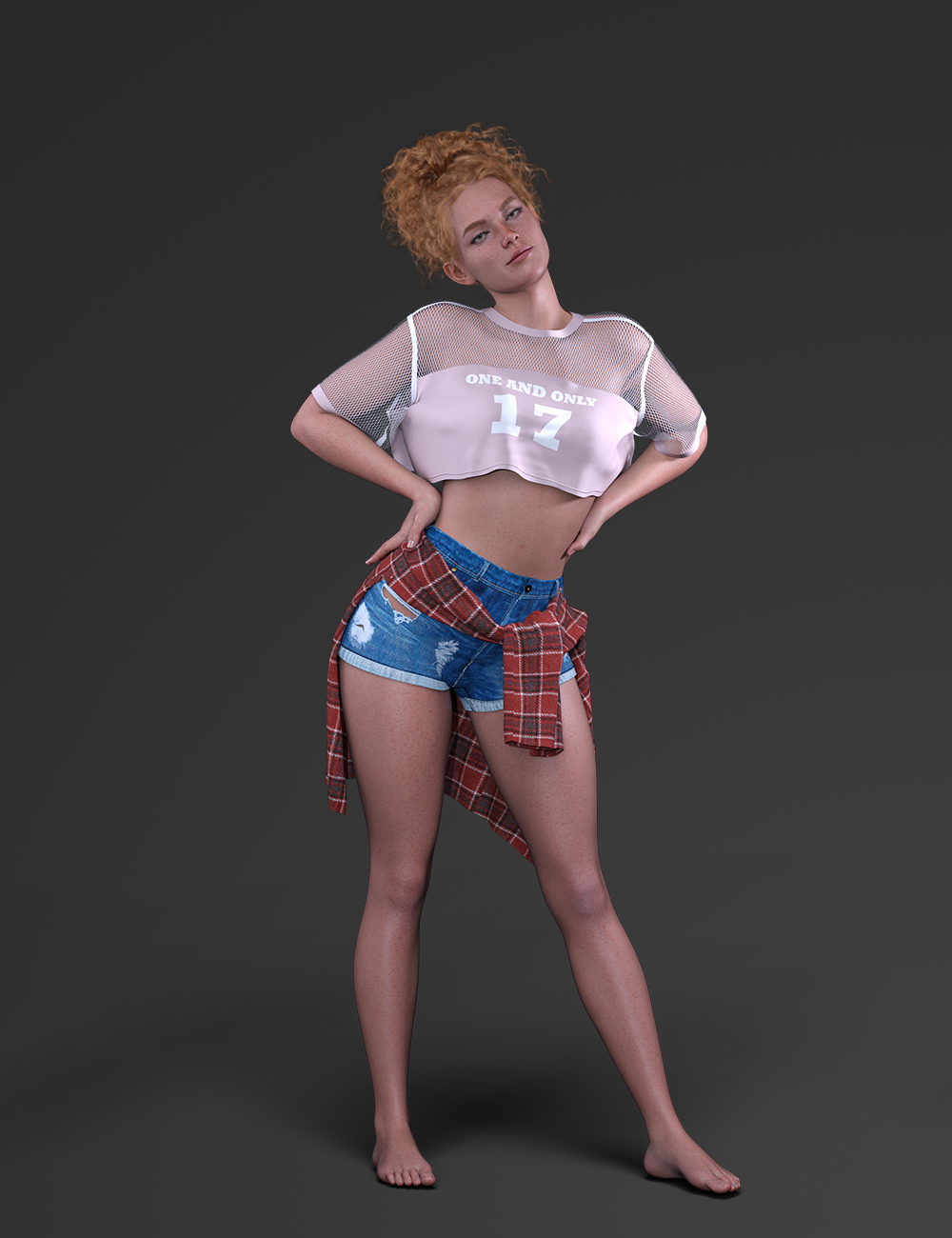
Just wanted to showcase the whole package here. This asset won't come with makeup but I used Marge's eyeliner.
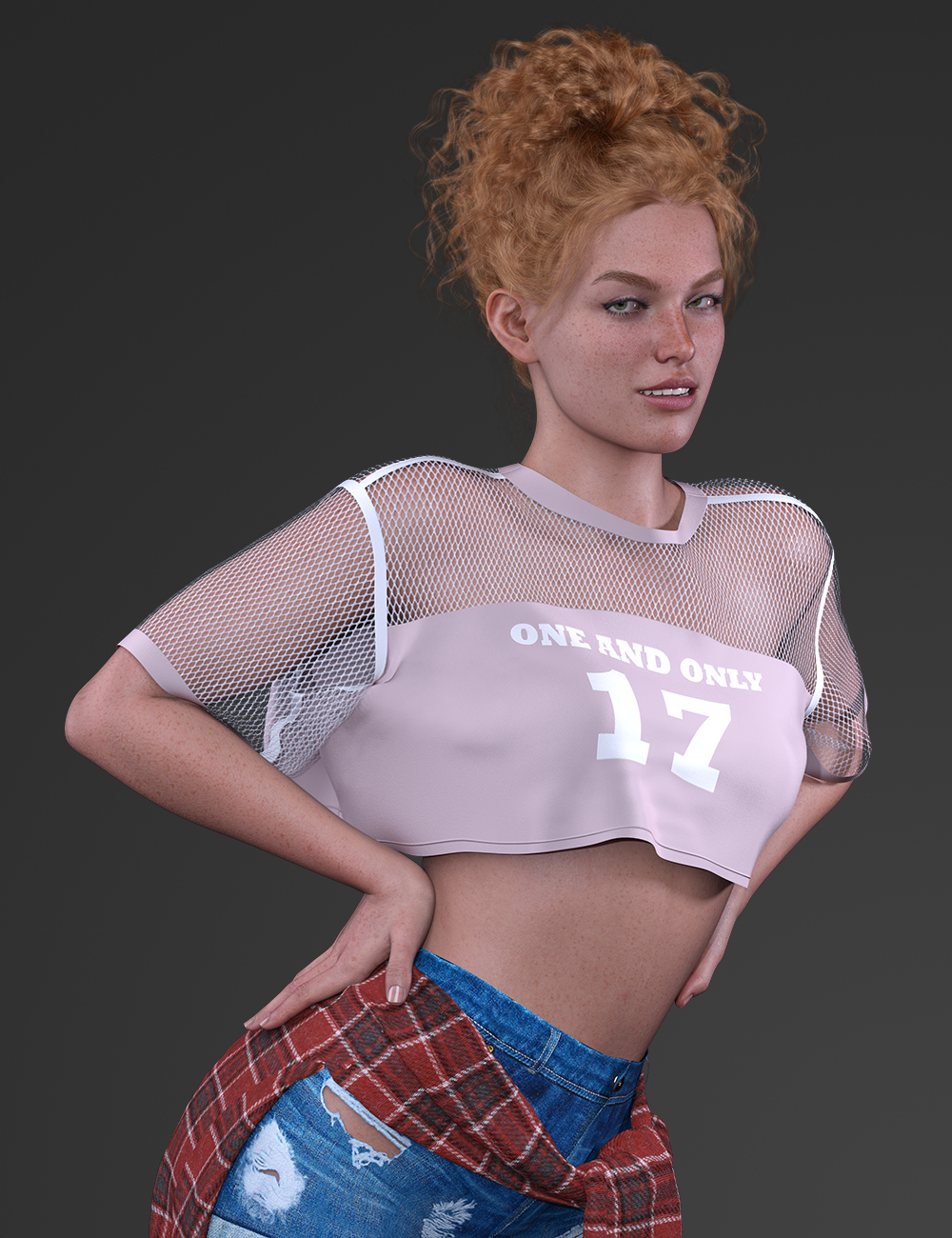
Not sure how I feel about the expression here but I wanted a closer shot to showcase some details and skin as well as the new brows. This asset will have G9's brows converted for G8F & 8.1F now.
Shutout to @ramabay for help with the brows!
February 17, 2026 at 11:37 PM #2164114Sassy! 🙂
February 18, 2026 at 1:09 AM #2164120@eelgoo
LOL, it feels tacky to me. I'll have to work that expression some for promos.February 18, 2026 at 3:10 AM #2164129@poepogue
Great job! She looks very good already, even with those expressions. By the way, speaking of makeup, try using an Uber Shader preset from Daz Originals for Genesis 8 — like Alawa 8, for example. Use it in combination with her excellent Specular maps, Normal maps, and Bump maps for curiosity and experimentation. Just swap out the Base,SSS and Normal maps with your converted Victoria 9 textures, and then see how the makeup textures look on her. These characters have their makeup built directly into the Uber Shader layers rather than using the LIE method, which makes it much faster.
For variety, I’d suggest checking out the makeup from Josephine 8, Leisa 8, or even the cyberpunk look from Millawa 8 as an idea. You can also look into the libraries of Sahira 8, Angharad 8, Kayo 8, Honni 8, Tasha 8, Topsy 8, Twosret 8, and so on. Almost all Daz Originals have a huge collection of these makeup presets.February 18, 2026 at 3:38 AM #2164133@ramabay
Thanks man, I'll look into it. : )So I just found out some things today. Having dedicated 8.1F morphs reduces the load of that character for 8.1F and there are some minor utilities that are fixed with that as apposed to using G8F morphs for both G8F and 8.1F.
Also, the DAZ rigging tool doesn't work well and Shape Rigger Plus does a much cleaner and tighter rig. I just tested it on Vict9to8 and 8.1's dials and the expressions are much cleaner. The joints bend better as well.
I have both these things done for Vict9to8 and planning on a Marge and Sepideh9for8 update.
February 18, 2026 at 3:50 AM #2164136February 23, 2026 at 4:52 PM #2164803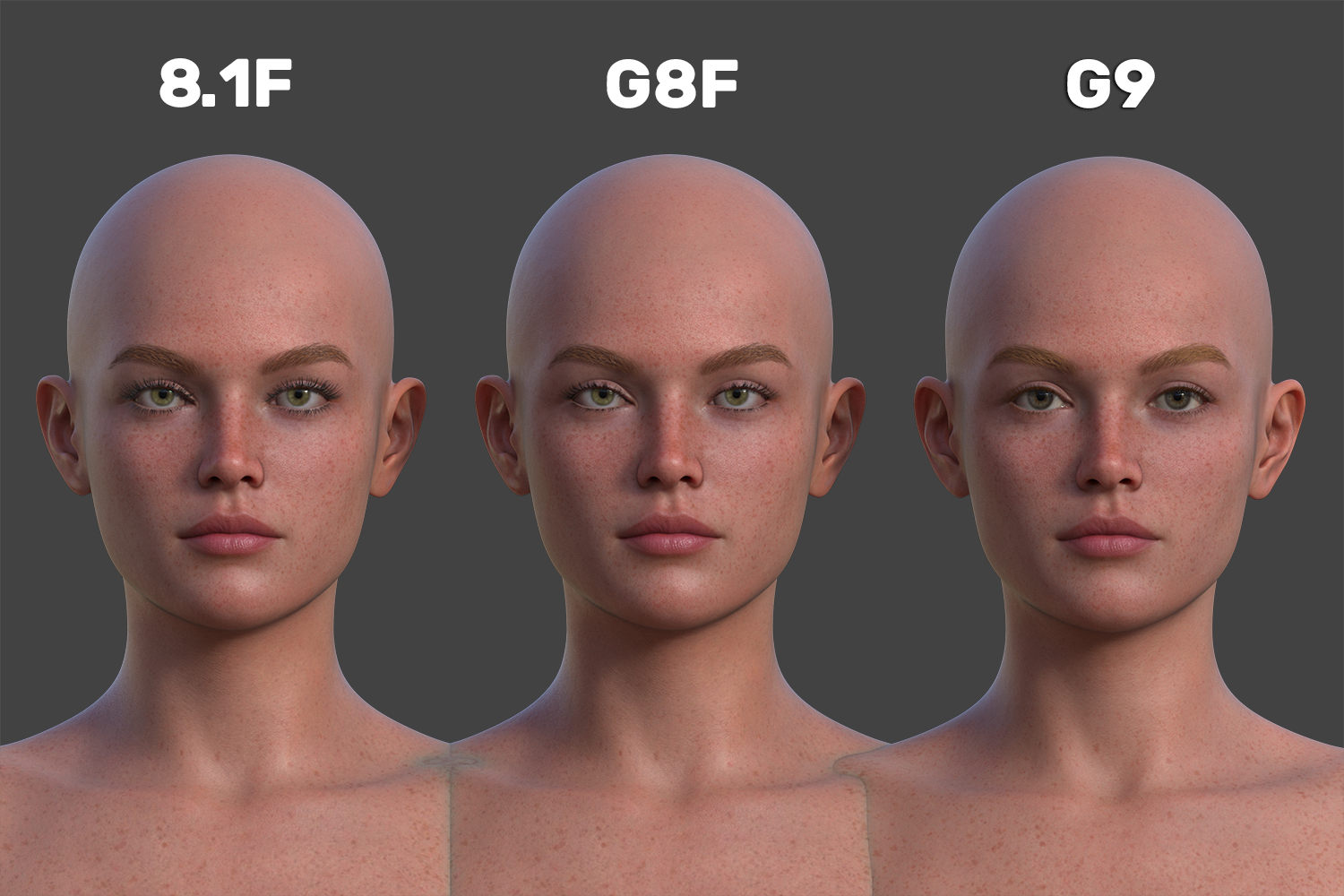
I was rendering a translucency comparison promo and noticed the lip texture wasn't lined up so I remade the face texture and it fixed the thin lip issue. Obviously still not 1:1 but very much improved. I've included the brows in this one so you can see the converted brows. I'm very happy with these changes, making progress.
February 25, 2026 at 9:45 PM #2165046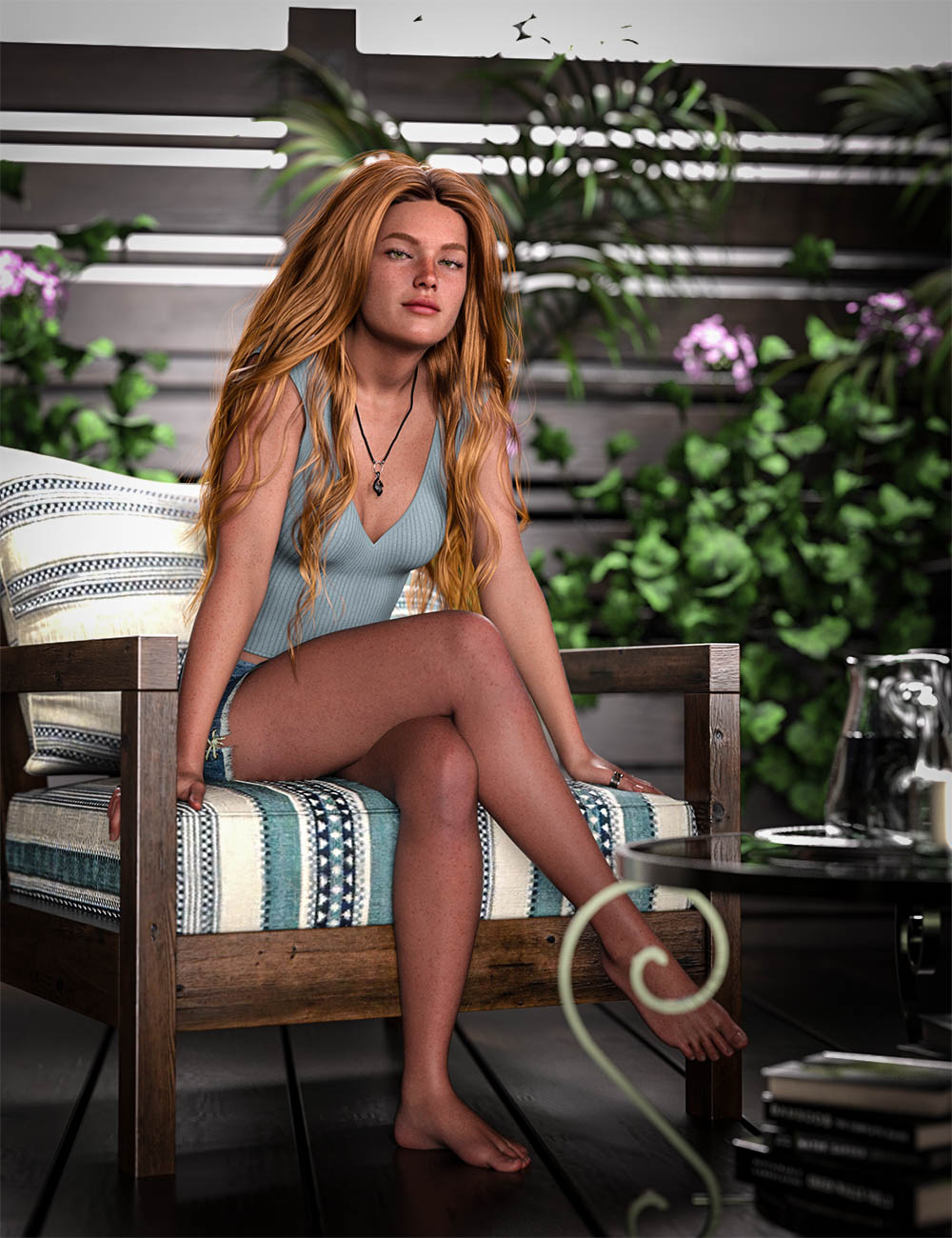
I'm attempting to render some art promos atm and this is one that I like. From what I understand, Victoria 9 was meant to be a "natural beauty" so that's why she didn't come with makeup. I'm trying to display "natural beauty" in this promo and the coming ones but I'm no "artist" so maybe could use some ideas on that end.I used an HDRI sky map for natural lighting and it came out way too sharp. I'm not sure if there's a way to adjust the lighting in that regard, my rendering skills are lacking. To adjust that I've added a 3-point lighting setup and it looks good to me but IDK what you pro's do so if there's any insight into something that is off, please feel free to give me some advice. I want this to be "art" but it needs to display the aspects of this conversion which are morphs, skin MAT and brows. Everything in that regard is what is in this asset as a stand alone aside from the Iris Size dial to adjust the iris. It's a soft requirement so if you don't want it, you won't have to install it.
On of the things I dislike about this is the legs need to be "squishy" but I've never used anything to address that, would love to hear how some you you guys approach that issue.
Last, I used photoshop to adjust the contrast and levels then, lightroom to add a vignette and soft pop.
February 26, 2026 at 2:03 AM #2165056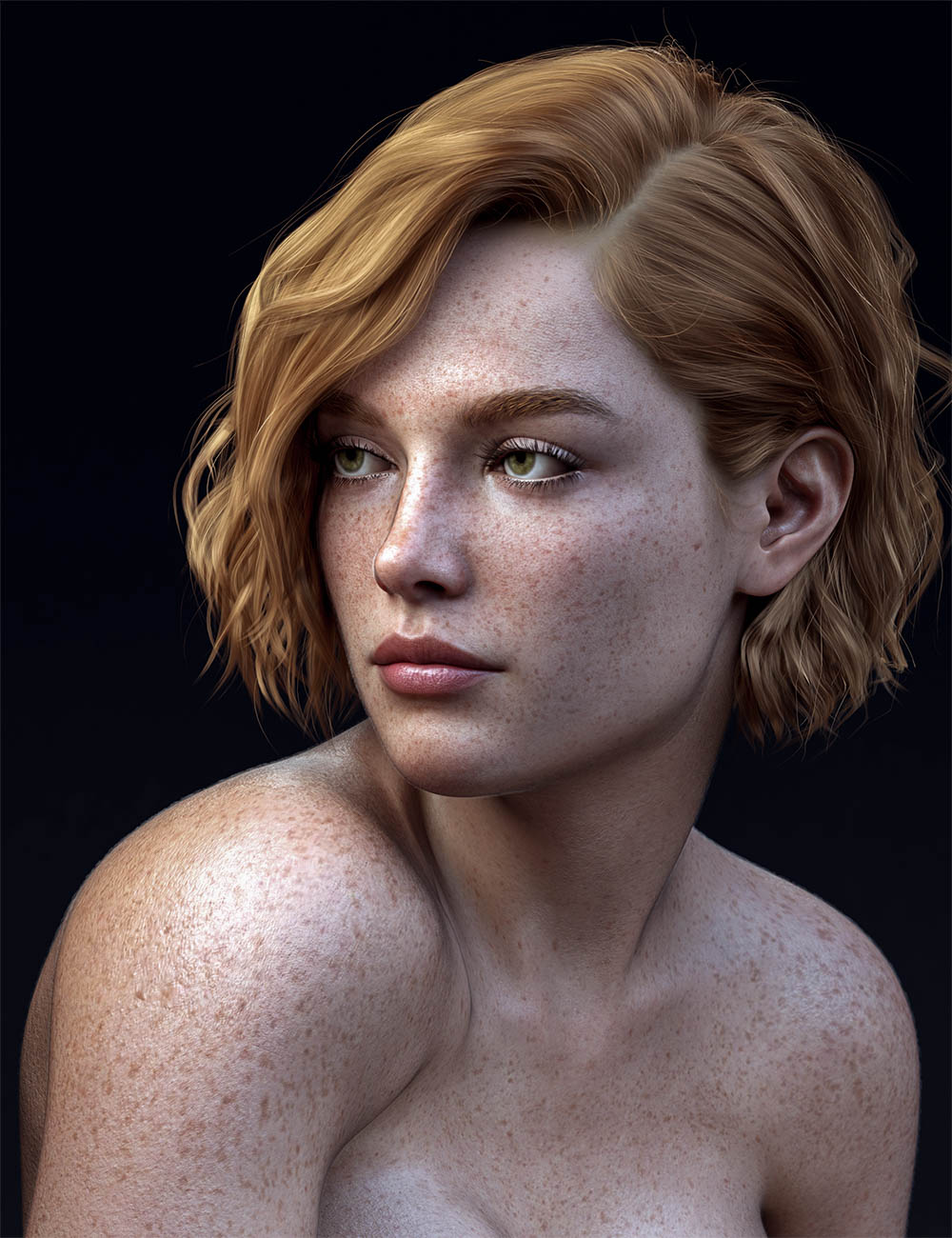
New promo
February 26, 2026 at 1:58 PM #2165116Perfect!
February 26, 2026 at 2:18 PM #2165122@ramabay
thanks, I really like that last one. It displays the asset well and draws my attention. The only thing added to the asset was vellinus body hair for 8.1F. I used an HDRI pop from lightroom then another one (don't recall the setting name) to give that cold feeling. The original is much warmer but I like this version. I was trying to create a warmth vs cold soft light and it doesn't seem that I achieved that but it looks pretty interesting.This asset is pretty much done, I'm just trying to get some decent promos for it then I'll release it.
February 26, 2026 at 3:59 PM #2165134@poepogue
Yeah, it turned out pretty impressive, by the way. I'm curious: have you tried converting 8K micro details from Genesis 9 for Genesis 8?February 26, 2026 at 4:37 PM #2165135@ramabay
I haven't but the process is the same. You would just put the micro details into the norm or even diffuse slot so that atlas can output it into a single texture file. Then you just keep that particular texture in the slot when using map transfer to convert to the specific genesis UV you want. Last, put that converted micro detail texture into the correct place when you're putting the skin MAT together or if it's just a micro detail etc.If doing a full skin MAT, you'd would have to run the whole conversion process more than once to get the complete texture MATs because as far as I know, atlas will only output textures from specific slots like diffuse, translucency, bump, norm etc.
I don't have a memorized conversion process ATM as my work flow for converting textures is a mess and often with errors. I've got some projects to finish and then I'm going to spend some time developing a smoother, more accurate work flow for this but also try some different approaches. Right now I'm using facewrap but I want to look into using blender and substance painter to see if it's easier or produces better results.
This isn't meant to be a tutorial by any means, just a vague idea on how to go about it but maybe if I can get the process polished I'll be up to creating a detailed tutorial.
EDIT: Something broke on the site when I went to post, if this is garbled after they get it fixed I'll update this post.
February 27, 2026 at 1:08 AM #2165179 -
AuthorPosts





- You must be logged in to reply to this topic.
