Home Page › Forums › General Chat › G8/8.1 to G9 - High Heels Conversion (Points offered)
- This topic has 9 replies, 2 voices, and was last updated 1 year, 7 months ago by
 Richard Y..
-
AuthorPosts
-
March 5, 2025 at 5:19 PM #2120544
Hello! I have managed to basically convert most things from G8 (morphs included) to G9 however I have heard that due to how the bones are in the feet Auto-Convert will not work on those ones. Is someone experienced enough in Daz in-and-outs who could give me a tip on how to do it ?
I am willing to go to Blender if the process isn't that tedious but I am still pretty fresh in it and when it comes to Daz/Blender workflow it is pretty rough. I am willing to give up to 5000/10000 points for anyone who can help me along the way (in a more in-depth manner) 🙂March 11, 2025 at 1:07 PM #2121385If anyone have any suggestions feel free to let me know 😀
March 11, 2025 at 2:22 PM #2121396Auto-Fit or re-rigging both work well for the conversion. The trick is to fix Base geometry (vertex positions) as well as the corrective morphs.
I ever made a tutorial of perfectly converting high heels from G3 to G8. The workflow can be fully applied for the case of G8 to G9.
https://mega.nz/file/qe4H3LDY#PiGJA-C7YhmCT2qaJHCvjJNli-j0JmfA1J-K66e1MlQBut if you want to have a straight-forward result, just name the product. I may show you how-to as well as the converted result.
March 11, 2025 at 3:02 PM #2121402Thanks a bunch!
I'll make sure to watch the tutorial. What really got me going was this one: https://www.renderosity.com/marketplace/products/167068/fantasy-s-dimension-floral-lace003
If you need the file I can send it to you in DM, because it has different shoes for each foot and they looked too nice for me not to at least try my hand. If you wish to and have the time I'd really appreciate it! I'd also run into some issues with Auto-Fit for just basic clothes where for example the material for say pants would simply be glued to one another after the script finished and some clothes would be unusable. So any tips and tricks are welcome! I sent a little gift as a thank you 🙂 I'll send more later!
March 12, 2025 at 1:21 AM #2121443Right ~ the product is on the blog. After checking them, I have to say the shoes were not really well made (defective Base shape, poor material zone setup, improper Pose Preset)...:D
Anyway, I converted them for G9 and also fixed the cbs. The package was sent to you, check your PM. Be noted: Original Material Presets (not H.Mat Presets!) can be directly applied to the shoes.
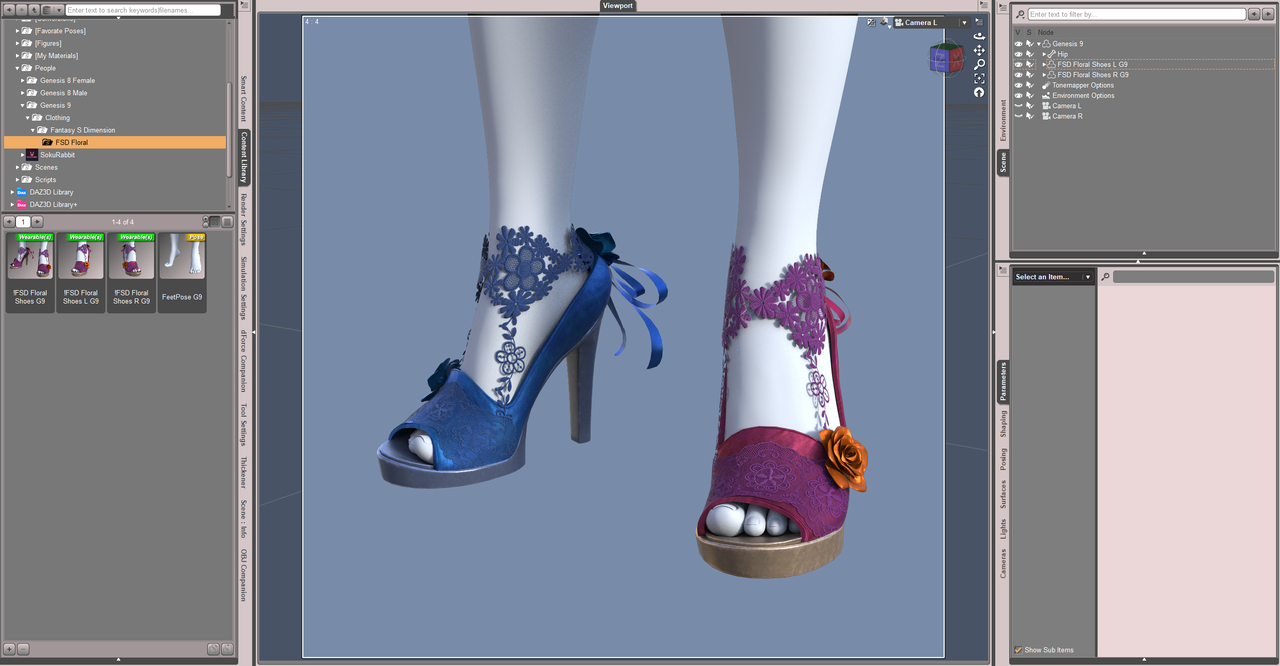
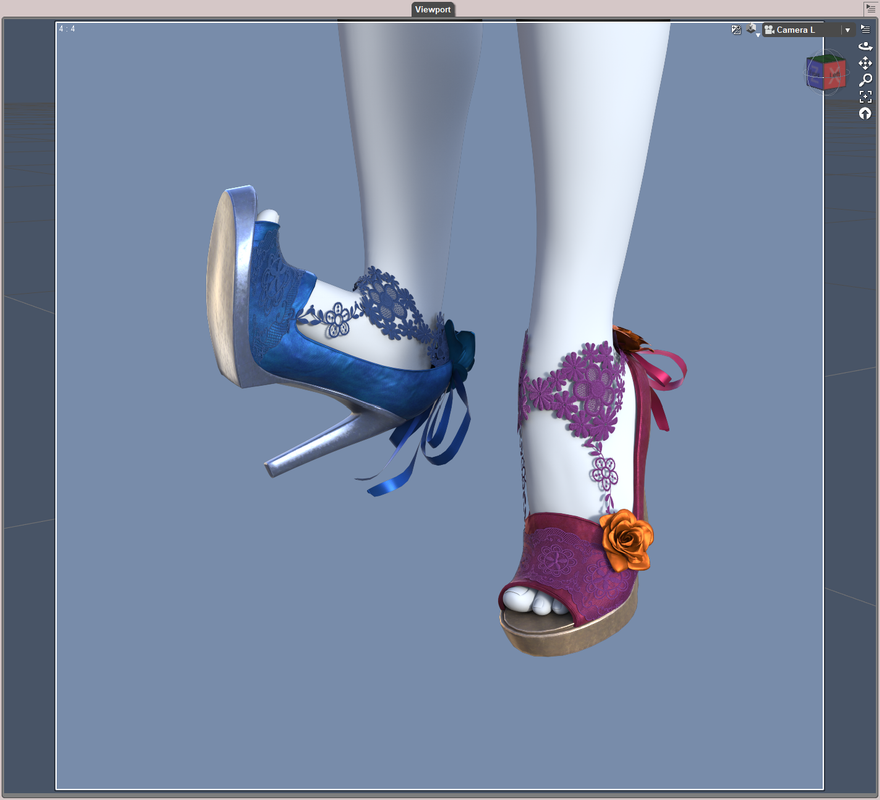
BTW, no point's needed. I'm not short of points ~ 🙂
March 12, 2025 at 1:41 AM #2121444As for the issues caused by AutoFit, yes, in some cases, AutoFit transfers wrong weight (e.g. you may see glued pants, arms/hands drag the ruffle skirts up when you pose the figure, collar wholly follow neck/head's move...etc.), removes custom bones, destroys Rigid Follow Nodes, etc.
However, there're always some tricks can prevent / fix the issues. Better case by case...
March 12, 2025 at 5:59 AM #2121453Works like a charm! Thank you very much! And yes, this one is a prime example of glued pants which I was unable to fix: https://www.mediafire.com/file/jq7h0f0h13h0pix/dForce_Le_Fashion_Bodysuit_for_Genesis_8_Female%2528s%2529.rar/file
Is there a trick to also getting around such problems ?
March 12, 2025 at 11:42 AM #2121495All right ~ Though you can manually fix the weight map but that'll be cumbersome. A tricky way to avoid this issue is to : re-rig the pants with Transfer Utility.
Pls refer to the tutorial I just recorded as below:
https://mega.nz/file/HLB1XBjY#V-s1QVEK2WzOgzlYko9CI_kZ8IPrJQgS875eW1j2Ve8March 12, 2025 at 11:59 AM #2121496Thank you once again! This is very helpful!
March 12, 2025 at 12:28 PM #2121497No problem !
-
AuthorPosts




- You must be logged in to reply to this topic.
