Home Page › Forums › General Chat › installing content in Daz
Tagged: Installing content
- This topic has 8 replies, 5 voices, and was last updated 2 years, 10 months ago by
kemeslim.

-
AuthorPosts
-
November 7, 2023 at 7:39 PM #2040717
Hello I have observed that I am struggling to install and run my content which I downloaded into Daz. it keeps telling me that it cannot find the textures and the data. pls help me
November 7, 2023 at 8:42 PM #2040721How did you do the install?
Once you know what you are doing I find manual install preferable.
🙂
November 7, 2023 at 11:32 PM #2040766@eelgoo has a nice guide on that, you can follow it. You need to understand the layout of the folders before installing the asset. If it's from DAZ, you can easily install it through DIM but those from Renderhub/Renderosity/REro, you'll first need to organize the asset folders (or else you'll get those missing errors) and then you can install it manually or via Content Wizard or CPA.
November 8, 2023 at 1:23 PM #2040881ohk thanks. I checked out @eelgoo but I still got a difficulty using a manually downloaded asset in Daz ( maybe i just didn't understand it well enough).
Below is the asset I have been trying to use in Daz but that has been difficult. I keep getting missing files notification. apparently, daz studio claims it cannot find the textures and data files.
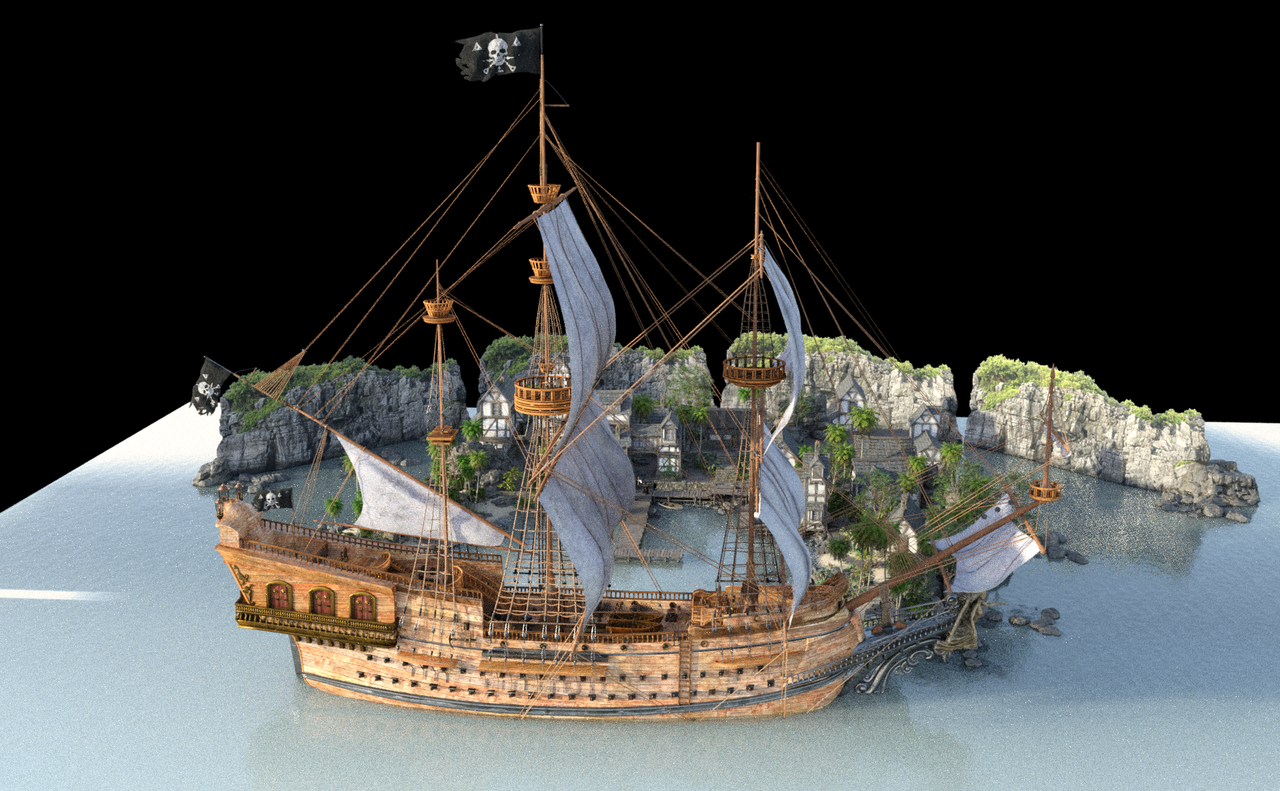
this galleon ship is what i have been trying to use.
please assist meNovember 8, 2023 at 1:36 PM #2040886November 8, 2023 at 2:00 PM #2040893How did you do the install?
If it was via DIM the unfortunate use of the IM reference on the main folder may have resulted in your problem.
It is the nested lower level IM file that should install the data properly.
That said the vendor file organisation is non standard too.
The duf file to load the model is installed under Vehicles / Daz Originals / Xi Galleon Pirate Ship.
November 8, 2023 at 2:30 PM #2040899Made A PDF with text and print screens, hope it helps. It isn't so hard once you understand the folder structure.
Did A very quick render to test
 November 8, 2023 at 7:54 PM #2040941
Missing files (.obj and textures) is a common thing so don't stress. You just need to go back and find and apply them. After that, save the model to your Daz library and it will work fine from then on.
With Poser stuff in DS, if you're using Iray you should select all the surfaces and apply the Uber shader for Iray. Turn down the glossiness setting. You can also swap out some surfaces like glass/metals for the Iray ones which look much better in Iray.November 8, 2023 at 8:02 PM #2040944Thanks So much. this was so much help. I got it into my scene now. i will follow similar pattern for other content. Thanks for assisting
-
AuthorPosts






- You must be logged in to reply to this topic.
