Home Page › Forums › General Chat › Cookies are blocked, then they aren't
- This topic has 12 replies, 9 voices, and was last updated 4 years ago by
 Corbeau.
-
AuthorPosts
-
September 5, 2022 at 6:01 PM #1863680
I haven't seen anyone else mention this so maybe it's only me, in which case I can put up with it. If you found a way round it let me know!
The first time I log in to Zonegfx with Firefox private browsing I get a message from WordPress to say that cookies are blocked, which they aren't... I log in again and all is well.
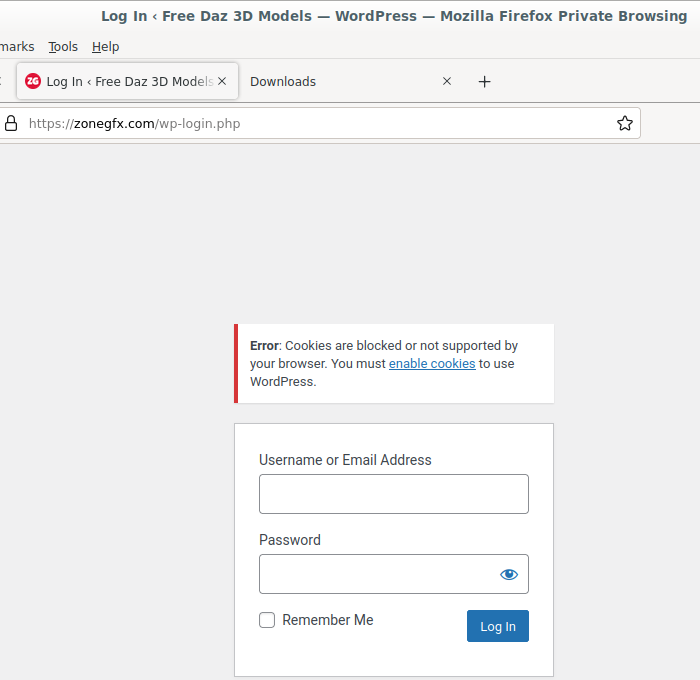
Most of the advice I see online is for WP site owners on how to fix it. Advice for Joe user is along the lines of how to make sure your cookies are enabled. 🙂 Therefore I guess it's one for Hunter, but if only I get the problem I won't bother him.
September 6, 2022 at 1:05 AM #1863774From Mozilla..
In Firefox, Private Browsing deletes cookie data when you close the browser window and doesn't track your browsing data. It also blocks tracking cookies by default. Finally, it won't remember any files you download, but those files will still be on your computer. In Chrome, incognito mode does the same thing.
September 6, 2022 at 1:18 AM #1863775I just logged in with a private window. Have no problem with it. Maybe you should delete your cookies and clear your cache.
September 6, 2022 at 7:40 AM #1863864Hi kusalkin,
In fact I have got the same problems since late August (in Firefox and Chrome) and I did not change my habits previously (my cache was systematically cleared after a session, no problem before...) In Brave I have specifically authorized cookies for zone BUT the first time I load the page there is the same error reported, I reload, relog and it is Ok (but rather slower than in June last time when zone worked well), I was surprised nobody mentions this quirk (I am on Win10).September 6, 2022 at 11:37 AM #1863999Thanks people. I should have said that like @corbeau this started happening after the site was fixed recently. . . But what do you know, today I logged in without problems. Maybe admin saw my post and flipped a switch somewhere. 🙂
September 7, 2022 at 5:32 AM #1864212it's still there, i get it too every time i log in.
September 7, 2022 at 11:07 AM #1864329Me too today. Let's tag @hunter in this so he knows about it. It's only a minor annoyance.
September 7, 2022 at 5:46 PM #1864462I get the same, although today I had no problem.
September 12, 2022 at 10:36 PM #1866316I get the cookies error each time I log in for the first time, then I log in again and it works fine.
September 14, 2022 at 1:49 PM #1867012I also get the same error, but figured it was either still dust settling from the site fix or something changed on WordPress.. interesting side note, When you get the error, try opening another tab and going straight to the site again. I've found I am actually already logged in, no request to log in, and points have been assigned when applicable.
September 14, 2022 at 9:26 PM #1867147Well that escalated quickly...
 September 24, 2022 at 4:24 AM #1870565
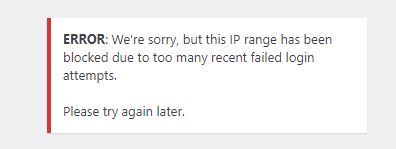
I just had the IP range block error as well. After poking around on the site to see if there was a way to contact the staff (to no avail) I tried again and it finally let me log in.
September 24, 2022 at 7:57 AM #1870617Strange, for me it has been working perfectly since september 22nd or so, while previously it was a serious mess with connect failures, horrible lag and cookies shenanigans... Now it is fast and and clean.
-
AuthorPosts













- You must be logged in to reply to this topic.
