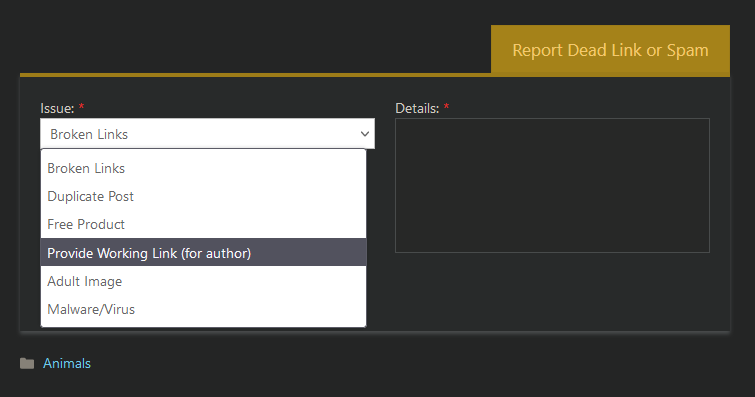
How to fix my dead post's links? Home Page › Forums › General Chat › How to fix my dead post's links? This topic has 5 replies, 4 voices, and was last updated 4 years, 2 months ago by gabx02. Viewing 6 posts - 1 through 6 (of 6 total) Author Posts July 7, 2022 at 6:08 AM #1828883 gabx02Participant Rank: Hello, I have two post with dead links, I want to fix them, but I have no idea who to contact for that. Can the admin send me a message, so I can give them the new links? July 7, 2022 at 6:12 AM #1828885 AnjaBearParticipant Rank: Try giving me the LINK to your blog posts, and the download links you want me to put in for you in a PM (AnjaBear) Cheers, AnjaBear Moderator July 7, 2022 at 6:18 AM #1828887 gabx02Participant Rank: Done! 😀 July 7, 2022 at 8:57 AM #1828936 gladson1976Participant Rank: You can also click on the Report Dead Link button on that post and there will be an option to provide a new link.. July 8, 2022 at 5:51 AM #1829307 wallyburgerParticipant Rank: Holy Moley! I'd never noticed that. I'd better go through my recent posts and fix them up on my new Mega account. July 10, 2022 at 1:20 AM #1829910 gabx02Participant Rank: Oh, I thought it was only to report dead links, thanks! Author Posts Viewing 6 posts - 1 through 6 (of 6 total) You must be logged in to reply to this topic. Log In Username: Password: Keep me signed in Log In
.








 .
.