Home Page › Forums › General Chat › What would or have you converted
- This topic has 6 replies, 6 voices, and was last updated 7 years ago by
 ADAM.
ADAM.
-
AuthorPosts
-
August 19, 2019 at 3:04 PM #1209398
With V4 to G3 and now G3 to G8 what would be your must convert characters ti G8 if you were to want to do so?
I pulled GND 4.3 to G8 and it turned out ok. Im thinking about doing a few others but not sure what.
August 19, 2019 at 8:55 PM #1209819I would say well over 90% of any conversions for me would be from V4 - G8F
TBH I am waiting for Riversoft to come up with the cleaner easier scripting on that.August 20, 2019 at 1:07 AM #1210093Some Genesis 2 characters I created from scratch. I tried to recreate them for Genesis 3 but I wasn't satisfied with the outcome.
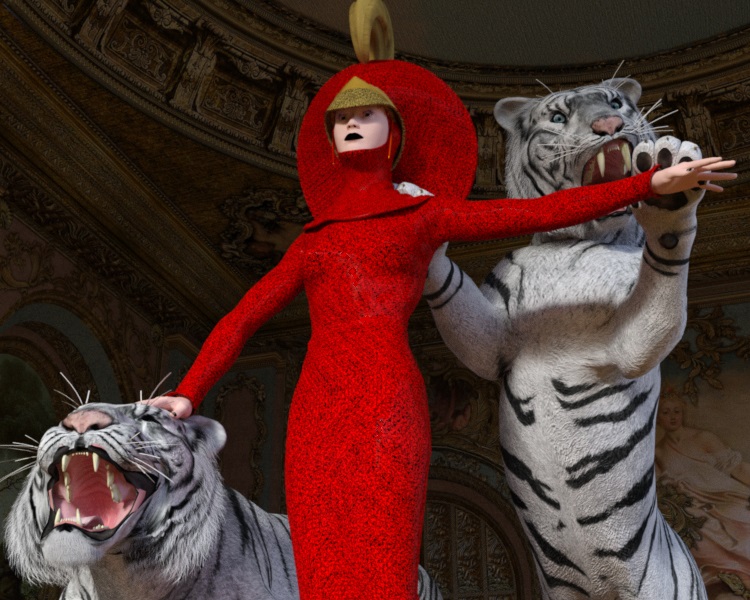
August 20, 2019 at 3:24 AM #1210201I have never converted anything and don't know how. If I did, I would convert this genesis outfit because it is so impractacle and cool looking to me.
 August 20, 2019 at 3:37 AM #1210211
I have a Conan character I created thats G3 and I want to convert him to G8. Though I also did a G8 Conan and he's pretty awesome too. He could be his son.
August 22, 2019 at 7:35 PM #1214014Outfits are doable w/o scripts. If you have enough morphs and patience. For example, you can load a Genesis Character and G8 Character, then use the morphs and scaling to make the genesis character as close as possible to the g8 character in shape in size (keep them both at X=0 and Z=0 and Y=0 on the transforms). Save the pose, once you get it to match too. Can be used later for making shit line up.
I do it going from G8 to G2 a lot for clothing. I match the shape of the source character to the target character as close as possible. Load the clothing to the source character (G8), set the smoothing modifier to target the target character (G2) and once i'm happy with the fit, i export as an OBJ file (USE THE DAZ PREDEFINED EXPORT OPTION). Then hide the original clothing and import the OBJ file (USE THE DAZ PREDEFINED EXPORT OPTION. Copy the textures (in surfaces tab) from source to target cloth. Next, use the geometry transfer in edit menu, object or figure, to select G2 as source, and new Clothing OBJ as the target. That loads the bones in the right place. I haven't done morphs yet, haven't tried, since my target for the clothing is VAM.
Works great, after you get the intitial bodies in place, save the scene so you can repeat and start from 0 each time. I think morphs can be copied in a similar way as well, since you aren't changing the LOD/Vertexes during the export/import process, the should be identical. Now, if there is a way to one click script this, i'm all for it. Then you can do any target to any target.
And if you don't know about VAM, and you love sandboxing with the characters, you have to check it out. Wow, and it's oculus, gear based, also has a monitor option too for those w/o VR. Lots of fun. Still newish, and he is working on G8 models too for v2 release. At work, so i can't pull it up now and post a link, but if interested, look for meshedVR on Patreon. I have the creator level. Well worth it for me.
August 23, 2019 at 2:31 AM #1214429I dont have the patients for that. I want a click for option for a computer.
-
AuthorPosts









- You must be logged in to reply to this topic.
