Simple and Flexible Portal Effect (Blender)
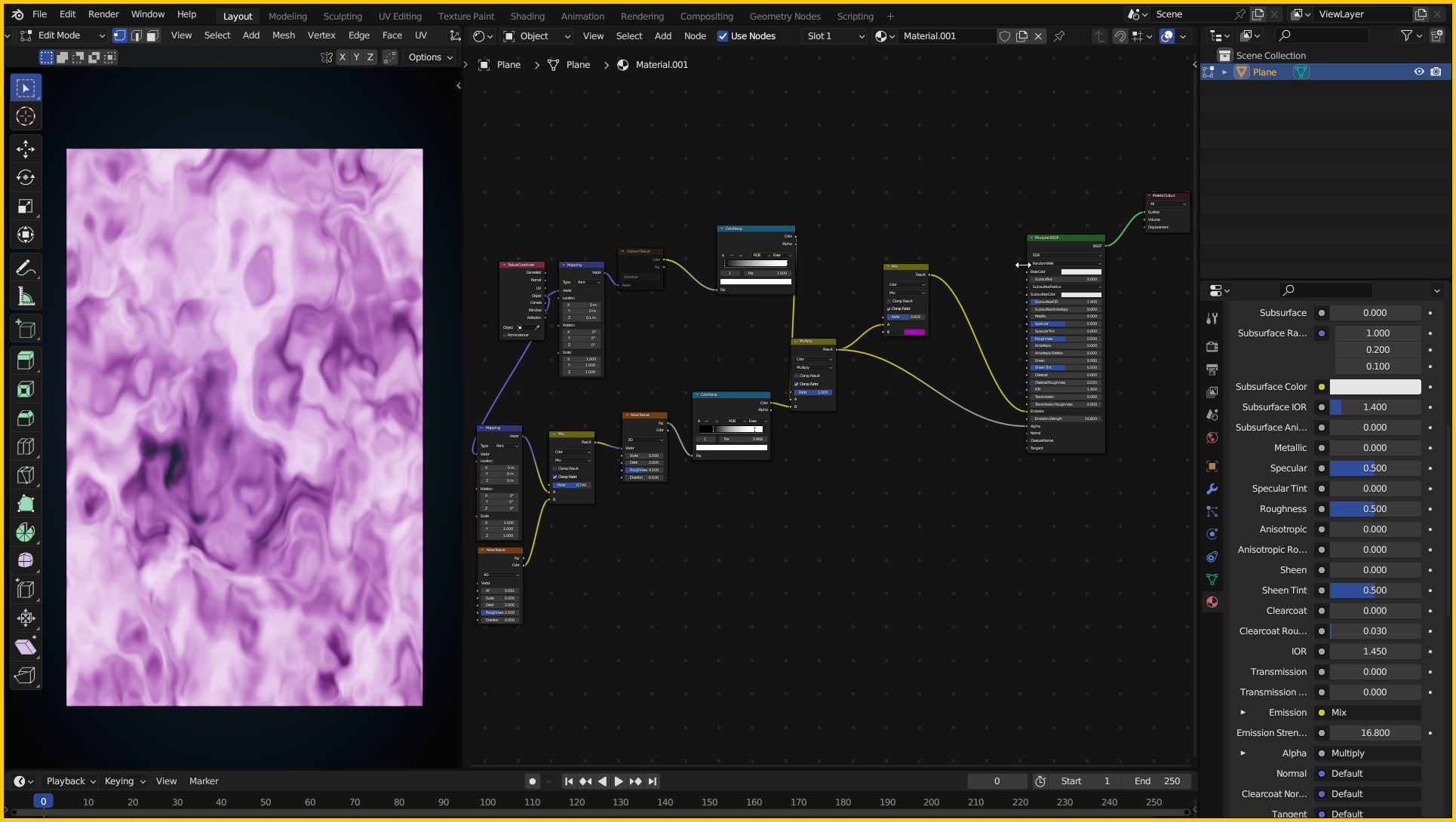
Hi, I originally made this effect with nodes to use it as a Minecraft Portal Effect, however it turned out really flexible and useful for different Portal Effects too, so I'm sharing this for you to use if you wish. This will be a ".Blend" file, after you opened it you can change the settings with shader nodes and then Append that portal to your own project, you can easily append the object and the material will also get added, if it did not for some reason, you can Append the material itself and set it to a simple plane.
Things you can do or change :
- You can change the overall noise effect using the two "Noise Texture" nodes so it looks more or less messy.
- You can change the Portal's color using the Mix color node.
- You can change intensity of the darker or lighter spots on the Portal using "Color Ramp" nodes.
- Also you can animate the portal manually by animating the "W" value on the first "Noise Texture" or animating it automatically by adding a driver to that "W" value and set a script that animates it with frames, for example you can use this script in the driver for animating it like that : (frame*0.001). after playing the animation it should animate the portal by itself.
these were the main properties of the portal that you can change, you can also play with the other values to come up with something.
lastly, this was made in Blender 3.6, I don't know about lower versions but it will most likely work on higher versions, this is a really simple setup it may even work on lower versions as well.
hope you enjoy using it.

